DEV3 Technologies home

DEV3 Anvilry – Manufacturing Plant and Shift Crew Management Platform with Gemini AI admin tools

Anvilry is self-hosted plant and shift-crew management software: rosters, geofenced attendance, overtime, projects, clients, invoices, payroll and hiring on one dense control-room screen. Next.js + MongoDB, with Gemini AI admin tools.
by DEV3 TechnologiesVerified AuthorUpdated 22 Nov 2026

Video tour. Pick a section below to browse 37 screenshots in 11 sections.

Similar products · 2 more designs

Same features, a different design. Each is its own product: pick one and buy it on its own.

App & phone tours

Tap play to watch each app. Nothing downloads until you do.

  • Mobile web0:27

Anvilry is self-hosted plant and shift-crew management software for manufacturing plants, machine shops and workshop floors, built by DEV3 Technologies on Next.js 15, React 19, TypeScript, Tailwind 4 and MongoDB. It keeps rosters, geofenced attendance, leave, overtime, payroll, projects, clients, quotes, invoices, a double-entry ledger, hiring and a client portal in one place, on a dense control-room interface with a Gemini AI admin tools panel across the admin modules.

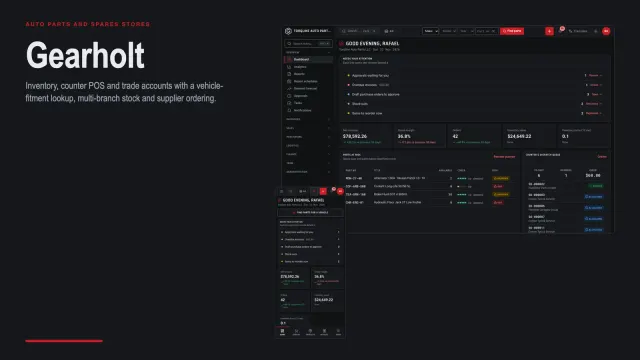
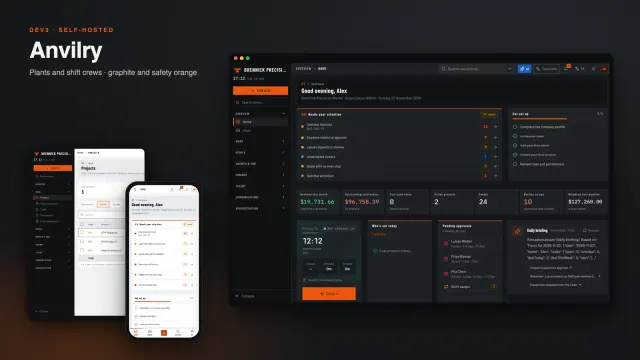
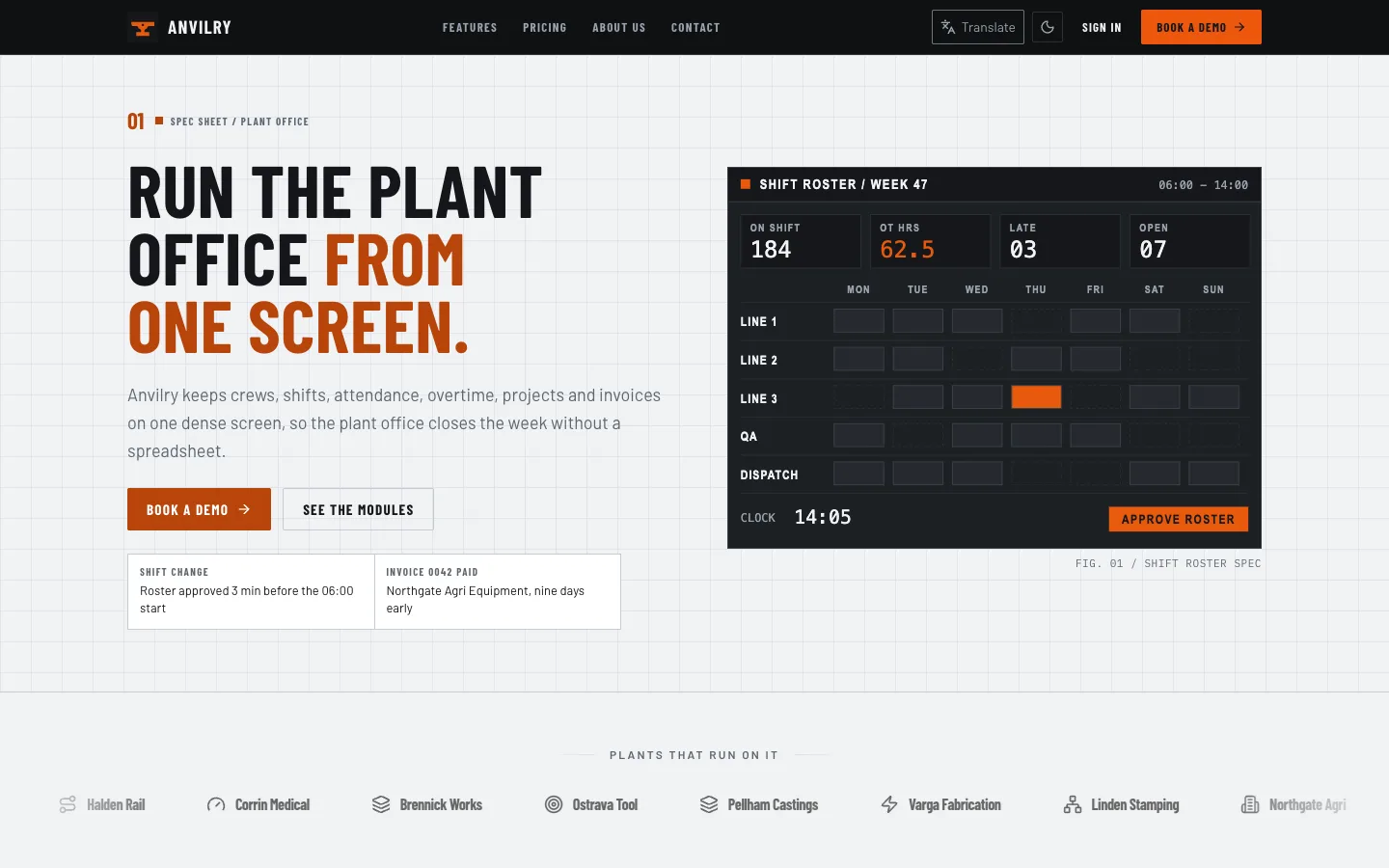
Anvilry looks like a plant control room: graphite and safety orange, an always-dark sidebar with a live plant clock, a sticky KPI strip, compact 34 px tables, split-column forms, banner page headers and square badges. There are dark and light themes, and a 390 px phone layout with a bottom bar and a slide-in drawer. The public website is a numbered spec sheet: a hero with a roster card, a module table, datasheet stats, a before-and-after table and a pricing datasheet. There is no 3D anywhere.

What it does

  • Shift board. A dashboard that opens on what needs attention: a sticky KPI strip, an action queue and the shift floor, with a live plant clock in the sidebar.
  • Rosters and attendance. Weekly rosters, shifts, geofenced clock-in, lateness and overtime rules, time codes and approvals.
  • People. Employee records and documents, leave policies and balances, onboarding and offboarding, org chart, assets, performance reviews and goals.
  • Payroll. Pay runs, payslips, overtime lines and deductions.
  • Projects and time. Boards, lists, Gantt and calendar views, tasks, deliverables, rate cards, resource capacity and timesheets.
  • Clients and sales. Clients, contacts, leads, deals, quotes, contracts, price lists and a support desk with SLA timers and a knowledge base.
  • Finance. Invoices (recurring too), bills, purchase orders, expenses, banking and a double-entry ledger with aging, tax and forecast reports.
  • Hiring. Jobs, a candidate pipeline, interviews, offers and talent pools, with AI CV screening.
  • Client portal. Customers sign in to see their projects, deliverables, quotes, invoices, statements and tickets.
  • Settings. Roles and permissions, users, custom fields, automation, webhooks, API keys, audit log, MFA, privacy tools and SaaS plans.
  • Gemini AI admin tools. Briefings, drafts, summaries and flags across the admin modules. Out of the box a built-in deterministic driver is used, so nothing is sent anywhere; add your own Gemini key after purchase to turn it live.

What is included

  • The full Next.js application source with the shared DEV3 core vendored under packages/next-core, an .env.example, seed and scheduled-job scripts, unit and browser test suites, a Dockerfile, HTML documentation, a licence and a START-HERE file.
  • A seeded demo company with one-click demo sign-ins for every role (Super Admin, Organization Admin, Department Manager, Sales, Staff, Finance, HR, Project Manager, Support, Recruiter, Contractor, Auditor and an external client).
  • English, Arabic, Hebrew and Spanish language files with right-to-left layouts, light and dark themes and WCAG AA contrast.

Good to know

  • Email, payments and file uploads need your own providers. Without them the app runs, mail is logged and payments use the simulated gateway.
  • Needs Node.js 20.9 or newer and MongoDB 5 or newer (a replica set is recommended).
  • The demo data is fictional (a 220-person machining plant). Seed once; to reseed an existing database, drop it first.
  • Six months of support are included.

How it's built

Architecture, stack, key decisions and the quality gates DEV3 Anvilry passed before release.

The engineering behind Anvilry: a token-driven design system, pure view components with typed props, role-aware navigation and a tenant-scoped data layer, in a graphite and safety-orange control-room interface with no 3D.

The problem it solves

Plant software is used all day, on shared screens and on phones in the aisle. Operators need density without clutter: many rows, clear states and big enough touch targets. The same product also has to serve office staff, clients and auditors, each with a different set of screens, in light and dark, in left-to-right and right-to-left languages.

Architecture and approach

Anvilry is a Next.js 15 application on MongoDB. Presentation is kept apart from behaviour: colours, radii, shadows and fonts are design tokens; the shell, dashboard, tables and forms are pure view components with typed props; and the modules read data through services that scope every query to the organisation.

The sidebar is always dark and carries a live plant clock. Tables use a 34 px compact row, forms split into columns, and page headers are banners with square status badges. Every accent is derived from three hue, saturation and lightness variables, so an organisation can re-tint the product without breaking contrast.

Roles are dynamic: a permission matrix decides which modules and actions each person sees, from the Super Admin to a contractor or an external client in the portal. Gemini AI admin tools run on a deterministic driver by default and switch to a live key only when you add one.

Quality gates and results

Every screen is checked at 390 px and at 1440 px in light and dark, contrast is checked against WCAG AA, and Lighthouse mobile scores are 100 for accessibility on the public pages. The whole suite of unit and browser tests passes on a fresh database.

Tech stack

Area Technologies
Frontend Next.js, React, TypeScript, Tailwind
Backend MongoDB

Inside the build

Homepage: A numbered spec-sheet hero with a roster card, in safety orange and graphite. Homepage — A numbered spec-sheet hero with a roster card, in safety orange and graphite.
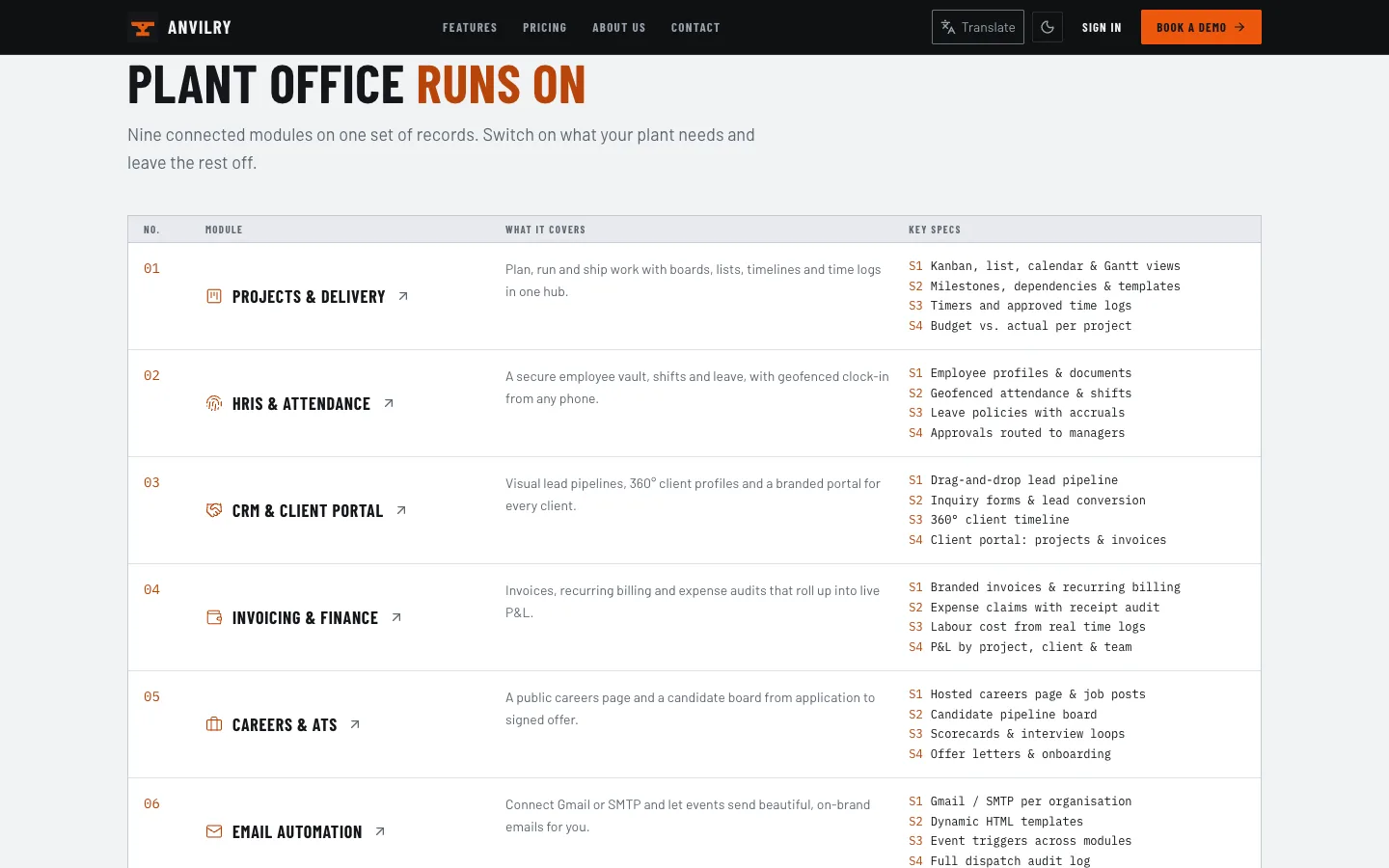
Modules and datasheet: Module table and datasheet stats for plant and crew management. Modules and datasheet — Module table and datasheet stats for plant and crew management.

Guides & articles

Practical guides and engineering write-ups for DEV3 Anvilry.

Shift and crew management software: 6 things to check before you pick one

Last updated
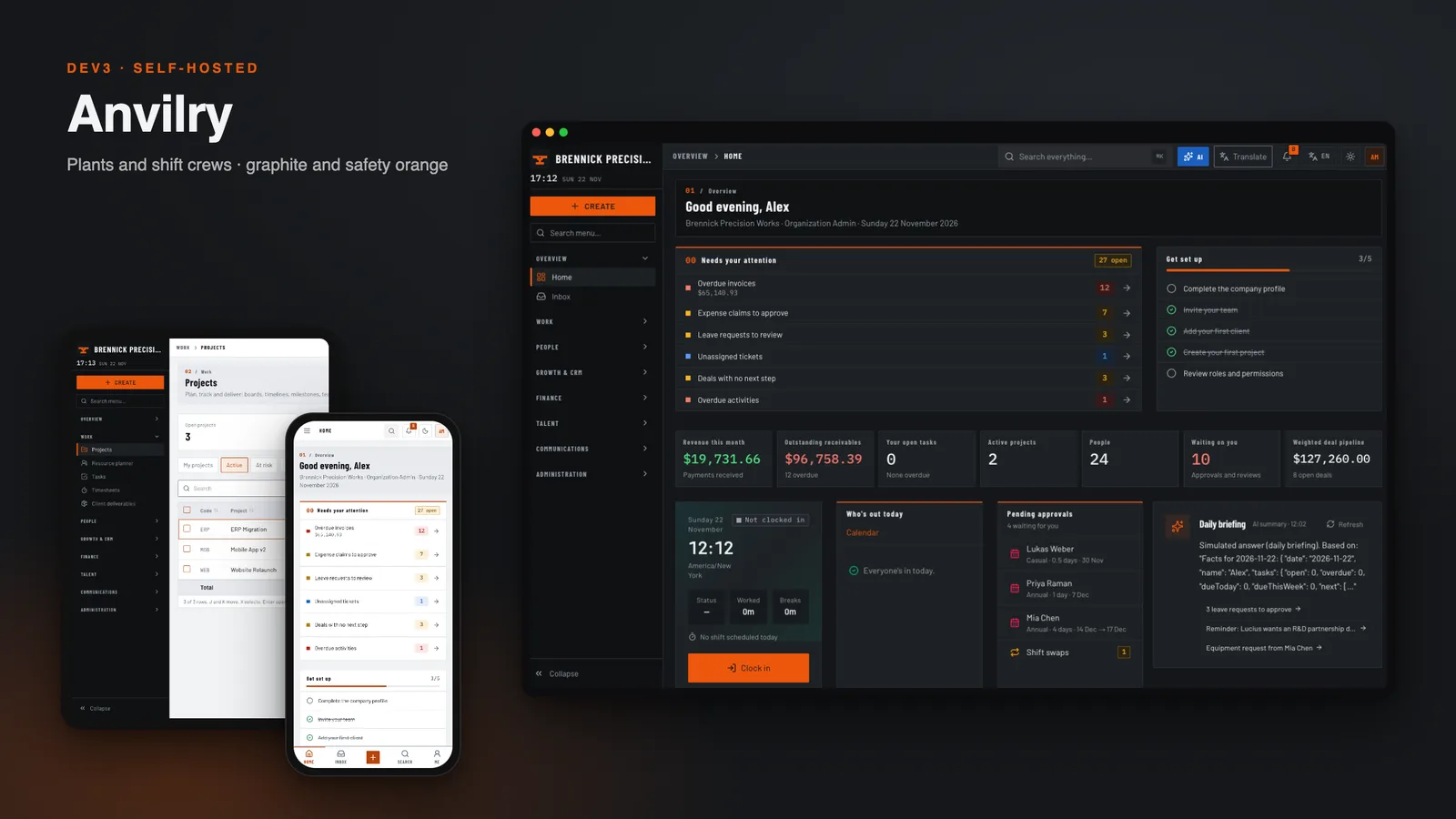
Shift and crew management software: 6 things to check before you pick one: DEV3 Anvilry

Running a plant or a workshop floor is mostly a scheduling and paperwork problem. Here are six things to check before you pick software, with DEV3 Anvilry as the worked example.
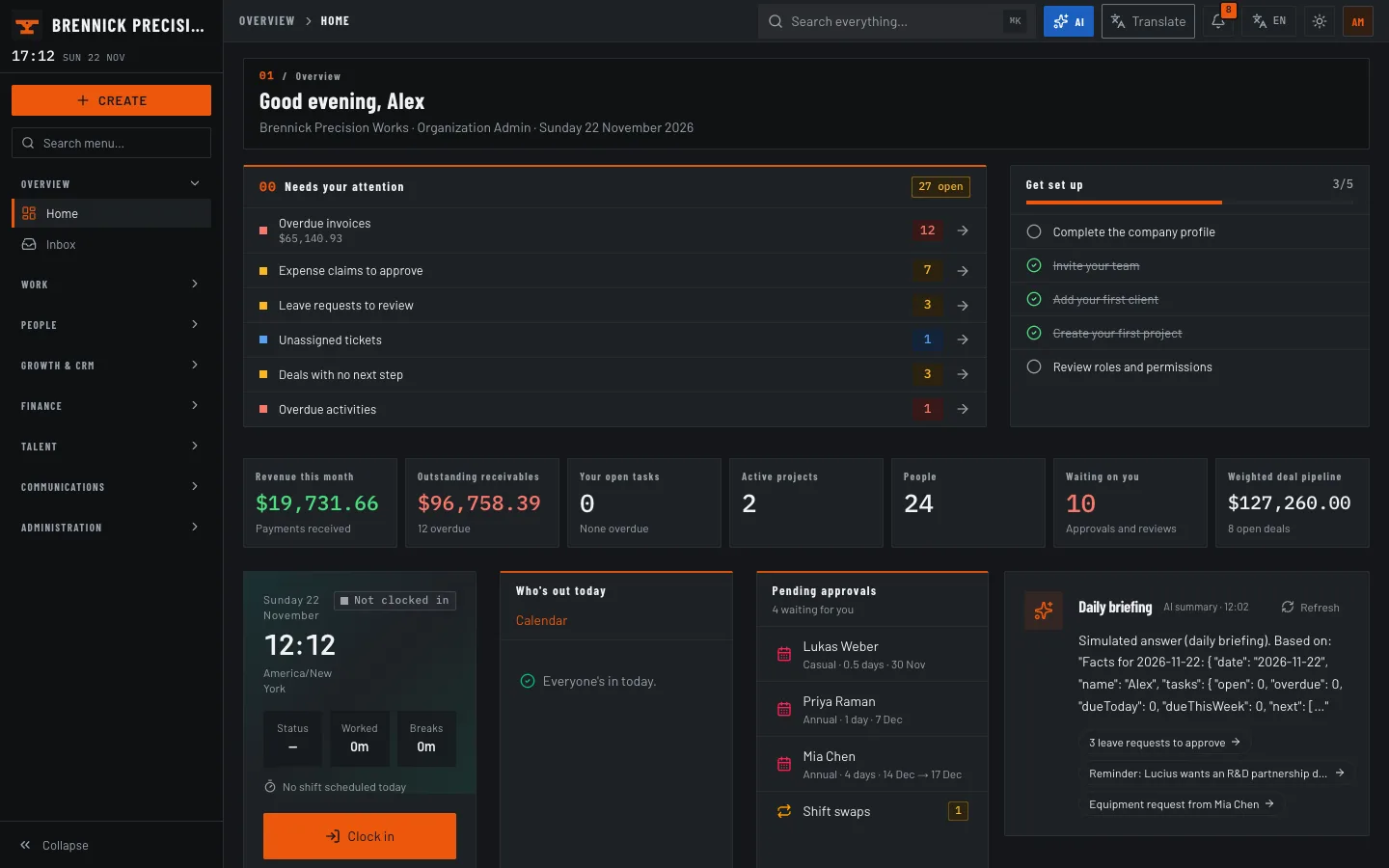
Video tour of Anvilry: the shift board, rosters, projects and the main modules

Anvilry shift board

1. Can you see the whole shift at a glance?

A good board shows who is on, who is late and what needs a decision, without opening five pages. Anvilry opens on a shift board with a sticky KPI strip and an action queue.

2. Are rosters and attendance connected?

A roster is only useful if clock-ins are compared with it. Anvilry keeps weekly rosters next to geofenced attendance, so lateness and overtime come from the same data.
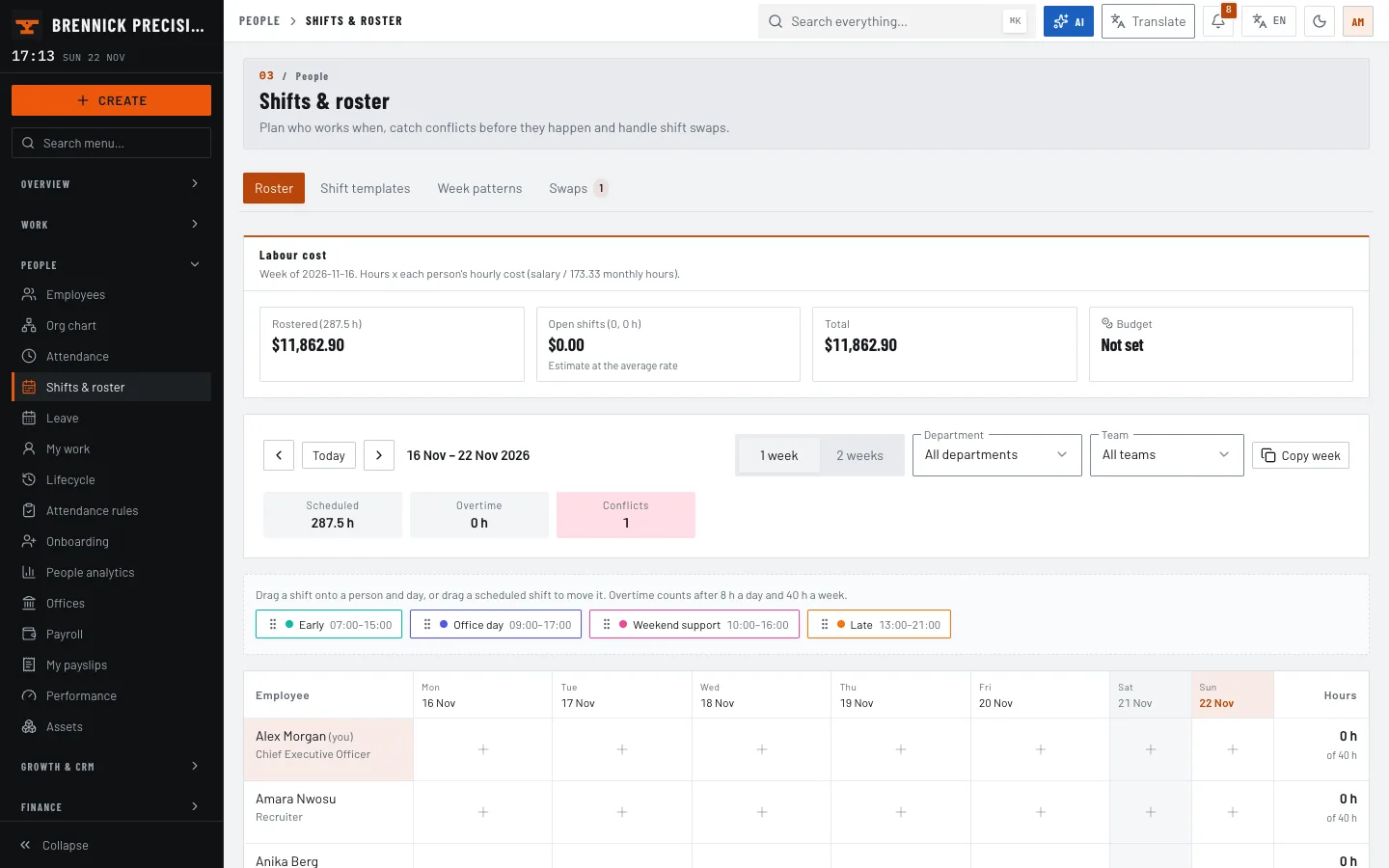
Roster by day and shift

3. Does payroll follow the hours?

Overtime and deductions should flow into the pay run instead of being retyped. Anvilry builds pay runs and payslips from approved time and attendance.
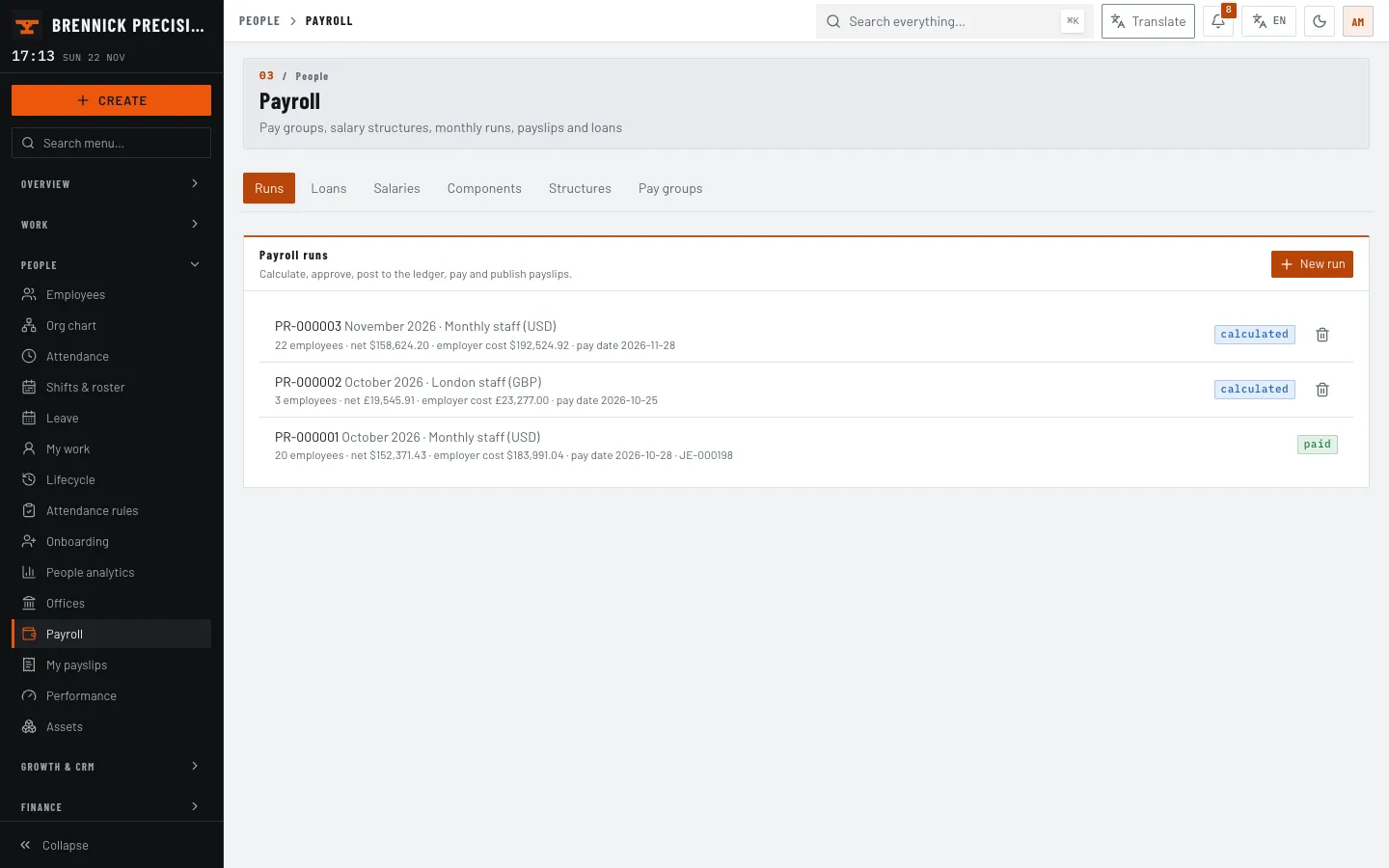
Payroll runs

4. Can you bill the work?

If the same plant sells jobs, projects, time and invoices should live together. Anvilry links projects and timesheets to quotes, invoices and a double-entry ledger.
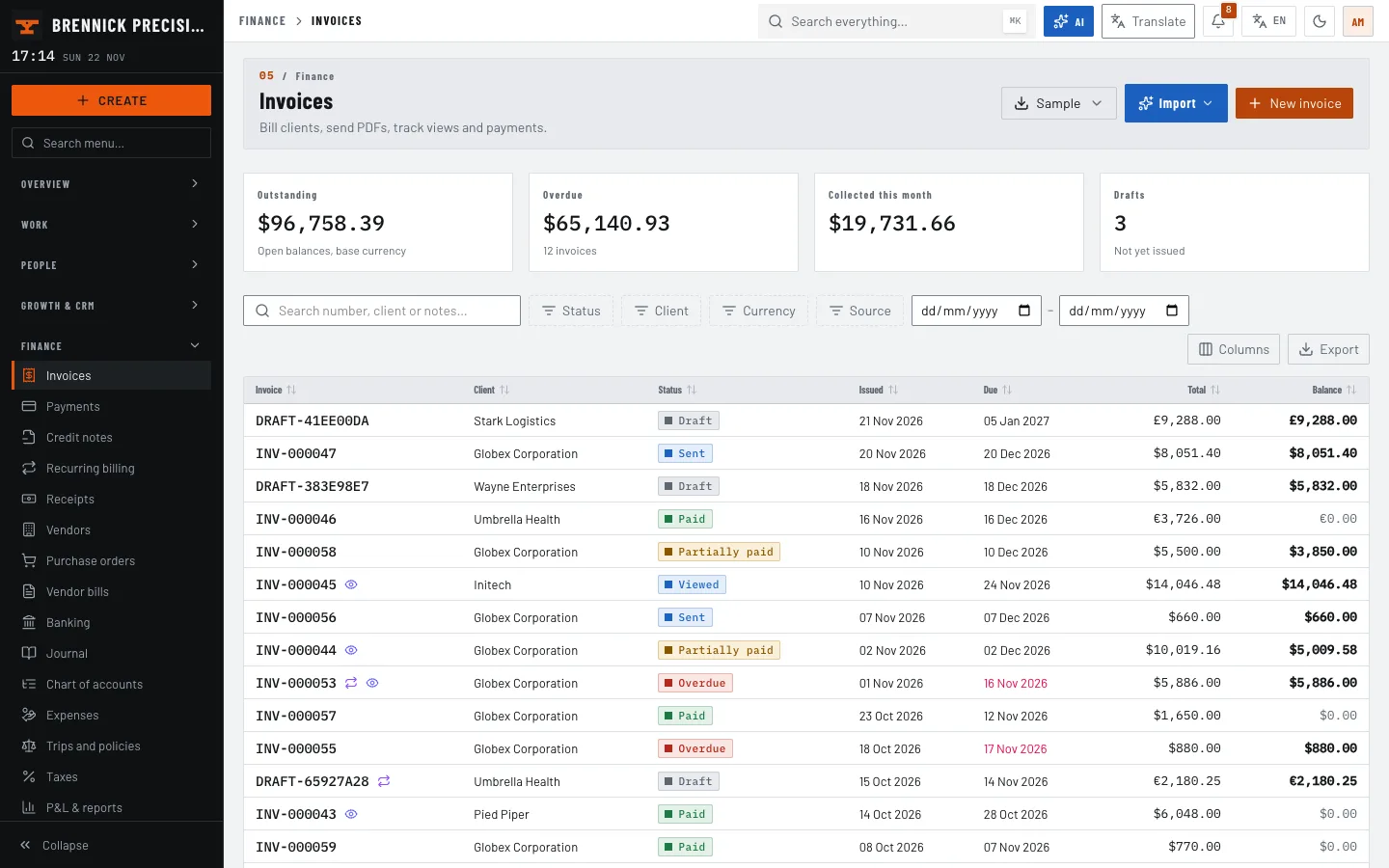
Invoices list

5. Who can see what?

A contractor, a manager and an auditor should not see the same screens. Anvilry uses a permission matrix with dynamic roles, plus a client portal for customers.
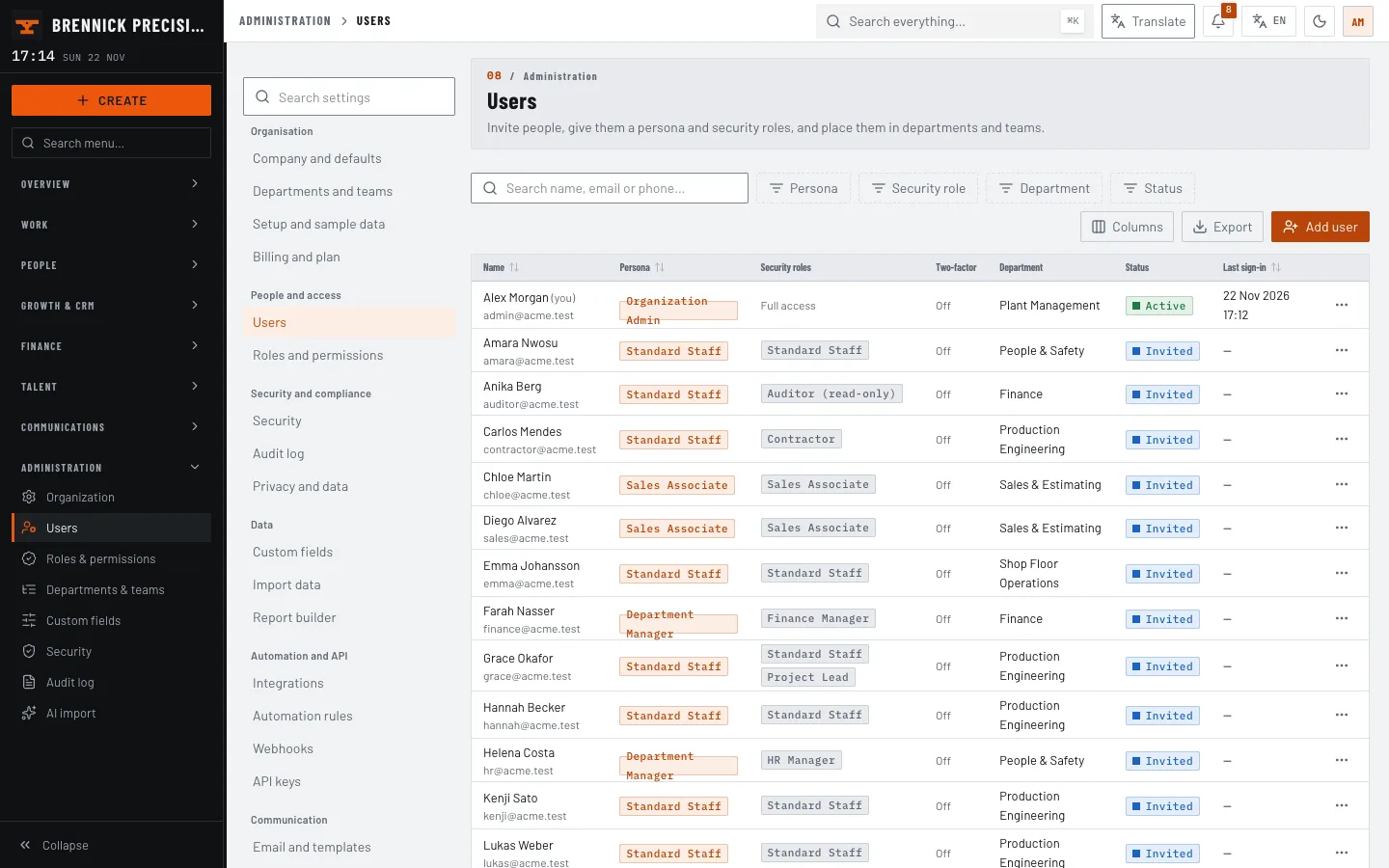
Users and roles

6. Does it work on a phone?

Crew members check shifts from the aisle. Anvilry has a 390 px layout with a bottom bar and a slide-in drawer.
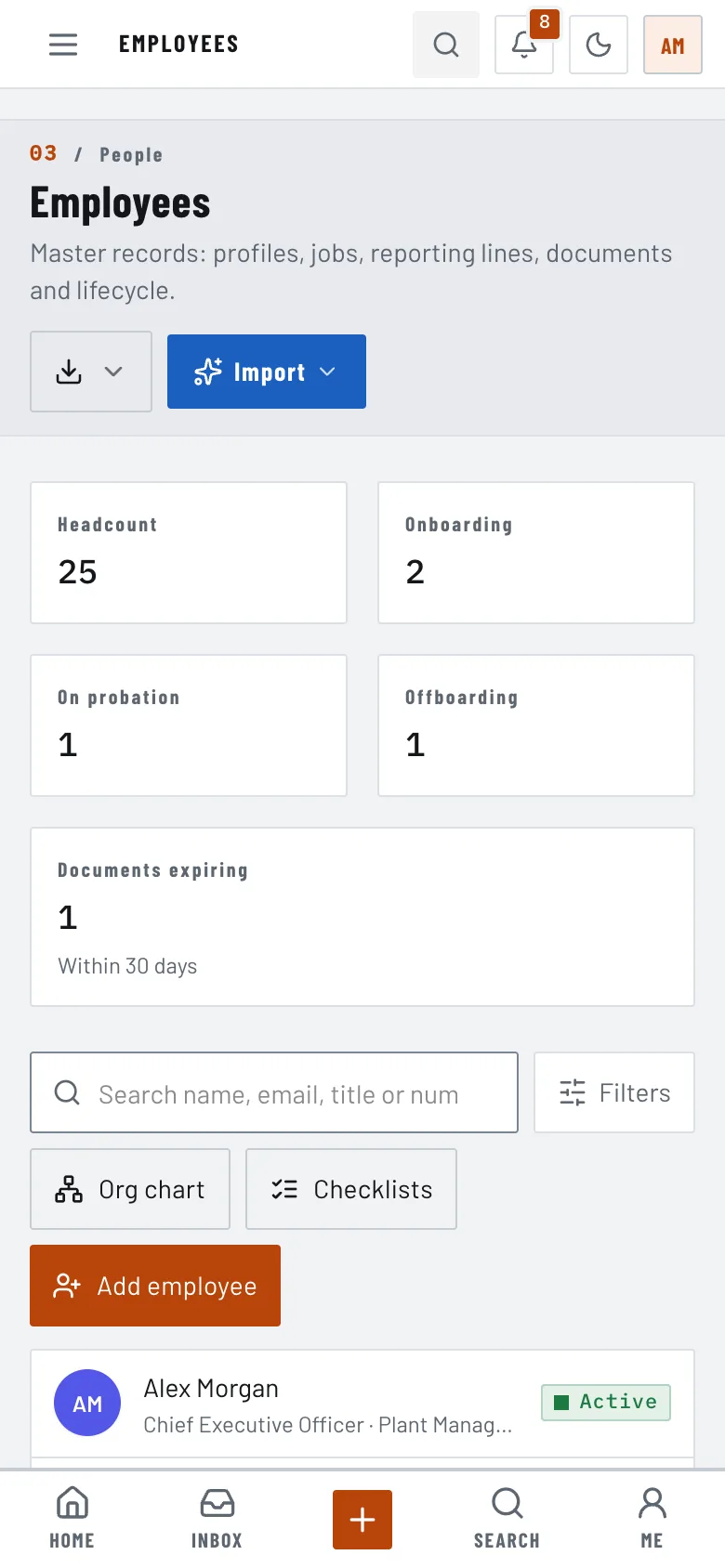
Employees on a phone

Limits

Anvilry is self-hosted: you bring MongoDB, a Node host and, optionally, your own email, payment and Gemini keys. Payments use a simulated gateway until you add real ones, and the demo data is fictional.
Frequently asked questions

The complete source code (version 1.0.0) as a download from your account, with the setup and usage guides shown on this page. You can modify the code to suit your product.

Questions about this product (0)

Answers from the DEV3 team and the community.

Ask a question

No questions yet.

Wondering about setup, licensing or customisation? Ask, and the DEV3 team will help.

More from this author

View all

Related in Enterprise SaaS Starters

View all