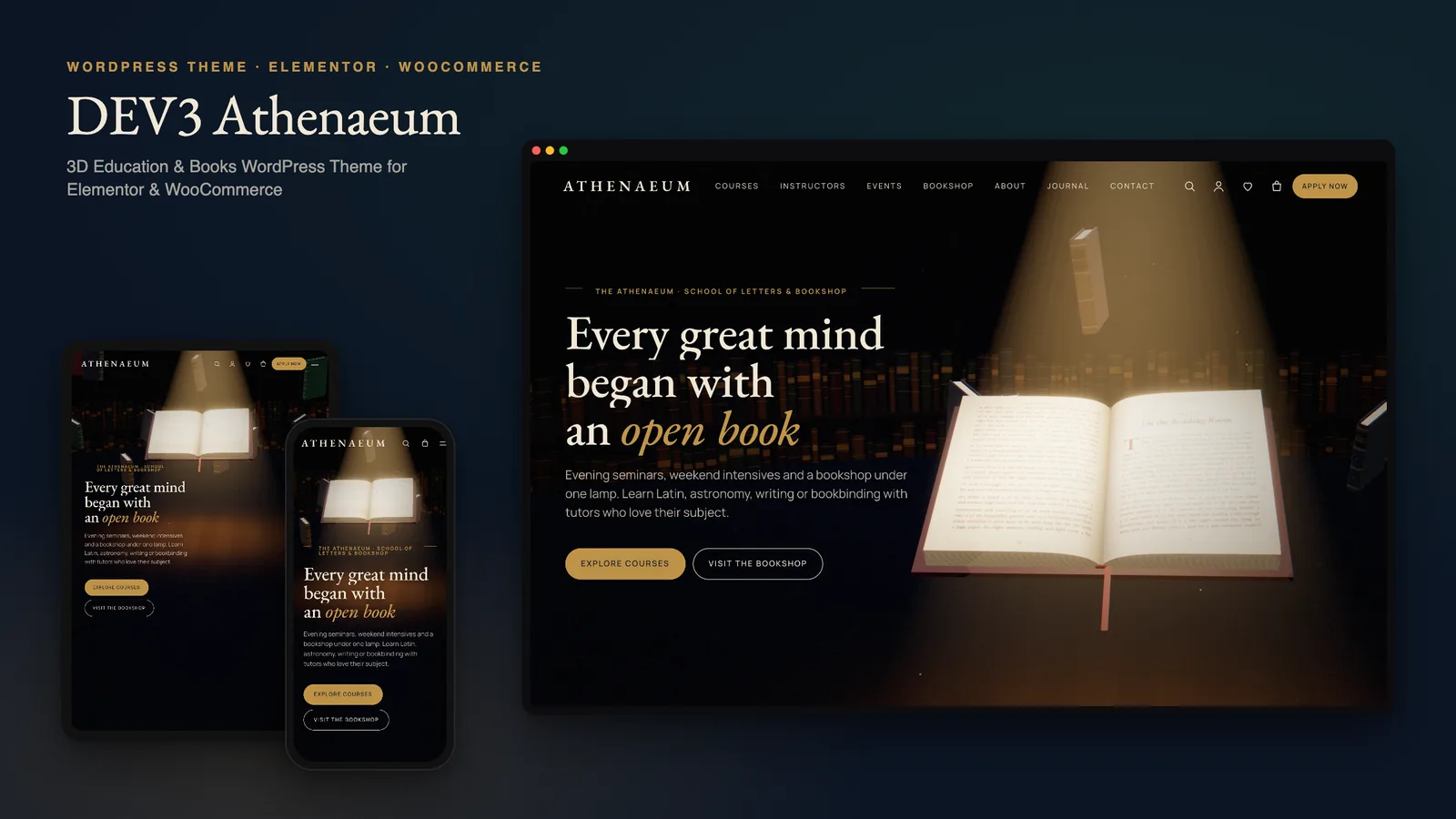
A small school's website has to do two very different jobs. It has to inspire, because nobody signs up for evening Latin or a bookbinding weekend after reading a fee table. And it has to inform: levels, durations, syllabi, instructors, dates, how to apply. Many schools also run a bookshop or sell their own titles. DEV3 Athenaeum is our WordPress theme for online courses and bookshops, built to do both jobs on one site. The inspiring part is a live 3D book. The informing part is ordinary WordPress content that staff can keep up to date. This post covers who Athenaeum suits, how to set up a school and bookshop with it, and how to edit the turning-page story in Elementor.
Who Athenaeum is for
- Evening colleges, academies and adult-education schools that publish a course catalogue and take applications.
- Independent course creators who teach a handful of cohorts a year and want a site that feels like a place, not a dashboard.
- Bookshops, small publishers and literary societies that sell books, run readings and launches, and post a journal.
- Schools that do all three. The demo is a fictional "school of letters" with a bookshop under the same lamp.
Athenaeum is not a learning-management system, and it does not pretend to be one. Its Course post type is a catalogue: it describes each course and sends students to enrol. To deliver lessons, quizzes and progress tracking online, you add LearnDash or Tutor LMS, and Athenaeum styles them to match. That split keeps a weekend academy's site simple while leaving room to grow.
The book at the centre of the story
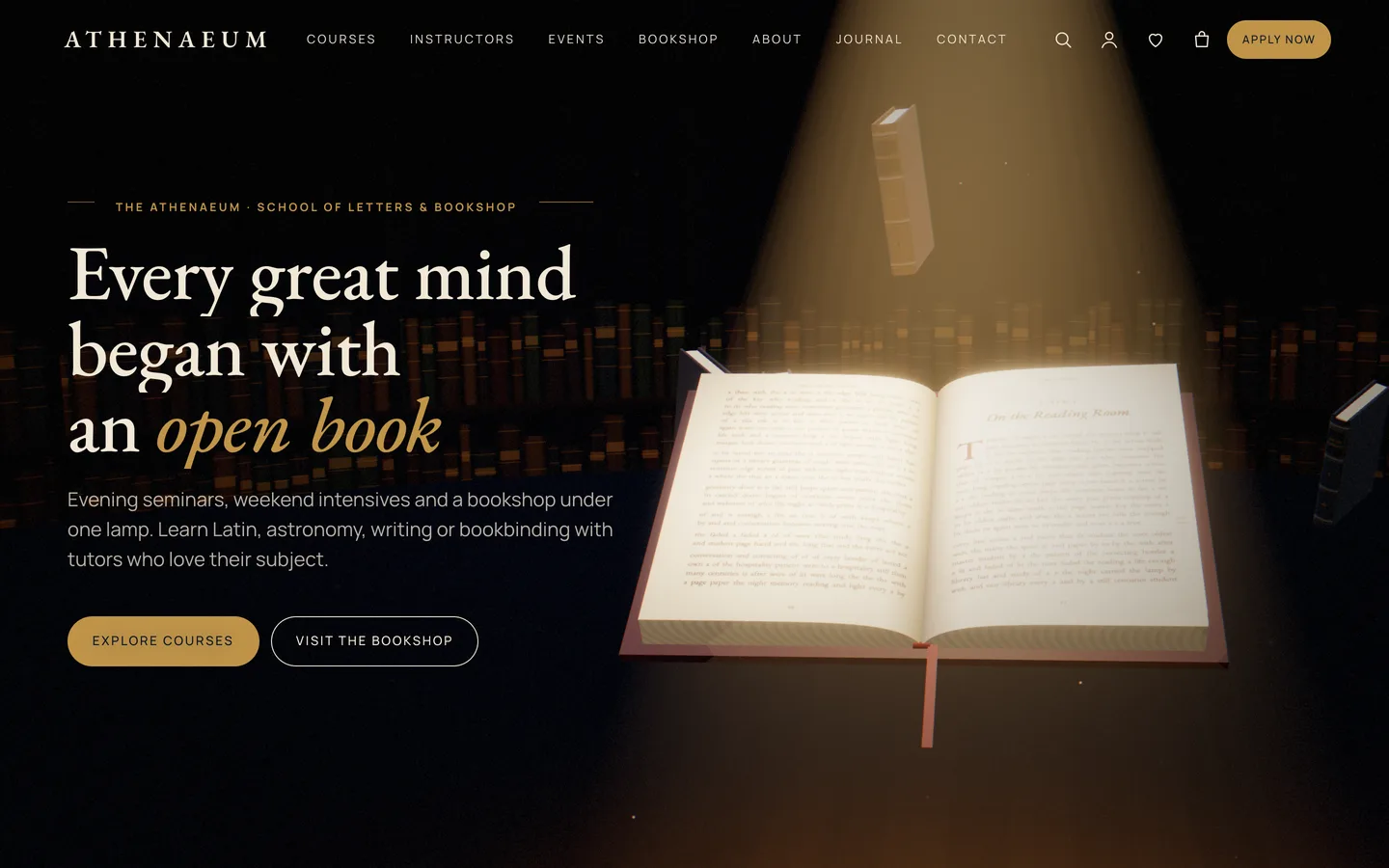
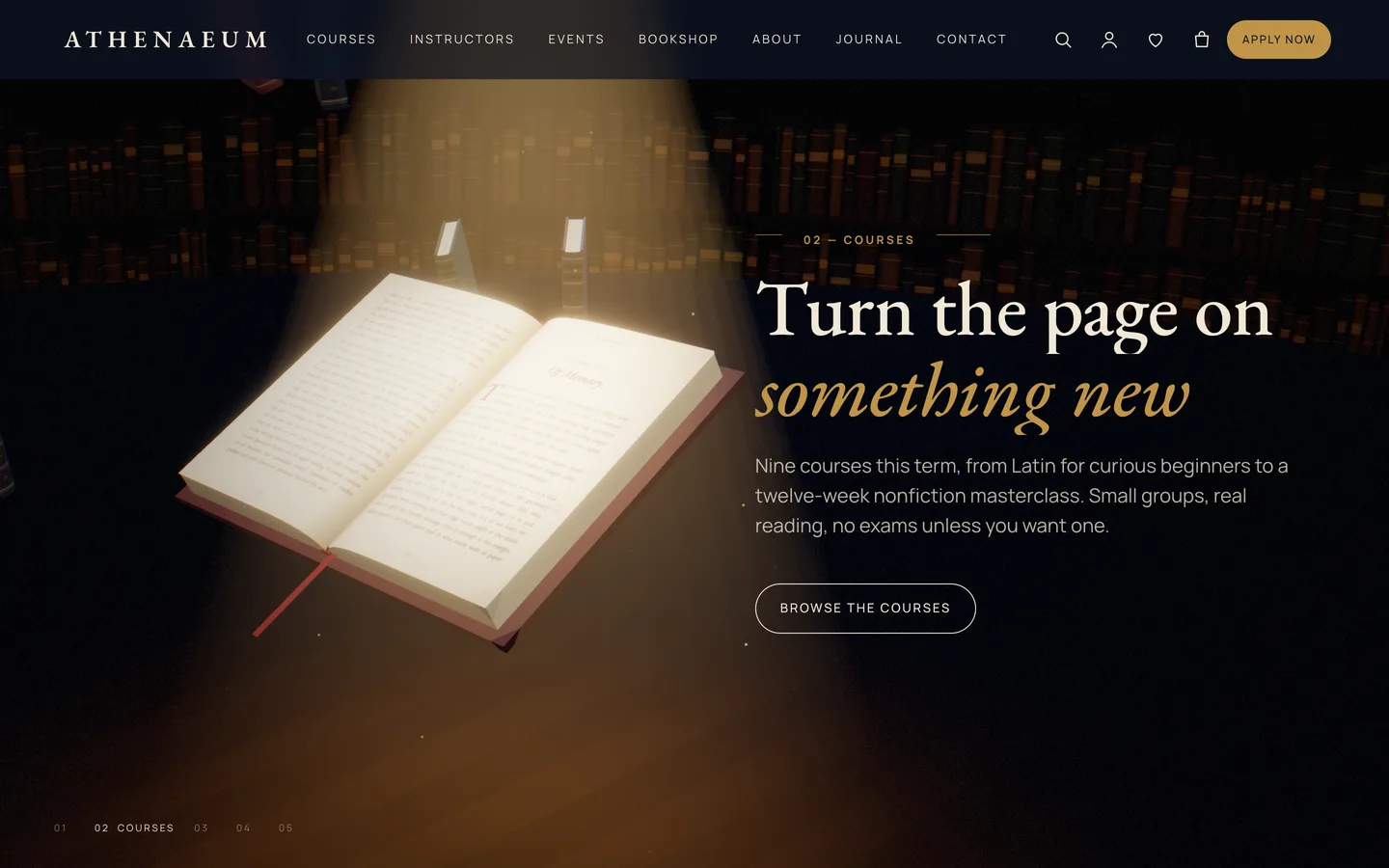
The home page is a three.js scene that stays fixed behind the page while you scroll. A leather-bound book floats open under a green reading lamp, with volumes drifting through the library around it. As you read down the page, the book's pages turn. At the bookshop chapter they fan open like a flip-book, and the drifting volumes settle into two neat stacks. At the end the book closes and presents its gold-tooled cover.
Everything is generated in code, so there are no stock photos to license. The demo's course images, event images and book covers were rendered by the theme's own scenes. Three presets cover the site:
- The reading room: the home-page story.
- Book viewer: a single book as a hardcover, paperback or e-reader, with the title, subtitle and author typeset live on the cover.
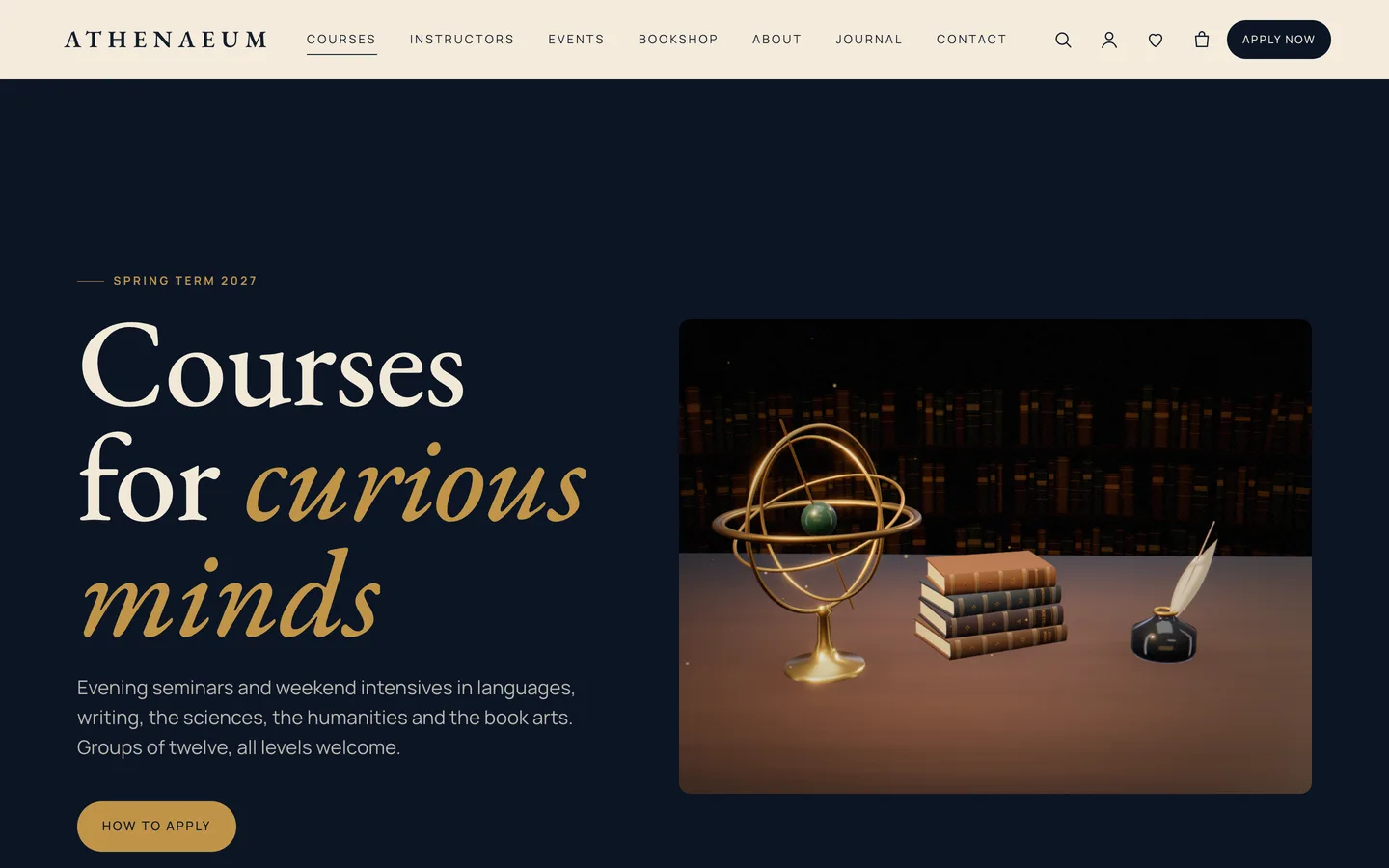
- Study still life: an armillary sphere, globe, inkwell and quill, hourglass, mortarboard and candle on a desk. The inner-page heroes use it.
Setting up a school and bookshop
1. Install the theme and plugins
Upload dev3-athenaeum.zip under Appearance → Themes → Add New → Upload Theme and activate it. Then install the DEV3 Theme Toolkit from the prompt. It is required: it provides the Course, Instructor and Event post types, the widgets and the demo importer. Install Elementor, WooCommerce and Contact Form 7 from the same prompt. If you will touch code, activate the included child theme as well.
2. Import the demo
Go to Appearance → DEV3 Demo and click Import demo while logged in as an administrator. You get:
- the pages: Home (a five-chapter 3D story), Courses, Instructors, Events, About, Admissions, Contact, Bookshop and Journal
- 9 courses in 5 subjects, 6 instructors and 5 events
- 9 bookshop products and 6 journal posts
- 2 forms: Application and Contact
Imported items are tagged, so Reset later removes only the demo.
3. Rewrite the courses
Courses live under Courses. Each course has a level, a duration, lessons (one per line, shown as a numbered syllabus), an instructor and a fee. Subjects are course categories, and they become the filter buttons on the Courses page. Course structured data is printed for search engines automatically, so you never write it by hand.
4. Wire up admissions
The Application form is a Contact Form 7 form. Its course list reads the course from the address, so a course's Enrol button arrives with that course already chosen. Events work the same way. An open day without a ticket product opens the application with the event selected, and a paid lecture can link a WooCommerce ticket instead. Change the form's recipient in Contact → Contact Forms. If you use an LMS, set Customizer → Courses & Admissions → Enrolment page to its checkout, and every Enrol button follows.
5. Stock the bookshop
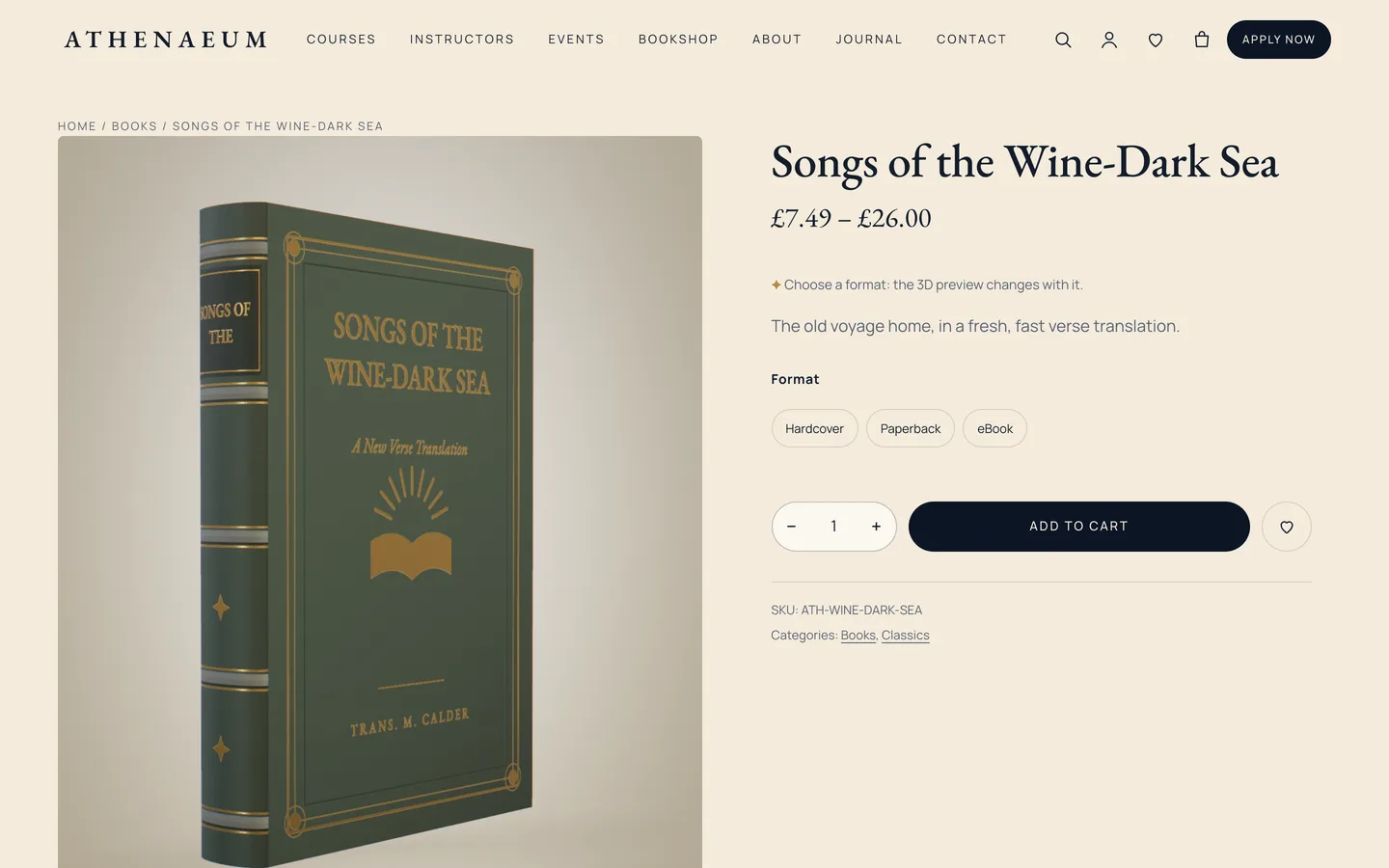
Books are WooCommerce variable products with a global Format attribute: Hardcover, Paperback and eBook, each with its own price. The product page shows a 3D book. On the product's 3D view tab, choose the athenaeum-book preset and type the title, author and cover colour, for example {"title":"My Book","author":"A. Writer","color":"#16243a","format":"hardcover"}. The cover is typeset in the theme's fonts, so a new title needs no cover render. When a shopper picks a format, the 3D book switches between hardcover, paperback and e-reader.
The mini-cart drawer, quick view and a reading-list wishlist come from the toolkit. Before launch, swap the demo's Cash on delivery for a real gateway.
Editing the turning-page story in Elementor
Open the home page with Edit with Elementor. At the top is a 3D Scene widget with the Athenaeum: the reading room preset in Fixed background (scroll story) mode. Its panel sets:
- the cover leather colour and the Title tooled on the cover
- the lamp light and shade, the room colour and the lamp intensity
- how many volumes drift around the book: a full library, a few, or none
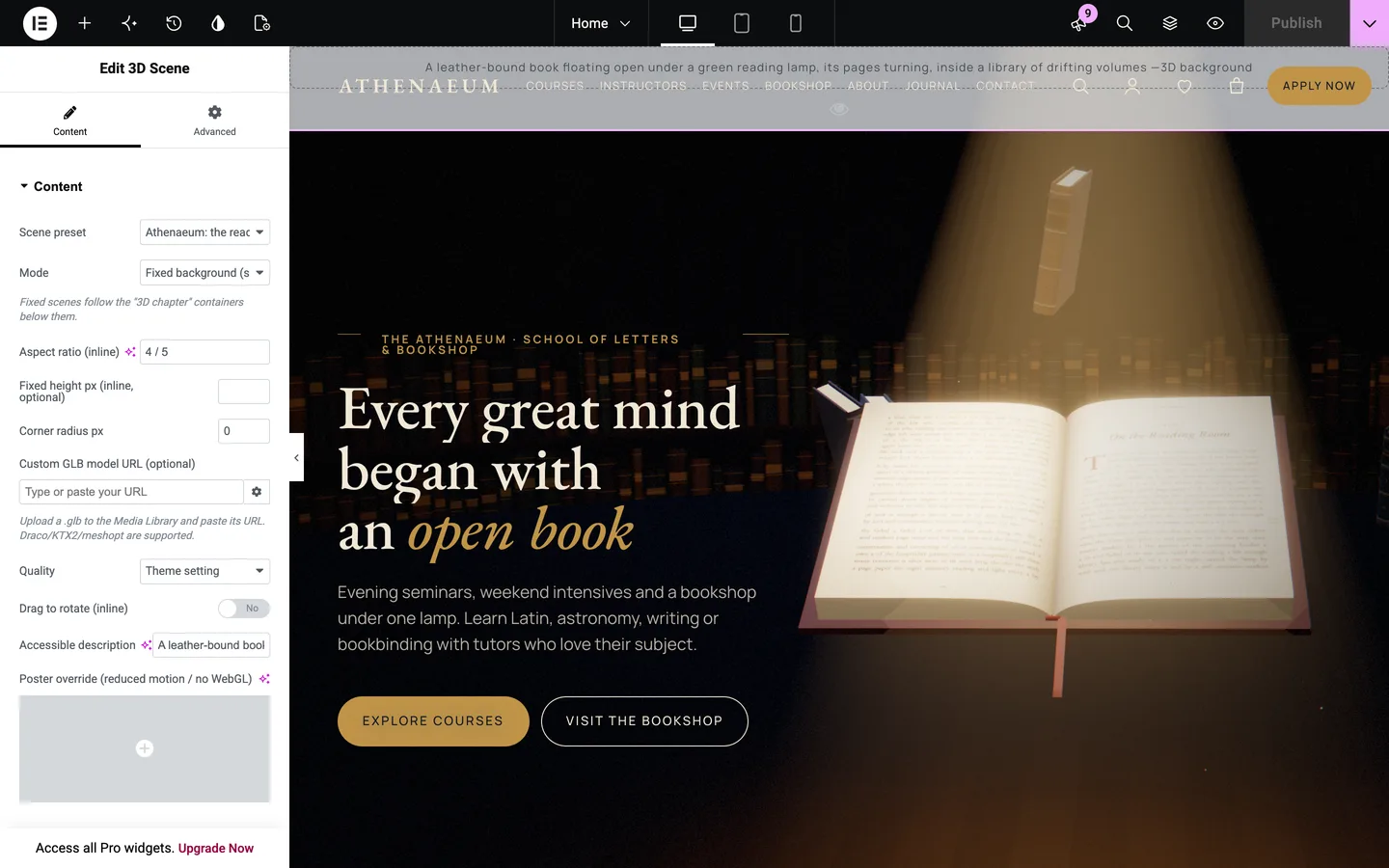
The chapters are the containers below the scene, each with Advanced → DEV3 3D chapter → Use as 3D chapter switched on. Each chapter is one camera stop. Copy side moves the book to the opposite side of your text, so it never sits under the words.
What makes the book behave like a book is each chapter's Scene state JSON. The engine blends these values as visitors scroll between chapters:
| Key | What it does |
|---|---|
turn |
How many pages have turned (0–9). Raise it chapter by chapter. |
fan |
0–1: the pages fan open like a flip-book. |
stack |
0–1: the drifting volumes land in two stacks. |
close |
0–1: the book shuts and shows its cover. |
spread, swirl |
The radius and rotation of the drifting library. |
warm, lift |
The lamp's warmth and how high the book floats. |
The demo uses {"turn":0}, {"turn":3}, {"turn":6}, then {"fan":1,"stack":1} and finally {"close":1}. To add a chapter, duplicate a container, edit its copy and give it a turn between its neighbours'. To shorten the story, delete a container. The pages still turn smoothly because the values are blended, not stepped.
Course, event and instructor pages can be designed in Elementor too. The course template keeps its hero, facts, syllabus and enrolment card around whatever you build. If you prefer the block editor, every widget has a block twin, and there are 27 patterns: course cards, timetable rows, a syllabus, book of the month, admissions steps, an open day section and three ready-made 3D sections.
Speed and accessibility
A school site is read on old laptops and phones on poor connections, so the 3D sits on top of a normal page:
- All the text is HTML, readable by search engines and screen readers whether or not WebGL runs.
- The engine loads only on pages with a scene: about 206 KB gzip including three.js, plus an 18 KB chunk for the Athenaeum scenes. Pages without a scene load about 10 KB of JavaScript.
- Quality steps down on weaker devices, and drifting volumes dissolve when they pass behind your text.
- Visitors with reduced motion, Save-Data or no WebGL see a still poster instead.
In our QA run, all 16 desktop pages held 60–61 fps in headed Chrome at 1440 px, and the home and product pages held 61 fps at phone width.
See it in motion
There is no public live demo. The video tour runs from the turning-page story through the courses and the bookshop to checkout.
Athenaeum is on the DEV3 marketplace, and the case study explains how the book's scene state, the live covers and the LMS hand-off were designed.