Change the 3D story
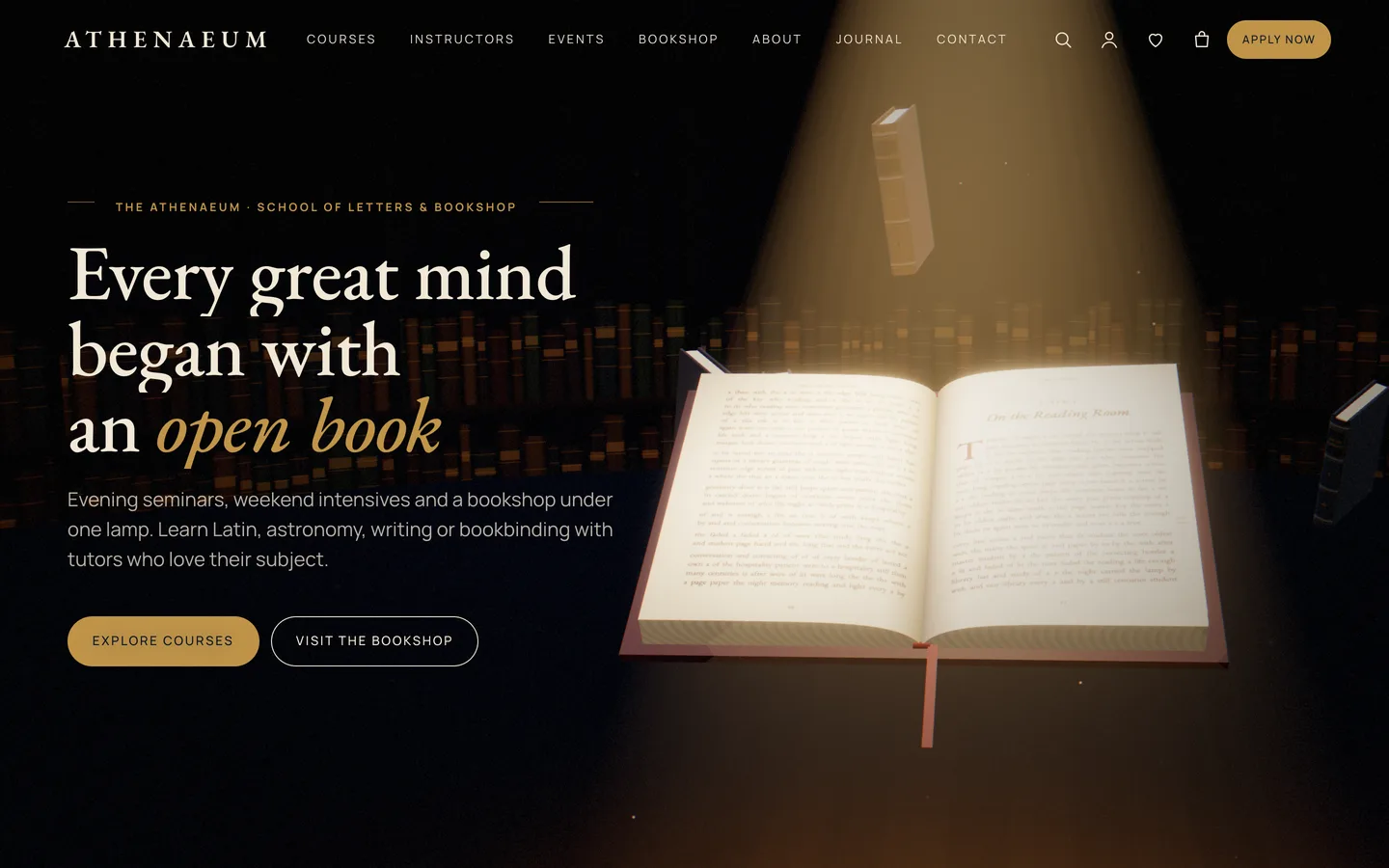
- Open the home page with Edit with Elementor. The top 3D Scene widget uses the Athenaeum: the reading room preset in Fixed background (scroll story) mode. Its panel sets:
- the cover leather colour and the Title tooled on the cover
- the lamp light, lamp shade, room colour and lamp intensity
- the drifting volumes: full library, a few, or none
- Every container below it with Advanced → DEV3 3D chapter → Use as 3D chapter switched on is a camera stop. Copy side moves the book to the other side of your text.
- The Scene state JSON of each chapter drives the book. Raise
turn (0–9) chapter by chapter to turn pages. Set fan to 1 for a flip-book fan, stack to 1 to land the volumes in two stacks, and close to 1 to shut the book on its cover. spread, swirl, warm and lift tune the library, the lamp and the float.
- The demo story uses
{"turn":0}, {"turn":3}, {"turn":6}, {"fan":1,"stack":1} and {"close":1}.
Publish a course
- Go to Courses → Add New. Fill in the level, duration, lessons (one per line, shown as a numbered syllabus), instructor and fee. Enter the instructor as the name of an Instructor post, which links to their profile.
- Pick a subject (course category). Subjects become the filter buttons on the Courses page.
- Optionally design the body in Elementor. The course template keeps the hero, facts, syllabus and enrolment card around your content.
- The Enrol button links to the Admissions page with the course pre-selected. Change its target and text in Appearance → Customize → Courses & Admissions.
Instructors and events
- Instructors have a role and a biography. Their profile lists every course they teach.
- Events have a start and end, a venue, a programme (one item per line), an entry price and an optional WooCommerce ticket product. Without a ticket, the button opens the admissions form with the event selected.
- Show either one anywhere with the Post Type Grid widget, which supports subject filters.
Sell books
- Books are variable products with the global Format attribute (Hardcover, Paperback, eBook). Each format can have its own price and image. The global Author attribute appears under Additional information.
- On the product's 3D view tab, choose the
athenaeum-book preset with parameters such as {"title":"My Book","author":"A. Writer","color":"#16243a","format":"hardcover"}. The cover is typeset live.
- When a shopper picks a format, the 3D viewer switches between hardcover, paperback and e-reader.
Teach online with an LMS
Install LearnDash or Tutor LMS for lessons, quizzes and progress. Athenaeum styles their course pages, buttons, lesson lists and progress bars, and enables Elementor on their course types. Point the Enrolment page setting at the LMS checkout.
Style the site
Appearance → Customize → DEV3 Athenaeum Options holds colours and fonts, the header (with its Apply now button), 3D & Motion, footer, shop and blog settings. Saving also updates Elementor's Global Colors and Fonts.
Without Elementor, use Patterns → DEV3 Athenaeum (27 patterns) and the 3D Chapter block.