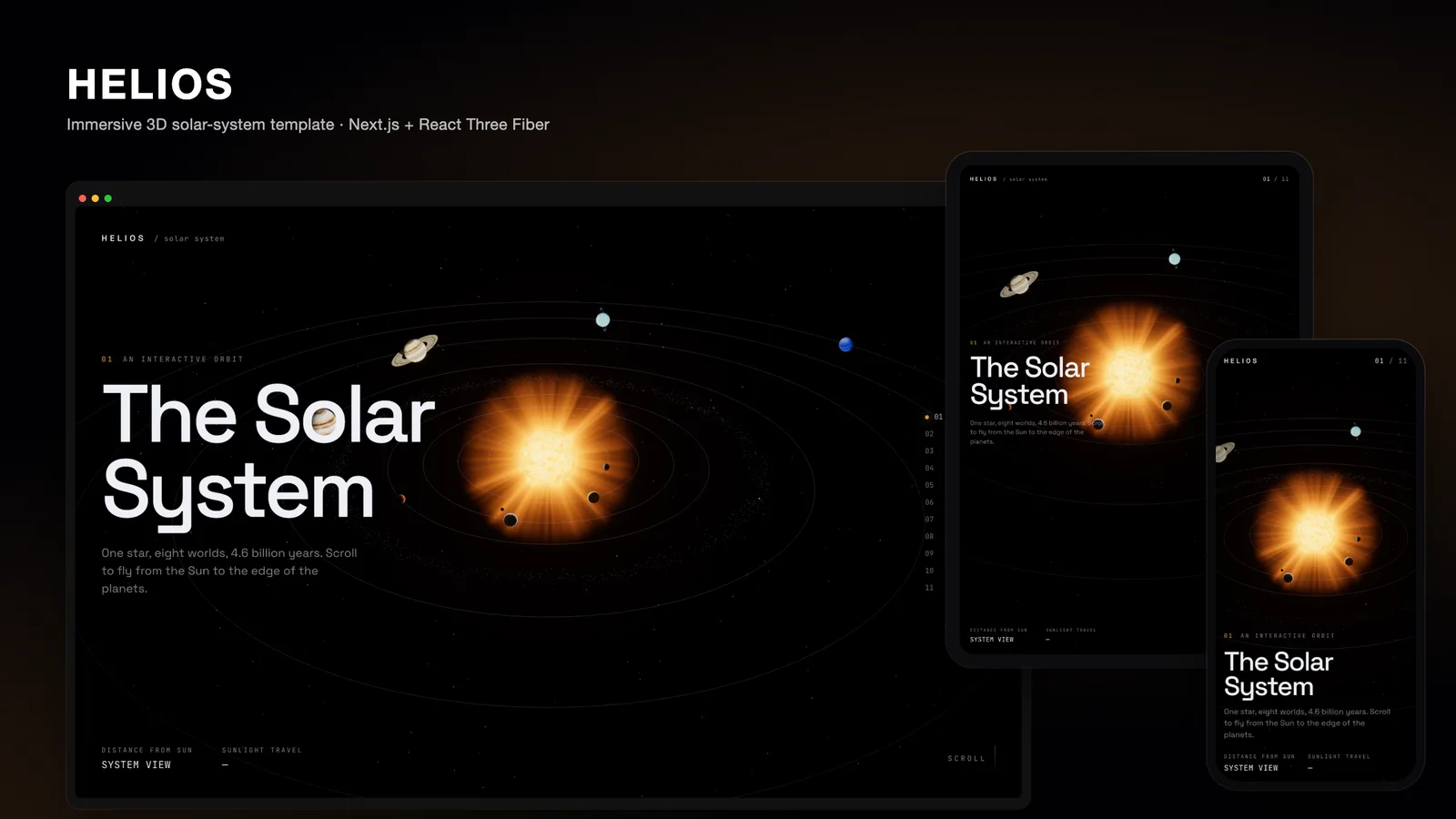
Most "3D" landing pages are a video loop behind a headline, or a single model that spins in the hero and then disappears as soon as you scroll. Both miss the thing real-time 3D is good at: letting the visitor's own scroll move them through a space. HELIOS is our attempt at a three.js landing page template where the page is the journey. You start on an overview of the solar system, scroll to fly from the Sun past every planet to Neptune, and finish looking back from beyond the planets.
This post walks through how it works, using the template's own source: Next.js 16, React Three Fiber 9, three.js and Lenis.
One page, eleven chapters
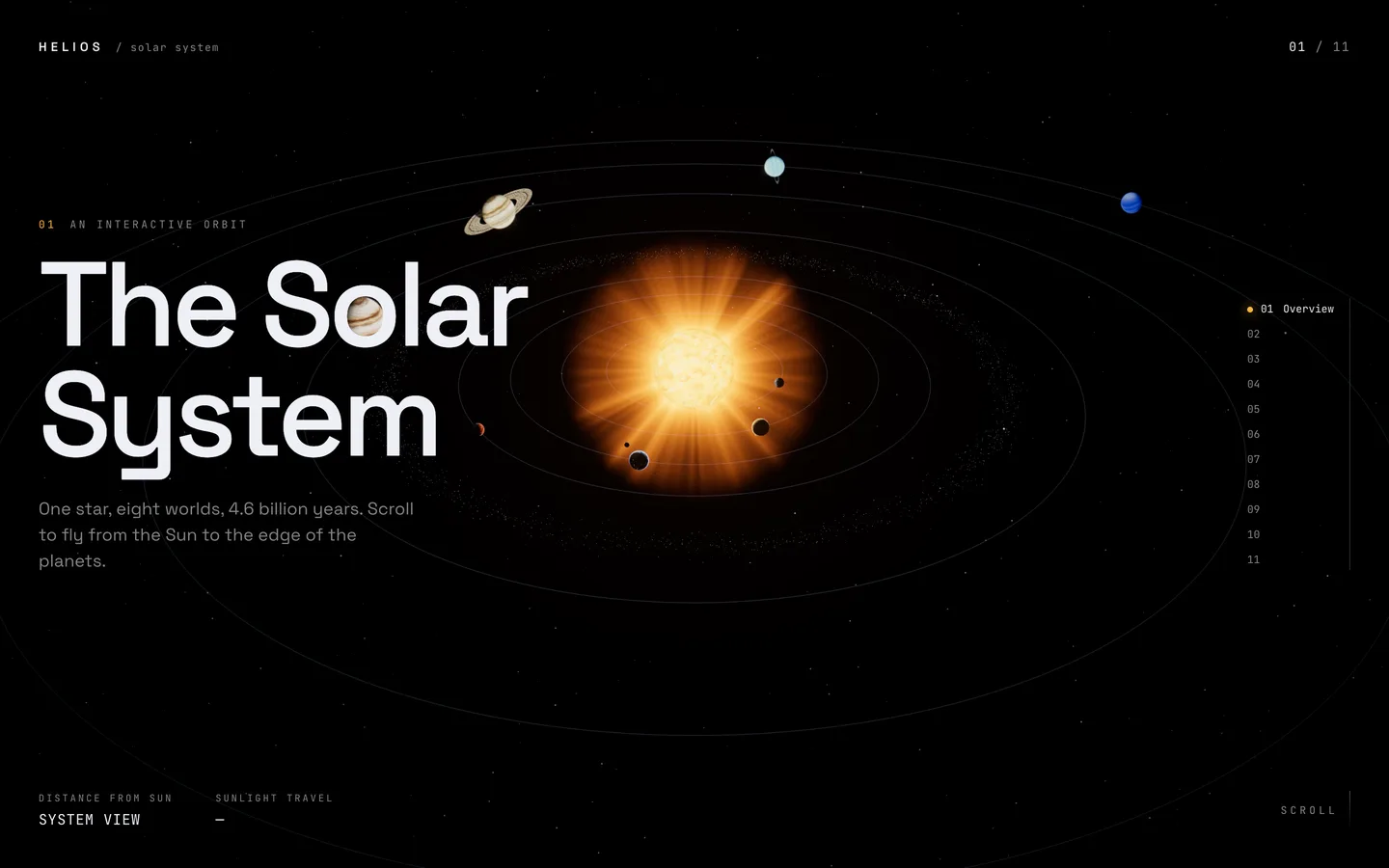
The story has eleven chapters: an overview, the Sun, the eight planets, and an outro called "Beyond". In code these come from a single array of bodies in lib/bodies.ts. Each body carries its copy (name, kicker, tagline and four stats) and its scene settings (orbit radius, angle, size, tilt, spin, a three-colour palette, an optional atmosphere colour and optional rings).
The chapter list is derived from that array: overview first, one chapter per body, outro last. The page's scroll height is just the number of chapters times one screen height. Add a body and everything else follows: the camera path gains a stop, the chapter rail gains an entry, and the page gets one screen longer. A product launch or a company history can reuse the same structure with different bodies and copy.
Scroll is state, not React state
The first decision in a scroll-driven 3D site is where scroll position lives. As React state, every scroll event would re-render the tree.
HELIOS keeps a small mutable object, journey, in lib/journey.ts. It holds the fractional chapter progress, a smoothed scroll velocity, the pointer position, the intro fly-in amount and two readiness flags. The WebGL scene reads it inside useFrame every frame. React only subscribes to the coarse values, the current chapter and whether the loader has finished, through useSyncExternalStore. Scrolling from Mercury to Venus moves the camera on every frame but re-renders the overlay exactly once, when the chapter number changes.
Lenis drives the scroll. On each scroll event, progress is set to scroll / innerHeight, so chapter 3.5 means halfway between the third and fourth stops. After the visitor stops for about a quarter of a second, Lenis glides to the nearest whole chapter, so a body is always framed and the copy is always readable. The chapter rail and the "back to the Sun" button use the same lenis.scrollTo with a longer duration, so jumping across the system feels like a flight rather than a cut.
A camera path built from the content
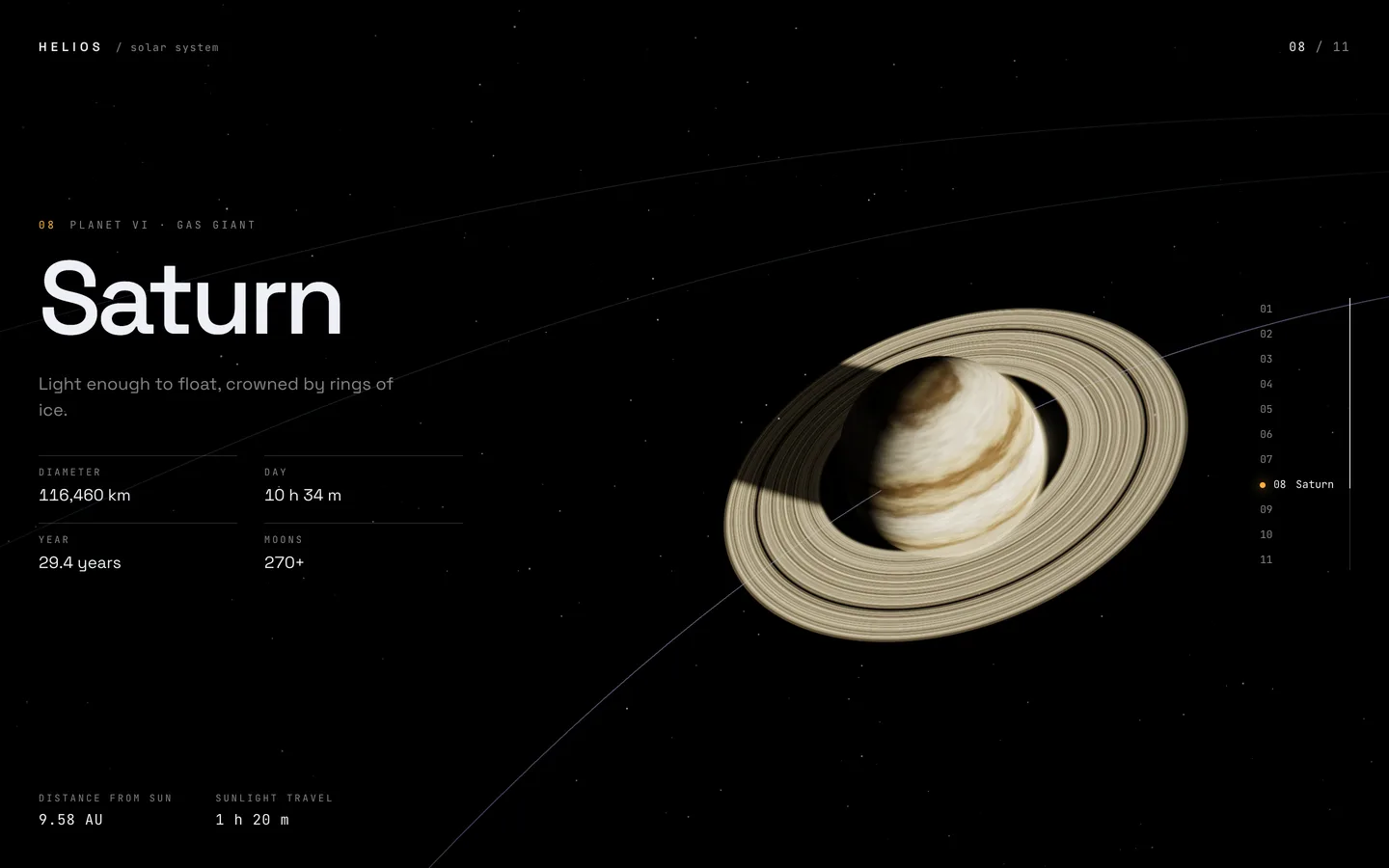
CameraRig.tsx builds two lists of points from the body data: where the camera should be at each chapter, and where it should look. For every body it computes a three-quarter-lit viewpoint from the body's position and size. Ringed planets get extra distance so the rings fit in the frame. The look target is then shifted sideways by about one body radius, which pushes the planet off-centre and leaves room for the headline and stats on the left.
The two lists become centripetal Catmull-Rom curves, a variant that does not overshoot or loop between tightly spaced points. Progress is not mapped onto the curve linearly. Each leg between two chapters goes through a smootherstep easing, so the camera slows to almost nothing on a planet and moves fastest between them. That is what makes it feel like flying to a place rather than sliding along a rail.
On top, the pointer adds a small parallax offset, and the camera chases the computed position with exponential damping, which absorbs jitter from trackpads and touch scrolling.
Portrait screens get their own path
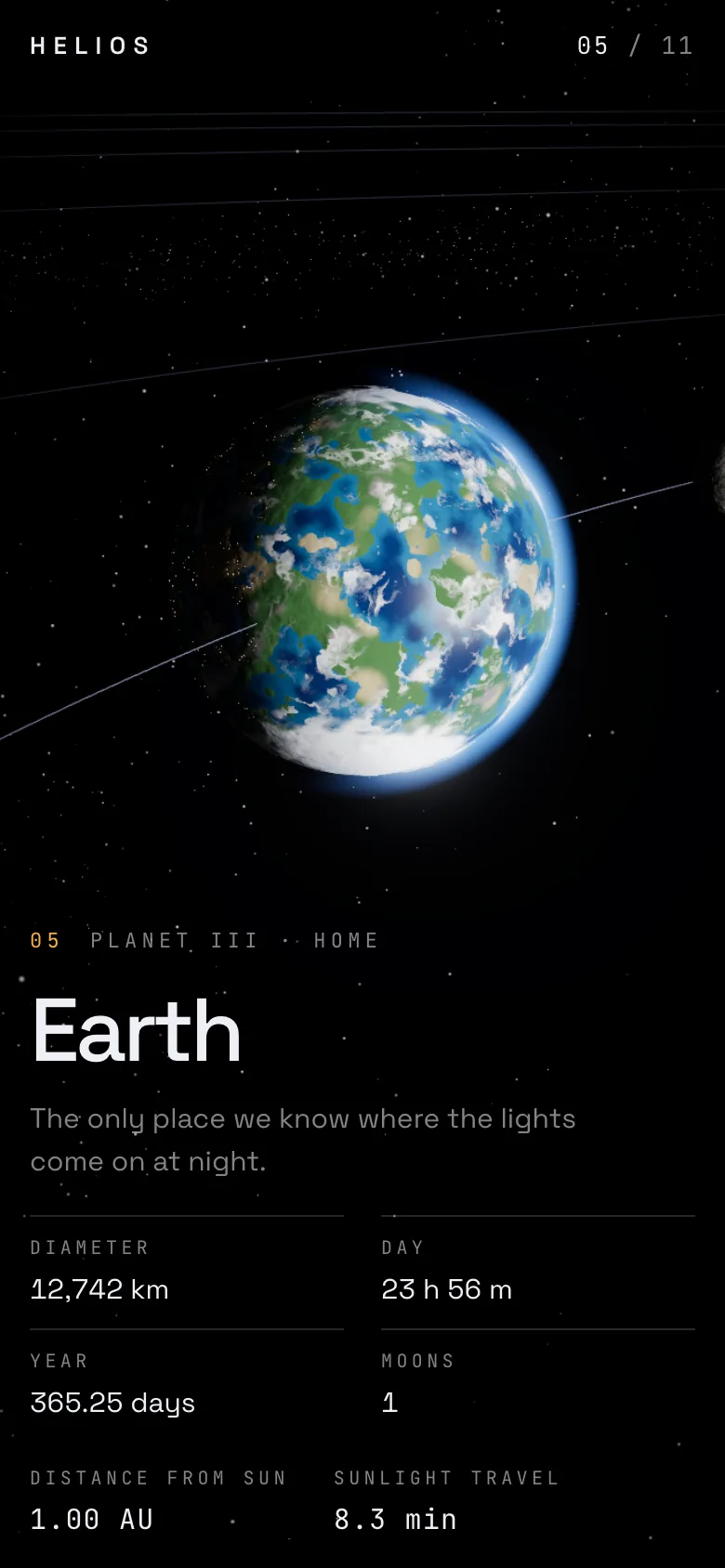
A landscape composition with copy on the left does not survive on a 390 px phone. When the canvas aspect ratio drops below 0.9, the rig rebuilds every stop: the camera pulls back by 1.7 times and the look target drops below the body, so the planet sits in the top half of the screen and the copy stacks underneath. Because the stops are computed rather than hand-placed, this is one branch in one function, not eleven tuned camera positions per breakpoint.
Planets without textures
Convincing planets usually mean high-resolution texture maps, and ten of them is easily tens of megabytes before the first frame.
HELIOS has no texture downloads at all. Every surface is fragment-shader noise built on the MIT-licensed Ashima simplex noise and fractal Brownian motion, in lib/shaders.ts:
- The Sun is animated granulation with limb darkening, plus a camera-facing quad for the corona, billboarded in the vertex shader so it always faces the viewer.
- Rocky planets are cratered noise in a three-colour palette. Mars adds a polar cap through a uniform.
- Earth mixes oceans and land from noise thresholds, has a separate cloud shell, and turns on city lights on the night side.
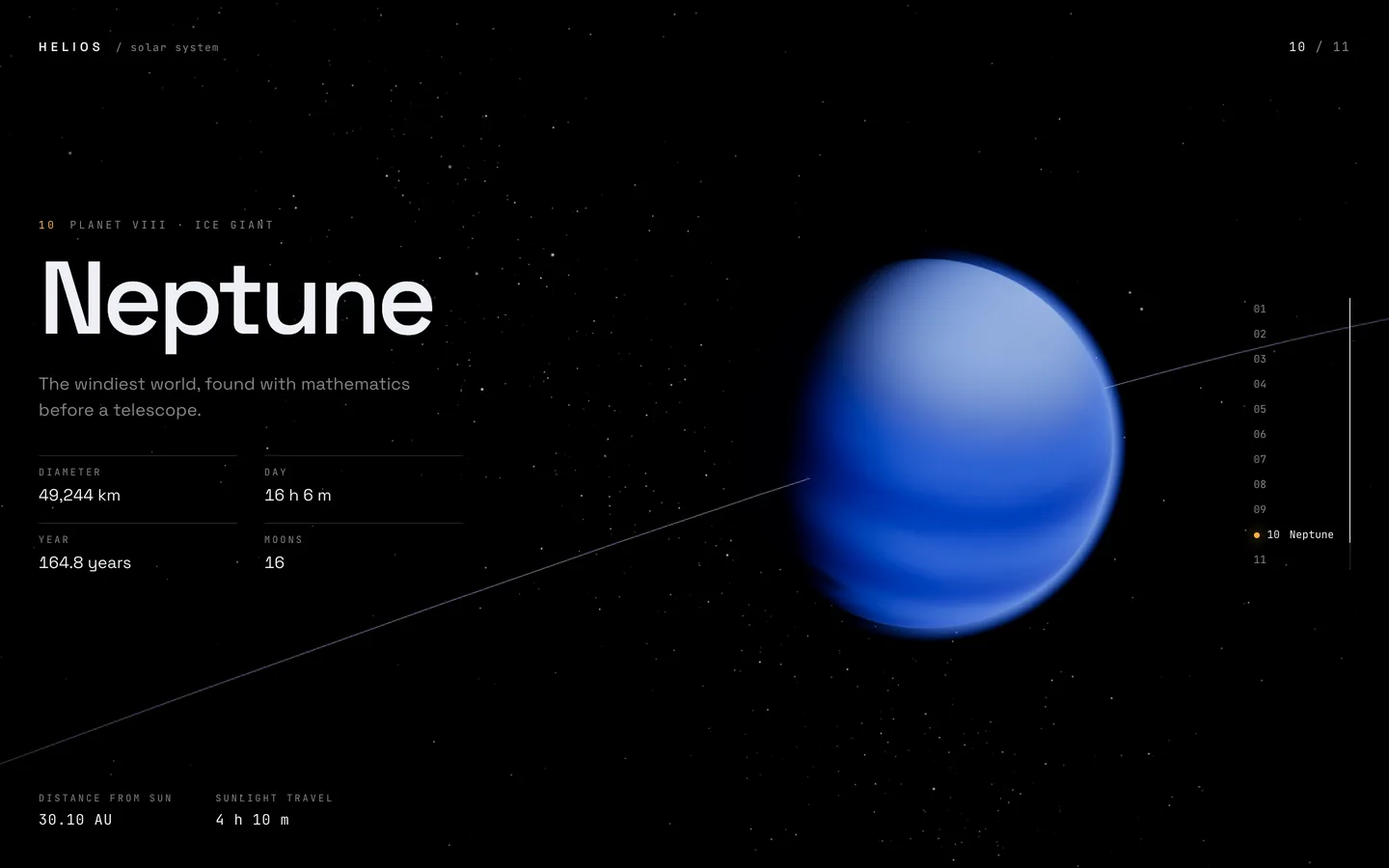
- Gas and ice giants stretch the noise along latitude into bands, with an optional storm spot set by longitude, latitude, size and colour.
- Saturn's rings are a flat shader with gaps and banding. They test whether the ray toward the Sun hits the planet, so the globe casts a real shadow across the rings.
- Atmospheres are back-face shells that fade from the planet's limb to the outer silhouette, giving the soft blue edge on Earth.
Shading happens in object space, so surface features stay attached to the rotating sphere while the light direction is carried in from the Sun at the origin. Because everything is procedural, a planet's look is mostly three colours and a seed, which makes recolouring the whole system for a brand a data change rather than an art job.
The sky works the same way. The starfield (with 45% of stars pulled into a tilted Milky Way band), the asteroid belt and the drifting dust are GPU point clouds from a deterministic generator, so the sky is identical on every load. The dust is there for parallax: without near particles, flying between planets reads as zooming.
Post-processing with a purpose
The effect stack is short: bloom with a high luminance threshold, so only the Sun and bright limbs glow; ACES filmic tone mapping; a little soft-light film grain; and a vignette. The one dynamic effect is chromatic aberration. Its offset is driven by scroll velocity, so a fast flick of the wheel splits the colour channels slightly, like a lens under strain, and settles as the camera arrives. It is a cheap way to make speed visible without adding motion blur.
No hitch on the first scroll
WebGL pages often stutter the first time a new object comes into view, because the browser compiles that object's shader on demand. In a scene where every planet has its own shader configuration, that would mean a hitch at every chapter on the first pass.
HELIOS calls gl.compile(scene, camera) as soon as the canvas mounts and marks the GPU as ready. The loader counts to 100 over a couple of seconds, but holds at 99 until that compile has finished. Only then does the intro fly-in start, and Lenis is unlocked once the fly-in is most of the way home.
Interface details
Over the canvas sits a deliberately quiet interface in Space Grotesk and JetBrains Mono. Headlines reveal with a scramble-text effect, the chapter rail on the right shows where you are, and the bottom bar shows distance from the Sun in AU and sunlight travel time, both interpolated between chapters while you fly. When the operating system asks for reduced motion, the interface reveal animations are switched off, and the camera only moves when the visitor scrolls.
Making it your own
All of the content is data. To rebrand HELIOS you edit the bodies array (names, taglines, stats and palettes), the intro and outro text in the overlay, the CSS variables for background, text and accent, and the two next/font imports. Bloom, grain and vignette strength are props in one small component. The build also has a static-export mode, which is how the public demo is served.
You can try the live demo or get the source on the HELIOS item page, and read the case study for a shorter summary of the design decisions.