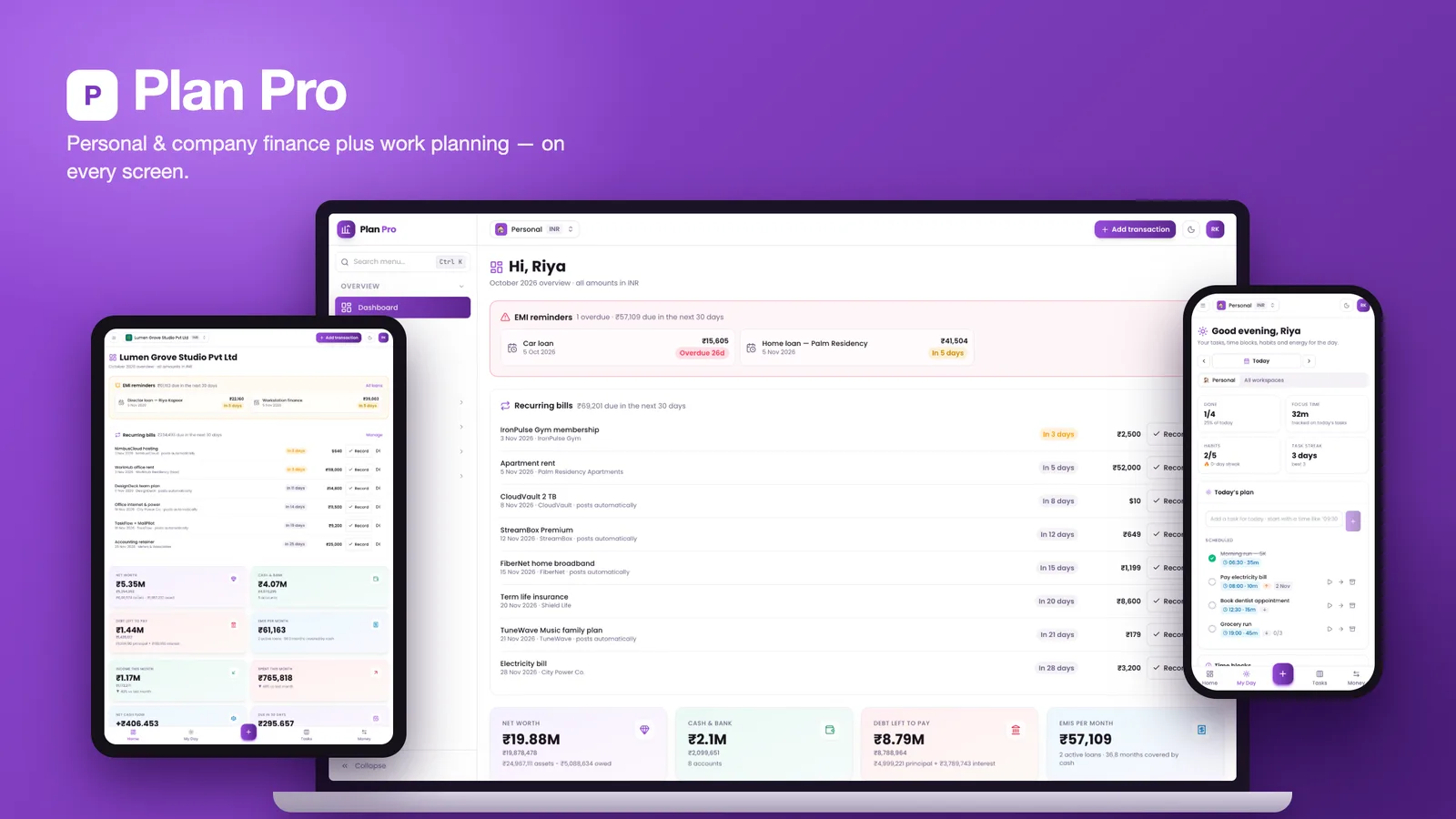
Plenty of people run more than one set of books. A founder has a household budget, a company and maybe a small clinic or a side business. A freelancer bills clients in dollars, pays rent in rupees and splits a holiday in yen. The usual answer is a budgeting app, a spreadsheet of loans, an invoicing tool and a separate task manager, and none of them can tell you your real net worth or how many months of cash the company has left.
Plan Pro puts all of that in one Next.js and MongoDB app: personal and company finance, company operations, and work planning, side by side. This post walks through the decisions that make it hold together.
Workspaces are the unit of everything
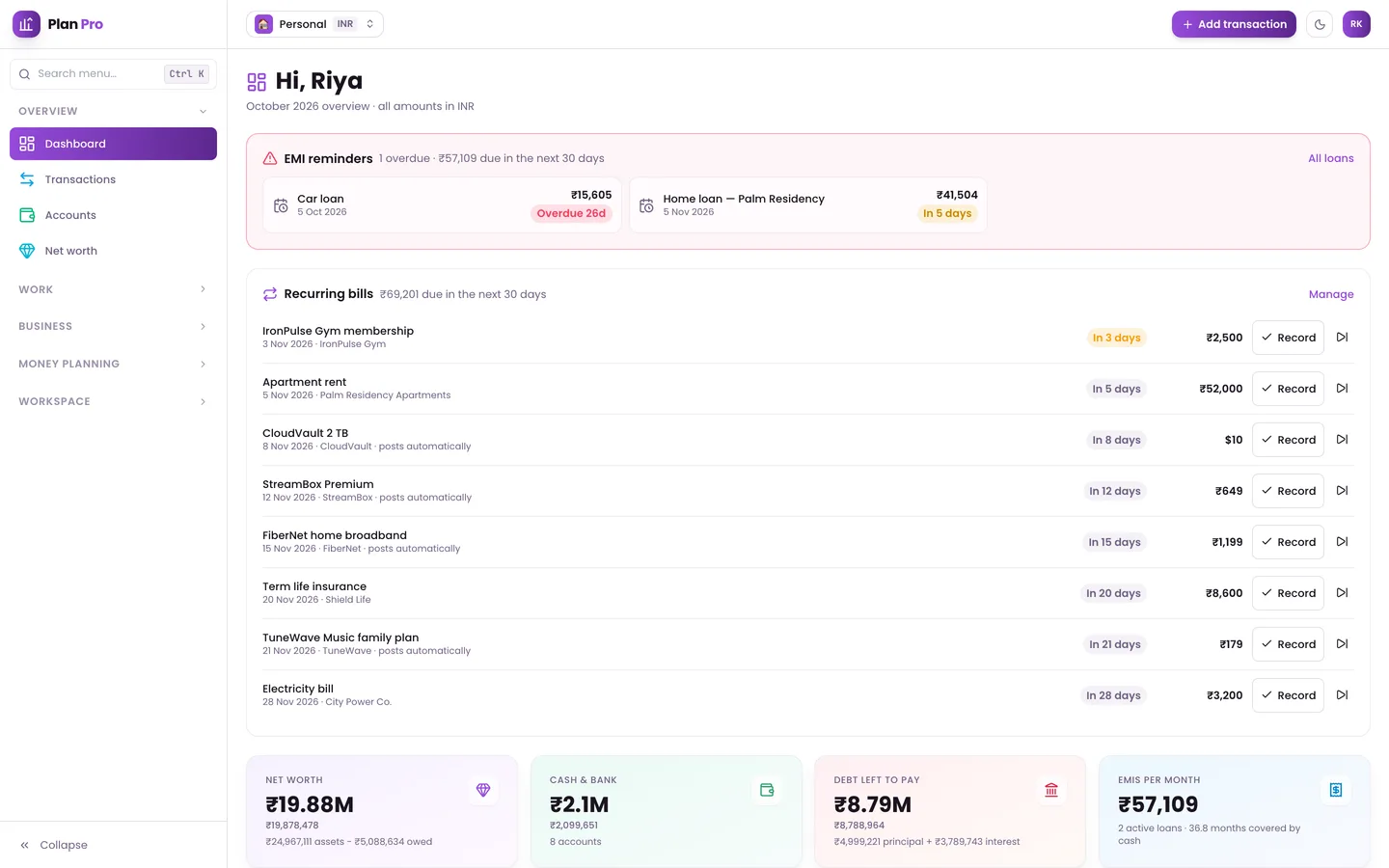
The first decision was what a "set of books" means. In Plan Pro it is a workspace: Personal, Company, Clinic or Other. Each workspace has its own accounts, categories, base currency and members, and one person can belong to several of them with different roles. An All workspaces view adds them up, so you can see the household, the studio and the clinic on one screen with today's tasks from all of them.
Roles are per workspace: Owner, Admin, Accountant, Member and Viewer. An accountant can edit the company and clinic books and pay claims and payroll; a member works on tasks and claims while money stays read-only. Every permission is checked on the server.
Three amounts and a frozen rate
Multi-currency is where most finance apps quietly go wrong. If you store one amount and convert at today's rate whenever a report runs, last year's numbers change every day.
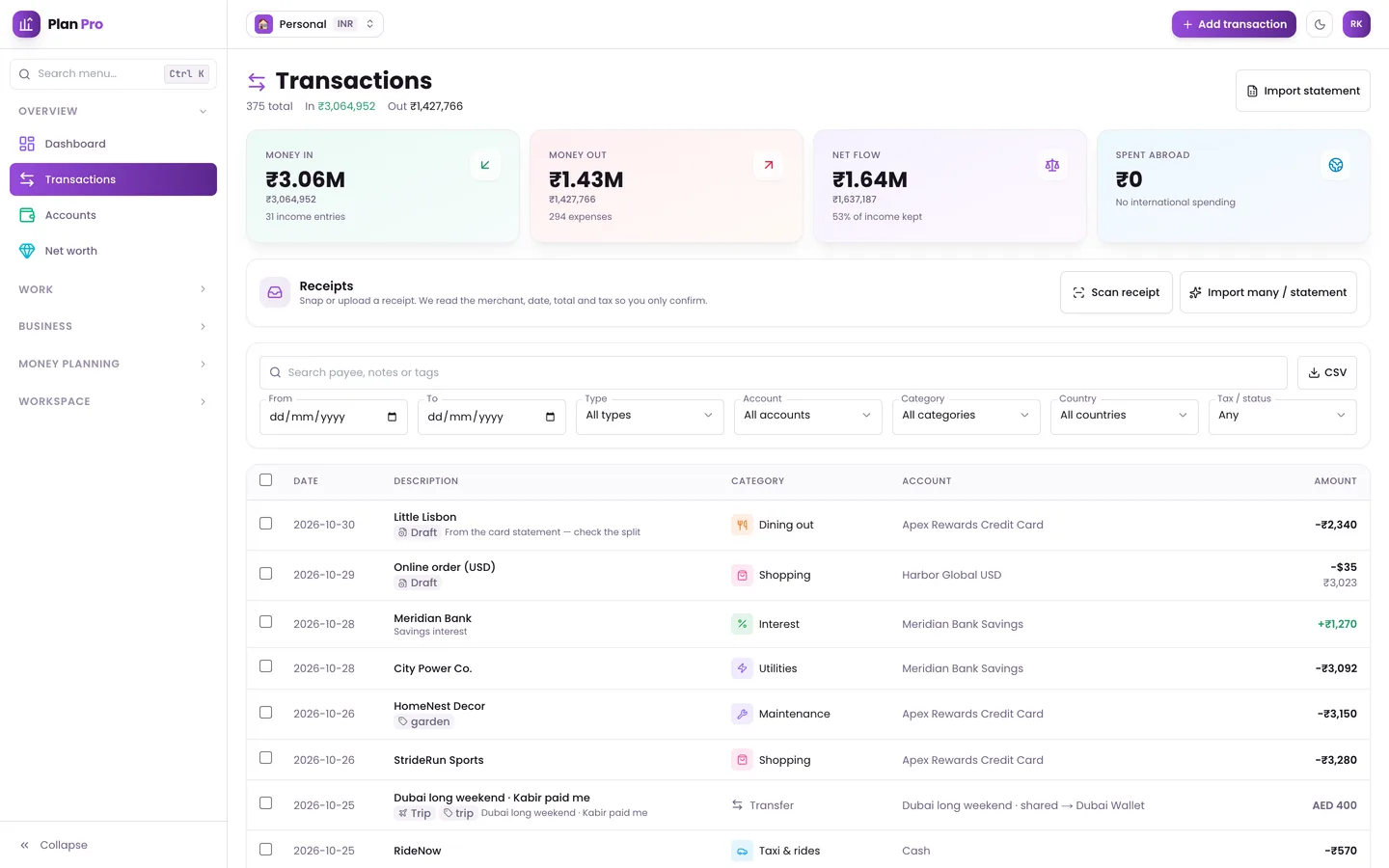
Plan Pro stores three amounts on every transaction: the original amount in the currency you paid in, the account amount in the account's currency, and the base amount in the workspace's base currency. The exchange rate of that day is frozen on the transaction. Rates come from reference rates and are sanity-checked before they are stored, and you can always type in the rate from your card statement instead. Six currencies are supported out of the box: INR, USD, EUR, AED, JPY and KRW.
Loans, assets and net worth
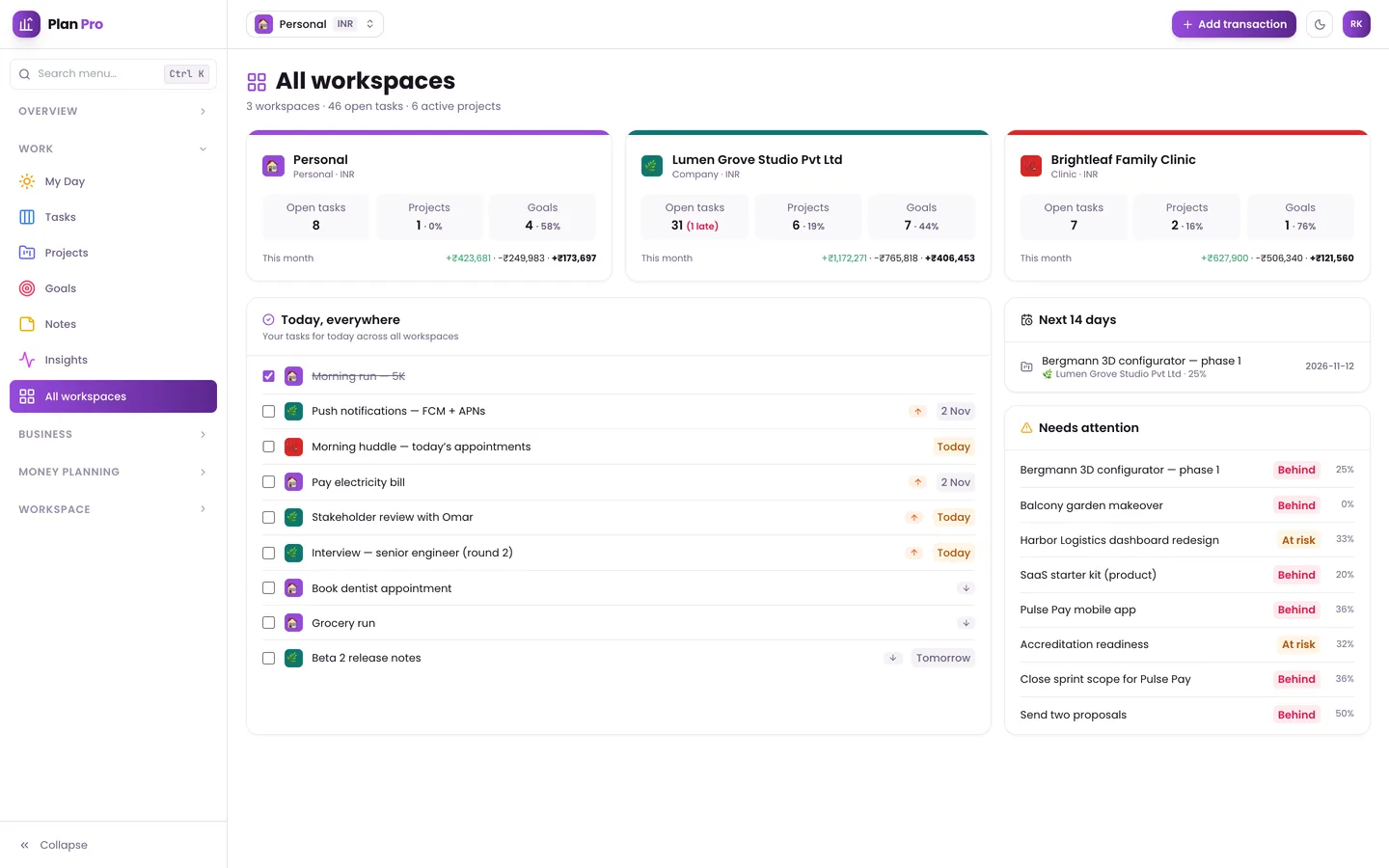
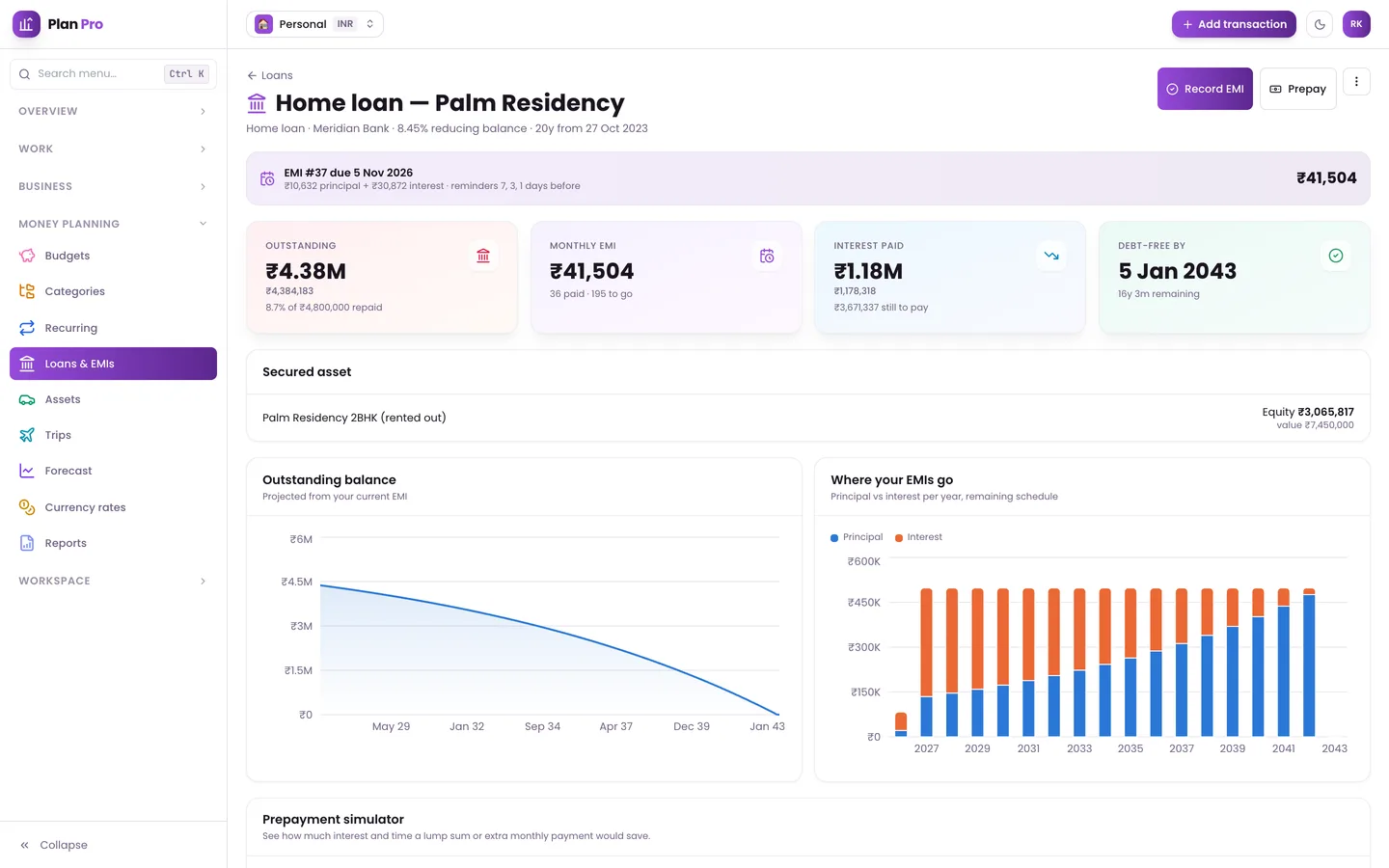
Loans are not a balance you update by hand. Plan Pro builds a full amortisation schedule for reducing-balance or flat-rate loans, reminds you before each EMI, and posts principal and interest separately to the ledger when you record a payment. A prepayment simulator shows how much interest and time a lump sum or a higher EMI would save.
Assets cover stocks, ETFs, mutual funds, crypto, gold, deposits, property (with rental yield and equity after its loan) and vehicles or equipment that depreciate. Net worth is split into liquid, illiquid, enterprise and liabilities, and a month-end snapshot builds the history.
Trips, where everyone pays in a different currency
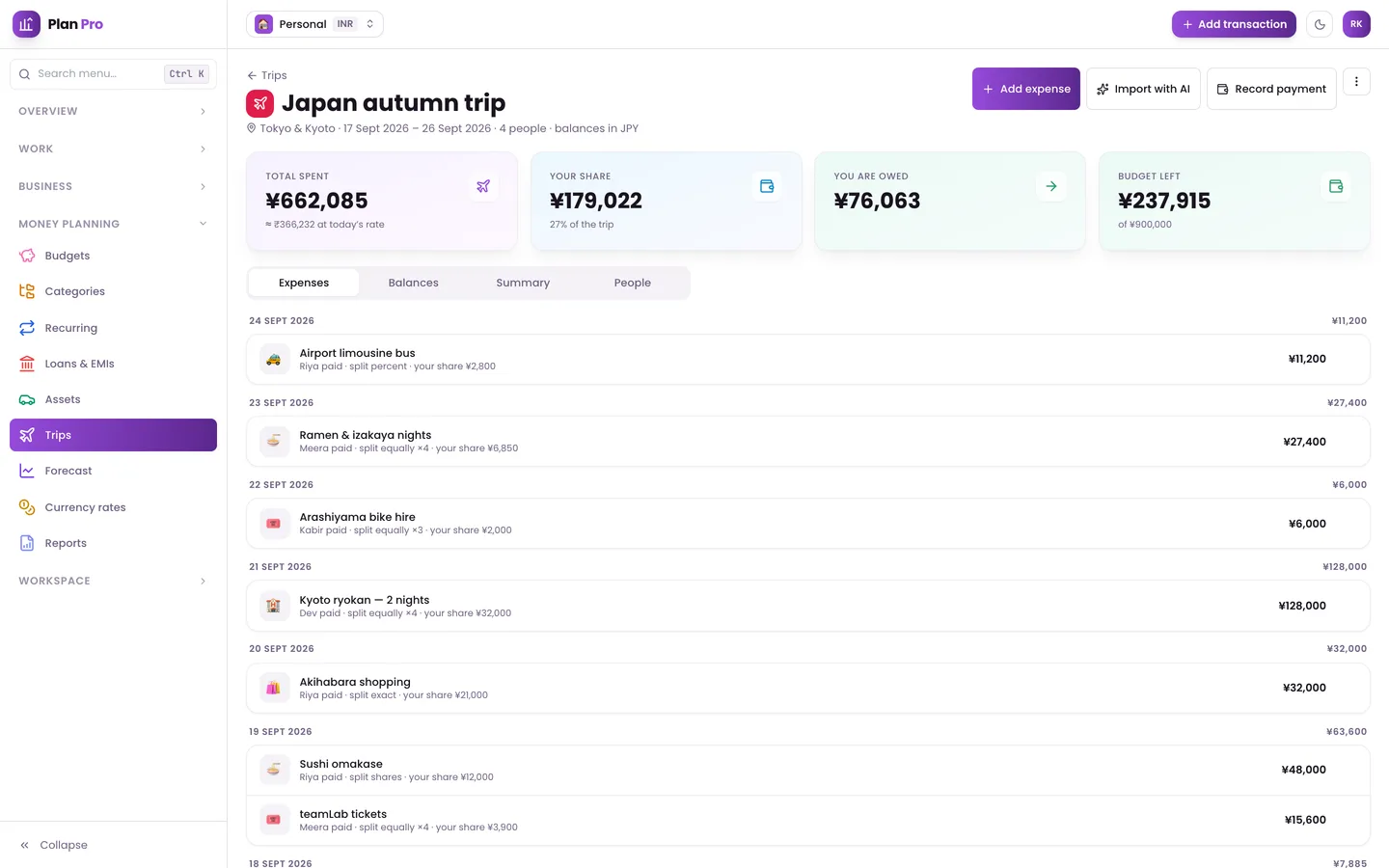
Shared expenses are their own small accounting problem. A trip has its own currency and budget; each expense can be in any currency and split equally, by shares, by percentage or by exact amounts. Plan Pro suggests who should pay whom to settle up, and posts your share to your own books, so the holiday shows up in your budget at what it actually cost you.
Looking ahead: forecast and statements
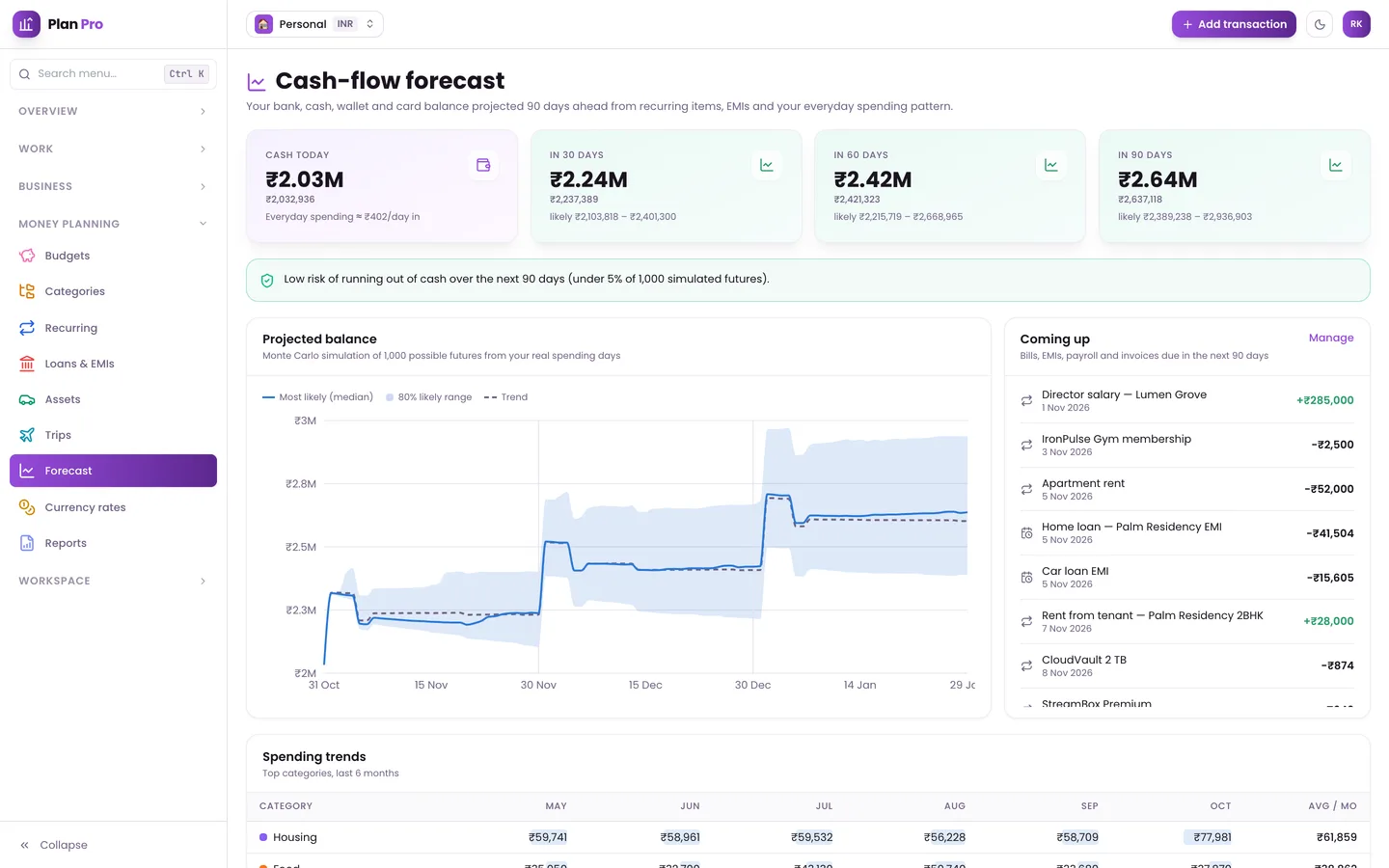
The cash-flow forecast projects 90 days from what the app already knows: recurring items, EMIs, open invoices and payroll. On top of the expected line it runs a Monte Carlo simulation to show a likely range and the risk of the balance dropping below zero.
For the company side, invoices, payroll runs, expense claims and company debt all post to the same ledger. That is what lets the profit and loss, balance sheet, cash flow and VAT/GST reports come from one source, as PDF or CSV.
Work planning next to the money
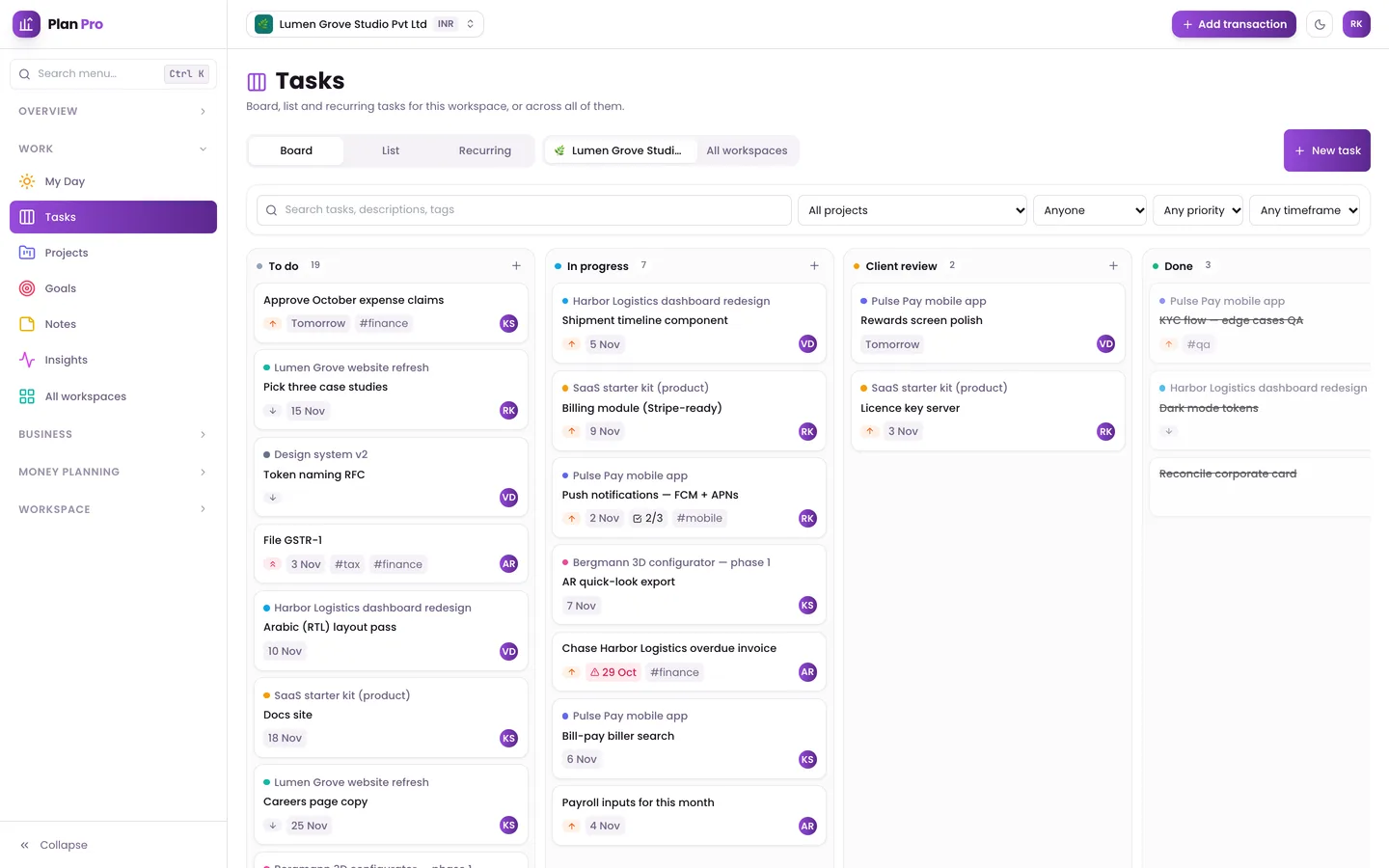
The other half of Plan Pro is a planner. Projects appear as cards, a list or a Gantt timeline with dependencies, and carry a budget with spend tracking. Tasks live on a Kanban board with your own stage names, checklists, estimates, timers and recurring templates. Goals and OKRs roll progress up automatically from tasks or metrics, and My Day gathers today's tasks, time blocks, habits with streaks and an energy and focus log.
Small details that matter
- Sign-in: passwords and emailed codes are verified by the app's own routes, which give the session layer a single-use two-minute ticket. A password alone can't open an unverified account or skip two-step sign-in.
- Offline: a service worker and an IndexedDB queue keep the app usable without a connection and sync when it returns. It installs as a PWA, with a bottom navigation on phones.
- Optional AI scanning: with your own AI key, up to 20 receipts, bills or statement screenshots at once become transactions in a review grid, with likely duplicates and refunds unticked.
- A safe demo: read-only mode refuses server actions, mutating API routes and every database write.
See it running
The video tour goes through the dashboard, workspaces, transactions, budgets, loans, net worth, trips, the forecast, invoices, projects and tasks.
You can also open the read-only live demo, which is filled with fictional people, companies and figures, and sign in with a one-click demo account. The full source is available as Plan Pro on the DEV3 marketplace, and the case study covers the design decisions in more detail.