A good short video for a product takes a surprising amount of work: a script that hooks in the first second, a voice, visuals for every line, captions that follow each word, and someone on camera. AI can now do every one of those steps. Turning them into a product people pay for every month is a different problem. Rendering video is slow, AI calls cost money, and customers want to see the result before they spend anything.
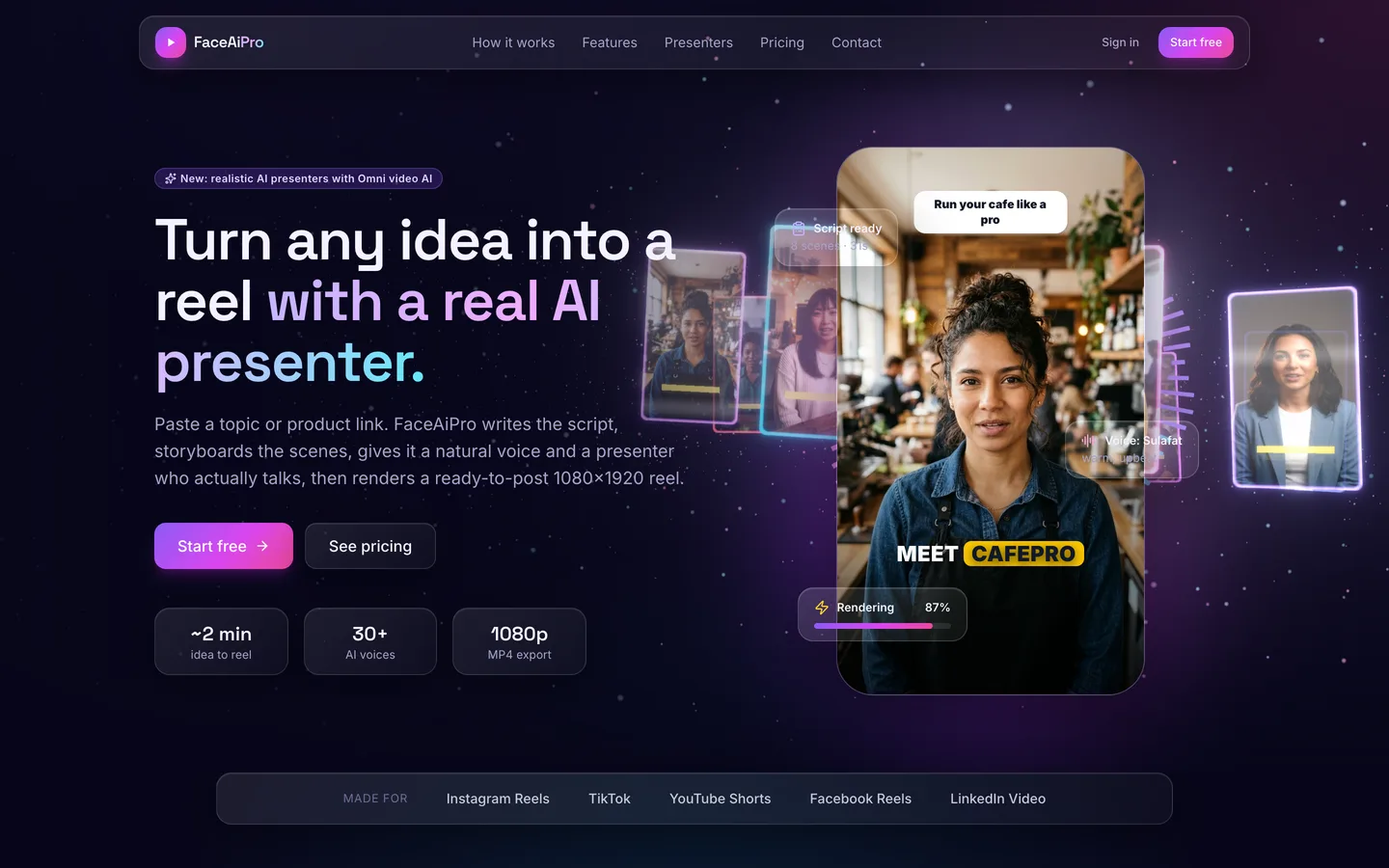
FaceAiPro is our answer: a self-hosted SaaS where a customer types a topic or pastes a product link and gets a 1080×1920 reel for Instagram Reels, TikTok or YouTube Shorts. This post walks through how it is built, from the studio to the render worker and the credit ledger.
From a topic to a storyboard
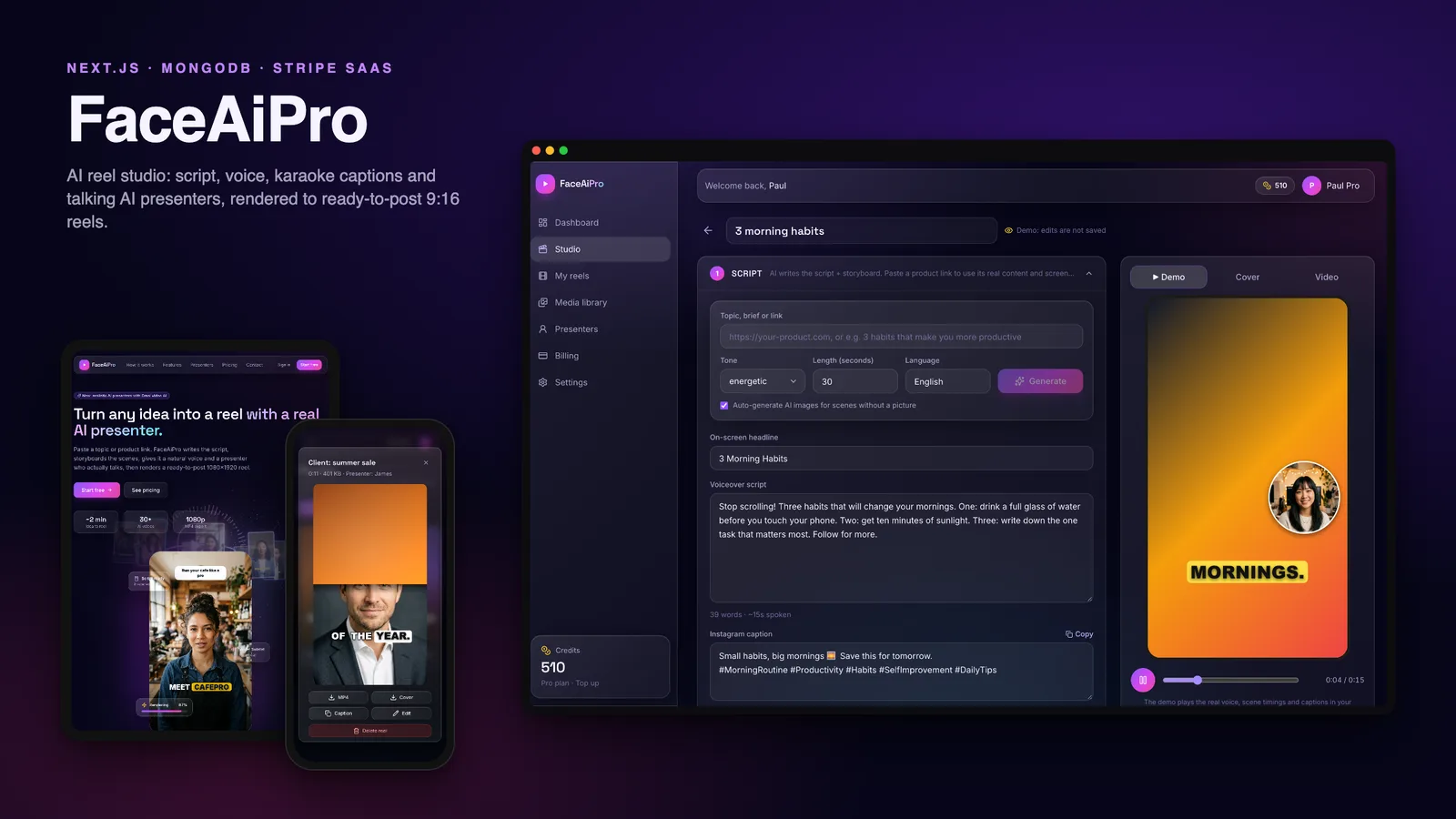
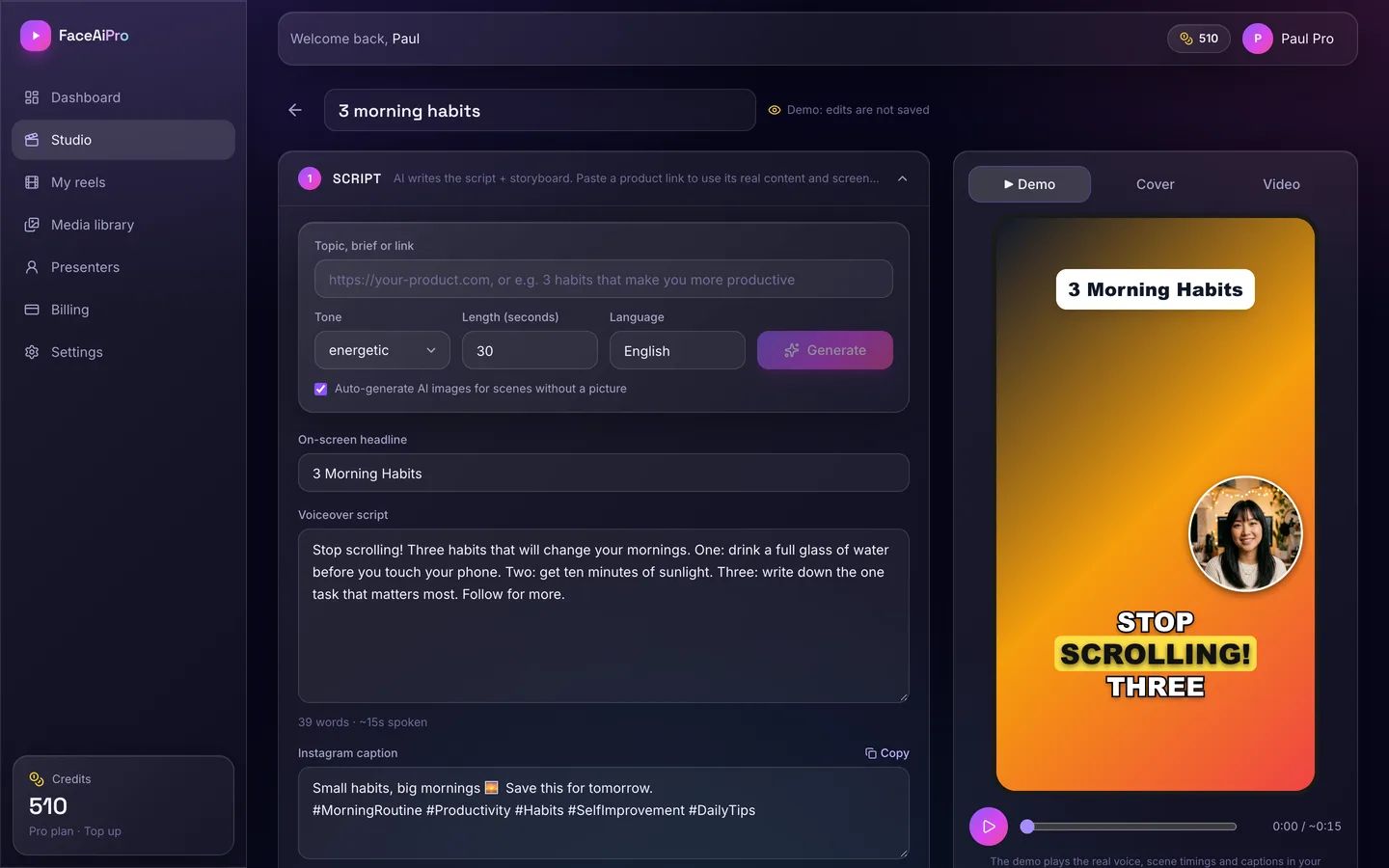
Everything starts in the studio. The customer enters a topic, a short brief or a URL. For a URL, the app reads the page's real content and takes screenshots, so a reel about a product shows that product. The AI then writes three things: the voiceover script, a storyboard that splits it into scenes, and an Instagram caption with hashtags. Tone, length and language are settings, and scenes without a picture can get an AI image automatically.
Each part stays editable. The on-screen headline, the script and the caption are plain fields; scenes can use AI images, uploads or media from the library, with zoom and pan motion and a fit mode.
Presenters and voices
A reel with a face on screen performs differently from one without, so presenters are central. There are two kinds:
- a talking photo, animated from a still: it blinks, and its mouth shapes follow the audio;
- an Omni AI presenter, which is a real talking video generated by an AI video model.
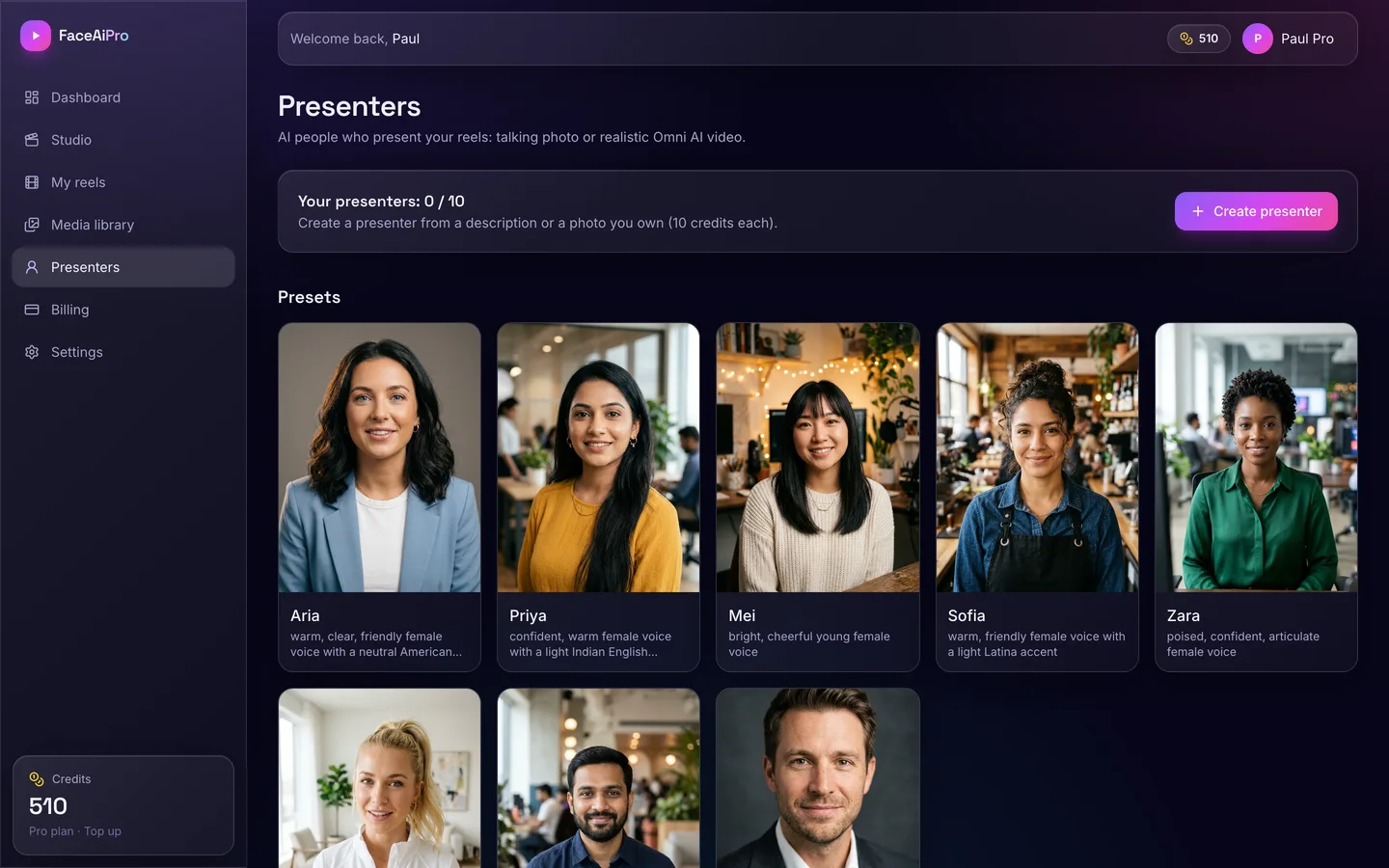
Either can appear as a bubble, a card, a split screen, full screen, or as a host with cutaways to the scenes. Eight preset presenters come with the app, and customers can create their own from a description or a photo.
For the voice, there are hundreds of free neural voices in more than 70 languages, plus premium AI voices on paid plans where the delivery style is described in words ("warm and upbeat", "calm and slow").
Preview before you pay
Rendering costs credits, so customers need to see the reel first. The studio has a browser demo player that plays the real voice with word-by-word karaoke captions, the presenter and the scene timings.
The important detail is that the timing logic lives in one shared module. The browser player and the ffmpeg renderer both read the same timeline, so the preview and the final MP4 can't drift apart. Captions can be styled as a highlight, a box or an outline, with the font, colours, position, size and casing the customer picks.
Rendering belongs in a worker
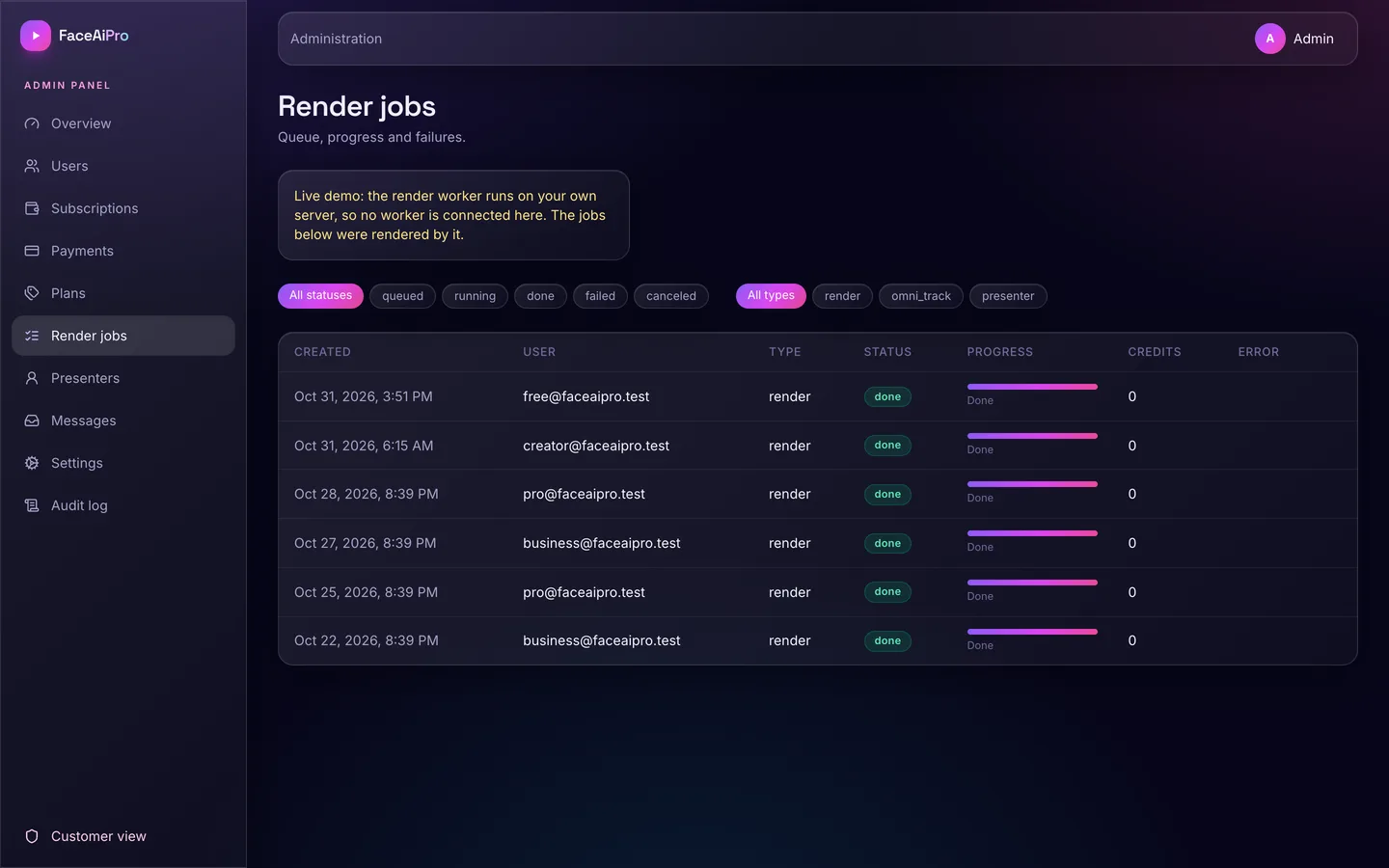
A render takes far longer than a web request should, so the web app never renders. It creates a job and polls it. Separate worker processes lease jobs from MongoDB, send heartbeats while they work, retry failures, and a housekeeping loop fails and refunds jobs whose lease expired twice. Because the queue is just a collection, you can run as many workers as you need, on CPU or GPU machines, as long as they share the storage folder.
Each render produces an H.264 MP4 at 1080×1920 (or 720p) and 30 fps, with loudness normalised to −14 LUFS, plus the cover image and the caption. Voices, presenter frames and presenter clips are cached by a hash of their inputs, so changing a caption colour and rendering again doesn't pay for the voice or the presenter twice. All text is drawn with a canvas library rather than ffmpeg text filters, so the worker runs on ffmpeg builds without libass.
Credits that always add up
Every paid action costs credits, and every credit change goes through one service. It is atomic, never lets a balance go negative, uses idempotency keys so a retried request can't charge twice, and writes a ledger row for each change. Credits are reserved when a job is queued and refunded automatically if the job fails or is cancelled.
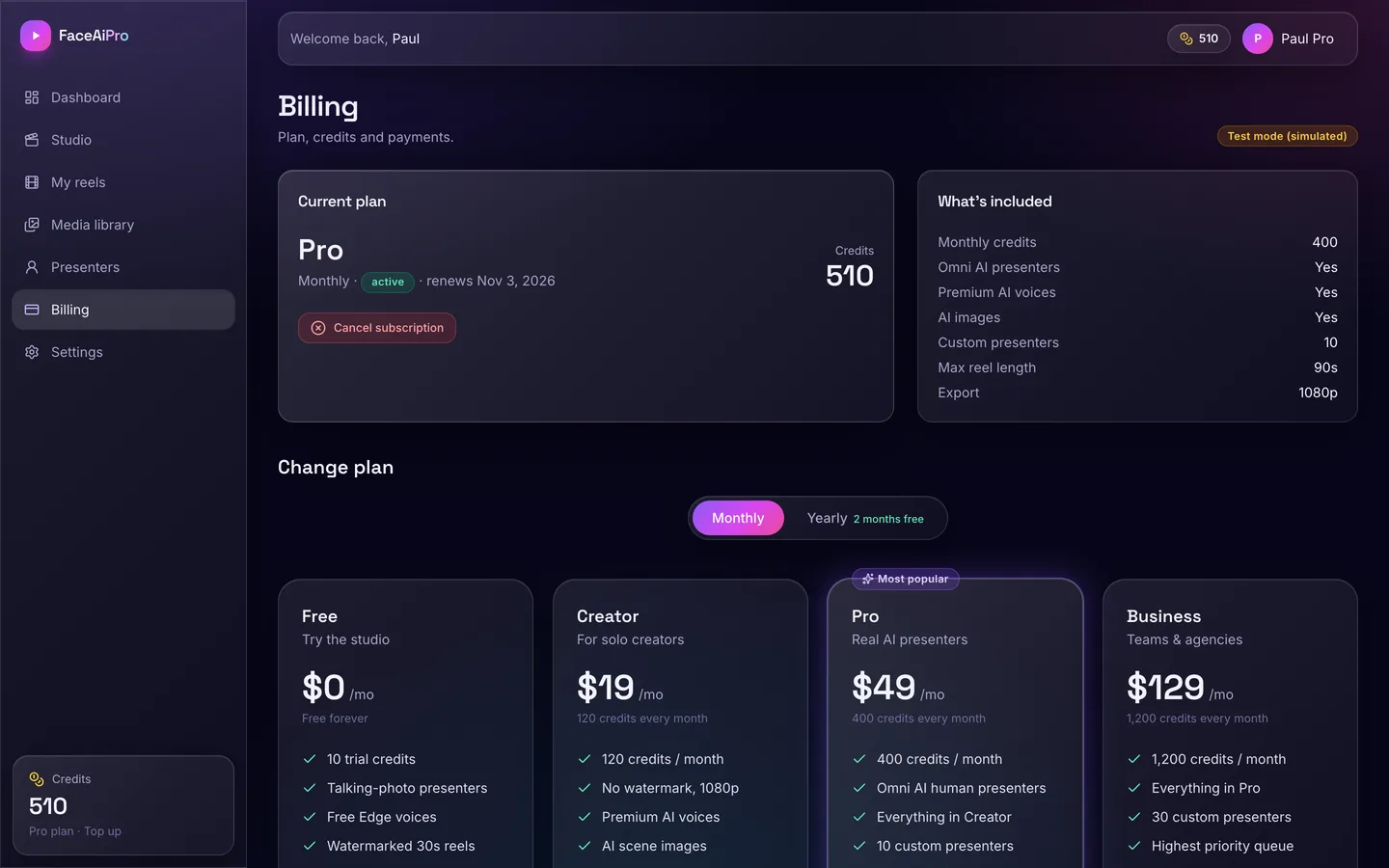
Plans set the monthly credits and the features: watermark, HD, premium voices, AI images, Omni AI presenters and custom presenters. Prices and credit costs come from the database and are edited in the admin panel, never from the browser.
Stripe, or no Stripe yet
Subscriptions and credit packs run through Stripe Checkout, the Customer Portal and webhooks; products and prices are created on the first checkout. Without Stripe keys, a built-in simulated billing mode runs the same flow, including renewals, so you can try the whole business before connecting your own Stripe account. Live payments need your real Stripe keys and webhook secret.
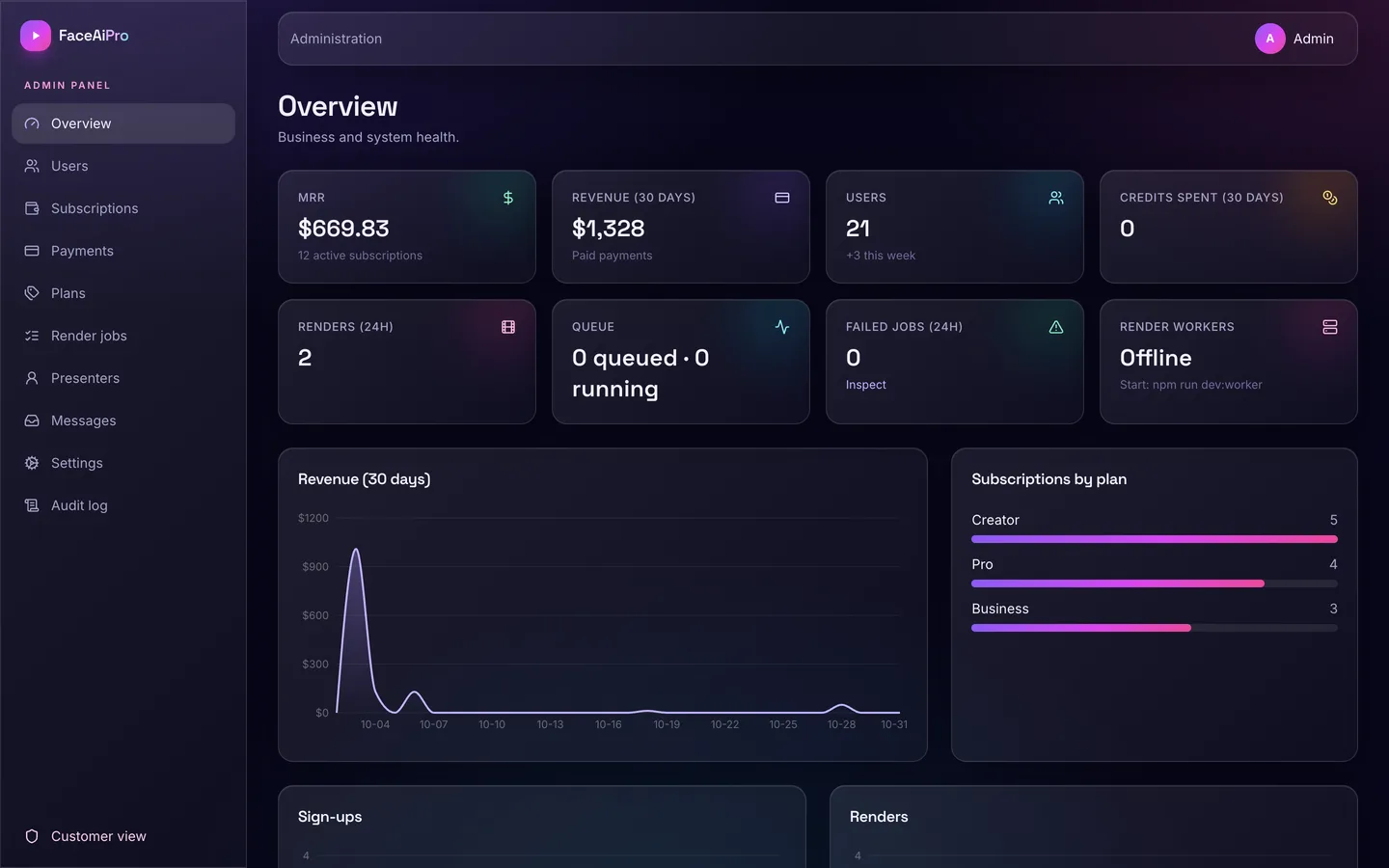
The admin panel shows revenue, MRR, subscribers, renders, the queue and signups, and covers users, subscriptions, payments, plans, render jobs, preset presenters, messages, settings and the audit log.
See it running
The video tour shows the landing page, the studio, the presenter library, finished reels, billing and the admin panel.
You can also open the read-only live demo and sign in with a one-click demo account. Rendering and AI generation are off in the demo because they run on your own server with ffmpeg and your own AI key, but the bundled sample reels and the browser preview show what customers get. The full source is available as FaceAiPro on the DEV3 marketplace, and the case study covers the design decisions.