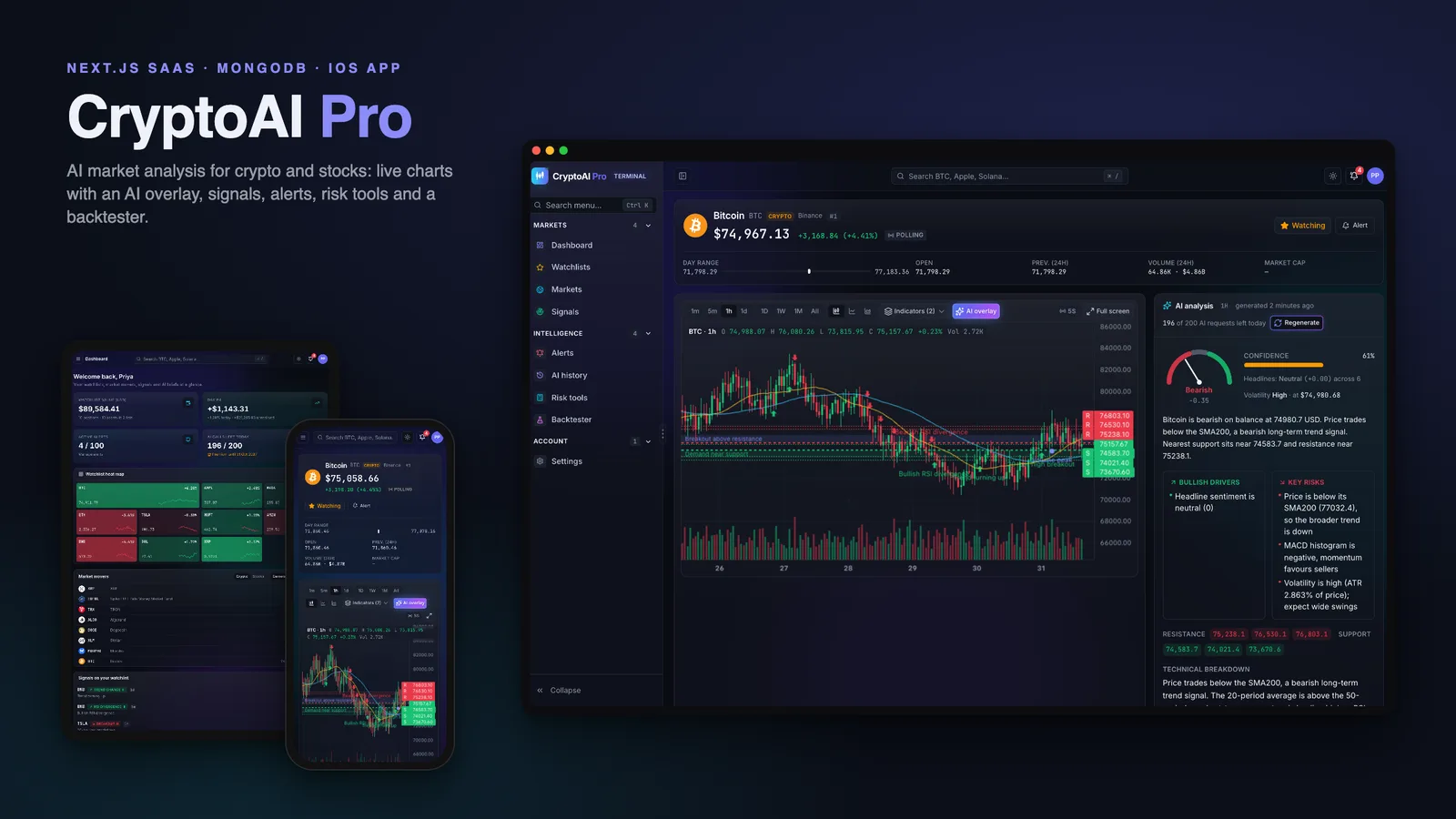
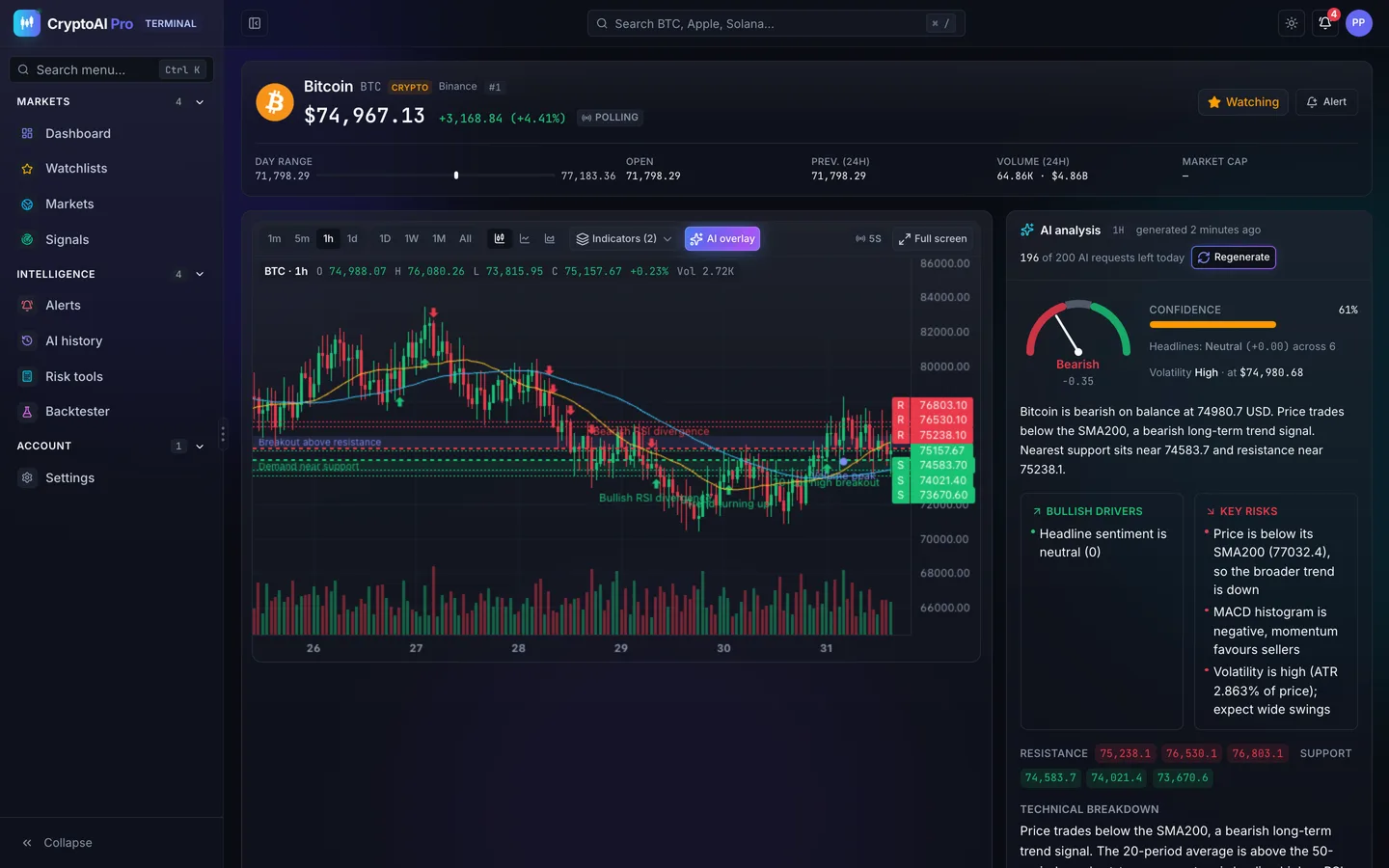
Most people who follow crypto or stocks keep four tabs open: a charting site, a news feed, an alert app and a chat window where they paste a ticker and ask an AI model what it thinks. None of those tabs know about each other. CryptoAI Pro is our attempt to put them in one product: live charts with the AI's levels drawn on them, a structured briefing for every asset, signals detected as candles close, and alerts that fire within moments of a price move. It ships as a Next.js 15 and MongoDB web app with a native SwiftUI iOS app in the same download.
One thing first: CryptoAI Pro is an analysis and education tool. It never places trades, and nothing it produces is financial advice. The risk calculators and the backtester work on paper.
Three processes around one database
A market app has two kinds of work. Page requests should be fast and stateless. Market data, on the other hand, is a never-ending stream that has to be ingested, rolled up and checked against thousands of alerts. Putting both in one process makes each worse.
So CryptoAI Pro runs three processes around one MongoDB replica set:
- the web app (Next.js 15, App Router) serves pages, server actions and the API, and holds no state;
- the realtime sidecar (socket.io) pushes ticks to Premium users in a room per symbol, plus signals and per-user alert events;
- the worker ingests the market streams, rolls 1-minute candles up into 5-minute, hourly and daily candles, backfills history, runs the alert engine on every tick and the signal detectors on every candle close.
If you don't need live streaming, the worker's schedules can also run from a cron endpoint, which is how the read-only public demo runs on serverless hosting.
Market data that survives a bad provider
Crypto prices come from Binance with CoinGecko as a fallback; stocks come from Finnhub with Yahoo as a fallback. Each provider sits behind an adapter that normalises symbols and candles, and behind a circuit breaker that stops calling it after repeated failures. The rest of the app only sees one market bus.
There is also a deterministic market simulator. Tests always use it, development can use it, and the public demo uses it. That way every screen has realistic moving data without any API keys or rate limits.
AI analysis as typed data, not chat
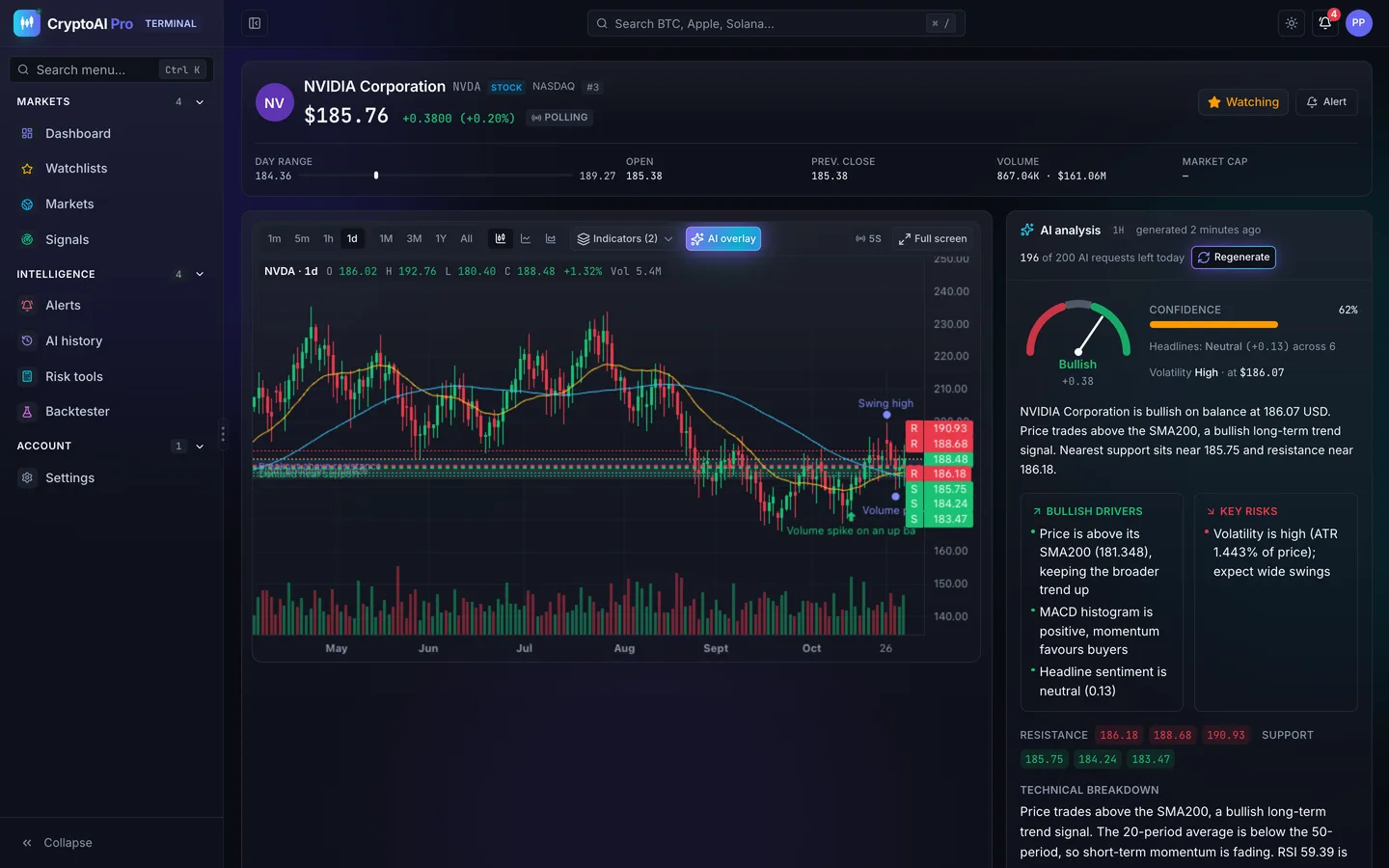
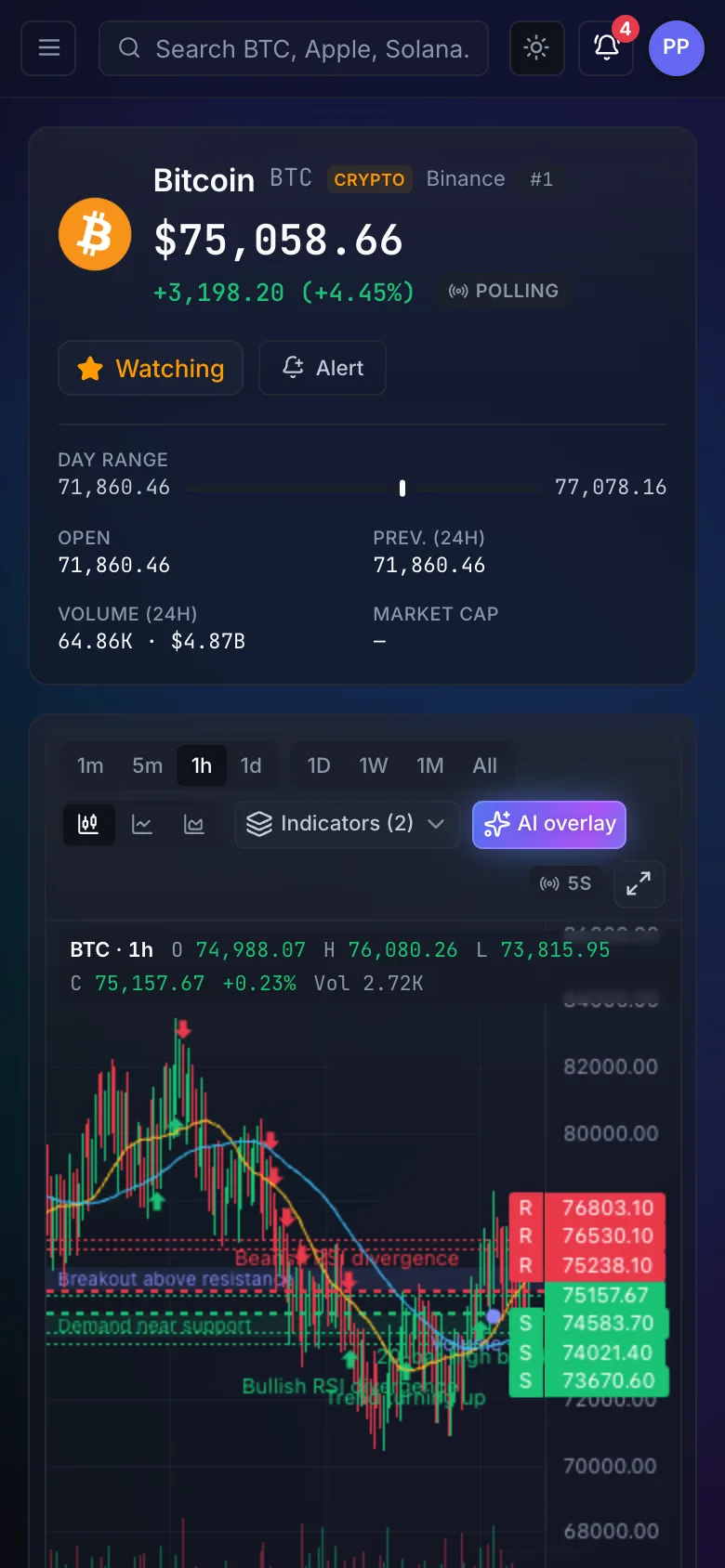
The AI side was designed around one rule: the model's answer has to be data the interface can draw, not a paragraph to read. Each analysis comes back as structured output with a sentiment score, a confidence level, a summary, bullish drivers, key risks, support and resistance levels, a technical breakdown and an outlook. The chart then draws those levels and zones as an overlay on the candles.
AI calls are slow and they cost money, so three things keep them in check:
- Volatility-aware caching. An analysis of a calm asset stays fresh for longer than one of an asset that is moving fast.
- De-duplication. If ten users open the same asset at the same moment, the model is called once.
- Pre-warming. The worker refreshes analyses for assets that people actually watch, so most page views read a cached answer.
Prompts are versioned in the database. Admins can test a new version in a playground, roll back, and change the model without a restart. Without an AI key, a deterministic mock answers instead, so the whole product works out of the box. Every user's history of analyses is kept, and the daily number of AI calls is a plan quota.
Signals and alerts
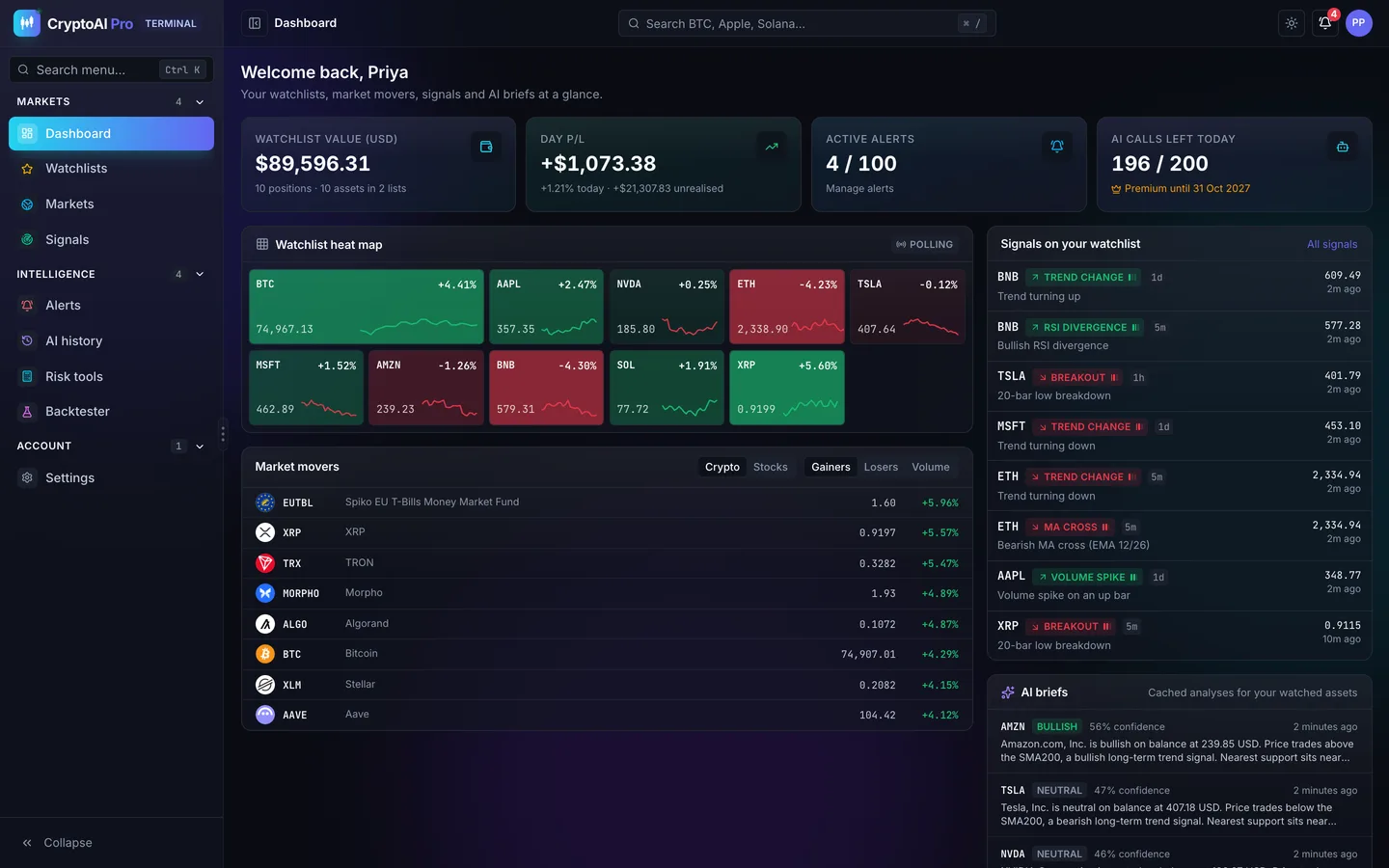
Signal detectors run when a candle closes: breakouts, RSI divergences, volume spikes, moving-average crosses and trend changes. They appear in a feed with filters by type and timeframe, and on the dashboard for the assets on a user's watchlist.
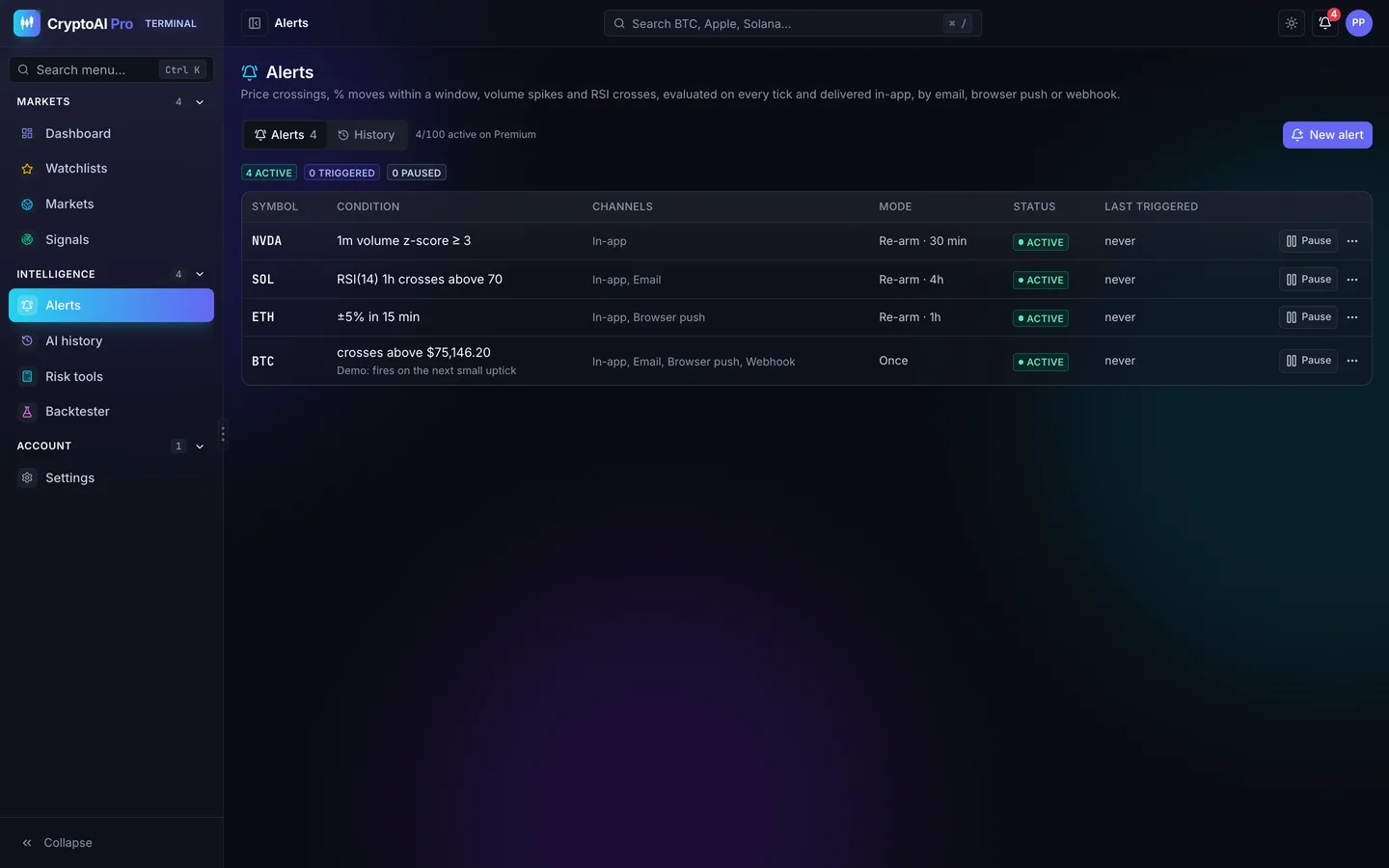
Alerts are evaluated on every tick, not on a schedule. A user can ask for a price above or below a level, a percentage move within a window, a volume spike or an RSI cross, once or recurring with a cooldown. When one fires, it is delivered in-app, by email, by web push, by iOS push or as an HMAC-signed webhook, and each delivery is logged so the user can see what was sent and when.
Tools for research, on paper
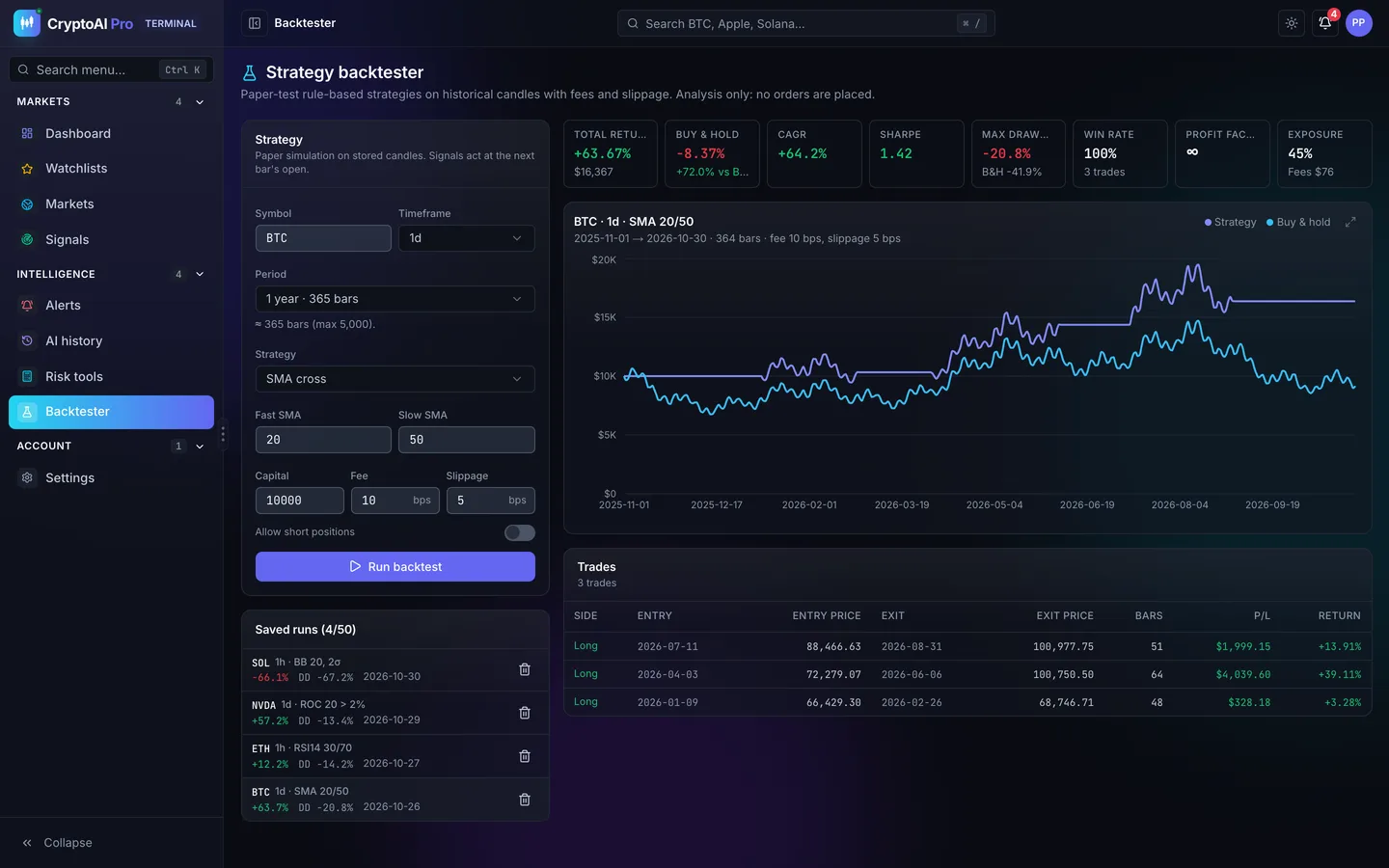
Premium users get a set of risk calculators (position size, risk/reward, Kelly, VaR and CVaR, and drawdown) and a paper backtester. The backtester runs SMA cross, RSI reversion, Bollinger breakout and momentum strategies with fees, slippage and optional shorting, and shows an equity curve against buy-and-hold, the main metrics and every trade.
Plans, quotas and the admin console
Plans are not hard-coded. AI calls per day, the number of watchlists and assets per list, active alerts, the API rate and the refresh rate are quotas the admin edits. Premium is granted by an admin with an optional expiry, and expired users are downgraded automatically.
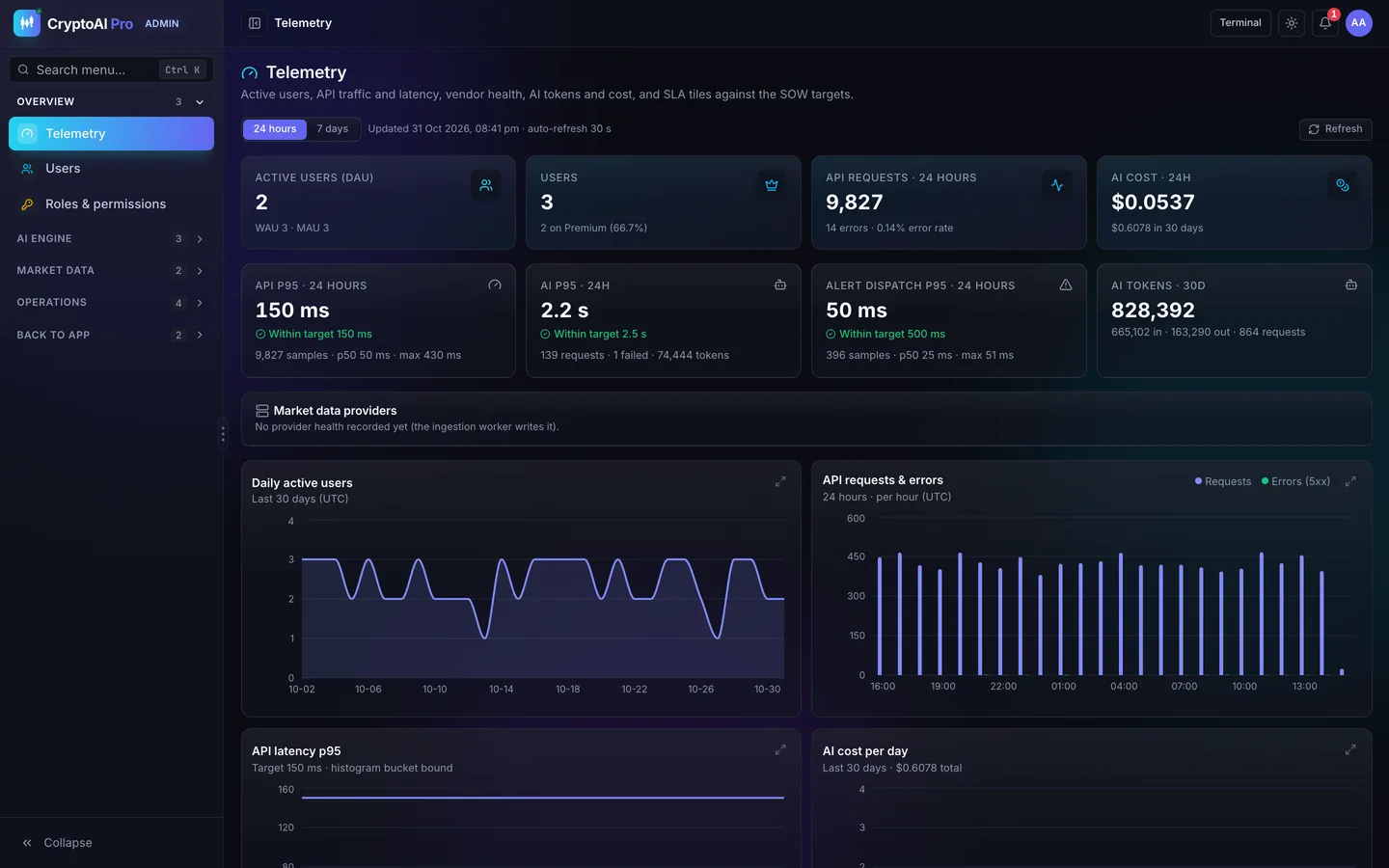
The admin console shows daily, weekly and monthly active users, API traffic and p95 latency, AI cost and tokens by prompt and model, and the health of each market provider. It also covers users and roles, Premium grants, AI limit overrides, session revocation, the asset catalog, alert deliveries, background jobs and the audit log.
The same rules on iPhone
The download includes CryptoAI Pro iOS, a SwiftUI app for iOS 26 written in Swift 6. It does not have a backend of its own. It calls the web app's /api/mobile layer, so plan quotas, Premium features and permissions are enforced by the same server code. Premium users stream ticks through a small native Socket.IO client written without third-party dependencies, and everyone else polls at their plan's rate, exactly as on the website.
The app also does what a web page can't: push notifications when an alert fires, a watchlist widget, and a Live Activity that pins a symbol to the Lock Screen and the Dynamic Island. Signed out, it shows the public site (home, markets and pricing), rendered natively from the same copy as the website.
See it running
The video tour walks through the public site, the dashboard, an asset with its AI overlay and analysis, signals, alerts, the tools and the admin console.
You can also try the read-only live demo. It runs on simulated market data, and the sign-in page has one-click demo accounts for the Admin, a Premium user and a Standard user. The full source of the web app and the iOS app is available as CryptoAI Pro on the DEV3 marketplace, and the case study covers the design decisions in more detail.