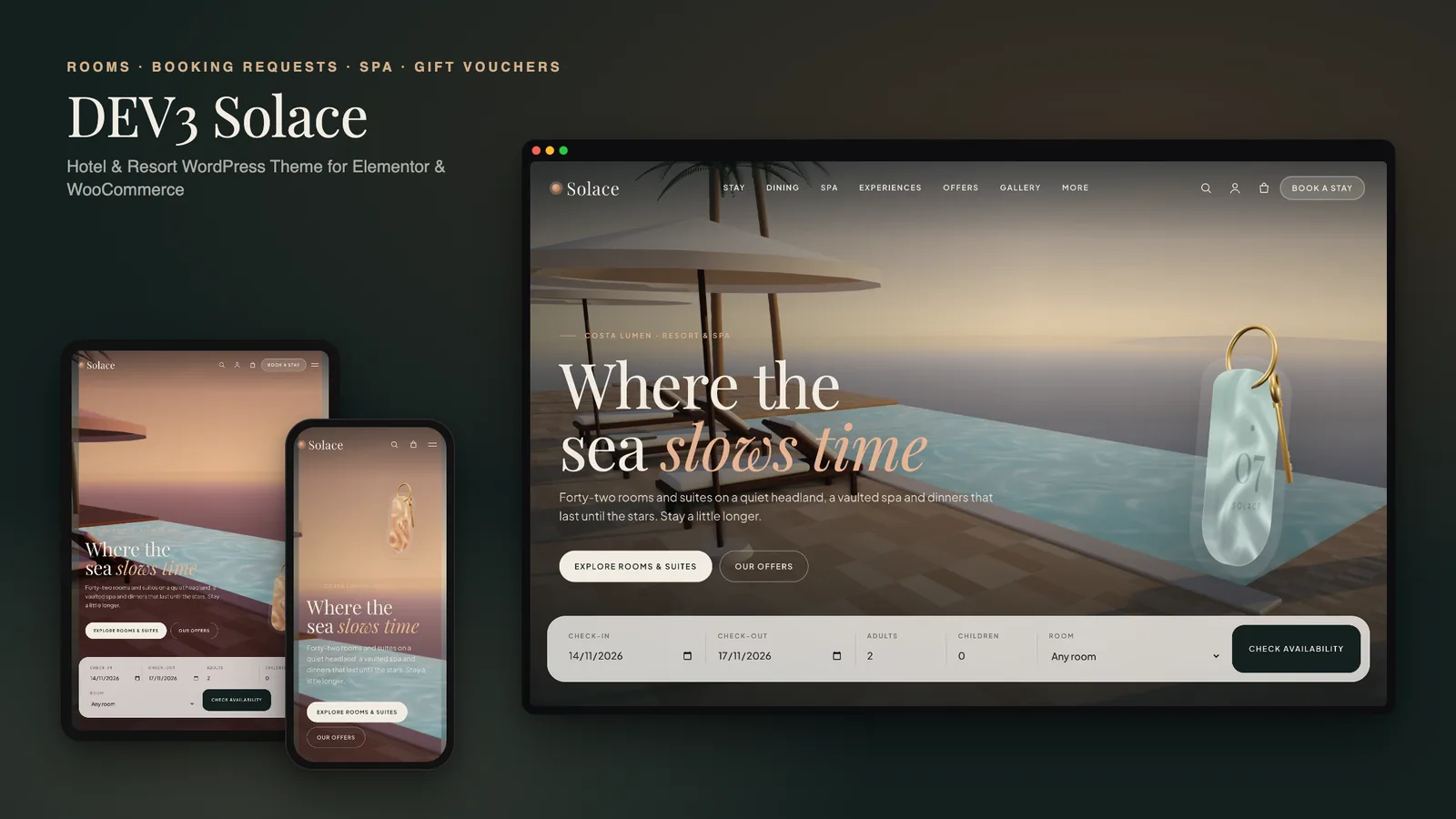
Every booking that comes through an online travel agency costs a hotel a commission, so the hotel's own website has one clear job: make a direct enquiry feel as easy as the big booking sites. Many hotel themes either stop at a slider and a "Book now" link, or bundle a full reservation system that has to be kept in sync with the channel manager. DEV3 Solace sits in between. Guests pick their dates, party and room, see an estimate straight away, and send a booking request that your team confirms. This post covers who Solace is for, how to set it up, and how the rooms, requests and motion work.
Who Solace is for
- Independent and boutique hotels that want more direct enquiries and a site that feels like the property.
- Resorts and spa hotels with restaurants, treatments, experiences and events to sell alongside the rooms.
- Guesthouses and villas that confirm every stay personally and do not want a payment step on the website.
- Agencies building hotel sites for clients who will update rates, rooms and offers themselves.
If you need instant confirmation with live availability and card payments, keep your booking engine: Solace can link each room straight to it. The theme's own booking flow is for hotels that prefer to confirm by email.
How booking requests work
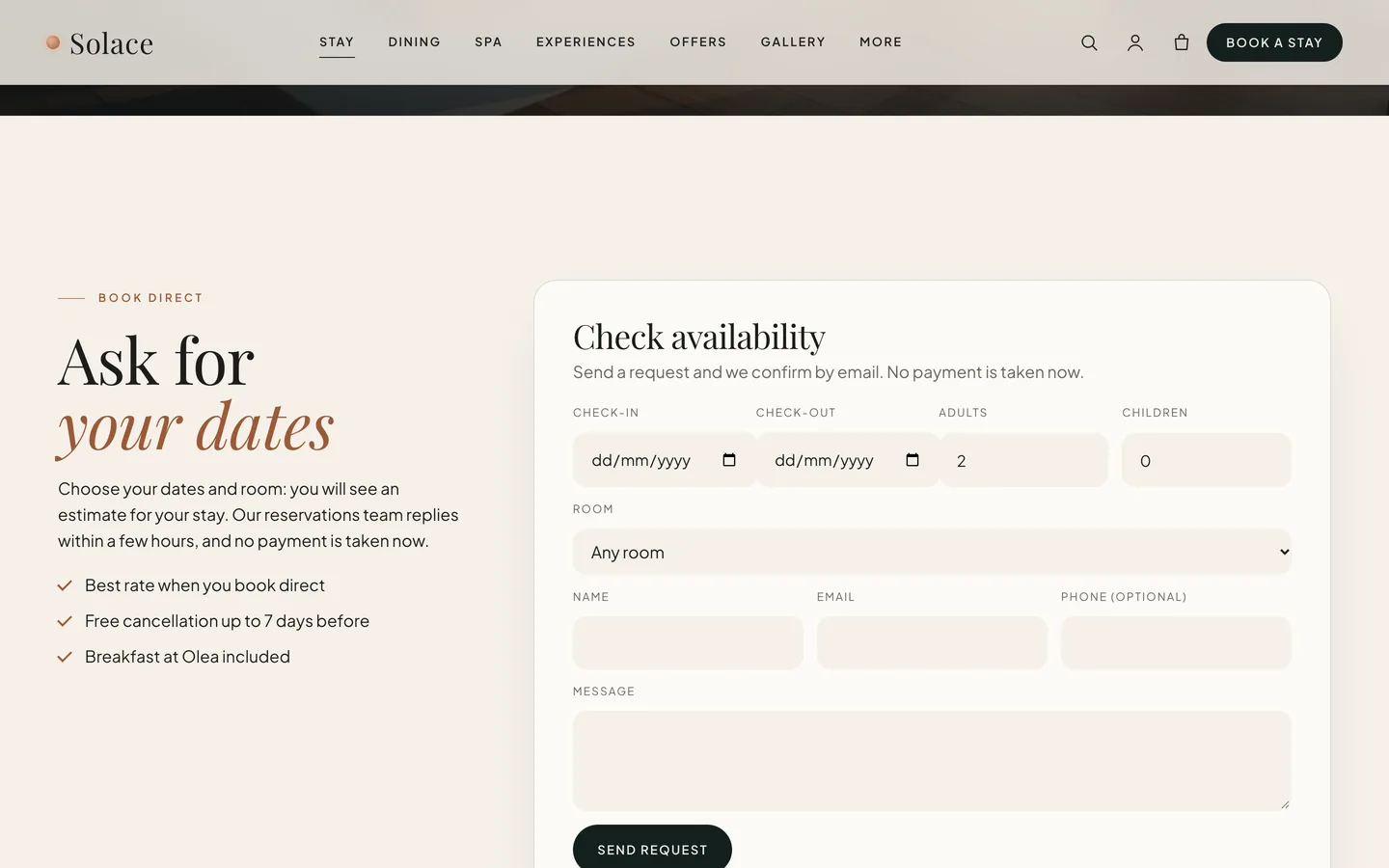
The Request Form widget does the work. It asks for check-in, check-out, adults, children and a room, and as soon as a room is chosen it shows a live estimate: the room's rate times the number of nights. Guests see roughly what the stay will cost before they write a single line of contact details.
When the request is sent, it is checked (a security nonce, a honeypot field and a rate limit against spam), stored privately under Requests in the dashboard and emailed to the site admin. No payment is taken. Your reservations team replies and confirms the stay, which keeps the website out of your availability and payments entirely.
The same widget has two layouts:
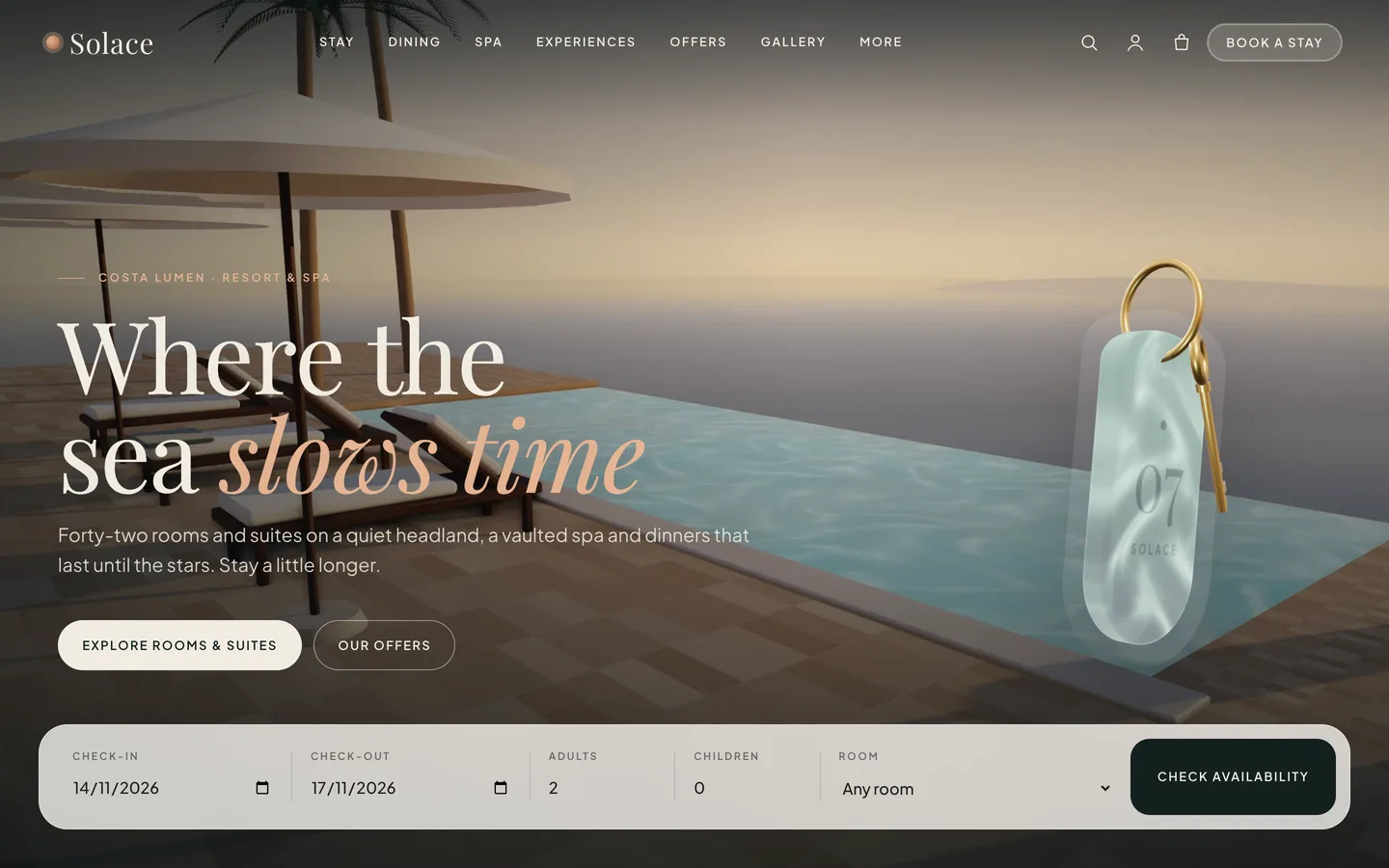
- Bar: on the home page it becomes the glass booking bar across the bottom of the hero, with dates, guests and room in one row and a Check availability button. The contact fields slide open below.
- Card: the full form, used on the rooms page and inside every room page, where the room is already selected.
If you already use a booking engine, paste its link into a room's External booking link for a fallback button, or paste a Contact Form 7 or WPForms shortcode into the widget.
Setting up a hotel site with Solace
1. Install the theme and the toolkit
Upload dev3-solace.zip under Appearance → Themes → Add New → Upload Theme and activate it. The theme asks for the DEV3 Theme Toolkit, which is required: upload dev3-theme-toolkit.zip under Plugins → Add New → Upload Plugin. It adds the rooms, experiences, events and booking requests, the Elementor widgets and the demo importer. Install Elementor, WooCommerce and Contact Form 7 from the same prompt.
2. Import the demo
Go to Appearance → DEV3 Demo → Import demo. You get "Solace Resort & Spa", a fictional resort on a headland:
- the Home, Rooms & Suites, Dining, Spa & Wellness, Experiences, Offers, Gallery, Our Story, Location, Reviews, Contact and Journal pages
- 10 rooms and suites, 8 experiences, 4 events, 4 hosts, 6 sample guest reviews and 6 journal posts
- 9 shop products: gift vouchers, spa packages and "Solace at home" items
Every image is an original 3D render, so the demo looks finished before your photography arrives. Reset removes only the demo content.
3. Enter your rooms
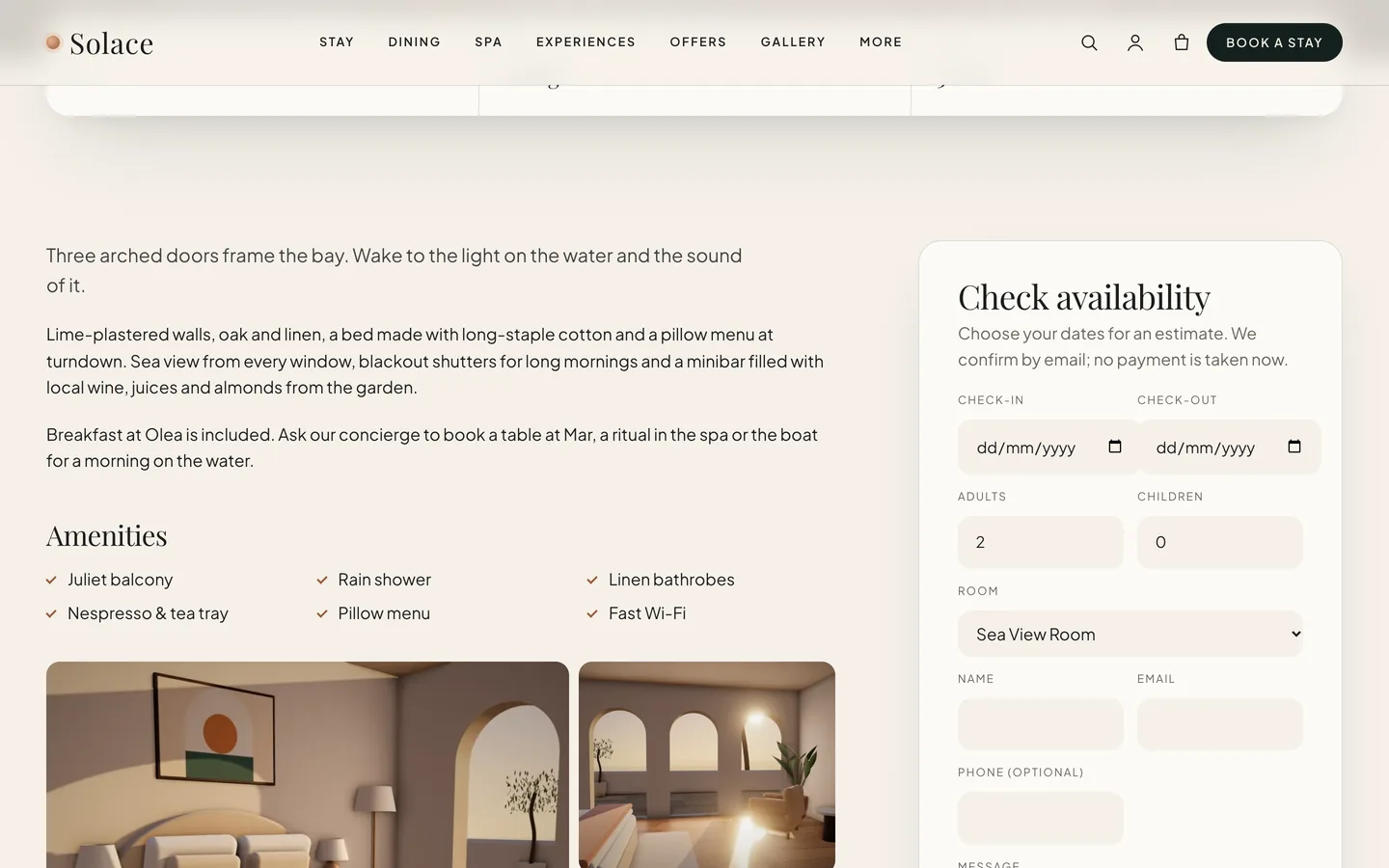
Rooms live under Rooms & Suites. Each has a title, text, a featured image and a category (Rooms, Suites or Villas), plus these fields: rate, rate period and currency (for example €320 / night), maximum guests, beds, size, view, amenities (one per line), a gallery and an external booking link. Those fields feed the room cards, the room hero, the facts strip, the booking estimate and the HotelRoom structured data search engines read.
The room page is built automatically: an image hero with the rate, a floating facts strip, your story, ticked amenities, the gallery, a sticky booking card with this room preselected, and three other rooms to consider.
4. Fill in dining, spa and offers
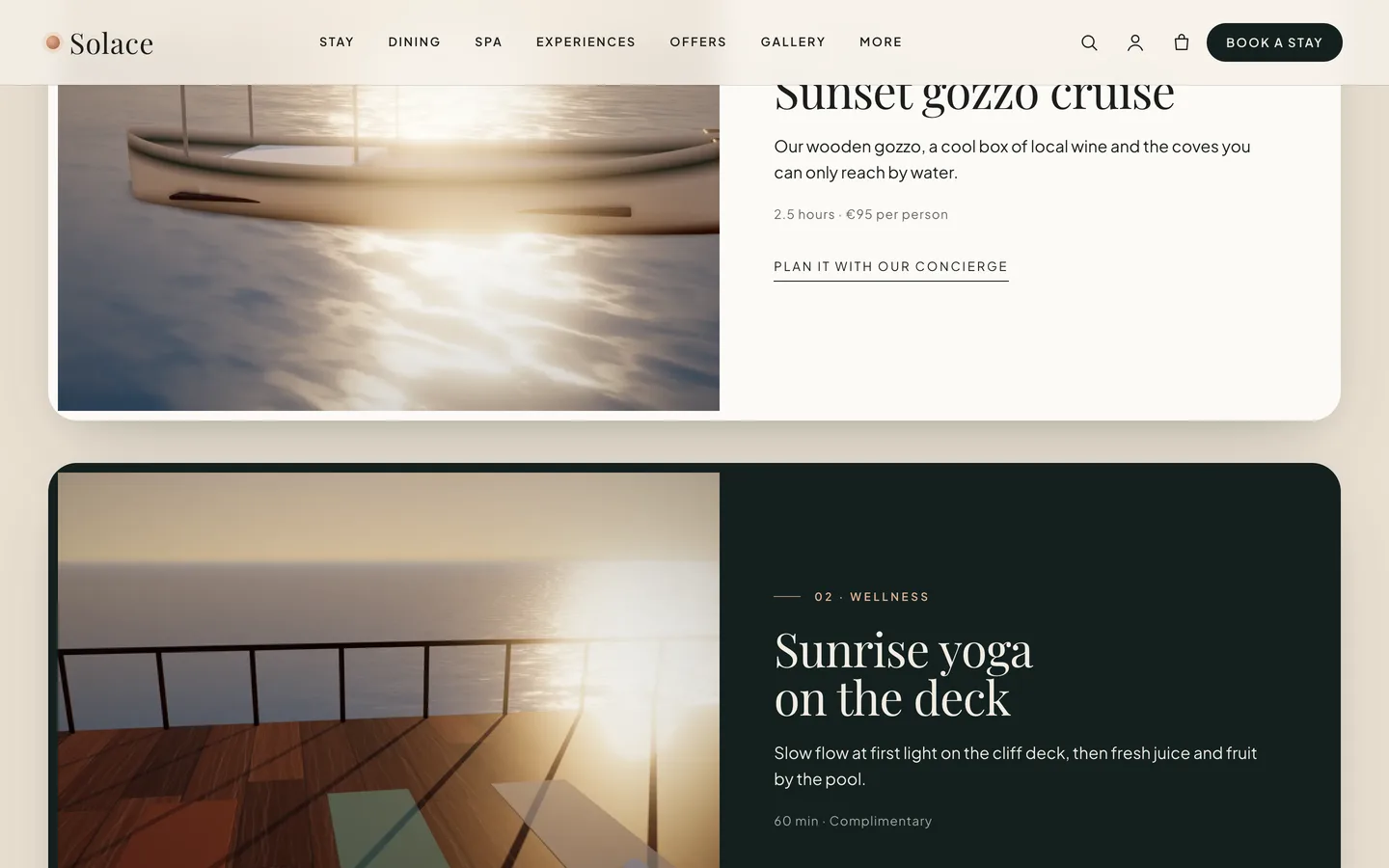
The demo pages show the patterns to reuse. Each restaurant opens on an image that wipes into view with its hours and a reservation button. The spa page has a four-step ritual timeline, treatments and packages. Experiences are large stacked cards that slide over one another as you scroll, and offers are direct-booking packages laid out as pricing cards.
5. Sell gift vouchers
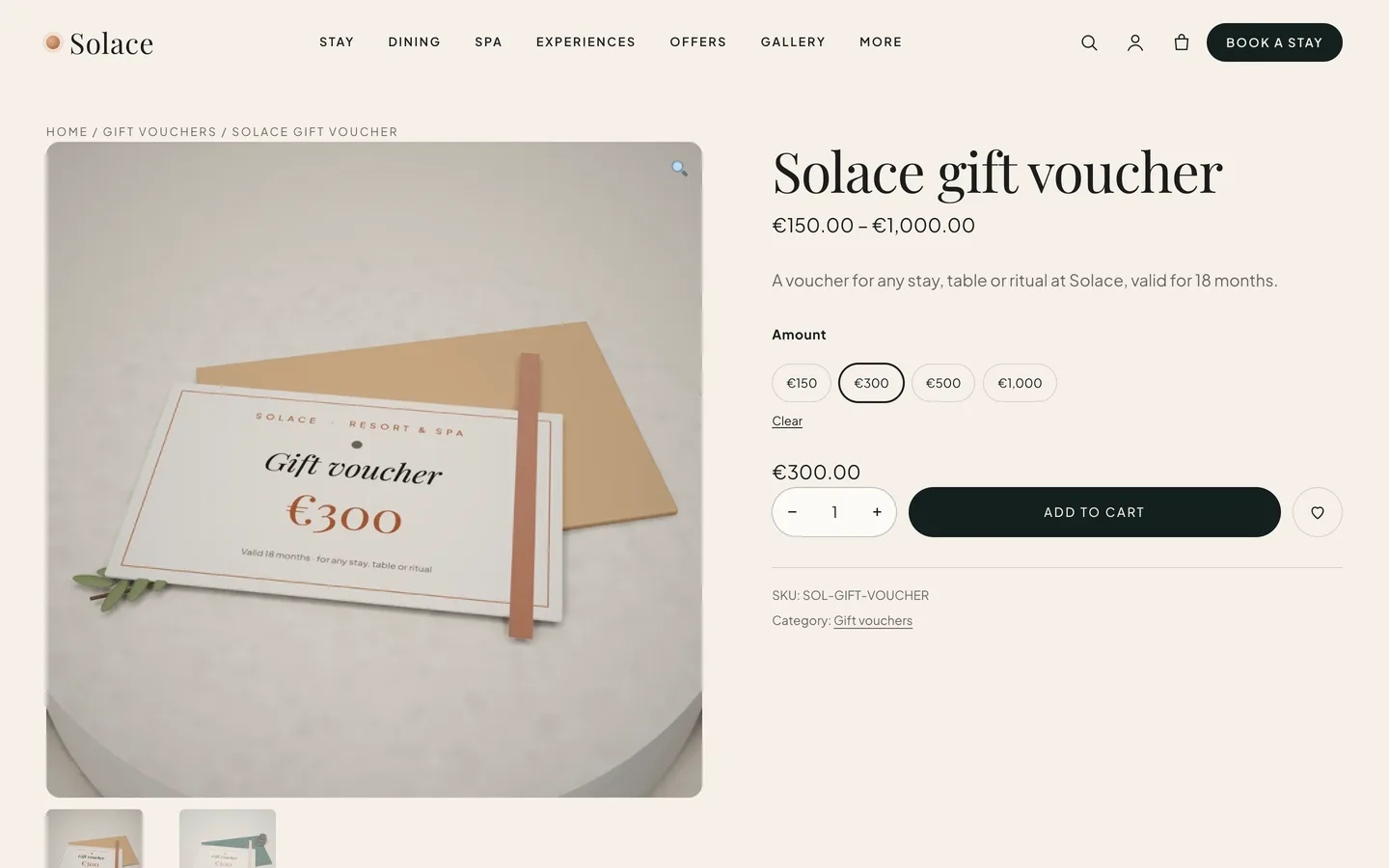
Gift vouchers are a WooCommerce variable product by amount, alongside stay and dinner vouchers and spa packages. They are virtual products, so checkout skips shipping. Set up real payment methods under WooCommerce → Settings → Payments; the demo enables Cash on delivery for testing only.
Motion that feels like a slow afternoon
Solace is one of DEV3's newer, modern themes: rich motion, and only a small touch of 3D. Headings split and settle into place, images wipe in behind masks, the rooms glide sideways in a pinned horizontal rail, and experience cards stack as you scroll. Each effect comes from the Advanced → DEV3 Motion panel on any Elementor widget or container, or from a CSS class in the block editor.
The hero can also move from day to dusk. Add a second image with the class solace-hero__dusk inside a hero container and it cross-fades in as the visitor scrolls. The 3D accent follows the same idea: a glass room key, lit like a pool light, that drifts from day to dusk light. You can set its room number, engraving and metal, or delete the widget; nothing else depends on it. It loads only when it comes near the screen and pauses when you scroll past.
Visitors who prefer reduced motion see the final state of every effect, the rooms rail becomes a swipe row, and the key is replaced by a still image.
See it in motion
There is no public live demo, because the motion is best judged moving. The video tour runs from the booking bar through the rooms, spa and gift shop to checkout.
Before you launch
- Booking requests are emailed to the site admin address under Settings → General, so make sure it is an inbox your reservations team reads. Every request is also kept under Requests.
- Replace the demo rates and check each room's rate period, because the estimate multiplies it by the nights.
- Give the first container of every page with a hero image the class
solace-hero, so the header turns light over it.
Solace is on the DEV3 marketplace. The case study explains why it takes requests rather than payments, and how the day-to-dusk motion works.