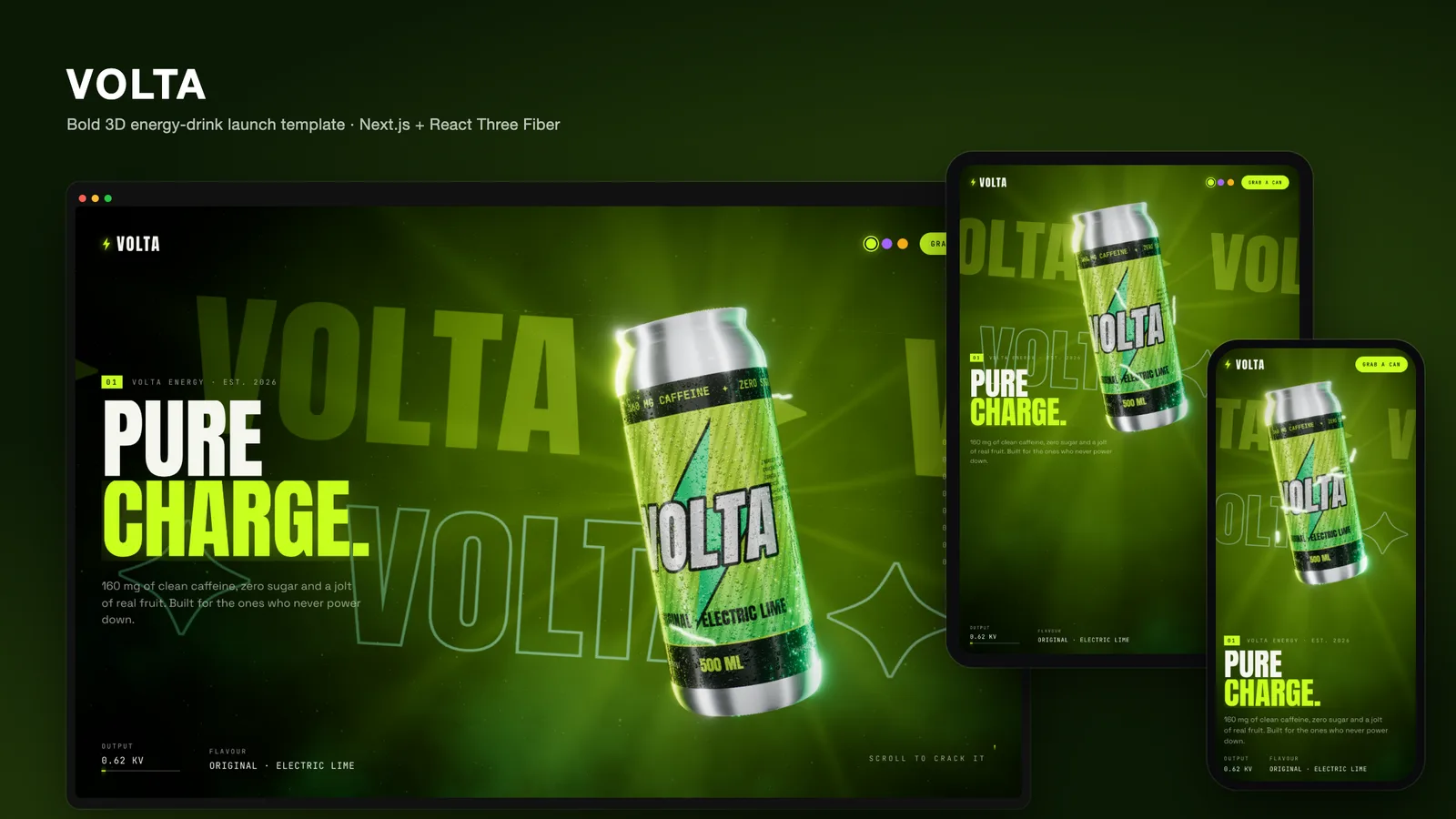
A product launch page has a strange job. The visitor already knows what a drink can looks like, so a photo of one tells them almost nothing. What sells a new flavour is the feeling around the product: the cold, the hiss when it opens, the colour of the range on a shelf. VOLTA is our attempt to build that feeling as a 3D product landing page in Next.js and React Three Fiber. A single can sits in a live WebGL scene, and the visitor opens it, looks inside and recolours the whole world by flavour, just by scrolling.
The demo brand is a fictional energy drink, but the pattern fits any hero product that comes in variants. This post walks through the scene, shader by shader.
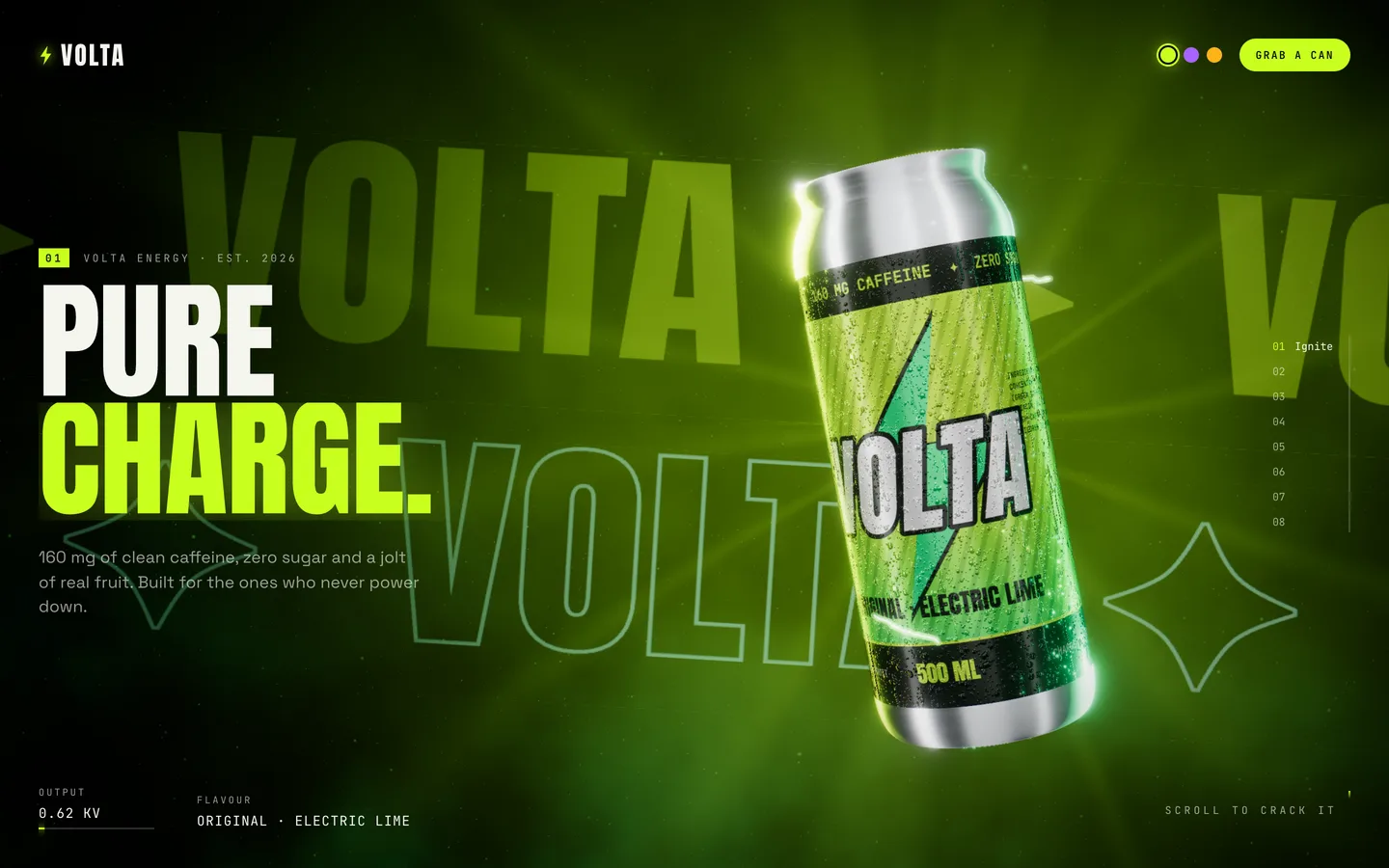
One canvas, eight chapters
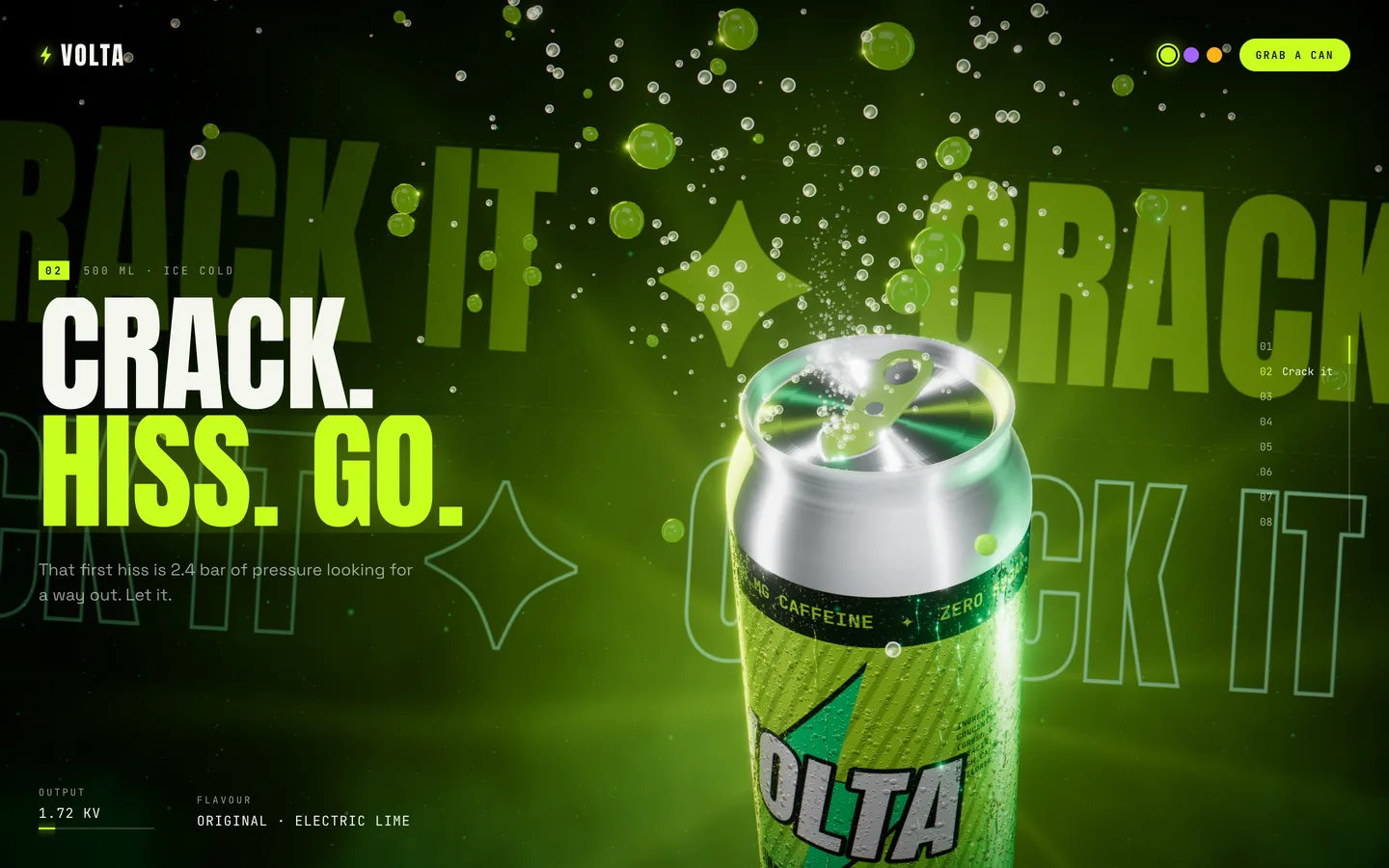
The page is one fixed <Canvas> with a tall, empty scroll space behind it, one viewport per chapter. Lenis smooths the scroll, and each scroll event writes a fractional progress value (0 to 7) into a plain mutable object. The scene reads that object every frame, and the camera rig interpolates between eight hand-placed stops: low and heroic for the hero, high over the lid when the can opens, pulled wide for the ingredient orbit.
The important part is what React does not do. Progress, scroll velocity and pointer position never touch React state. React subscribes, through useSyncExternalStore, only to the coarse values: the current chapter, the selected flavour and whether the loader is finished. Scrolling from top to bottom re-renders the overlay text a handful of times and the 3D tree not at all. That keeps the main thread free for the GPU work.
When the visitor stops scrolling, the page waits 240 ms and glides to the nearest chapter, so a scene is always framed. The arrow and Page keys step one chapter at a time.
The eight chapters run from a lightning intro, through opening the can and an ingredient orbit, to one chapter per flavour, an interactive Charge chapter and a three-can line-up.
A can made entirely in code
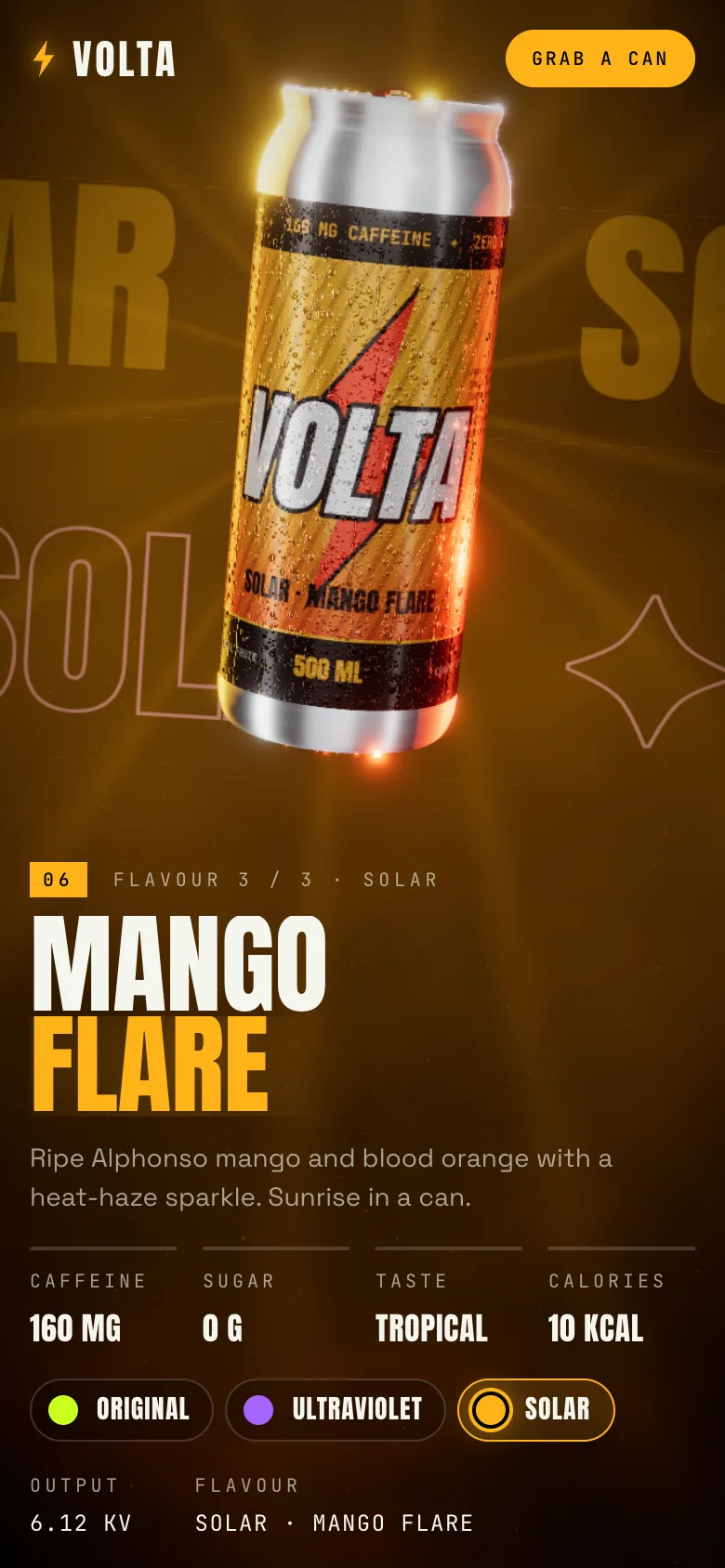
There is no GLB file in the project and no product photo. The can is a LatheGeometry: a 2D profile of the domed base, the straight wall, the neck, the rim bead and the countersunk lid, spun around the Y axis with 128 segments. The pull-tab is an extruded shape with a score line cut into the lid.
The surface detail is painted, too. A set of canvas painters in art.ts draws:
- the label for each flavour, including the logo, the lightning mark, the flavour name and the small print;
- an emissive circuit mask that glows during the Charge chapter;
- a condensation normal map and a matching roughness map, so droplets catch the light and break up the reflections;
- fruit cross-sections for the ingredient orbit;
- a type sheet for the giant kinetic words behind the can.
The payoff for buyers: changing the brand name or a colour in lib/content.ts changes the label the can is wearing, and the first load downloads code and fonts, not megabytes of textures.
The flavour wipe: two labels, one shader
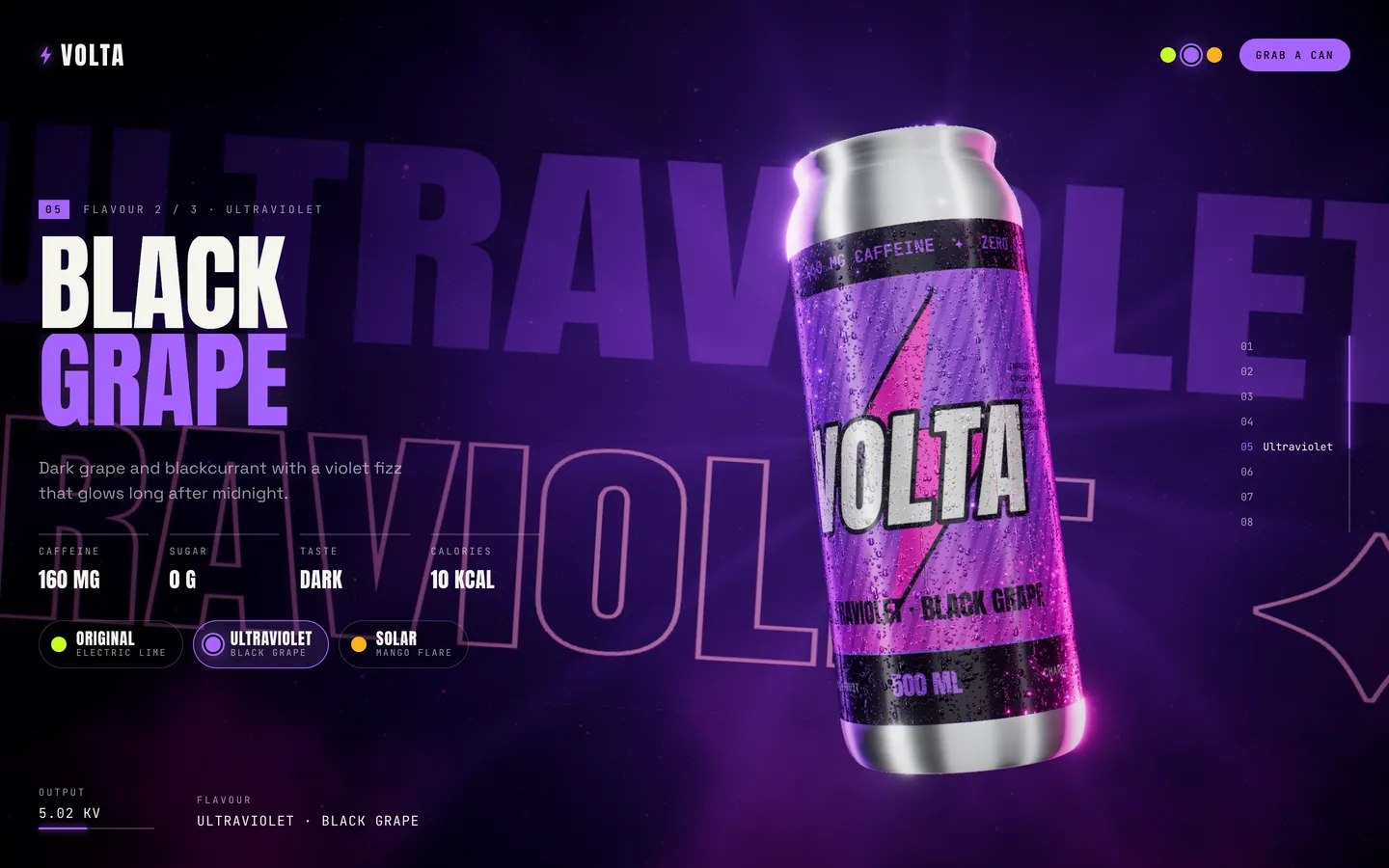
The most distinctive effect in VOLTA is the flavour change. When the visitor scrolls into the Ultraviolet chapter, the new label does not cross-fade. It rises up the can behind a liquid line, like the can is being refilled with a different drink, and the rest of the scene follows.
The label material is a standard MeshPhysicalMaterial, with its clearcoat, metalness and environment reflections kept intact. We patch it with onBeforeCompile instead of writing a shader from scratch. The patch adds a second label texture, a wipe uniform and a time uniform, then replaces three.js's map_fragment chunk (condensed):
vec4 cA = texture2D( map, vMapUv );
vec4 cB = texture2D( uMapB, vMapUv );
float ang = vMapUv.x * 6.2831853;
float wave = sin(ang * 4.0 + uTime * 3.0) * 0.022 + sin(ang * 9.0 - uTime * 4.7) * 0.01;
float level = mix(-0.12, 1.12, uWipe) + wave;
float below = smoothstep(level + 0.006, level - 0.006, vMapUv.y);
Below the line the shader shows the new label, above it the old one. Two sine waves around the circumference make the surface slosh, a thin bright band marks the meniscus, and a hashed noise pattern scatters bubbles just under the line. Lighting and clearcoat run as usual afterwards, so both labels are lit identically.
Reflections that change with the flavour
A purple can reflecting lime-green light looks wrong, so the lighting changes too. The environment map is not an HDR file. It is a tiny scene of emissive planes: a top softbox, a tall left strip that draws the long highlight down the cylinder, a right kicker, a front fill and two coloured strips behind the can. PMREMGenerator bakes it into a prefiltered environment.
When the wipe passes the halfway point, the two coloured strips take the new flavour's colours and the environment is baked again. The rim lights, background, particles and type follow in the same frame.
Lightning that follows the pointer
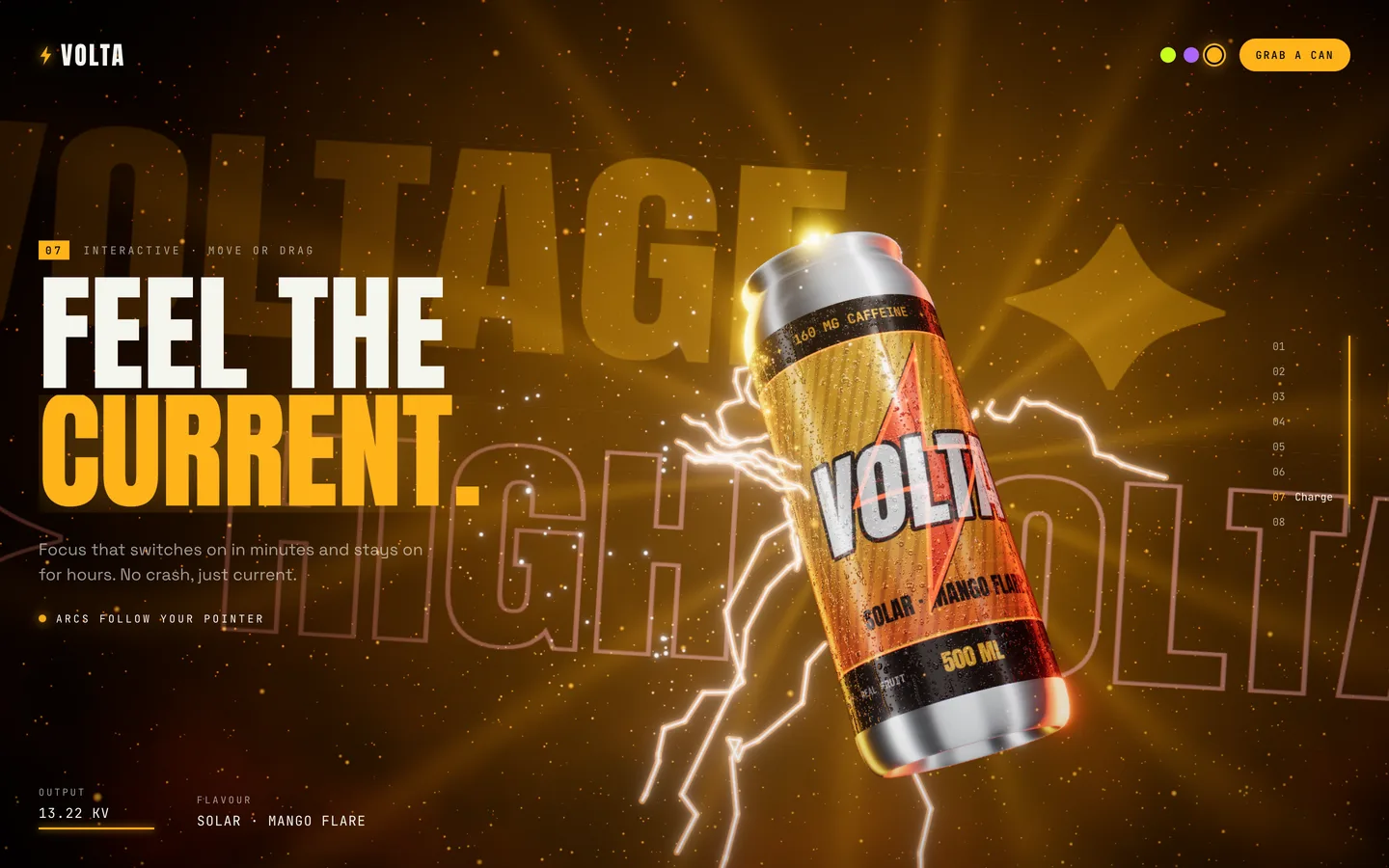
The arcs are classic midpoint displacement. Start with a segment from A to B, split it in half, push the midpoint by a random amount, and repeat four times with the displacement shrinking each time. That gives a 16-segment jagged bolt. Fourteen bolts are written into one LineSegmentsGeometry, rendered twice: a thin white core and a wide coloured glow, both additive and not tone-mapped, so bloom picks them up.
In the hero the bolts start and end on the can's surface. In the Charge chapter one end reaches toward the pointer, projected into the scene, and pointer speed feeds the particle field, so a fast flick looks like a discharge. Dragging pulls more bolts around the can.
Postprocessing with restraint
The effect stack is short: mipmap bloom with a high luminance threshold, chromatic aberration, ACES filmic tone mapping, soft-light film grain and a vignette. The high bloom threshold means only the lightning, the rim highlights and the meniscus glow. The label stays crisp and readable.
Chromatic aberration is driven by scroll velocity. At rest it is a barely visible offset. During a fast scroll the colour channels split a little more, like a lens under strain, and settle as the page snaps to the next chapter. With reduced motion on, the offset is zero.
Loading without the first-scroll hitch
three.js compiles a shader the first time a material is drawn, which makes many WebGL pages stutter on the first scroll. VOLTA has hidden materials, including the other flavours' labels. A Warmup component makes every hidden object visible for one call to gl.compile(scene, camera), then hides them again and waits two frames for texture uploads. The loader holds at 99 % until this has run and the fonts and label art are ready.
Phones and reduced motion
On portrait screens the camera stops are rebuilt: the can is centred and framed high, and the copy panel takes the bottom of the screen. The pixel ratio is capped at 1.75.
With prefers-reduced-motion, Lenis scrolls without smoothing, and parallax, idle spin, sway, chromatic aberration and the marquee motion are switched off. The wipe and the fly-in get shorter, and the lightning regenerates at 2 Hz instead of every frame. Every control is a real button.
Rebranding the template
Most of a rebrand happens in one file. lib/content.ts holds the chapters' copy, the ingredient list and the three flavour worlds, each with a primary, secondary, background and label-ink colour, tasting notes, stats and a marquee word. Change a flavour's colours and its label, reflections, lights and background all follow. To add a fourth flavour, add an entry; the switcher and chapter list are built from the array.
For a different product shape, replace the lathe profile in Can.tsx. A bottle, a jar or a tube is another 2D profile, and the label shader works on any UV-mapped surface.
Where VOLTA fits
VOLTA suits product launches, drink brands and campaign pages where one object carries the story. It ships as a standard Next.js 16 project and also builds as a static export, which is how the live demo is hosted. Find it on the VOLTA item page, and the case study covers the design decisions in brief.