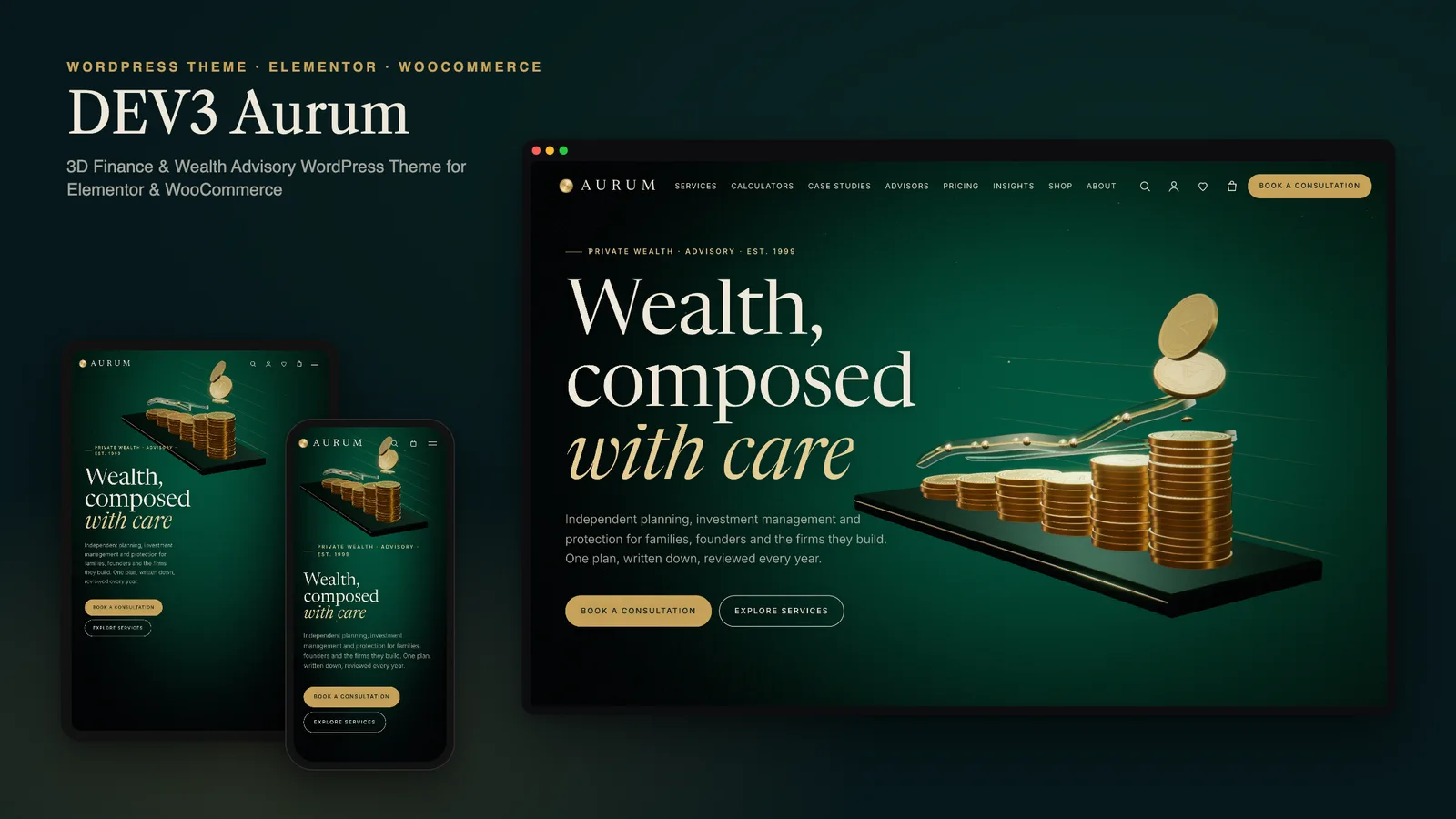
Finance is a hard place to use motion. A wealth manager's website has one job before any other: make a careful person feel they are in careful hands. Spinning logos and particle storms work against that. Yet a page of stock handshakes and city skylines does not say much either, and it looks like every other firm in the search results. With DEV3 Aurum we set out to build a 3D finance WordPress theme where the motion carries the message (growth, planning, protection) and then gets out of the way, next to the practical things clients actually come for.
This post walks through the decisions behind it: what the 3D story shows and why, how the calculators work, how the theme handles compliance wording and sample data, and how a firm edits all of it in Elementor or the block editor.
Who the theme is for
Aurum is aimed at independent financial advisors, private wealth and family-office teams, accountancy and tax practices, small fintech products and insurance brokers. These businesses share a shape: a handful of services, a team whose credentials matter, a few case studies, a steady flow of insight articles, and a booking step that turns a visitor into a first meeting. Some also sell fixed-price work, such as a planning session, an annual review or a written report.
So the theme ships with those content types instead of a generic portfolio. Services, Case Studies and Advisors are post types from the bundled DEV3 Theme Toolkit plugin, each with its own Elementor single page. Testimonials exist too, but in the demo they are badged as samples, because invented praise is exactly the kind of thing a finance site cannot afford.
A 3D story about money that stays calm
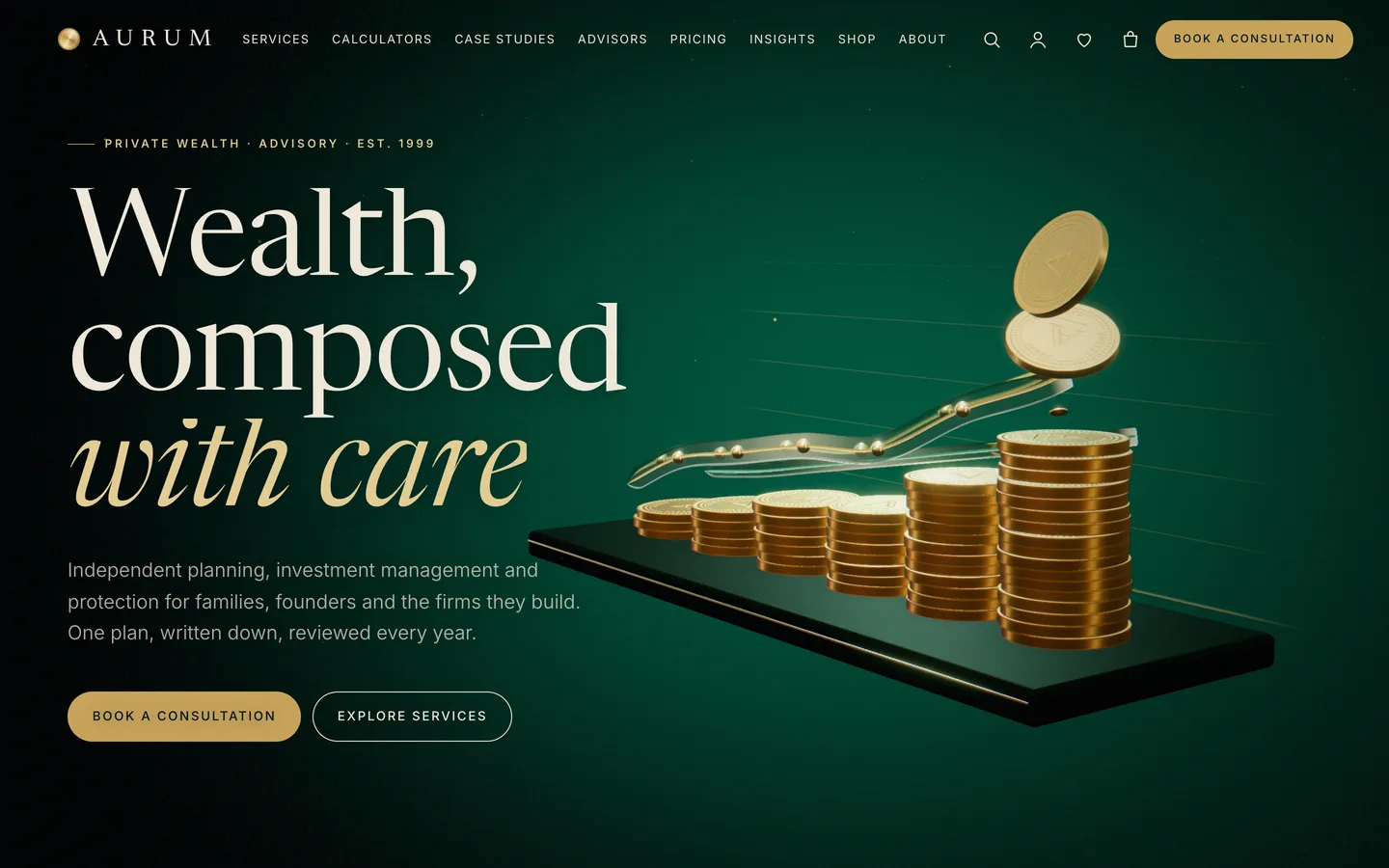
The home page is one fixed 3D scene with five chapters stacked on top of it. As the visitor scrolls, the camera moves between five stops:
- Coins and chart. Brushed-gold coins land on a dark plinth and stack into the columns of a growth chart.
- Growth. The camera drops low, and a glass ribbon traces the line across the tops of the stacks while counters show the firm's numbers.
- Planning. An overhead view tilts across the chart to introduce the calculators.
- Global markets. A glass globe with dotted continents and gold trade-route arcs takes over.
- Protection. The story ends on a vault dial that seals behind a glass shield.
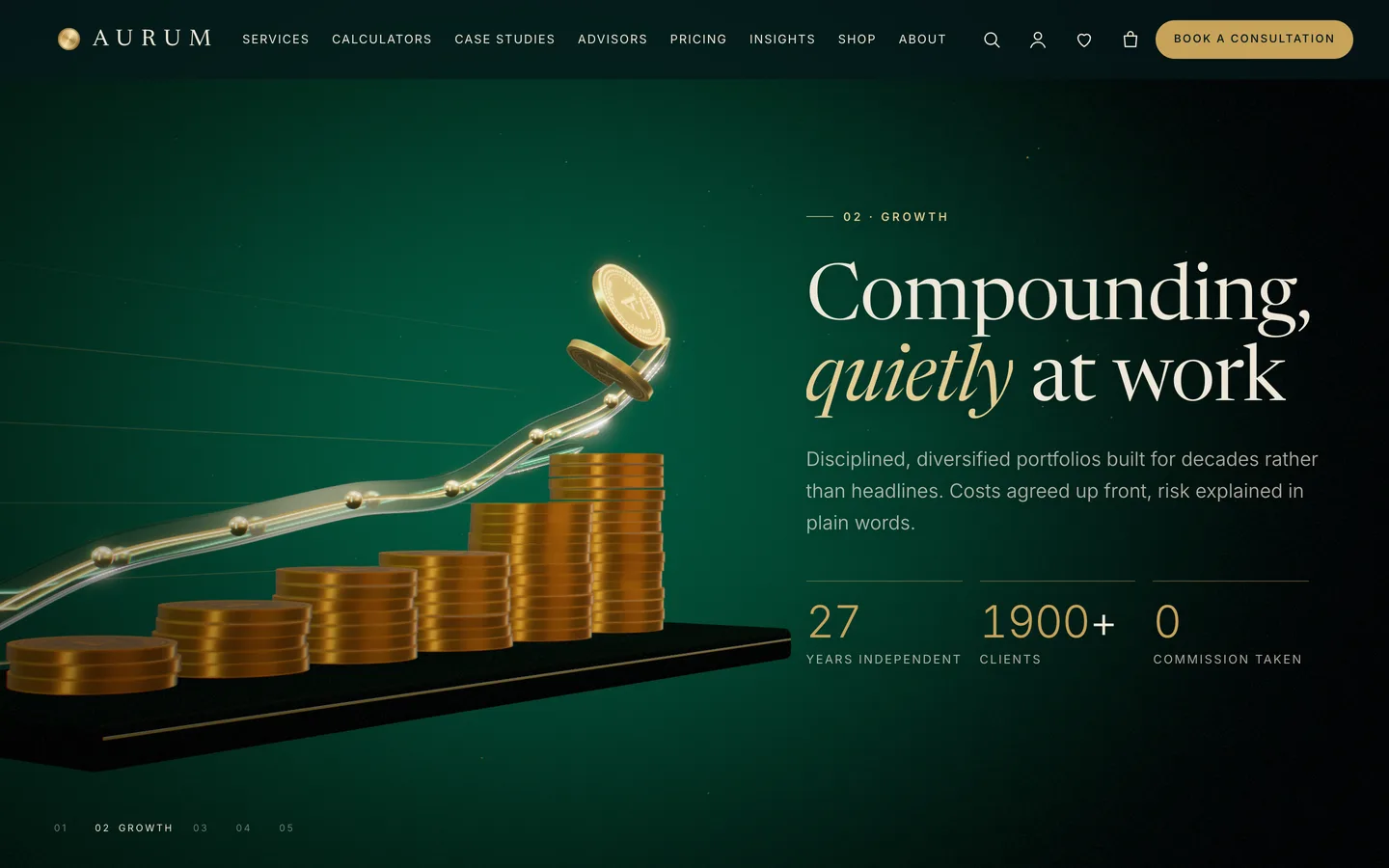
Everything in the scene is built in code with three.js: the coin faces, the glass, the globe, the vault. There are no licensed renders, no stock photography and no large video file that has to download before the headline appears. The demo's product and article images are rendered from the same scenes, so the whole site keeps one visual language.
We kept the motion slow on purpose. Camera moves are eased and damped, the palette is emerald, cream and gold rather than neon, and the copy always sits on the side of the screen opposite the 3D subject. Each chapter's text is ordinary HTML in the page, so search engines and screen readers read the words, not the canvas.
Chapters are just Elementor containers
The scroll story is not a fixed animation. The page has a single 3D Scene widget set to the preset "Aurum: gold & glass ledger" in "Fixed background" mode. Every section below it is an Elementor container with Advanced → DEV3 3D chapter switched on. Each chapter is one camera stop. Its "Copy side" setting tells the camera which side to keep clear, and an optional state field takes small JSON values such as {"grow":0.6,"draw":0.5} to control how far the coins have landed or how much of the ribbon is drawn.
That means a firm can drop the globe chapter, add a second planning chapter, or reorder the story, by moving sections around. The camera path is rebuilt from whatever chapters the page has.
Calculators that live in the page
Most finance sites send visitors to a third-party widget for a repayment estimate. Aurum ships three calculators in the theme:
- Loan and mortgage repayment, with a ring that splits principal from interest.
- Compound savings growth, with monthly, quarterly or annual compounding and a chart.
- Retirement, which shows the pot in today's money, a target, a sustainable income and an on-track meter.
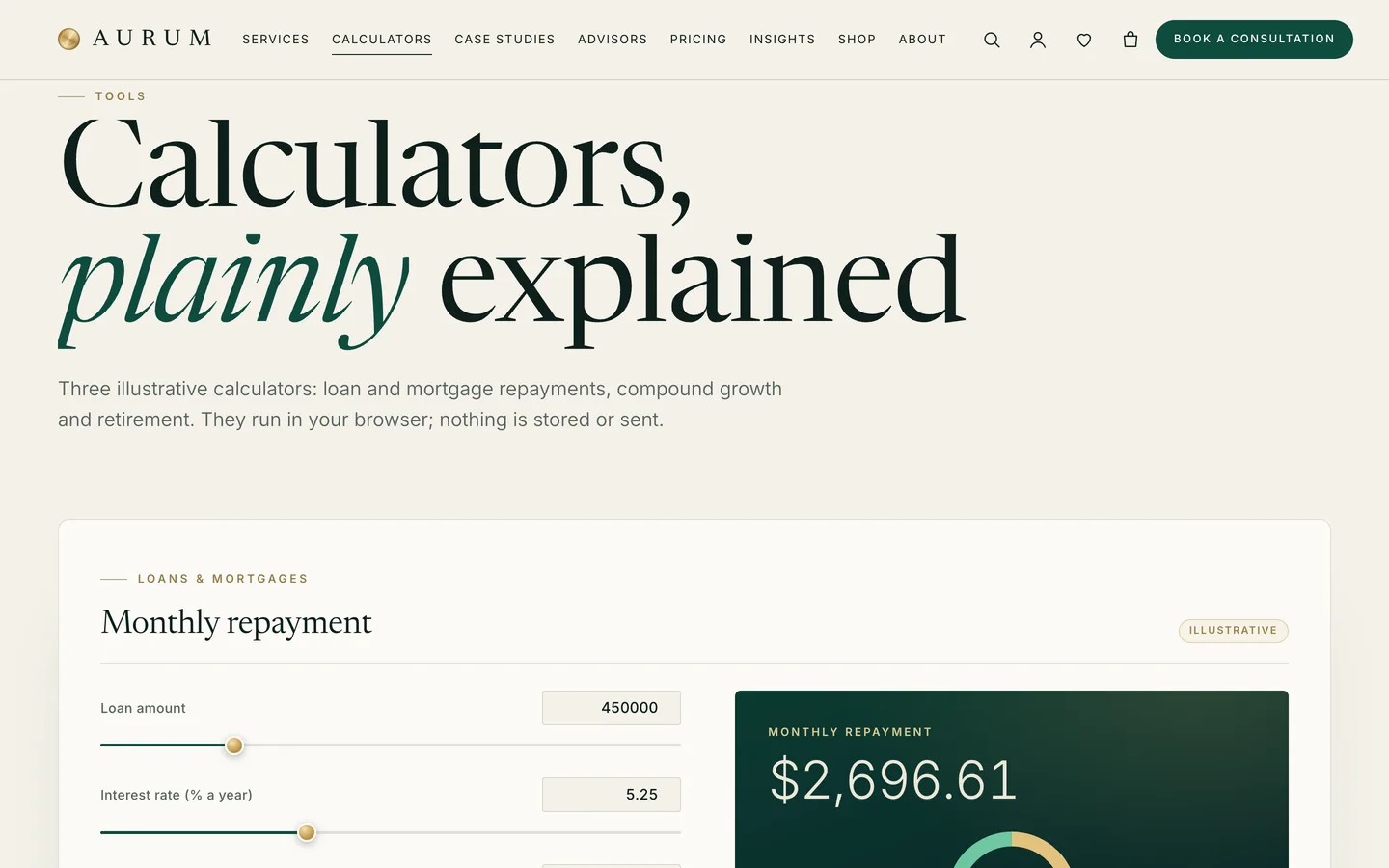
We built them as plain HTML rather than as a separate plugin. A calculator is a block of markup with a data-aurum-calc attribute set to emi, growth or retirement. The theme finds those blocks on the page and turns them into working tools in the browser. Three things follow from that design:
- Nothing is stored or sent. The numbers never leave the visitor's device, which is the right default for a tool that asks about someone's savings.
- They load only where used. The calculator script is about 3 KB and is fetched only on pages that contain one.
- They are easy to place. Insert one from the block patterns, or copy the demo's Elementor HTML widget. Change the currency and number format per calculator with
data-currencyanddata-locale, for example GBP and en-GB.
Every calculator is labelled "Illustrative" in the demo. That label is deliberate, and we recommend keeping it.
One practical note from building the demo: WordPress strips form fields from HTML saved by users without the unfiltered_html capability. On a multisite network only super admins have it. If a calculator shows its labels but no sliders, re-save the page as an administrator. The documentation covers this, and the demo importer runs as an administrator for the same reason.
Compliance wording and sample data
Regulated firms cannot publish whatever a theme author wrote in the footer. Aurum treats compliance text as a setting, not as hard-coded copy. In Appearance → Customize → DEV3 Aurum Options → Compliance & disclaimer you can switch the footer disclaimer on or off, edit its text and add a registration line. The calculator notes and the disclaimer in the demo are placeholders, and the documentation says plainly that they must be replaced with wording approved by your compliance team.
The same goes for the market ticker. It looks like a live strip of indices, but it is a static list with a visible "Sample data" badge. If a firm wants real prices, it should use a licensed data provider. We would rather ship a clearly labelled placeholder than a widget that quietly scrapes a feed it has no right to use.
Selling consultations and reports with WooCommerce
Many advisors sell fixed-price work, so Aurum is a full WooCommerce theme. The demo sells paid consultations, planning packages (one has Essentials, Complete and Family office plans) and digital reports and guides. All of them are virtual products, so checkout skips the shipping step. For a downloadable report, tick "Downloadable" and attach the PDF.
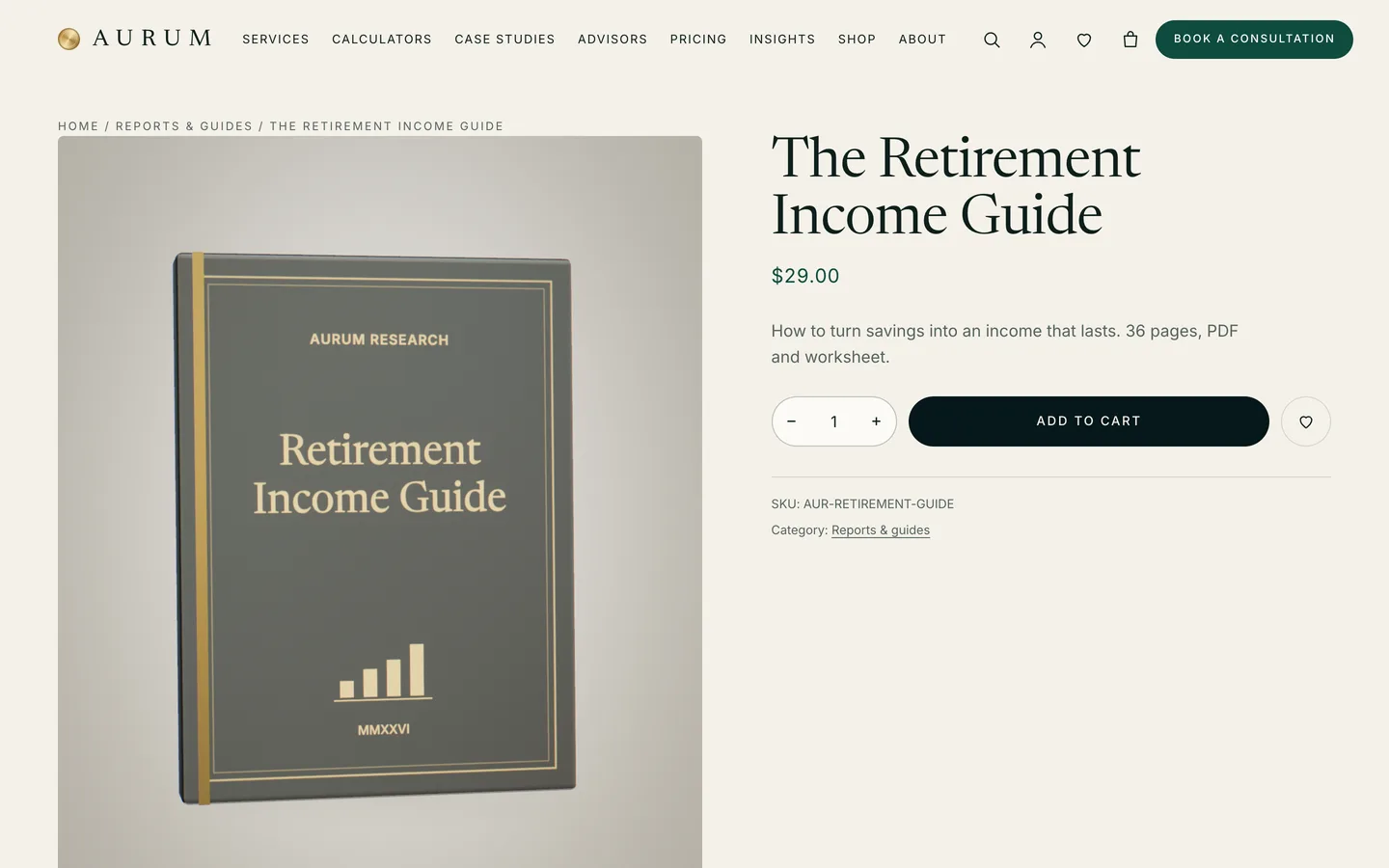
Each product gets a 3D view from the "Aurum: product studio" preset: a bound report with its own cover title, a planning folio, a coin stack, a growth chart, a glass globe, a vault dial, a shield or a gold seal. The parameters are small JSON values such as {"object":"report","color":"#0f4b3e","title":"Annual Outlook"}, and you can paste the URL of your own GLB model instead. The toolkit adds an AJAX mini-cart drawer, quick view and saved items, and prices use tabular figures so columns of numbers line up.
Editing without a developer
Every demo page is built with the free Elementor plugin. The DEV3 widget category adds the 3D Scene and 3D Product Viewer widgets plus Kinetic Heading, Counter / Stats, Pricing Table, Team Grid, Timeline, Post Type Grid, FAQ with FAQ schema, Contact / Map on OpenStreetMap (no API key), a Form widget for Contact Form 7 or WPForms, and more.
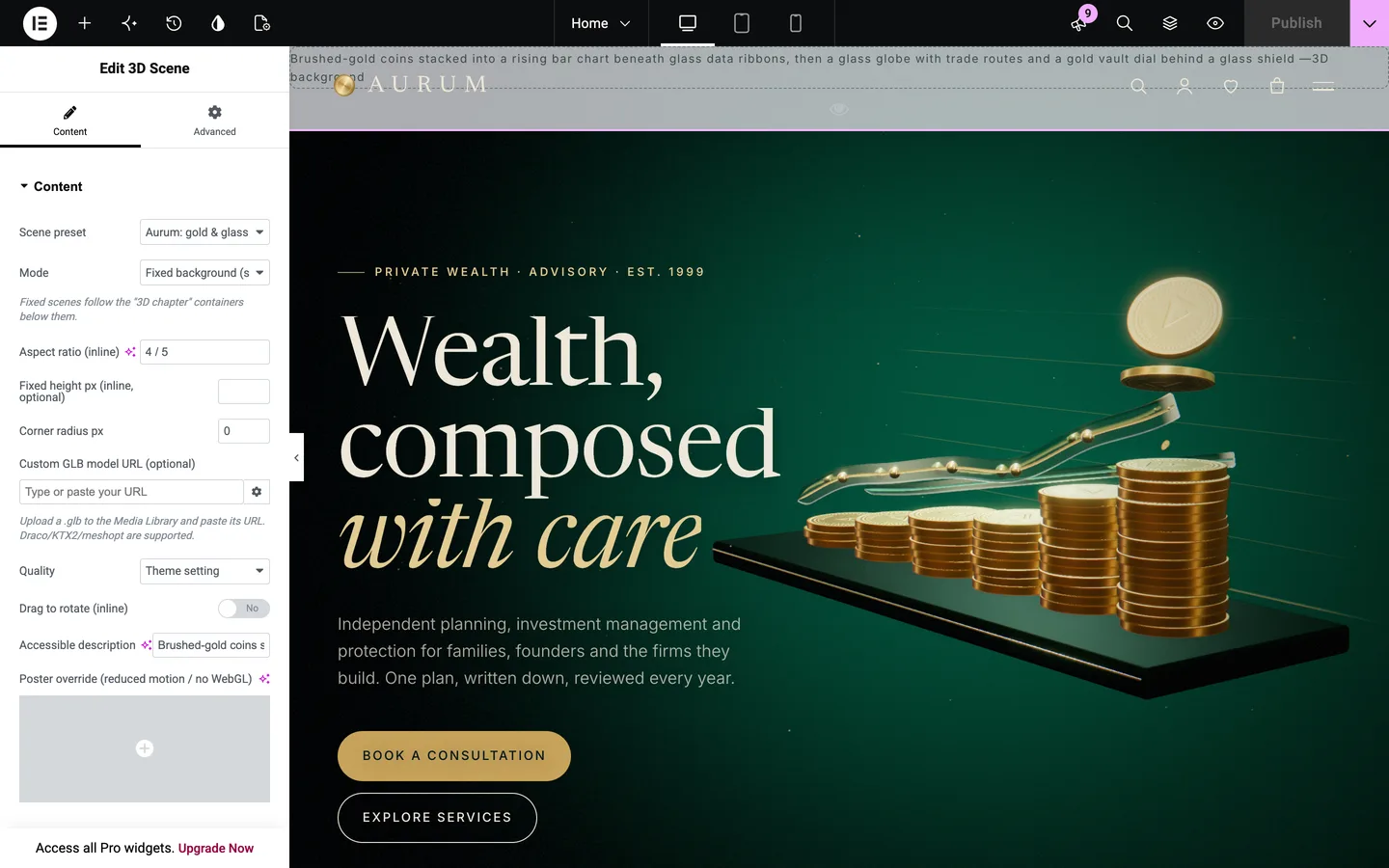
Changing a control updates the scene in the editor. In our automated editor test we switched the chart from six columns to four and checked that the live preview followed. The ledger preset also exposes gold tone, ribbon tint, room and halo colours, light intensity and whether the trade-route arcs show.
Firms that prefer the block editor are covered too. Every widget has a block twin, and the theme registers 28 block patterns: heroes, stats, services lists and cards, pricing, advisors, a consultation call to action, the three calculators, the sample ticker, case-study results, a compliance note and three 3D patterns. Fonts (Newsreader, Inter and Libre Caslon Text) are self-hosted, so there are no calls to an outside font service.
Fast on phones, still without WebGL
A 3D theme is only useful if it does not punish visitors on older phones. Aurum's engine is lazy-loaded: pages without a scene never download it, and pages with one load about 217 KB gzip including three.js. The engine probes the device and chooses a quality tier, phones get a lighter preset, and the Customizer has a quality switch that includes "Off".
Visitors who prefer reduced motion, have Save-Data on or have no WebGL see a still poster rendered from the same scene, and the page reads exactly the same. Accessibility basics are in place: a skip link, visible focus rings, keyboard menus, ARIA-live updates for the cart and the calculator results, and an RTL stylesheet.

Before release, Aurum went through the same gates as the other DEV3 themes: php -l and phpcs with WordPress Coding Standards 3 and PHPCompatibilityWP 7.4+ at zero errors, the Theme Check plugin, the engine size budget, and an automated WooCommerce flow from choosing a variation to the order-received page. In our desktop QA run at 1440 px, every captured page held 61 fps.
See it in motion
The best way to judge a scroll story is to watch it scroll. The tour below runs through the demo from the home page to checkout.
Get the theme
Aurum is on the DEV3 marketplace with the theme, a child theme, the DEV3 Theme Toolkit plugin, the one-click demo and HTML documentation. The case study covers the design decisions in more depth.