DEV3 Techora – Free Electronics & Gadgets WooCommerce WordPress Theme with Spec Tables, Compare & Deals

A free, photo-led WooCommerce theme for electronics and gadget stores: product spec tables, a compare tray, filters by spec, quick view, mini-cart drawer, wishlist, a mega menu and daily deals with a countdown. No 3D, light motion only.

by DEV3 TechnologiesVerified Author(0) 0 downloads 1 viewsUpdated 06 Nov 2026

DEV3 Techora is a free WooCommerce theme for electronics and gadget stores: phones, laptops, audio, wearables, cameras, gaming and smart home. It is built around the way people really shop for devices: they compare numbers. Chakra Petch headlines, a cool grey canvas, ink panels, an electric-blue accent and orange for deals, with chamfered corners and spec-sheet details. Motion is light (a slow drift on the hero, reveals, counters, a ticking deal clock) and respects reduced motion. There is no 3D or WebGL in the theme at all.

Sign in to download it for free. There is no public live demo: watch the video tour at the top of this page, or step through the screenshots at desktop, tablet and phone sizes. The demo is a fictional store with 43 products from ten fictional brands.

Spec tables and compare

  • Every product has a Specifications tab: grouped spec tables with a dark header per group, filled from one text box on the product screen (## Display, then Label | Value lines).
  • Key-spec chips and a sample star rating appear on every product card and product page.
  • Tick Compare on any card or product page. Up to four products collect in a tray at the bottom; the compare page lines them up in one table, highlights the differences and has a show differences only switch.

Filters by spec

  • A filters panel for brand, memory, storage, connectivity, battery life and colour, plus a price range and on sale only. It works as plain links (no JavaScript needed) and applies instantly when JavaScript is on.
  • Filters are built on global WooCommerce attributes, so they also work with the colour and storage swatches on variable products.

A store that feels quick

  • Quick view, a slide-out mini-cart drawer and a wishlist (from the DEV3 Theme Toolkit).
  • A mega menu: a three-level Shop menu opens as a full-width panel of categories with a Deal of the day tile.
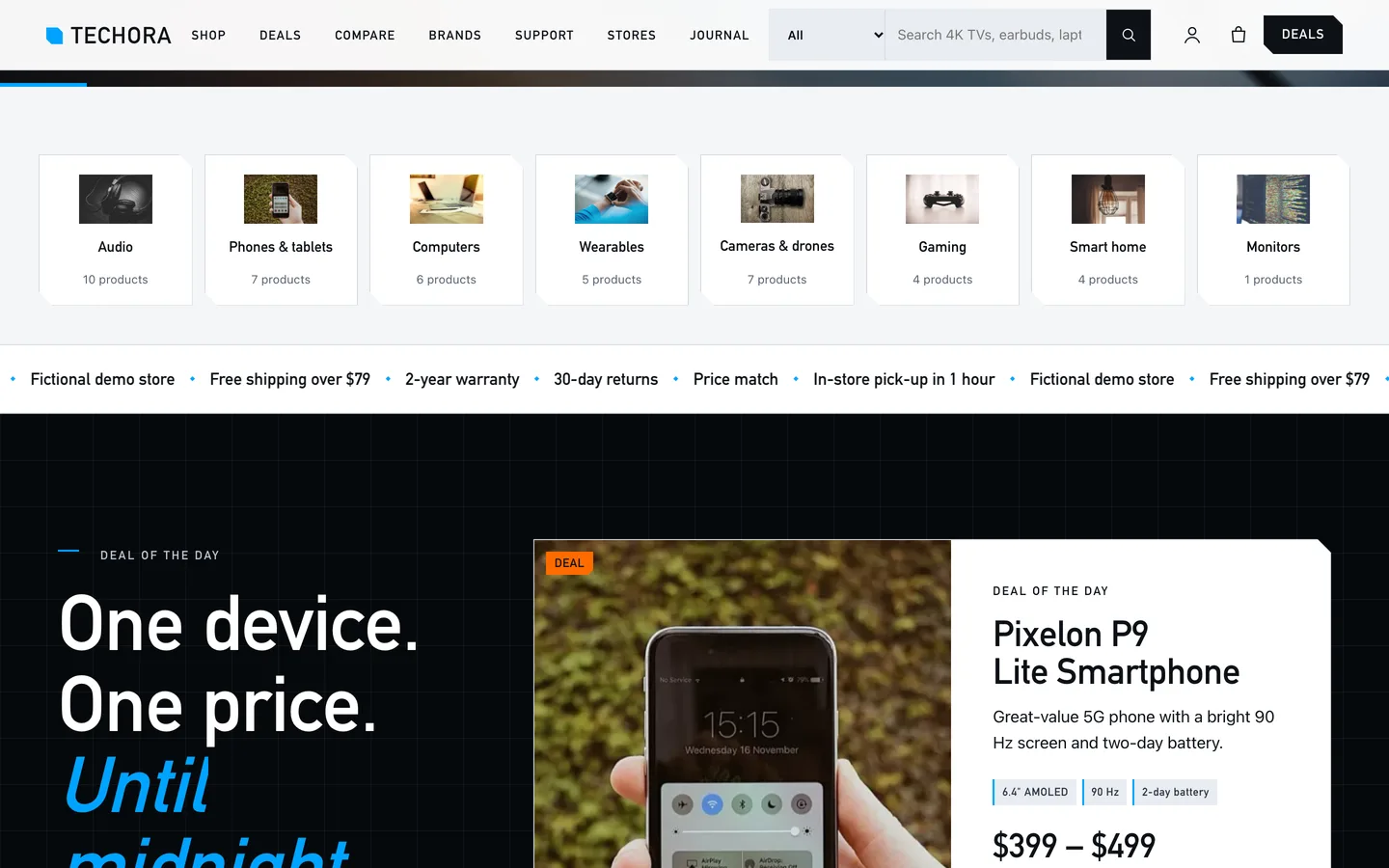
  • A header with a utility bar (shipping, warranty, returns, phone) and a product search with a category picker.

Deals with a countdown

  • Deal of the day: a card with the sale price, a claimed bar and a clock counting down to local midnight, so a demo never shows an expired deal.
  • A fixed-date Countdown widget for a campaign, a sale carousel and a Deals page.

Support and stores

A searchable help centre (Docs), a warranty registration form, an FAQ and a store locator with hours and a map.

Built for editing

Every demo page is built in Elementor (free) with the DEV3 Theme Toolkit widgets, and 24 block patterns cover the same sections for the block editor. Colours and fonts come from one token file and sync to the Customizer, theme.json and the Elementor kit. Fonts are self-hosted. The demo photos are free-licence (CC0) stock photos listed in PHOTO-CREDITS.md; every brand, product, store and review is fictional and no brand logos appear in the photos.

How it's built

Architecture, stack, key decisions and the quality gates DEV3 Techora passed before release.

Our own free WooCommerce theme for electronics stores: spec tables, a compare tray, filters by spec, quick view, a mini-cart drawer, a mega menu and daily deals with a countdown, on the no-3D theme core.

The problem it solves

People buy devices by comparing numbers: battery life, memory, screen, warranty. Most WooCommerce themes show a photo, a price and a paragraph, so shoppers leave for a comparison site. Techora had to put real spec tables, a compare tool and filters by spec into a normal store theme, keep deals honest with a countdown that never shows an expired offer, stay editable in Elementor, and ship without any 3D or WebGL code.

Architecture and approach

Techora is a classic PHP theme with theme.json on DEV3's shared theme core in flat mode: a build gate fails the theme if any three.js or WebGL code reaches its assets. The always-loaded JavaScript is about 12.7 KB gzipped.

Specs are stored as one text field per product and rendered as grouped tables in a Specifications tab. The compare tray keeps up to four product IDs in the browser and opens a server-rendered compare page that highlights what differs. Filters by spec use global WooCommerce attributes through a plain GET form hooked into the product query, so they work without JavaScript. The mega menu turns a three-level menu into a full-width panel. The Deal of the day counts down to local midnight.

Store blocks are placed with content tokens, because Theme Check forbids shortcodes in themes. Quick view, the mini-cart drawer and the wishlist come from the DEV3 Theme Toolkit. The demo uses free-licence CC0 photos with a credits file and fictional brands only.

Quality gates and results

Techora ships as a free download with a one-click demo: 15 Elementor pages, 43 fictional products in 8 categories, 8 support articles, 6 journal posts and 24 block patterns.

It passes PHP lint, WordPress coding standards (0 errors, 0 warnings), Theme Check with no required issues, the WooCommerce checkout flow and an Elementor editor test, and its no-3D gate.

Tech stack

Area Technologies
Frontend DEV3 Motion, Photo Hero, Elementor widgets, Block patterns, Compare tray
Platform WordPress 6.0+, PHP 7.4+, WooCommerce, Contact Form 7, DEV3 Theme Toolkit
Delivery phpcs (WPCS 3), Theme Check, No-3D build gate, One-click demo importer

Inside the build

Photo hero slideshow: a full-screen cross-fading slideshow with a slow drift, a split headline, shop and deals buttons and trust chips, under a utility bar and a solid store header with search. Photo hero slideshow — a full-screen cross-fading slideshow with a slow drift, a split headline, shop and deals buttons and trust chips, under a utility bar and a solid store header with search.

Category row: eight category tiles with product counts, linking straight to the shop. Category row — eight category tiles with product counts, linking straight to the shop.

Guides & articles

Practical guides and engineering write-ups for DEV3 Techora.

A free electronics WooCommerce theme: spec tables, compare and filters with Techora

Last updated
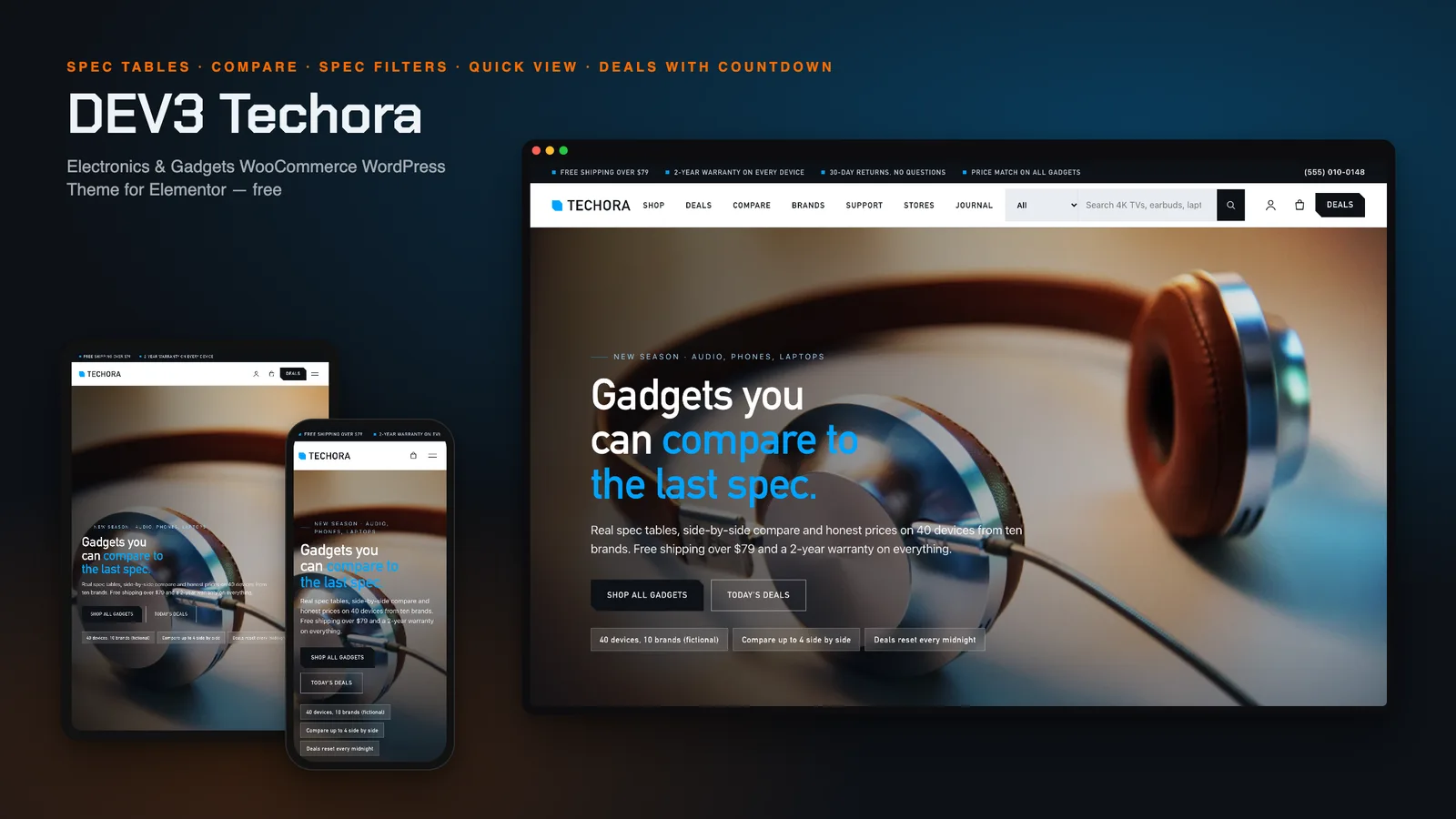
A free electronics WooCommerce theme: spec tables, compare and filters with Techora: DEV3 Techora

Shoppers buy electronics by comparing numbers: battery life, memory, screen size, warranty. A theme that shows only a photo and a price sends them to a comparison site. DEV3 Techora is a free WooCommerce theme built around the spec sheet, with a compare tray, filters by spec and deals that end at midnight, and every page editable in Elementor.
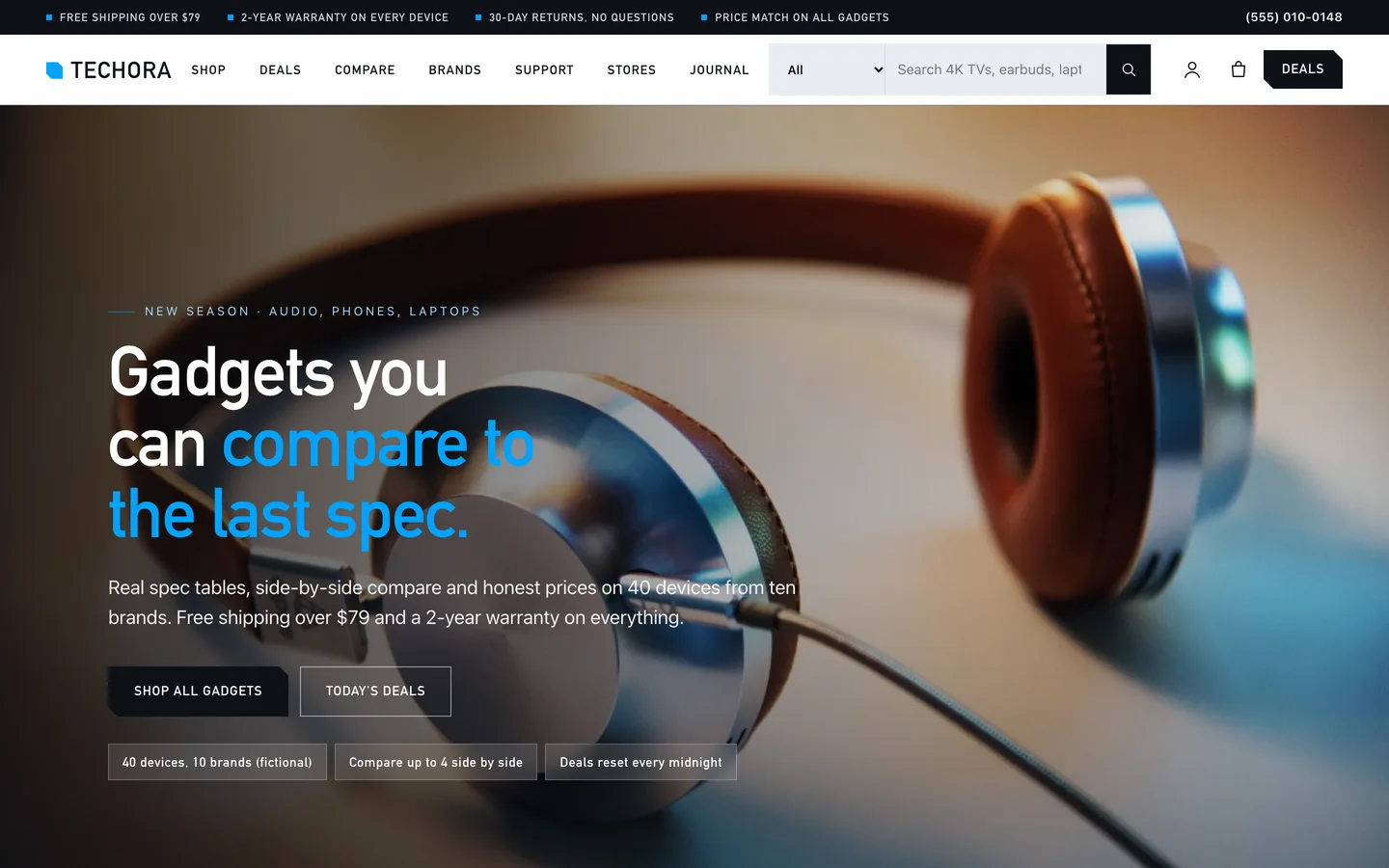
The Techora home page: a full-screen photo slideshow of headphones with the headline

Video tour of the Techora demo: the photo hero, categories, the deal of the day, filters, a product with its spec table, compare and checkout

Who Techora is for

  • Electronics and gadget stores: phones, laptops, audio, wearables, cameras, gaming and smart home.
  • Computer and phone shops that also repair and want a warranty and support area.
  • Agencies building a WooCommerce store where the product numbers matter.

Spec tables on every product

Each product stores its specs in one text box: a group heading such as ## Display, then one Label | Value per line. The product page shows them as grouped tables in a Specifications tab, and cards show a few key-spec chips and a rating.
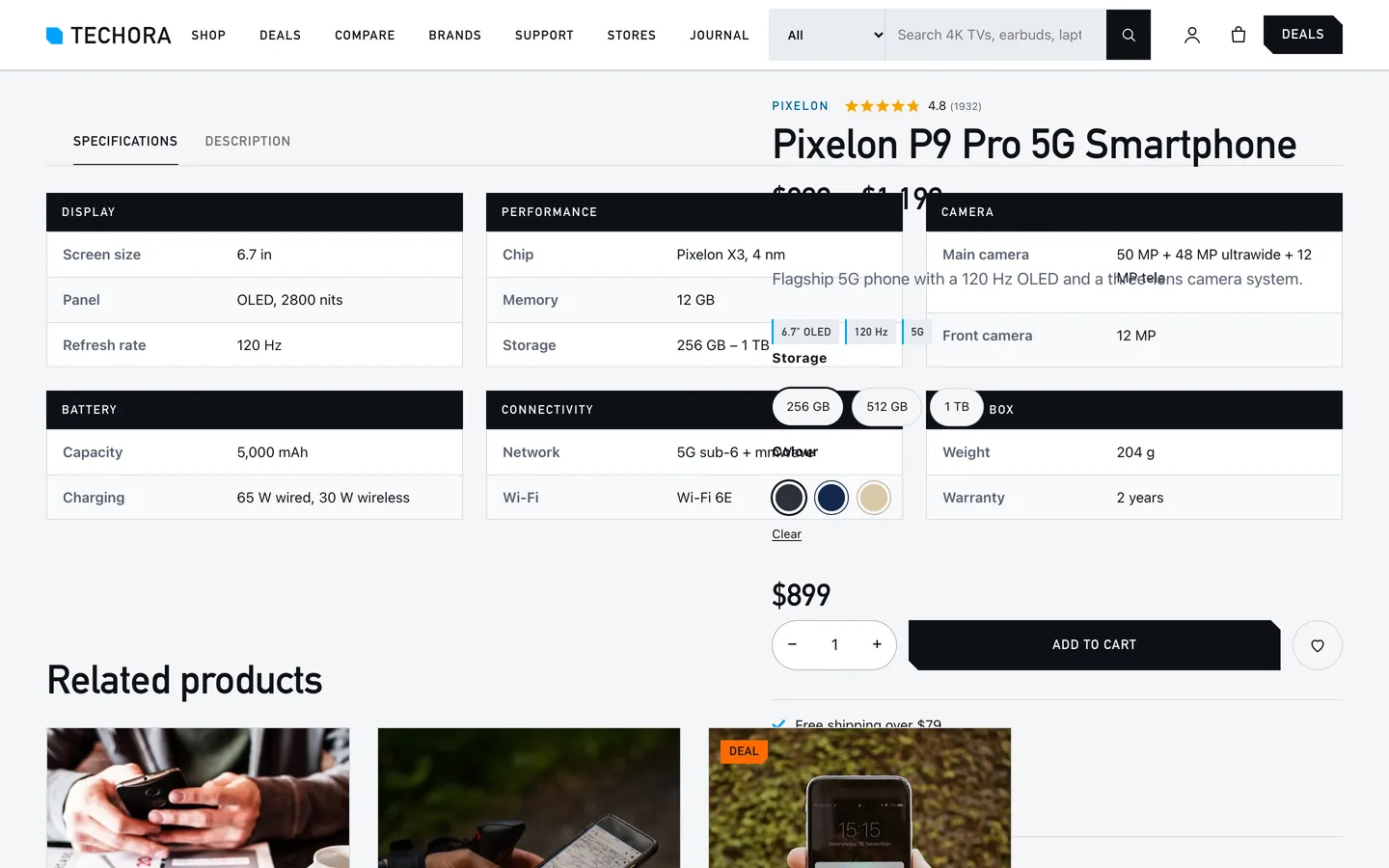
A Techora product page with the Specifications tab: grouped spec tables for display, performance, camera, battery and connectivity

Compare up to four products

Tick Compare on any card. The products collect in a tray at the bottom of the screen and open on one page, side by side, with every difference highlighted and a show differences only switch.
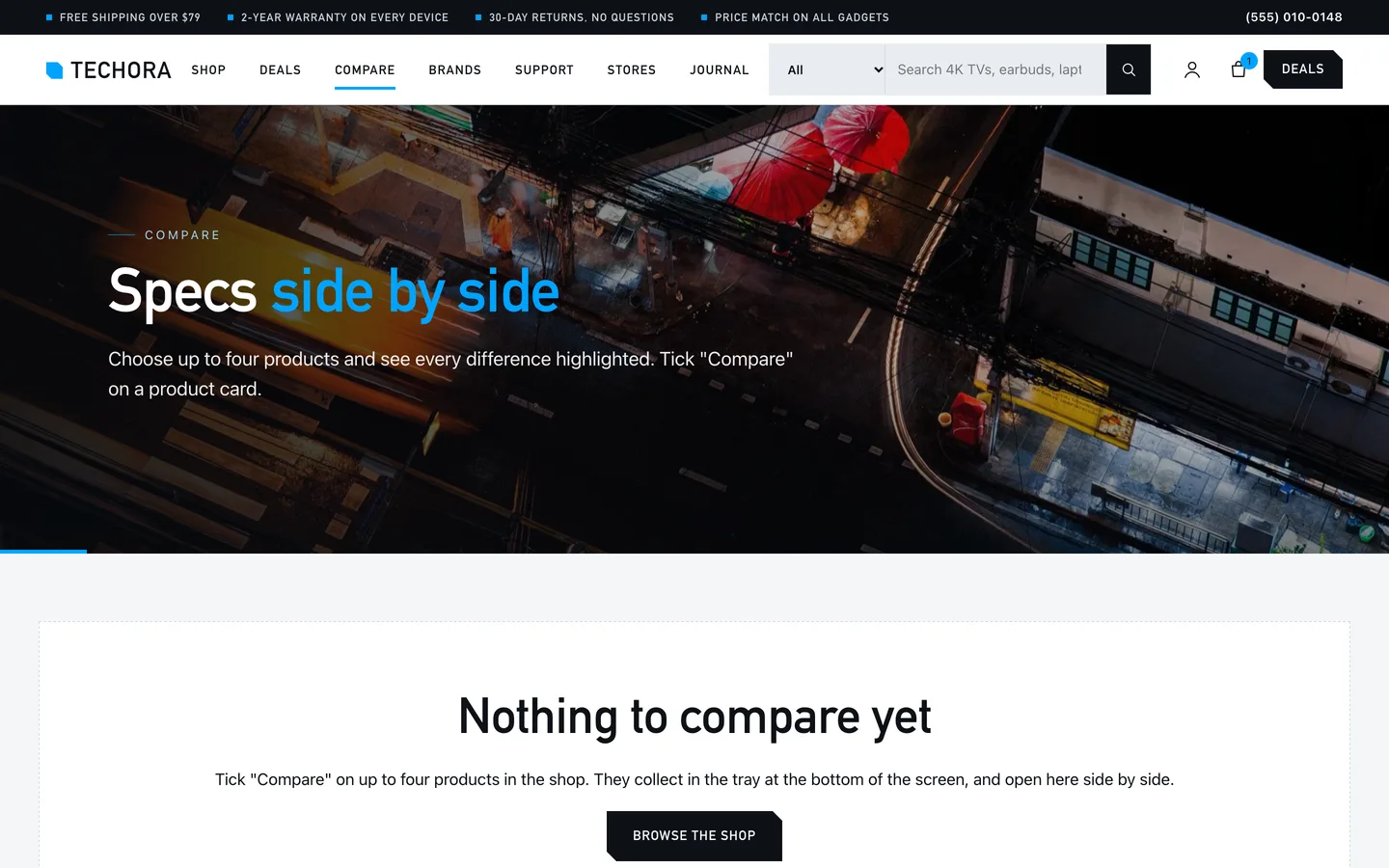
The Techora compare page: three laptops in one table with differences highlighted

Filters by spec

The shop sidebar filters by brand, memory, storage, connectivity, battery life and colour, plus a price range and on-sale only. Filters use ordinary WooCommerce attributes and plain links, so they also work without JavaScript.
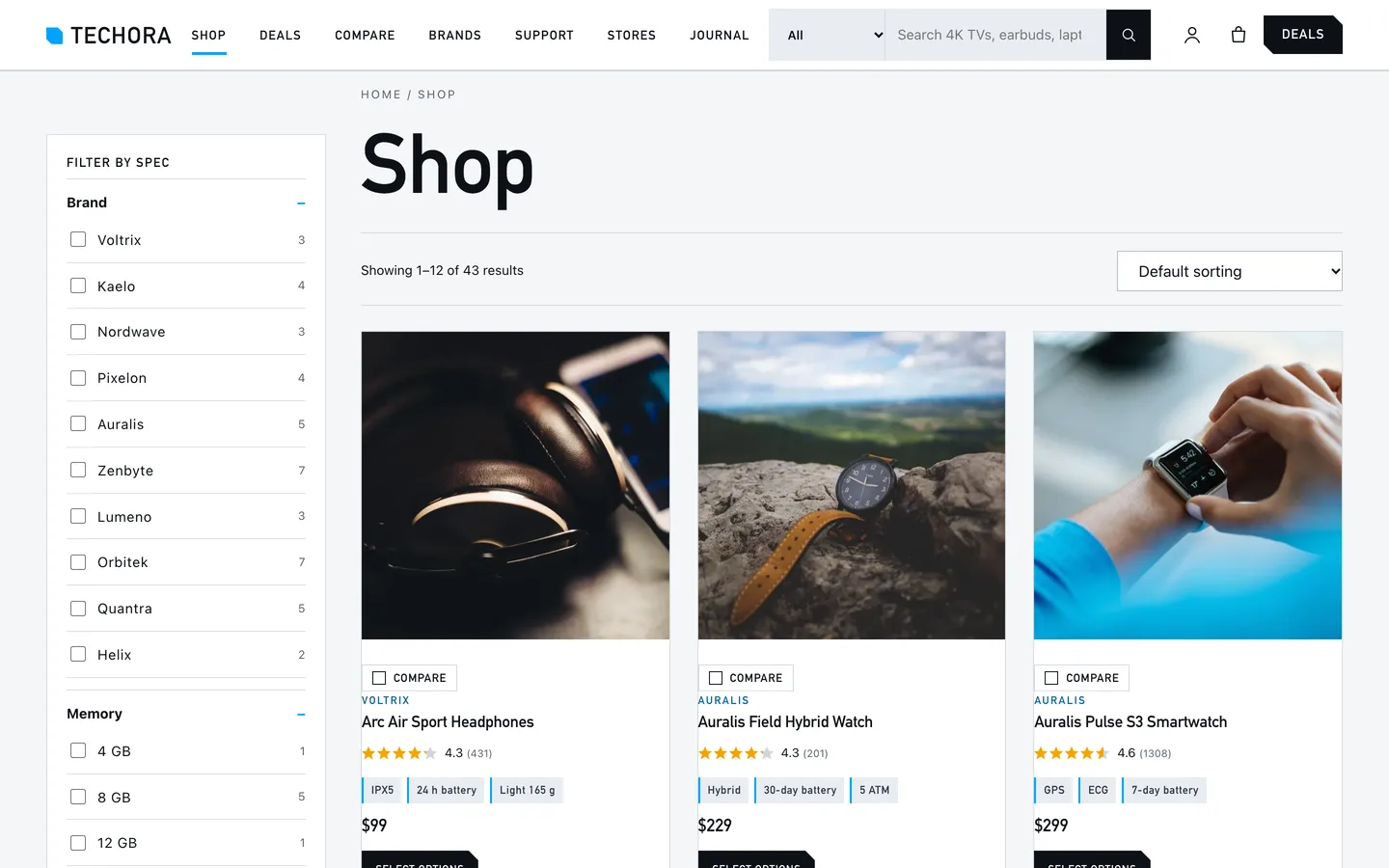
The Techora shop with the filters panel beside a grid of product cards

Deals that never show an expired offer

The Deal of the day card has a sale price, a claimed bar and a clock counting down to local midnight. For a campaign with a fixed date, use the Countdown widget.
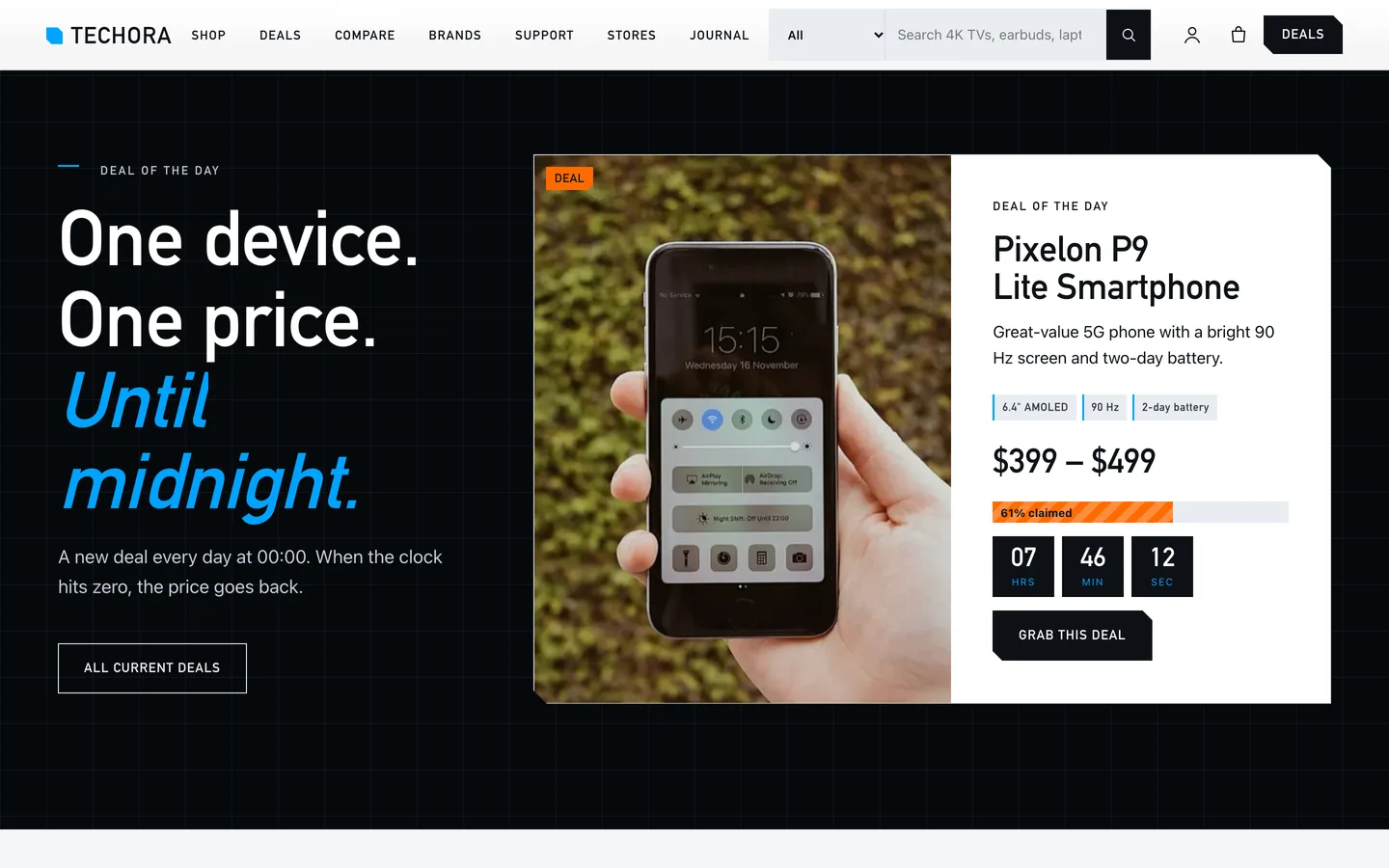
The Techora deal of the day: a sale price, a claimed bar and a clock

Set it up in an afternoon

  1. Install the theme and the DEV3 Theme Toolkit, then import the demo from Appearance → DEV3 Demo.
  2. Replace the demo photos and products with your own, and paste each product's specs into the spec box.
  3. Set up your brand, memory and storage attributes so the filters match your range.
  4. Set the utility bar messages, support phone, warranty and returns lines under Appearance → Customize → Techora: store details.
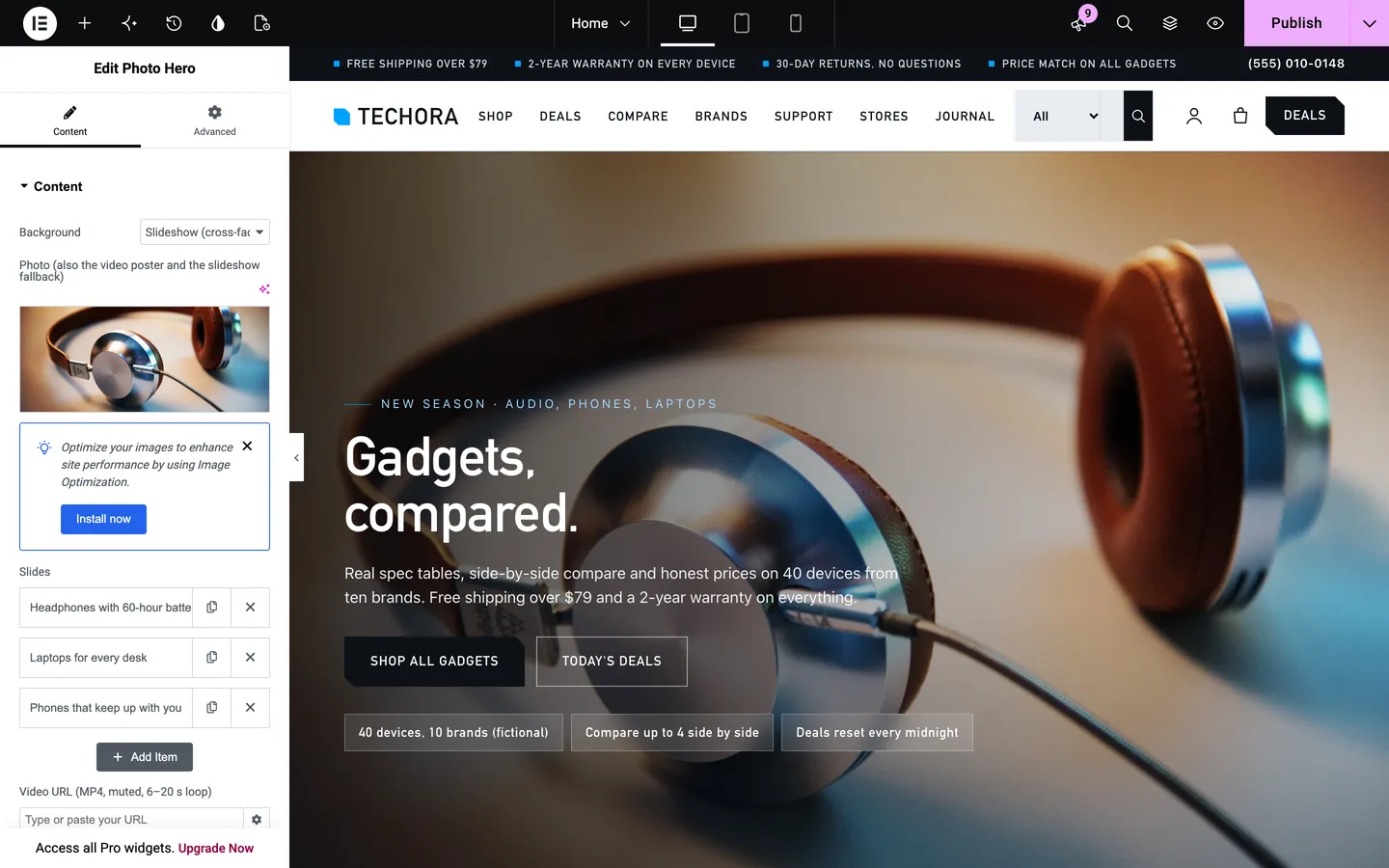
Techora in the Elementor editor with the Photo Hero widget selected

Techora is free: sign in on DEV3 to download it.

Frequently asked questions

The complete source code (version 1.0.0) as a download from your account, with the setup and usage guides shown on this page. It is free: sign in to download it.

Buying guides: 3D and motion WordPress themes for Elementor and WooCommerce

More from this author

View all

Related in CMS Extensions

View all