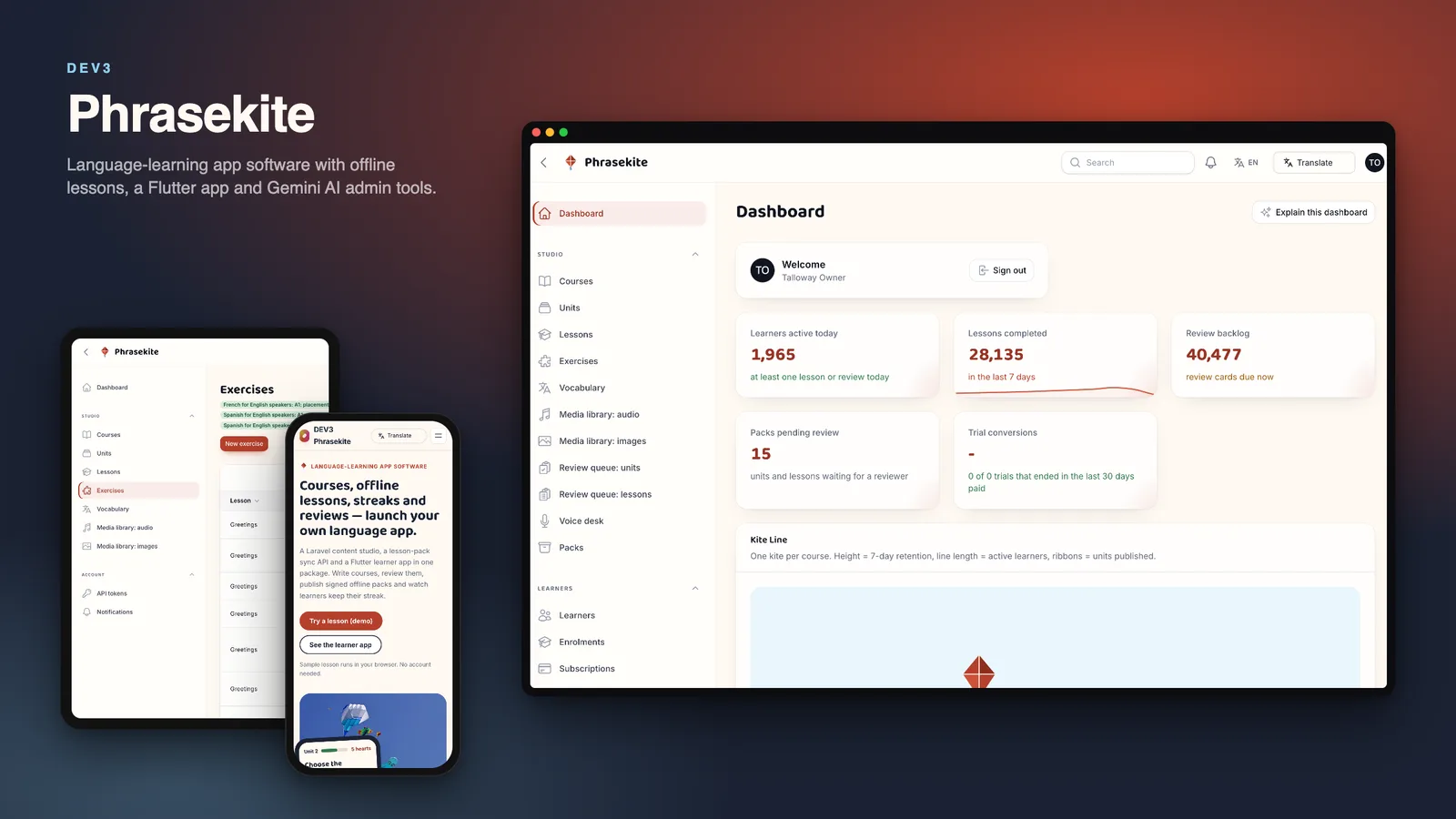
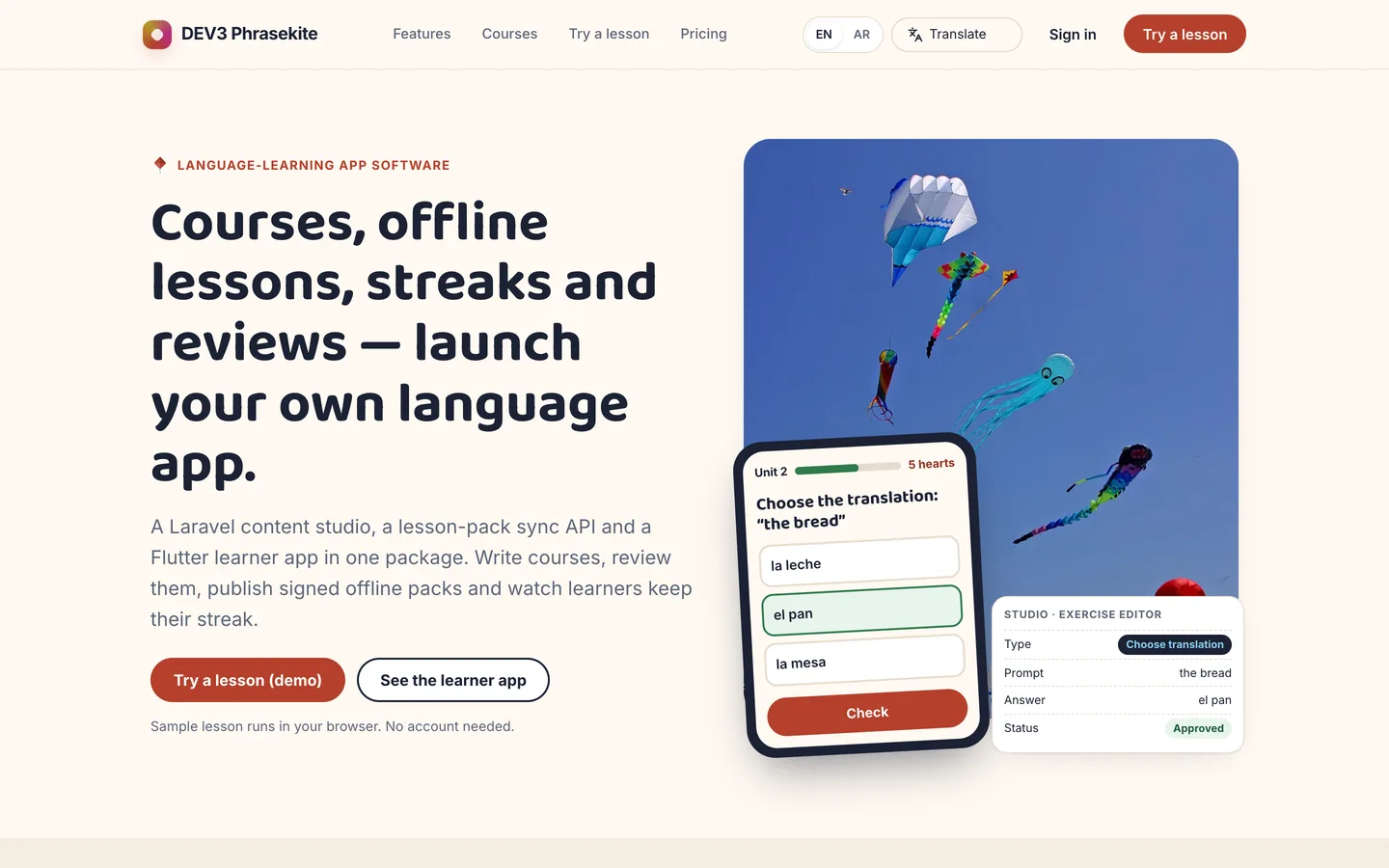
Phrasekite is the software for running your own language-learning app. Your team writes courses in a studio, a reviewer approves them, and published lessons ship to learners as signed offline lesson packs. The learner app downloads a pack once, runs every exercise with no connection, queues progress and syncs it when the phone is back online. It is built by DEV3 Technologies on Laravel 12 and Filament 4, with one Flutter learner app whose source is included.
What it does
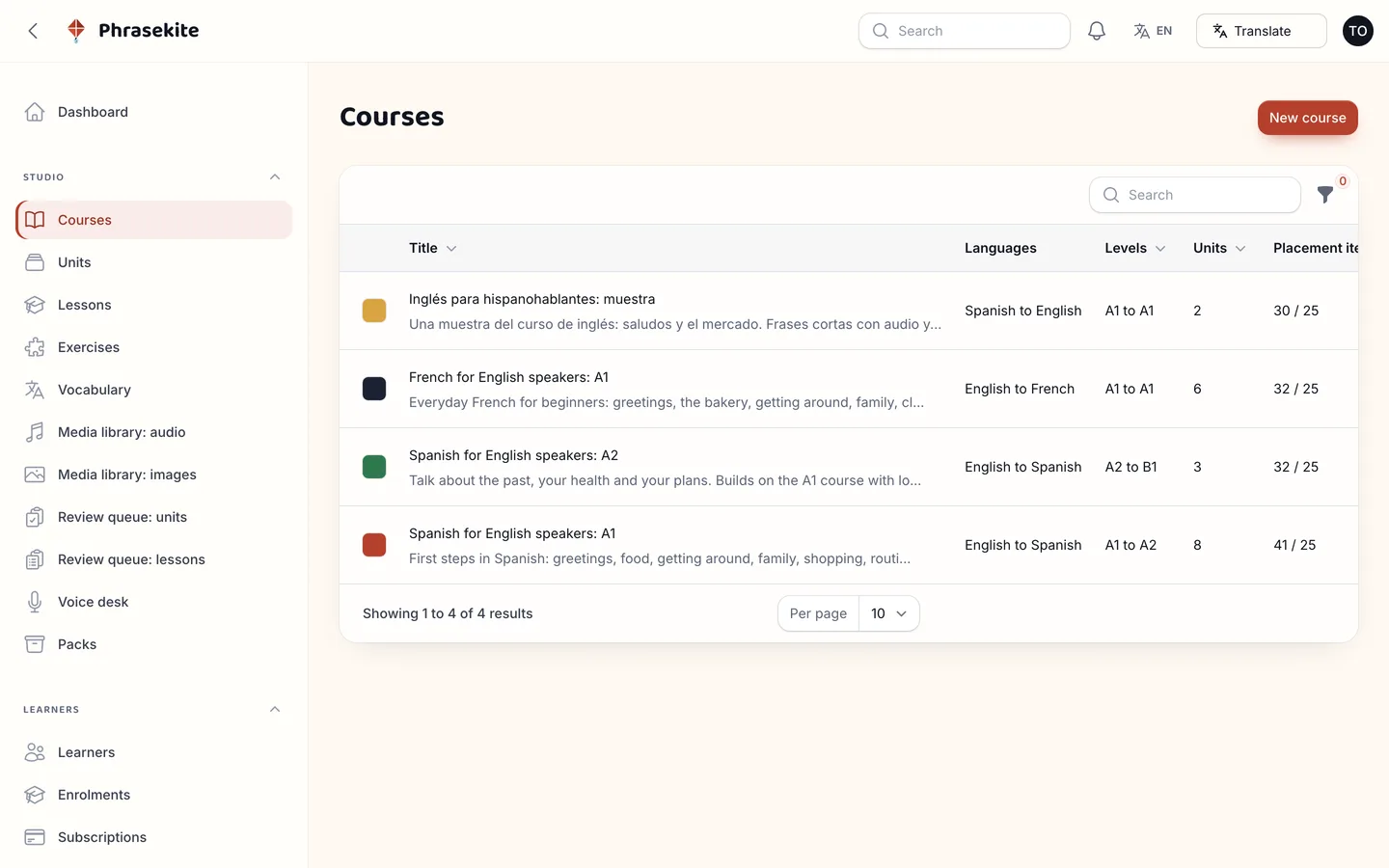
- Course studio. Courses pair a source and a target language, split into units tagged A1 to B2, lessons and exercises. Editors write, reviewers approve or request changes, a voice desk handles audio, and a pack is published when a set of lessons is ready.
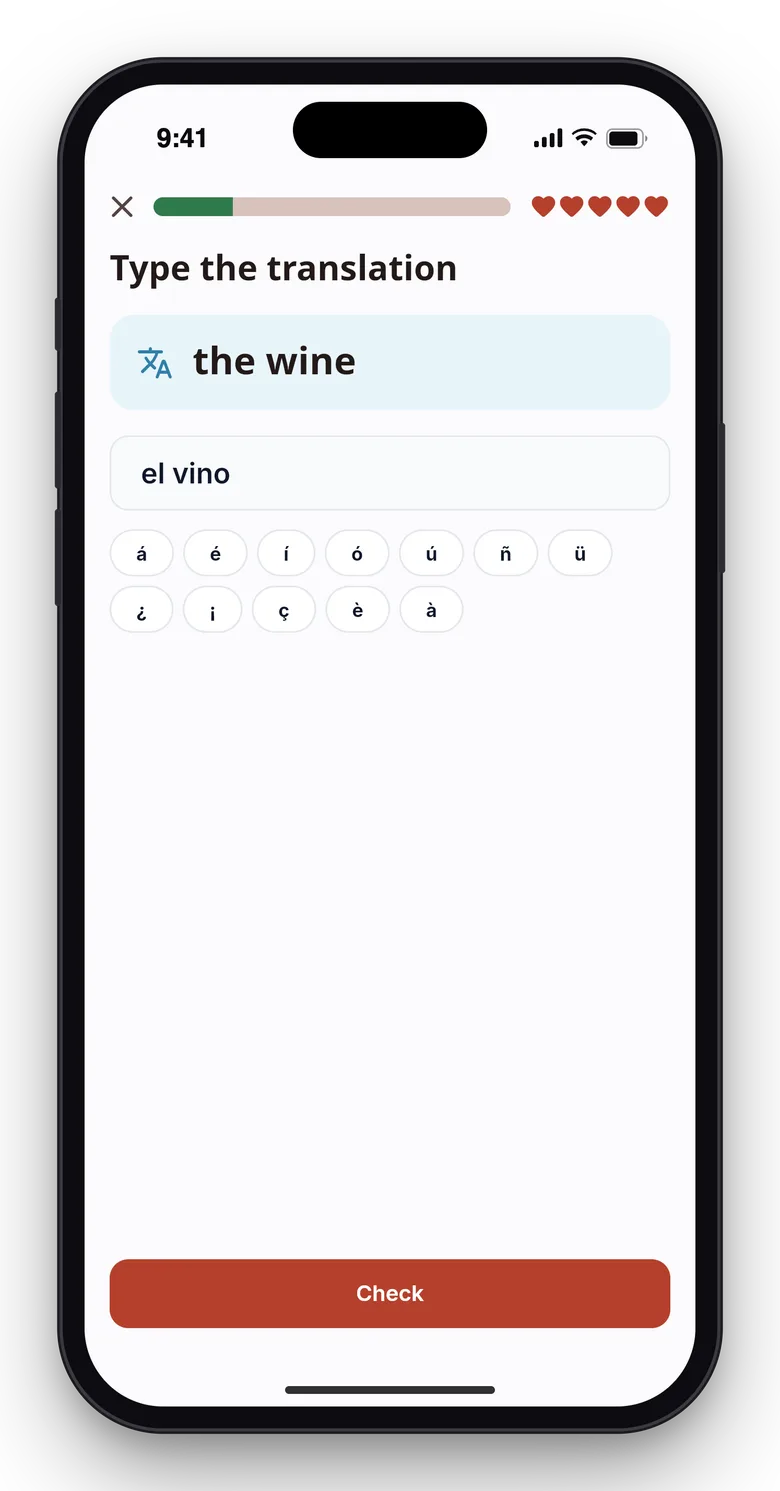
- Eight exercise types. Choose the translation, type the translation (accent-tolerant, with an "almost correct" hint), match pairs, listen and choose, listen and type, order the words, fill the gap, and speak and compare. Each type has a versioned schema that is checked on publish and again in the app.
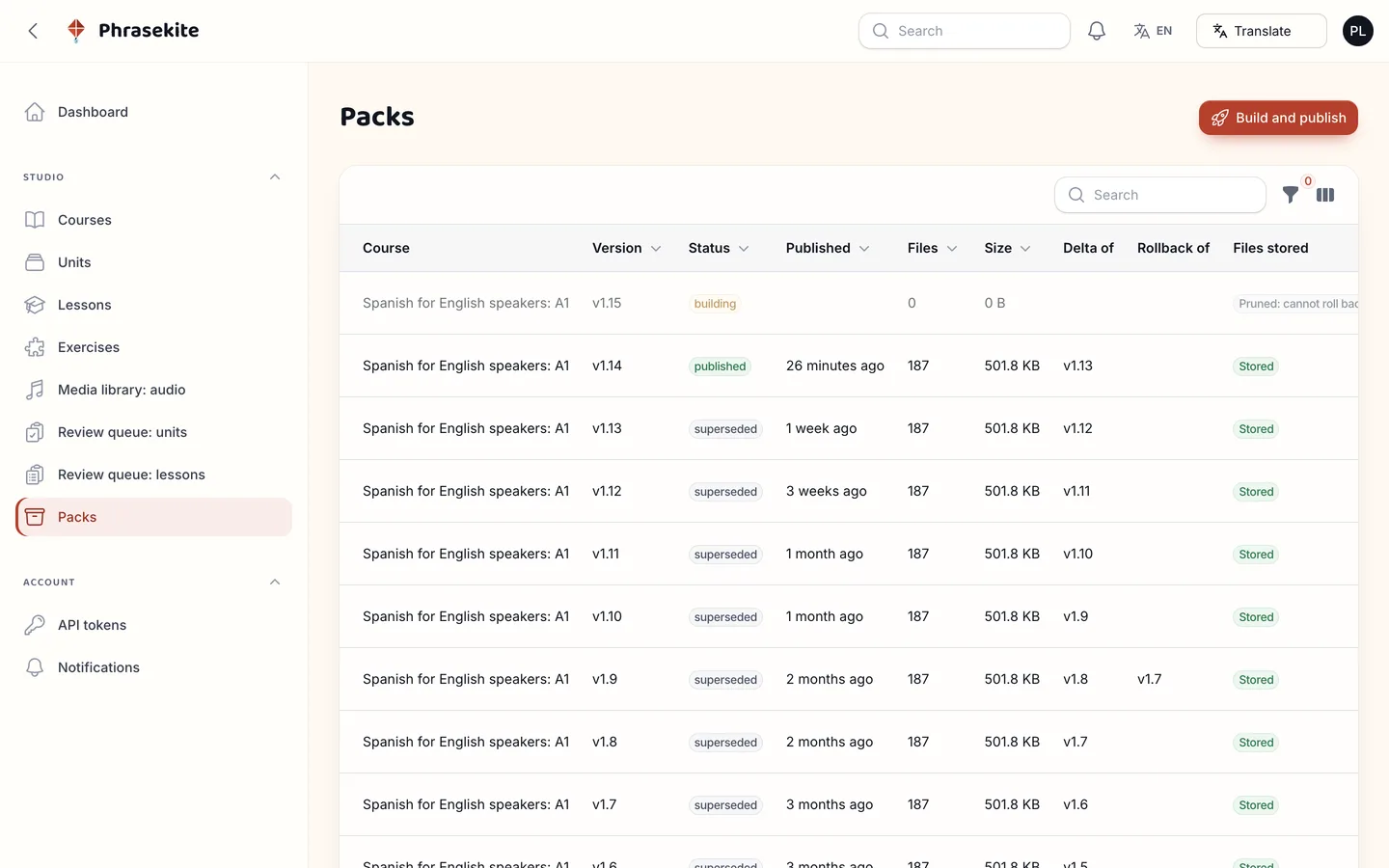
- Offline lesson packs. Versioned packs with a SHA-256 checksum per file and a signed manifest, downloaded through expiring links. Edits ship as delta packs that carry only the changed lessons, and the app keeps the old version until the new one verifies. A published version is never changed; a rollback publishes the old content as a new version.
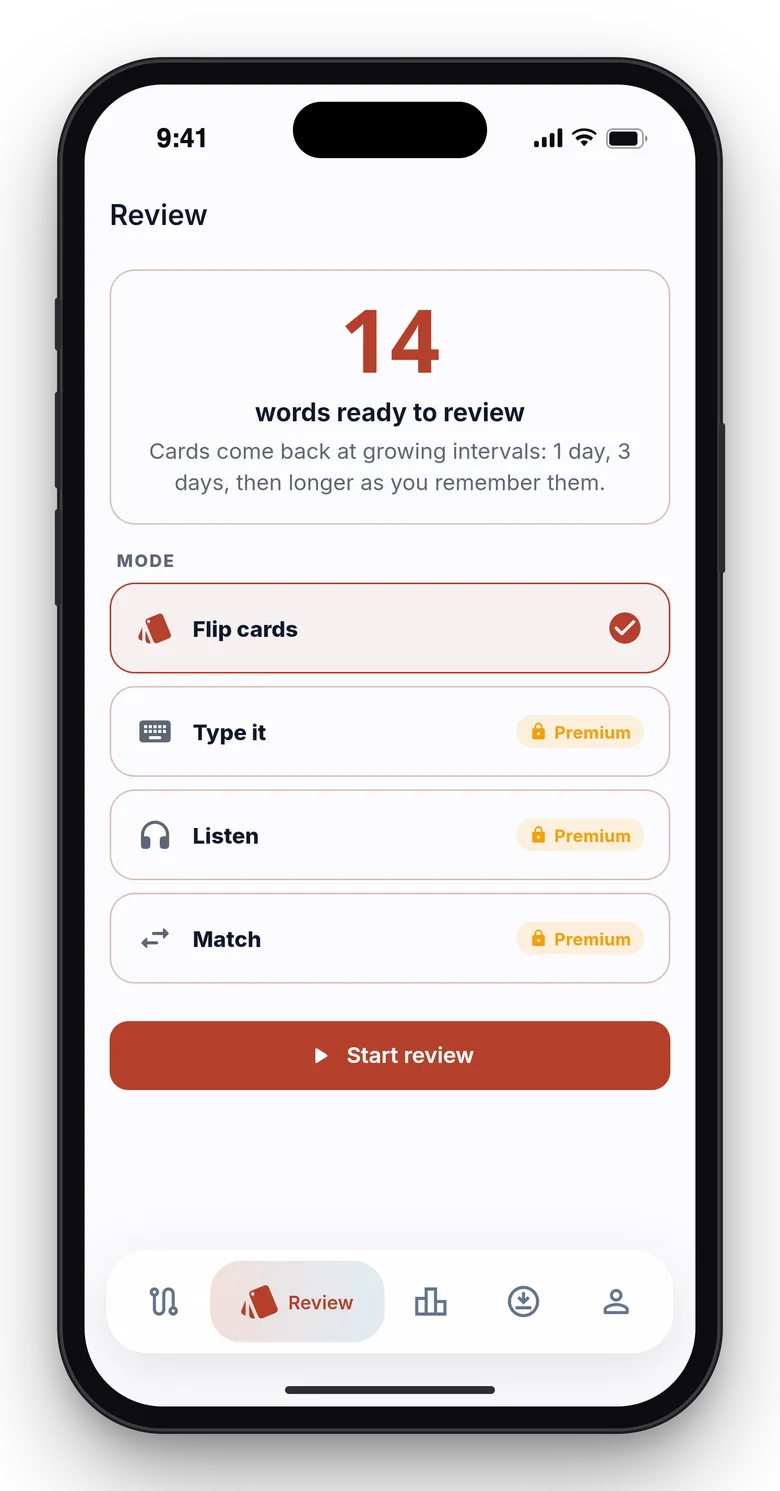
- Spaced repetition and review. An SM-2 style scheduler turns vocabulary into review cards that return at growing intervals, with type, listen and match modes.
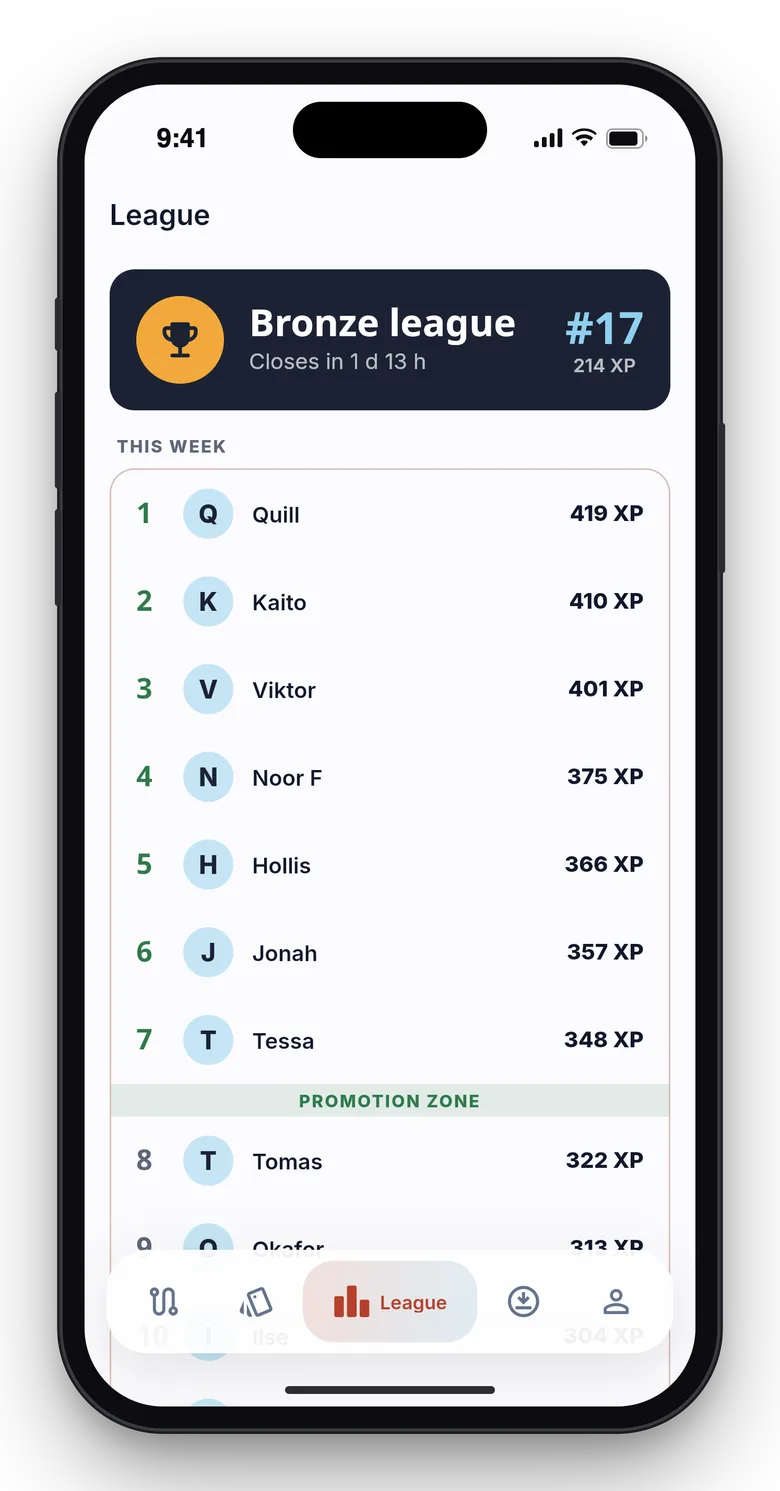
- Streaks, XP and leagues. Streak days follow the learner's own time zone, with streak freezes and clock-change handling. Weekly leagues run in cohorts of 30 with promotion and demotion, and show nicknames only.
- Placement test. A short adaptive test picks the start unit.
- Plans and family. A starter tier with hearts and starter units, a premium plan with unlimited hearts, offline packs for every course and the review modes, a trial, and a family plan with up to five members. Purchases are simulated in the demo.
- Operator panel. Dashboard, courses, units, lessons, exercises, vocabulary, review queue, voice desk, packs, media library, learners, subscriptions, orders, refunds, support tickets, leagues, achievements, reports, API keys, webhooks and settings, with roles for owner, editor, reviewer, voice desk, support and analyst.
- API and app. A key-based REST API with an OpenAPI document, plus the app API used by the Flutter app.
The Flutter app
The learner app (apps/learner) is offline-first: it stores packs and progress on the device, runs all eight exercise types, queues answers with idempotency keys and syncs them in batches. It has onboarding, a placement test, a lesson path with hearts and a daily goal, reviews, leagues, offline pack management and plans. The app has its own language picker (English, Spanish, French, Portuguese, Arabic and Hindi). It starts in demo mode with the Spanish A1 starter pack bundled, so it runs without a server, and a store-publishing guide is in docs/STORE-PUBLISHING.md. There is no AI inside the learner app.
Gemini AI admin tools
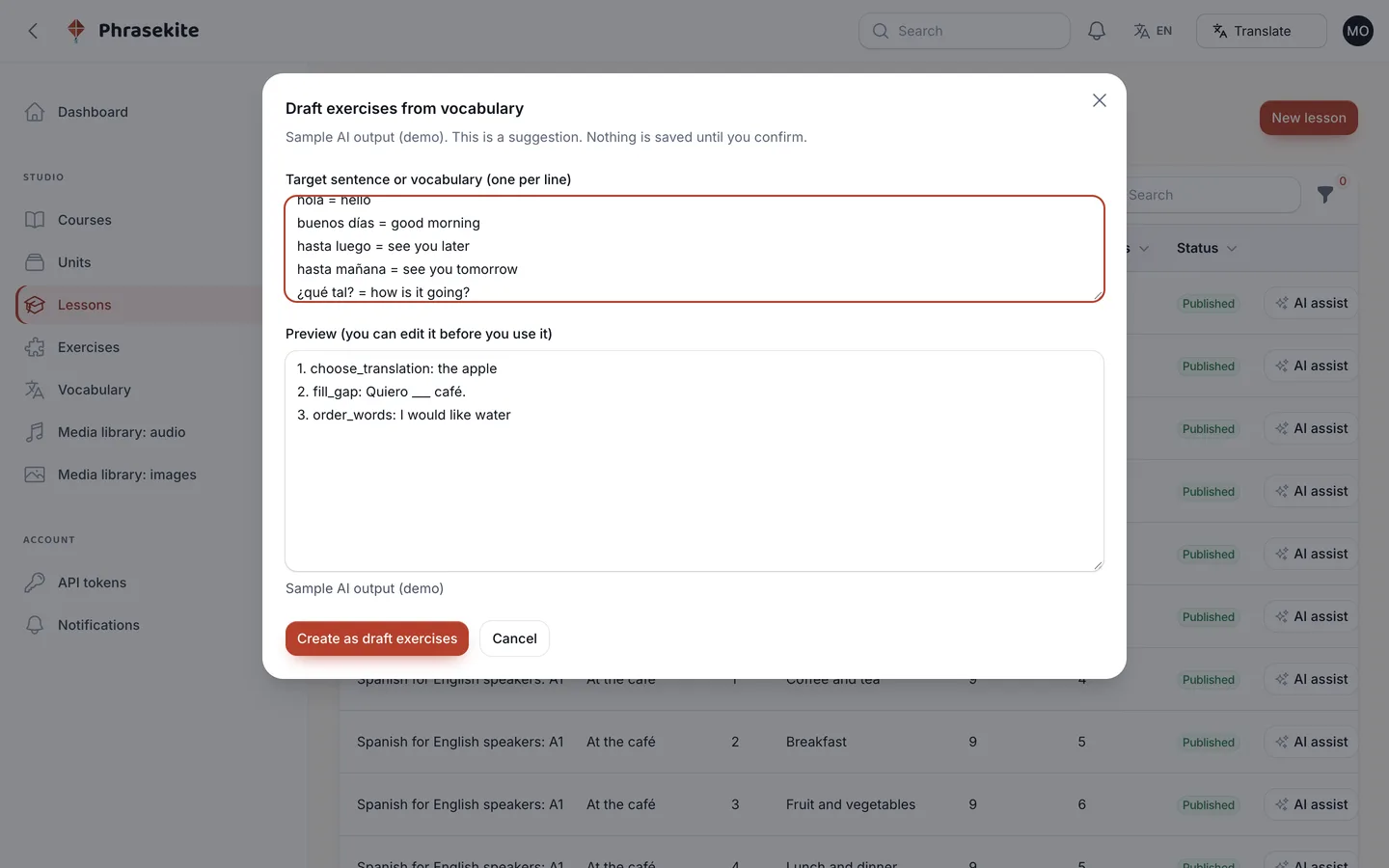
Optional, bring your own key: add your own Gemini key after purchase (Google bills your account); with no key the AI buttons stay disabled. Every result is a draft you preview and edit; nothing is saved, published or sent automatically.
- Studio: draft exercises and example sentences from vocabulary, suggest alternative answers and distractors, and write pack release notes.
- Support and learners: draft a reply to a support ticket and summarise a ticket thread.
- Reports: explain the dashboard, a report or a retention cohort.
- Catalogue: write course and unit descriptions and suggest tags.
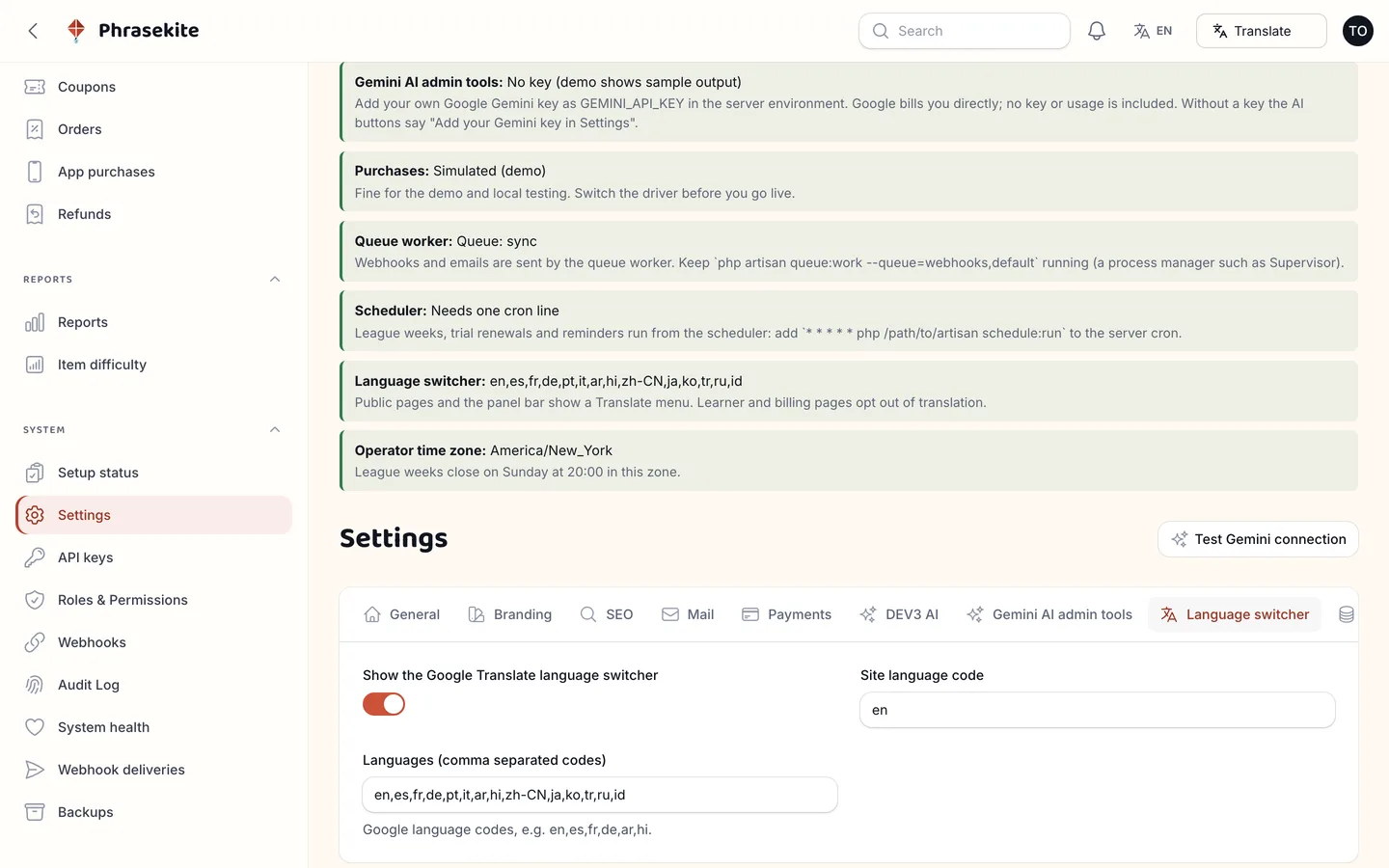
- A Google Translate language switcher (14 languages) in the public header and the admin top bar.
Learner names, emails, phone numbers and device ids are never sent; ticket text is redacted first and the tools send course text you wrote or aggregate numbers. You remain responsible for your own privacy notices and your agreement with Google.
Quality checks
The release passed seven gates on the final code: Larastan level 6 with 0 errors, a Pest suite of about 500 tests, a build with no 3D, migrations and the full demo seed on MySQL 8 and SQLite, a headless smoke test with MySQL race checks (the same offline batch replayed twice, two devices finishing one lesson, one receipt verified ten times, parallel trials, the family seat cap, the league roll job run twice), the web installer driven from the zip, and a secret scan. A consistency command (phrasekite:check) proves progress, streak, XP and league totals agree on the demo data. The Flutter app passed analysis, 207 tests and simulator builds, and ran once against the live API.
What you should know before buying
- Offline lesson packs are re-published after edits. Learners get changes when the app next syncs; starter-tier learners keep the starter units offline and premium unlocks every pack offline, with a 7-day grace if premium lapses while packs are cached.
- Purchases are simulated in the demo. In-app purchases need your own receipt verifier: the App Store and Google Play adapter parses receipts from fixtures and is off by default, and a live site refuses the simulated driver. Web checkout is simulated until you connect a gateway.
- Speaking exercises are not speech recognition. Speak and compare matches the shape of the learner's recording to the reference clip on the device. It is not AI pronunciation scoring.
- Audio is files you upload or an optional offline
espeak-ng voice (robotic; record real voices for production). Demo audio is synthetic.
- Gemini AI admin tools need your own Google Gemini API key (Settings, Gemini AI admin tools); no key and no AI usage is included.
- Translate privacy. A Google Translate language switcher is on the public site and admin; it needs Google's widget to load in the visitor's browser, so page text of a translated page is sent to Google by the visitor's browser. Switch it off in Settings if your privacy policy does not allow that.
- One Flutter app with source and a store-publishing guide. Building, publishing and store approval are your step; the app was verified in simulator builds, automated tests and against the live API, not on a physical device.
- Use MySQL or MariaDB for a live site; the concurrency checks were run on MySQL 8. One cron entry every minute is required.
Included
Source code, the web installer, the Flutter app source with a store-publishing guide, a buyer guide, demo data for a fictional language school (4 courses across 6 languages, 19 units, 91 lessons, 819 exercises, 860 vocabulary items, 48,000 learners and 18 pack versions) and six months of support.
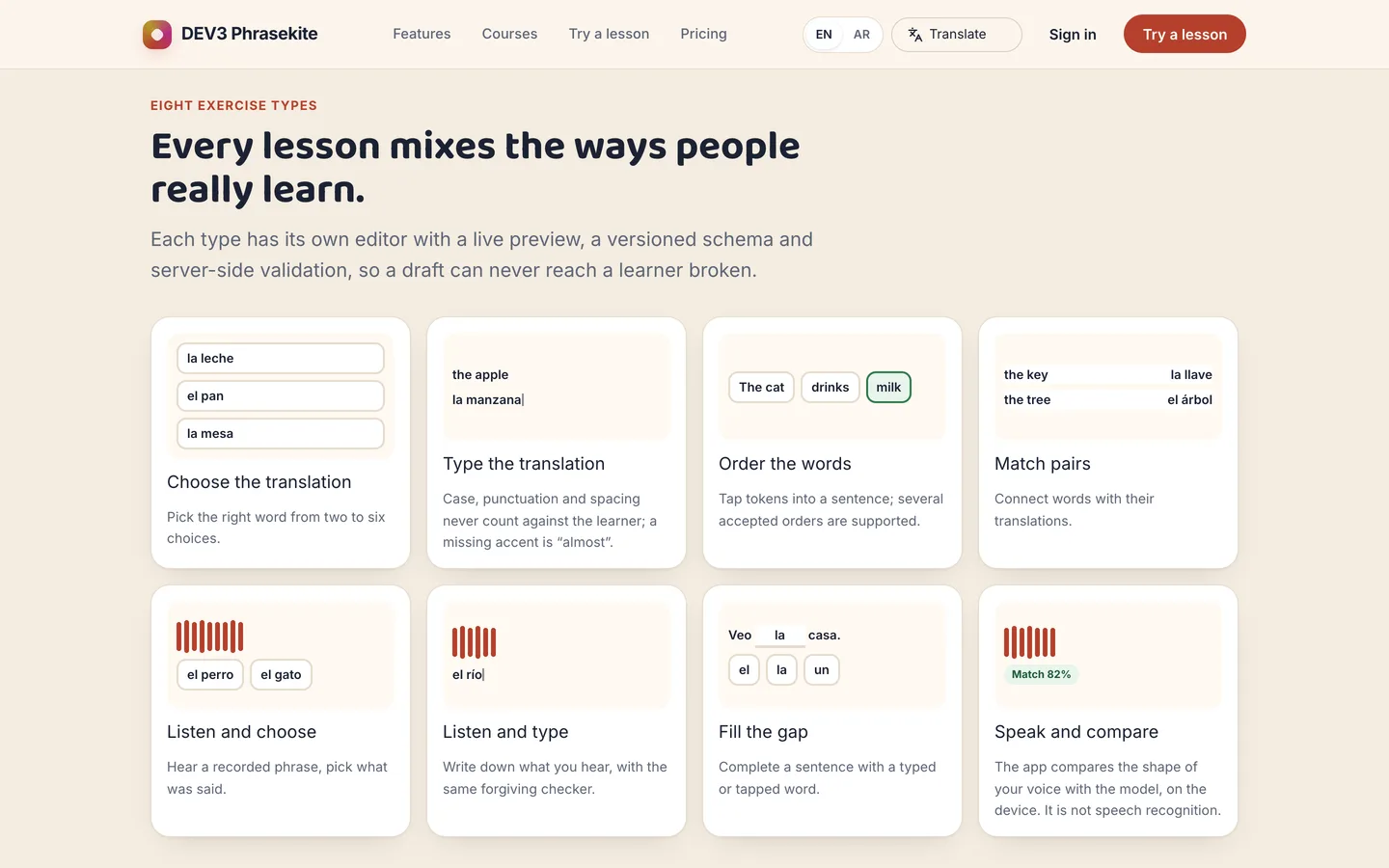 Eight exercise types — choose, type, match, listen, order, fill the gap and speak-and-compare as live cards.