DEV3 Kinesia – Free Physiotherapy & Chiropractic WordPress Theme for Elementor & WooCommerce

A free, photo-led WordPress theme for physiotherapy, chiropractic and sports rehab clinics: conditions in plain language with a body map, treatments, therapist profiles, an exercise library with video placeholders, booking with injury area and clinician, and a shop. No 3D.

by DEV3 TechnologiesVerified Author(0) 0 downloads 0 viewsUpdated 06 Nov 2026

DEV3 Kinesia is a free WordPress theme for physiotherapy and chiropractic clinics, sports injury practices and rehab studios. It is active and warm: Mukta headlines, bone-coloured paper, navy bands with a teal accent and a coral "kinesiology tape" highlight, square corners with one cut corner, numbered treatment rows and real photography in every section. Motion is light (split headings, reveals, stacked recovery cards, a pulse on the body-map hotspots, a slow Ken Burns drift) and respects reduced motion. There is no 3D or WebGL in the theme at all.

Sign in to download it for free. There is no public live demo: watch the video tour at the top of this page, or step through the screenshots at desktop, tablet and phone sizes.

Conditions in plain language

  • A Where does it hurt? body map: tap a hotspot to list the matching conditions and carry the area into the booking form.
  • Condition pages with common signs and causes, a see a doctor urgently box, the treatments and exercises that help, typical recovery and FAQs.
  • Body-area filter chips on conditions and exercises.

Treatments and therapists

  • Treatments for manual therapy, exercise rehab, dry needling, chiropractic adjustment, sports rehab and gait analysis, each with a guide price, session length, what happens step by step and FAQs.
  • Therapist profiles with timetables, special interests, training and a who is in weekly grid.

Exercise library

  • Exercise cards with a video placeholder, length, sets and reps and level; each page has facts, numbered steps, common mistakes and a stop-and-ask-us box. Paste a YouTube or Vimeo link to swap in a real video.

Booking, fees and the first visit

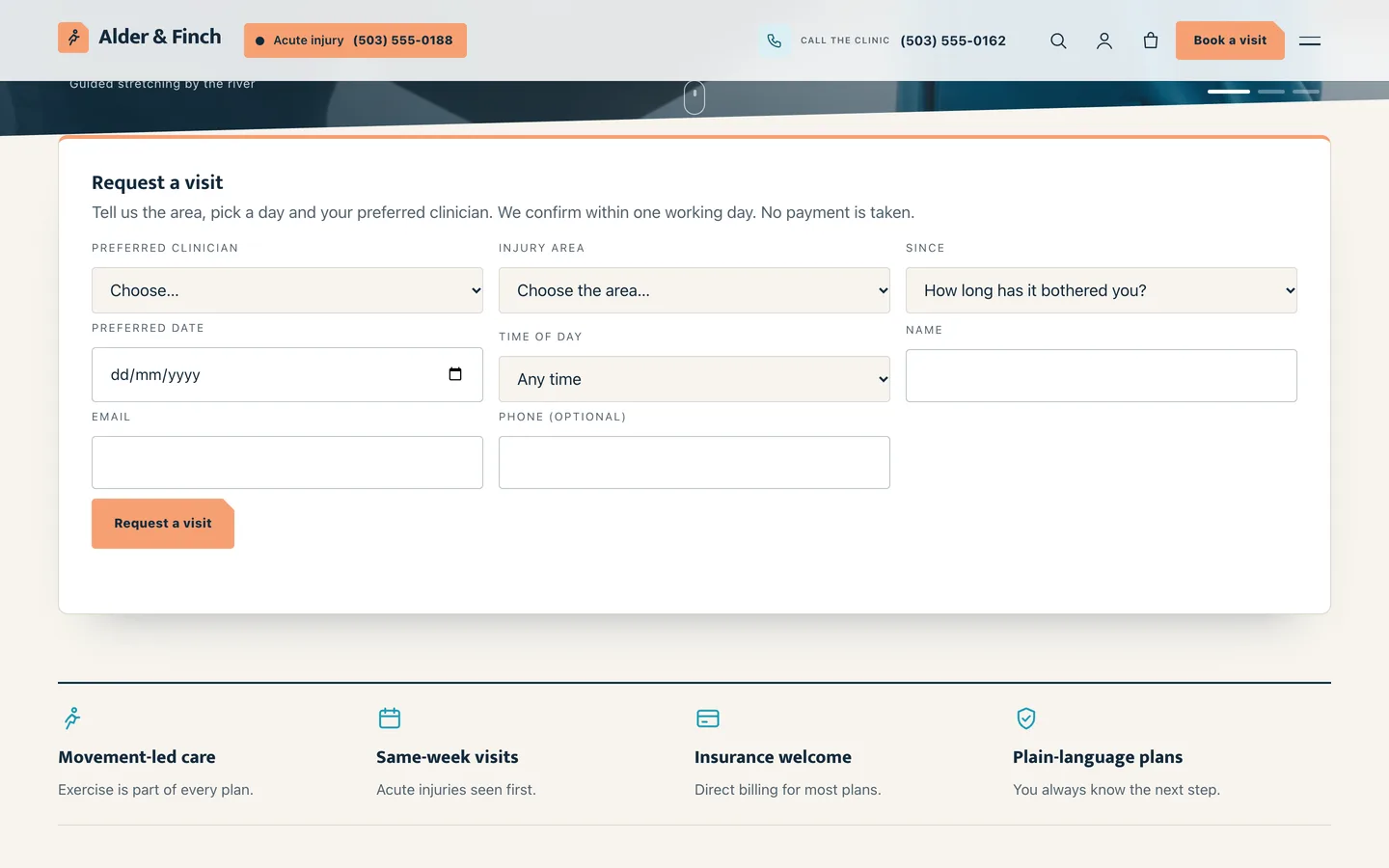
  • A visit request form with injury area, how long it has bothered you and a preferred clinician, stored as private requests and emailed to you.
  • A first-visit page with downloadable forms, a fees and insurance page with session packs, and an acute injury page.

Shop

WooCommerce styling for pre-paid session packs, supports and recovery tools from fictional brands, with a slide-out mini cart.

Medical advice note

Kinesia shows a "not a substitute for medical advice" note in the footer and under every condition, treatment and exercise.

Built for editing

Every demo page is built in Elementor (free) with the DEV3 Theme Toolkit widgets, and 24 block patterns cover the same sections for the block editor. Colours and fonts come from one token file and sync to the Customizer, theme.json and the Elementor kit. Fonts are self-hosted. The demo photos are free-licence (CC0) stock photos listed in PHOTO-CREDITS.md; all names, clinics, brands and figures are fictional.

How it's built

Architecture, stack, key decisions and the quality gates DEV3 Kinesia passed before release.

Our own free WordPress theme for physiotherapy and chiropractic clinics: conditions in plain language with a body map, treatments, therapists with timetables, an exercise library with video placeholders and booking with injury area and preferred clinician, on the no-3D theme core.

The problem it solves

Patients with pain search for the problem, not the treatment: "lower back pain", "sprained ankle". A clinic site has to meet them in plain language, show who would treat them and what happens in a session, give them something useful to do today (an exercise) and make booking easy, while being careful never to pretend a web page can diagnose. Most clinic themes offer a services list and a contact form. Kinesia had to organise everything around body areas, include safety notes and red flags, stay editable in Elementor and ship no 3D or WebGL code.

Architecture and approach

Kinesia is a classic PHP theme with theme.json, built on DEV3's shared theme core in flat mode: a build gate fails the theme if any three.js or WebGL code reaches its assets. The always-loaded JavaScript is about 12 KB gzipped.

The DEV3 Theme Toolkit provides the post types (conditions, treatments, therapists, exercises, patient stories) and widgets, including the Photo Hero that opens every page. Conditions and exercises share a body-area taxonomy, so one figure with hotspots, filter chips and the booking form all use the same areas. The theme's request form extension adds the injury area and how long it has bothered the patient, and the booking link carries the area from any condition page.

Condition, treatment and exercise templates end with a fixed note that the page is not a substitute for medical advice, and condition pages show a see-a-doctor box. The demo uses free-licence CC0 photos with a credits file.

Quality gates and results

Kinesia ships as a free download with a one-click demo: 6 Elementor pages, 10 conditions, 6 treatments, 10 exercises, 6 therapists, 6 articles, 9 shop products and 24 block patterns.

It passes PHP lint, WordPress coding standards (0 errors, 0 warnings), Theme Check with no required issues, the WooCommerce checkout flow and an Elementor editor test, and its no-3D gate.

Tech stack

Area Technologies
Frontend DEV3 Motion, Photo Hero, Body map, Elementor widgets, Block patterns
Platform WordPress 6.0+, PHP 7.4+, WooCommerce, Contact Form 7, DEV3 Theme Toolkit
Delivery phpcs (WPCS 3), Theme Check, No-3D build gate, One-click demo importer

Inside the build

Photo hero slideshow: a full-screen cross-fading slideshow with a split headline, a coral Request a visit button, trust chips and an Acute injury pill in the header. Photo hero slideshow — a full-screen cross-fading slideshow with a split headline, a coral Request a visit button, trust chips and an Acute injury pill in the header.

Visit request bar: a floating card under the hero: preferred clinician, injury area, how long it has bothered you, a day and a time of day. Visit request bar — a floating card under the hero: preferred clinician, injury area, how long it has bothered you, a day and a time of day.

Guides & articles

Practical guides and engineering write-ups for DEV3 Kinesia.

A free physio WordPress theme with a body map and exercise library

Last updated
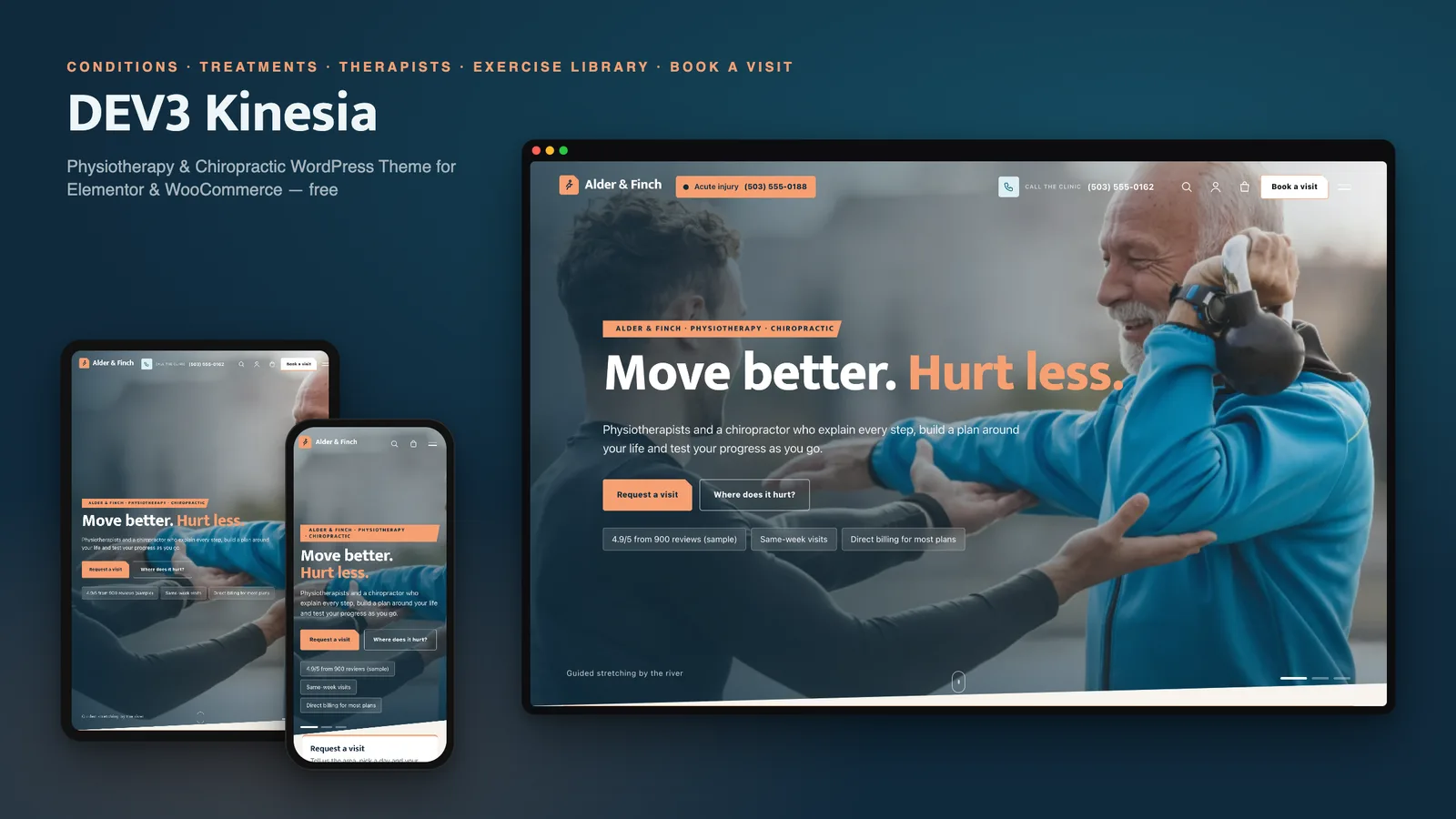
A free physio WordPress theme with a body map and exercise library: DEV3 Kinesia

People with pain search for the problem, not the treatment. A clinic website has to meet them there in plain words, show who would treat them and what happens in a session, give them something useful to do today, and make booking easy. DEV3 Kinesia is a free WordPress theme built around exactly that, with real photography instead of effects and every page editable in Elementor.
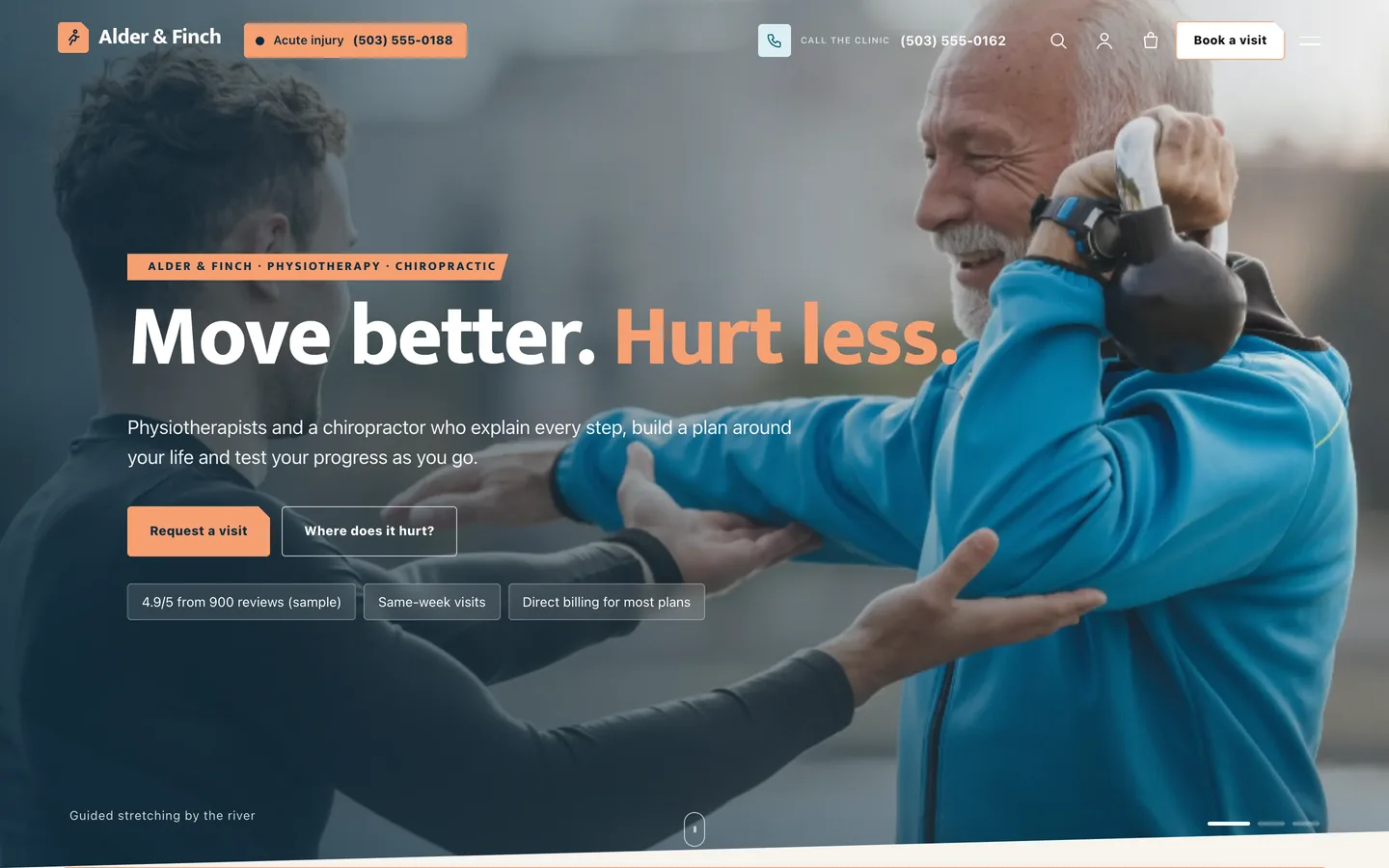
The Kinesia home page: a full-screen photo slideshow of a clinician guiding an older patient through a stretch, with the headline

Video tour of the Kinesia demo: the photo hero, body map, conditions, treatments, therapists, exercise library and booking

Who Kinesia is for

  • Physiotherapy and chiropractic clinics, from a solo practice to a multi-room clinic.
  • Sports injury, rehab and movement studios that want an exercise library their patients actually use.
  • Agencies and freelancers building a health-and-movement site the clinic can keep up to date.

Start with where it hurts

The home page and the conditions archive open with a body map: tap a hotspot and the matching conditions appear, with a button that carries the area into the booking form. Every condition page explains the problem in plain language, lists common signs and causes, shows a see a doctor urgently box and links to the treatments and exercises that help.
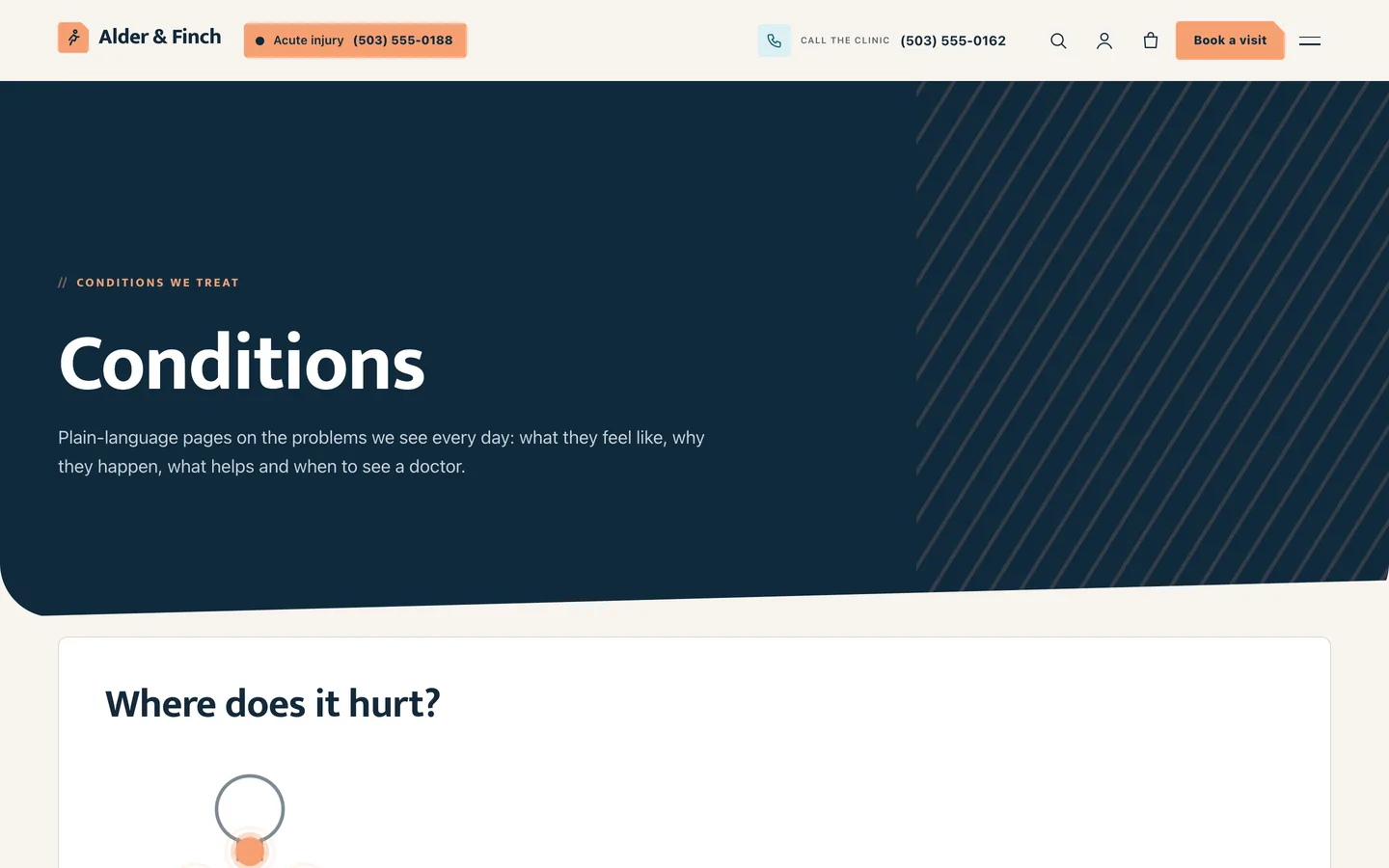
The Kinesia conditions page: a body map, area chips and condition cards

Treatments, therapists and a weekly grid

Treatments are numbered rows with a guide price and session length. Therapist profiles show special interests, training and a timetable, and the directory adds a who is in weekly grid built from each timetable.
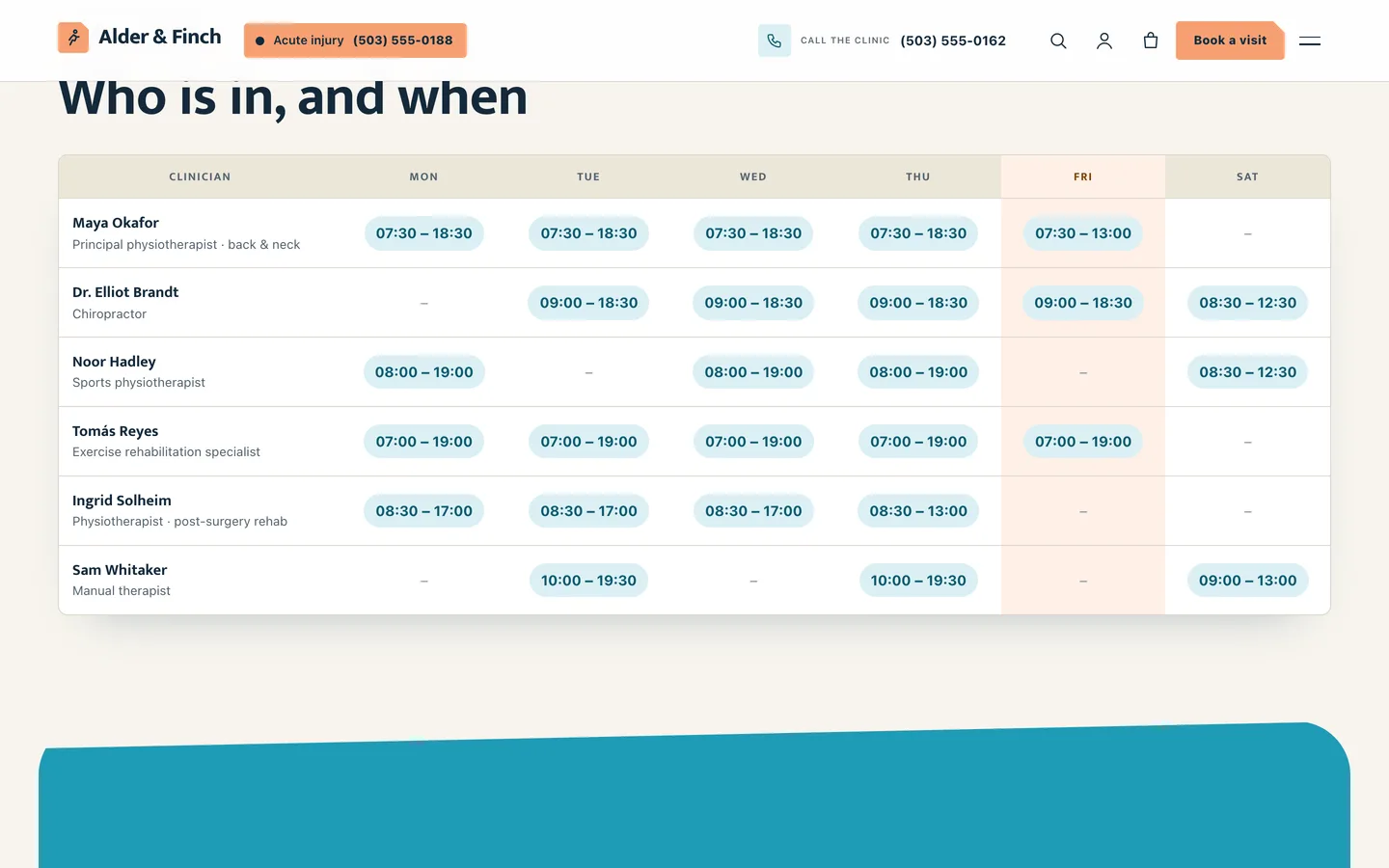
The Kinesia therapist directory with a weekly who-is-in grid

An exercise library with video placeholders

Each exercise has a video placeholder (swap in a YouTube or Vimeo link when you have the footage), facts, numbered steps, common mistakes and a stop and ask us box.

A Kinesia exercise page: a video placeholder, facts and numbered steps

Booking that knows the injury

The visit request form collects the injury area, how long it has bothered the patient, a preferred clinician, a day and a time of day. Requests are stored privately in WordPress and emailed to you. A first-visit page, fees and insurance with session packs, and an acute injury page cover the rest of the questions patients ask before they call.
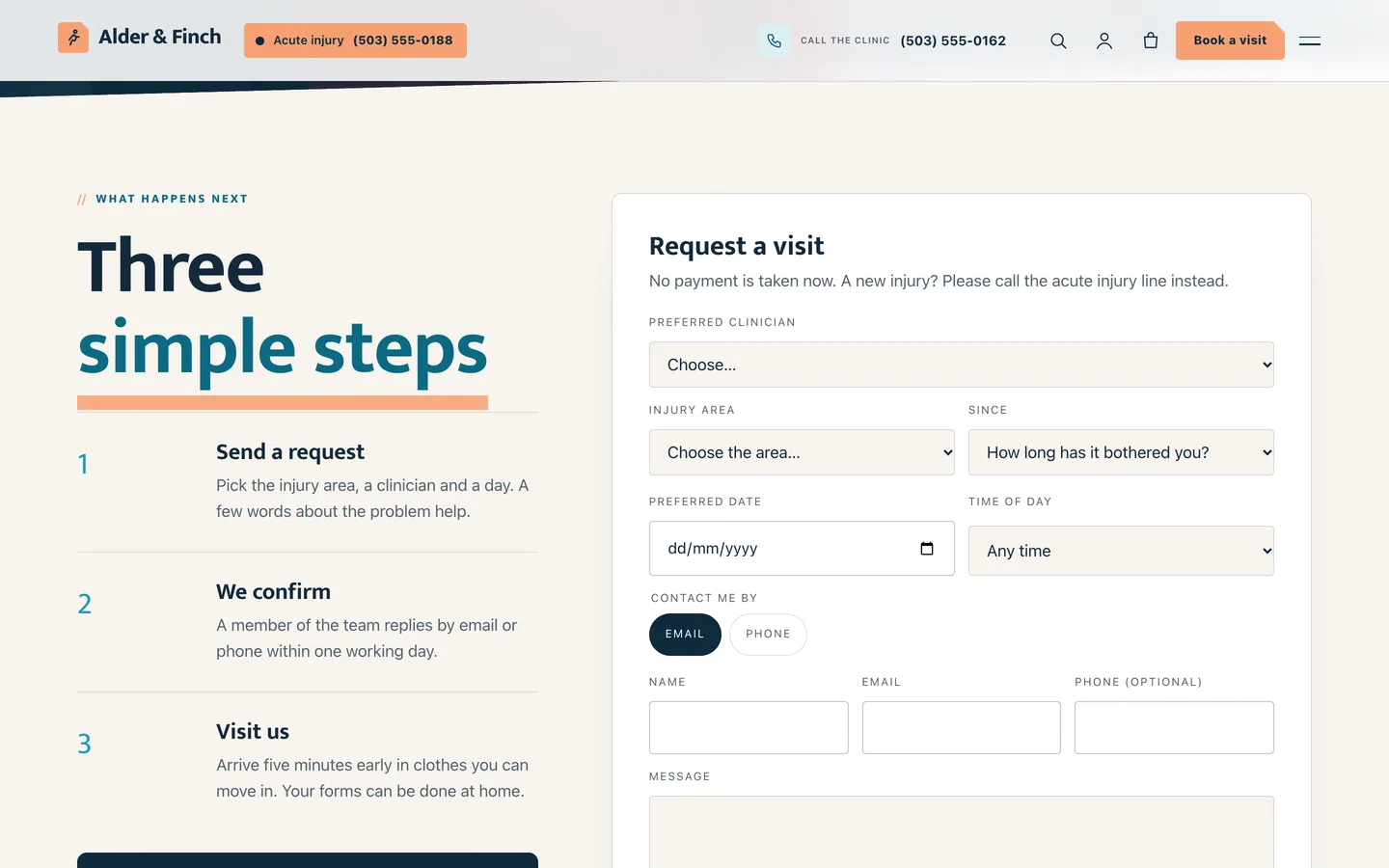
The Kinesia Book a visit page: three steps beside the request form

Not a substitute for medical advice

Kinesia adds a "not a substitute for medical advice" note to the footer and under every condition, treatment and exercise. Have your clinicians review all wording before you publish.

Requirements

  • WordPress 6.0 or newer and PHP 7.4 or newer
  • The DEV3 Theme Toolkit plugin (included and required for the widgets, post types and demo)
  • Recommended: Elementor (free), WooCommerce (the shop) and Contact Form 7 (the contact form)

What's in the download

Unzip the download from your DEV3 account first. Do not upload the download itself to WordPress.

  • dev3-kinesia.zip: the theme. Install this one.
  • dev3-kinesia-child.zip: an optional child theme for your own CSS and PHP.
  • dev3-theme-toolkit.zip: the companion plugin (conditions, treatments, therapists, exercises, patient stories, request forms, Elementor widgets and blocks including the Photo Hero, motion controls, WooCommerce extras, demo importer).
  • dev3-kinesia-demo-content.zip: the demo package for reference. The importer already has a copy inside the theme.
  • Documentation/index.html: the full guide. Open it in a browser.

Set it up in an afternoon

  1. Install the theme and the DEV3 Theme Toolkit, then import the demo from Appearance → DEV3 Demo.
  2. Replace the demo photos with your own, and edit the hero slides in the Photo Hero widget.
  3. Rewrite the conditions and treatments, add your therapists and their timetables.
  4. Set your phone number, acute injury line and Book a visit link under Appearance → Customize → Kinesia: business details.
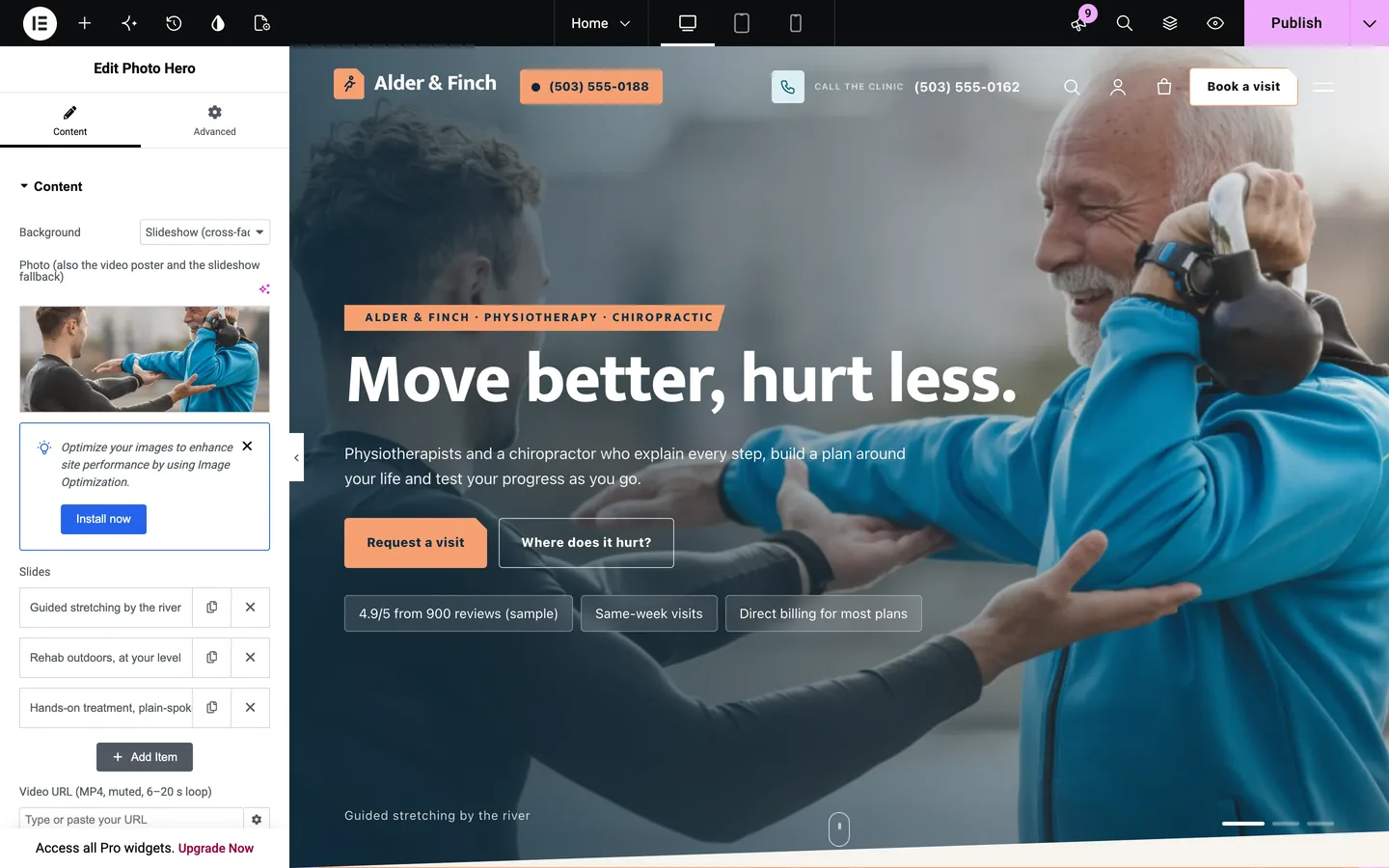
Kinesia in the Elementor editor with the Photo Hero widget selected

Kinesia is free: sign in on DEV3 to download it.

Frequently asked questions

The complete source code (version 1.0.0) as a download from your account, with the setup and usage guides shown on this page. It is free: sign in to download it.

Buying guides: 3D and motion WordPress themes for Elementor and WooCommerce

More from this author

View all

Related in CMS Extensions

View all