DEV3 Technologies home

DEV3 Keystone – Locksmith & Security Locks WordPress Theme for Elementor & WooCommerce

A solid-metal, photo-led WordPress theme for locksmiths: a lockout arrival checker by area, a lock-type picker, a key-cutting price list with dotted leaders, a security survey form and a sticky call bar. Keyhole photo hero, no 3D, light motion only.
by DEV3 TechnologiesVerified Author(0) 0 sales 0 viewsUpdated 10 Nov 2026

Launch Offer: up to 50% off

This item is 50% off: $24.50 instead of $49

Ends in
--
Days
--
Hrs
--
Min
--
Sec

DEV3 Keystone is a WordPress theme for locksmiths, key cutters and security lock firms. It looks like solid metal done with taste: Montagu Slab headings and Encode Sans text, a warm stone page, brass actions, steel bands, 3 px corners with a key-bit notch and a hero photo cut into a keyhole. Motion is light (split headings, reveals, counters, a slow Ken Burns drift) and respects reduced motion. There is no 3D or WebGL in the theme at all.

Buy a licence to download it. There is no public live demo: watch the video tour at the top of this page, or step through the screenshots at desktop, tablet and phone sizes.

A keyhole hero that keeps the copy readable

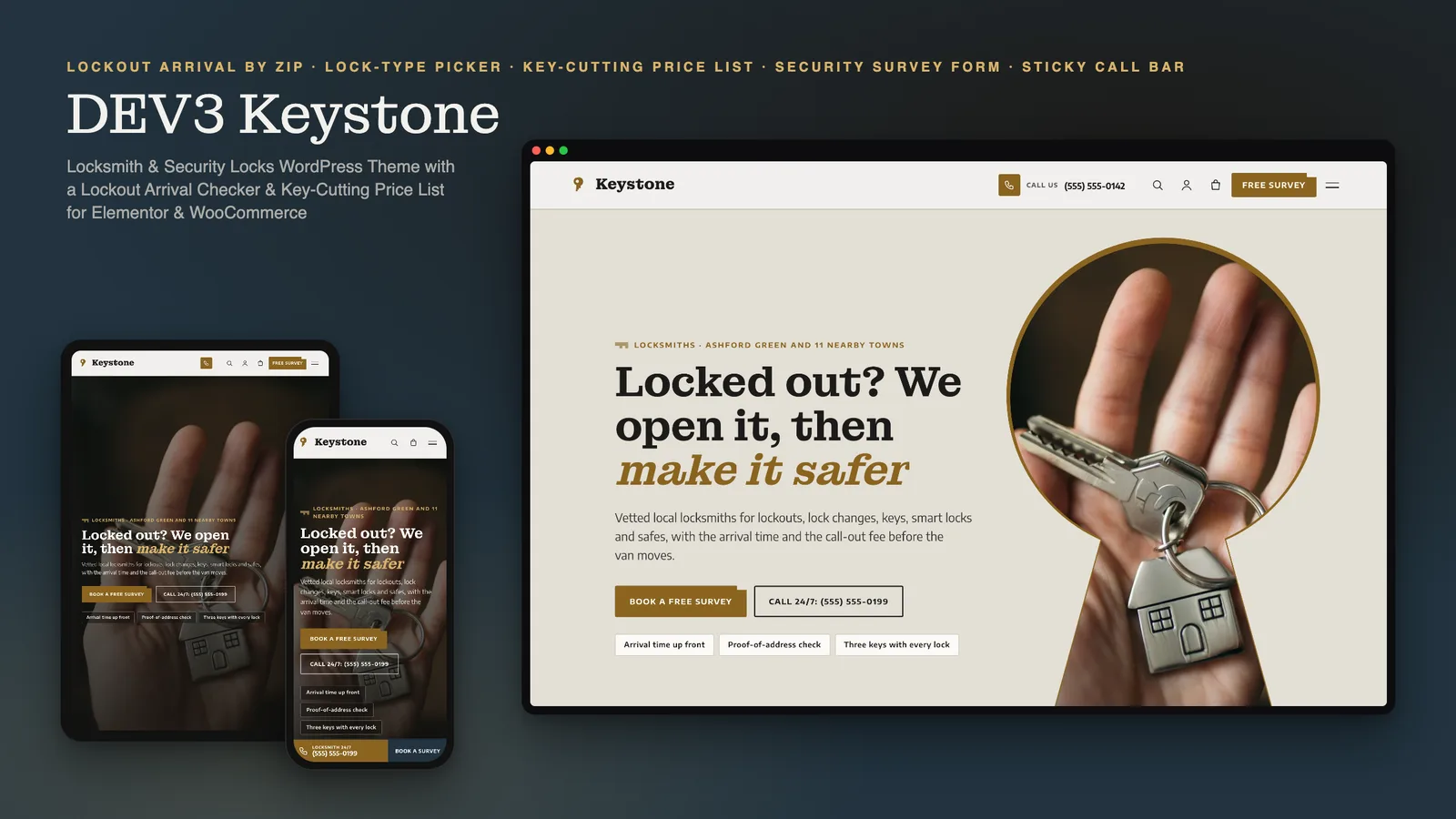
  • Every page opens with the toolkit Photo Hero widget. In Keystone the photo sits inside a keyhole-shaped mask with a brass rim on screens 1024 px wide and up, with the headline, lead and buttons on the left on a stone panel. On phones and tablets the photo is full-bleed with a dark overlay.
  • The home page is a cross-fading slideshow with a lockout strip along the bottom: your text, a link to the area checker and the lockout number.

A lockout arrival checker

  • Enter a ZIP code and a time of day (day, evening or night) and see a sample arrival time and call-out fee for the area, with the area highlighted in a table of every town you serve.
  • It works without JavaScript (a server-rendered GET form) and answers instantly with it. Areas, minutes and fees are one Customizer list, and the night and evening supplements are one filter away.

A lock-type picker

  • Choose the door: wooden, uPVC or composite, patio, windows, garage or shed, shop or glass. Three lock options appear as cards with a sample "fitted from" price, and each card passes the chosen lock to the survey form.
  • Option names are generic, never brands. Doors and options are one filter.

A key-cutting price list

  • Every price item grouped by price group, with dotted leaders from the name to the price, a tag such as Popular or Restricted, a search box and group buttons (with JavaScript) and a short version for the home page.

A security survey form, built for trust

  • Job type, tick-box concerns, property, number of doors, address, ZIP with a live area hint, preferred day and contact details. A safety note sends visitors who are locked out right now to the lockout line. Nonce, honeypot and rate limit on every request. The form is filled per request through a content slot, so Elementor's element cache cannot freeze a nonce or a prefill.
  • Nothing in the demo explains how to defeat a lock, and no lock brand is shown.

Built for emergencies

  • A sticky call bar on phones with the lockout number and a survey button. It is static HTML, so page caches are safe.
  • Pages for emergency lockout, key cutting, smart locks, safes, commercial and master keys, service areas, the security survey, reviews, FAQ, about and contact with a map.

Built for editing

Every demo page is built in Elementor (the free version works) with the DEV3 Theme Toolkit widgets and 29 block patterns for the block editor. Colours and fonts come from one token file and sync to the Customizer, theme.json and the Elementor kit. Services and the price list are toolkit post types relabelled for locksmiths. A small WooCommerce shop sells a key-cutting voucher, a smart lock install deposit and a door lock upgrade kit. Fonts are self-hosted. The demo photos are free-licence stock photos with credits in PHOTO-CREDITS.md; all companies, people, prices and arrival times are fictional.

How it's built

Architecture, stack, key decisions and the quality gates DEV3 Keystone passed before release.

Our own WordPress theme for locksmiths: a keyhole photo hero, a server-rendered lockout arrival checker by area, a lock-type picker and a key-cutting price list on a no-3D theme core.

The problem it solves

A locksmith's visitor is often standing outside a locked door with a phone at 10 percent. They need the number, a believable arrival time and a price they can trust, and they need to know the firm will ask for proof before opening a door. For planned work they want to compare locks and see what a key costs. Most trade themes hide prices, bury the phone number and rely on heavy plugins for forms. Keystone had to put the call button on every screen, answer how soon and how much before anyone calls, and stay editable in Elementor on a core that ships no 3D code.

Architecture and approach

Keystone is a classic PHP theme with theme.json on DEV3's shared theme core in flat mode: a WebGL-free boot and a build gate that fails the theme if any three.js or WebGL code reaches its assets. The always-loaded JavaScript is about 13 KB gzipped.

The hero is the toolkit Photo Hero widget with a keyhole mask in theme CSS on large screens and a full-bleed photo on phones, plus a lockout strip and a sticky call bar. The arrival checker reads a Customizer list of areas with minutes and fees, adds a time-of-day supplement and answers on the server (a GET form) before JavaScript upgrades it. The lock-type picker and the price list are server-rendered and then filtered in the browser.

The survey form posts to the toolkit request endpoint and adds locksmith fields. The checker, picker, price list and form are placed with content slots filled per request, so Elementor's element cache can never freeze a nonce or a prefill.

Quality gates and results

  • 13 KB gzipped always-loaded JavaScript, 40 KB budget.
  • The checker, the picker and the form work without JavaScript.
  • Zero errors and warnings under WordPress Coding Standards, and zero required Theme Check items.
  • 29 block patterns and a one-click demo with 10 services, a 30-row price list and 6 reviews.

Tech stack

Area Technologies
Frontend DEV3 Motion, Photo Hero, Elementor widgets, Block patterns
Platform WordPress 6.0+, PHP 7.4+, WooCommerce, Contact Form 7, DEV3 Theme Toolkit
Delivery phpcs (WPCS 3), Theme Check, No-3D build gate, One-click demo importer

Inside the build

Keyhole photo hero: a cross-fading key slideshow cut into a brass-rimmed keyhole, with the headline, call buttons and trust chips on the left and a lockout strip along the bottom. Keyhole photo hero — a cross-fading key slideshow cut into a brass-rimmed keyhole, with the headline, call buttons and trust chips on the left and a lockout strip along the bottom.

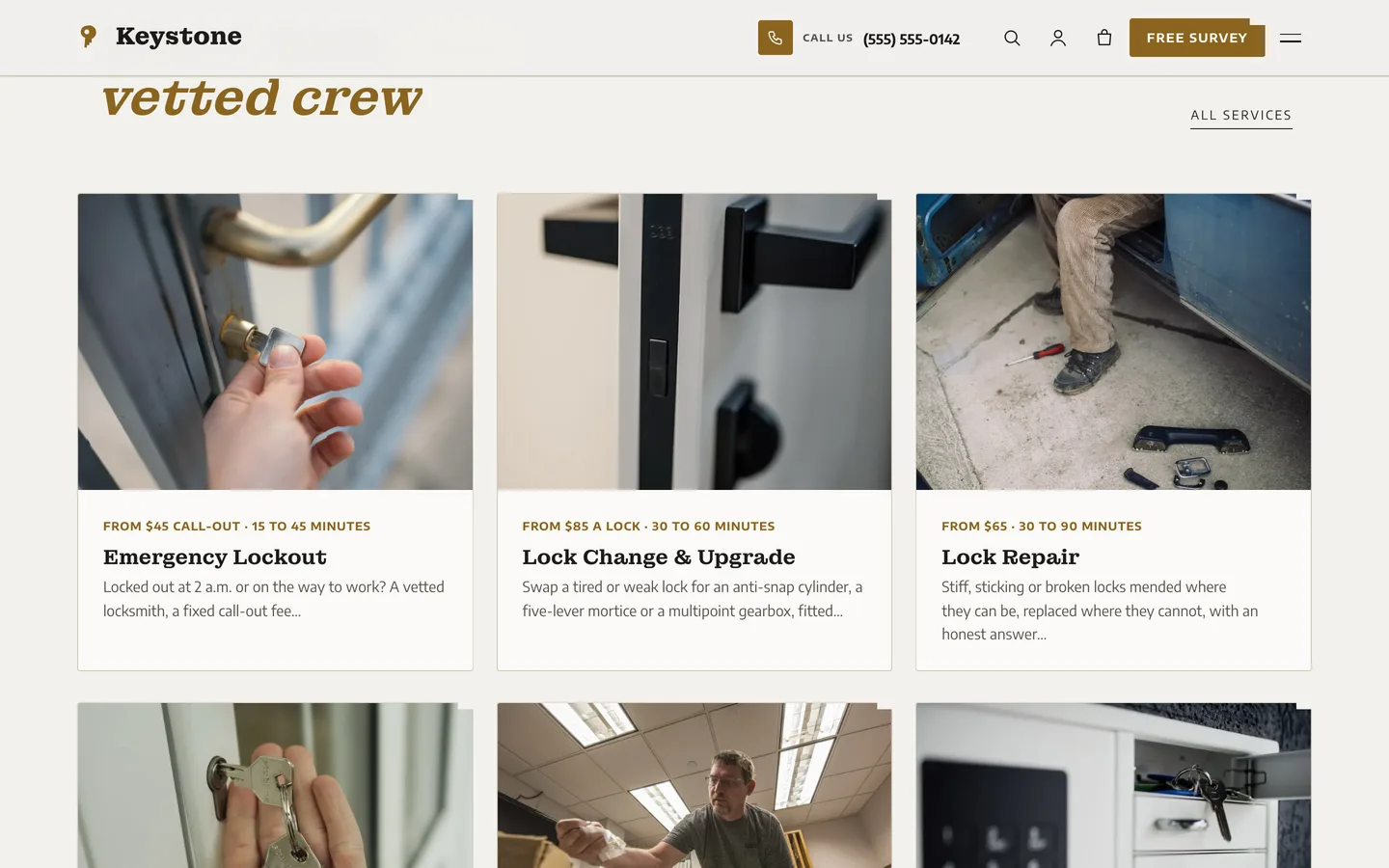
Services: six notched cards for emergency lockout, lock change, lock repair, re-keying, key cutting and smart locks, each with a price from and the time it takes. Services — six notched cards for emergency lockout, lock change, lock repair, re-keying, key cutting and smart locks, each with a price from and the time it takes.

Guides & articles

Practical guides and engineering write-ups for DEV3 Keystone.

A locksmith WordPress theme: lockout arrival checker and price list with Keystone

Last updated
A locksmith WordPress theme: lockout arrival checker and price list with Keystone: DEV3 Keystone

When someone is locked out, they want three things in a minute: a phone number, a believable arrival time and a price they can trust. When they plan new locks, they want to compare options and see what a key costs. DEV3 Keystone is a WordPress theme built for both: a keyhole hero, a lockout arrival checker by area, a lock-type picker, a key-cutting price list and a sticky call bar on phones.
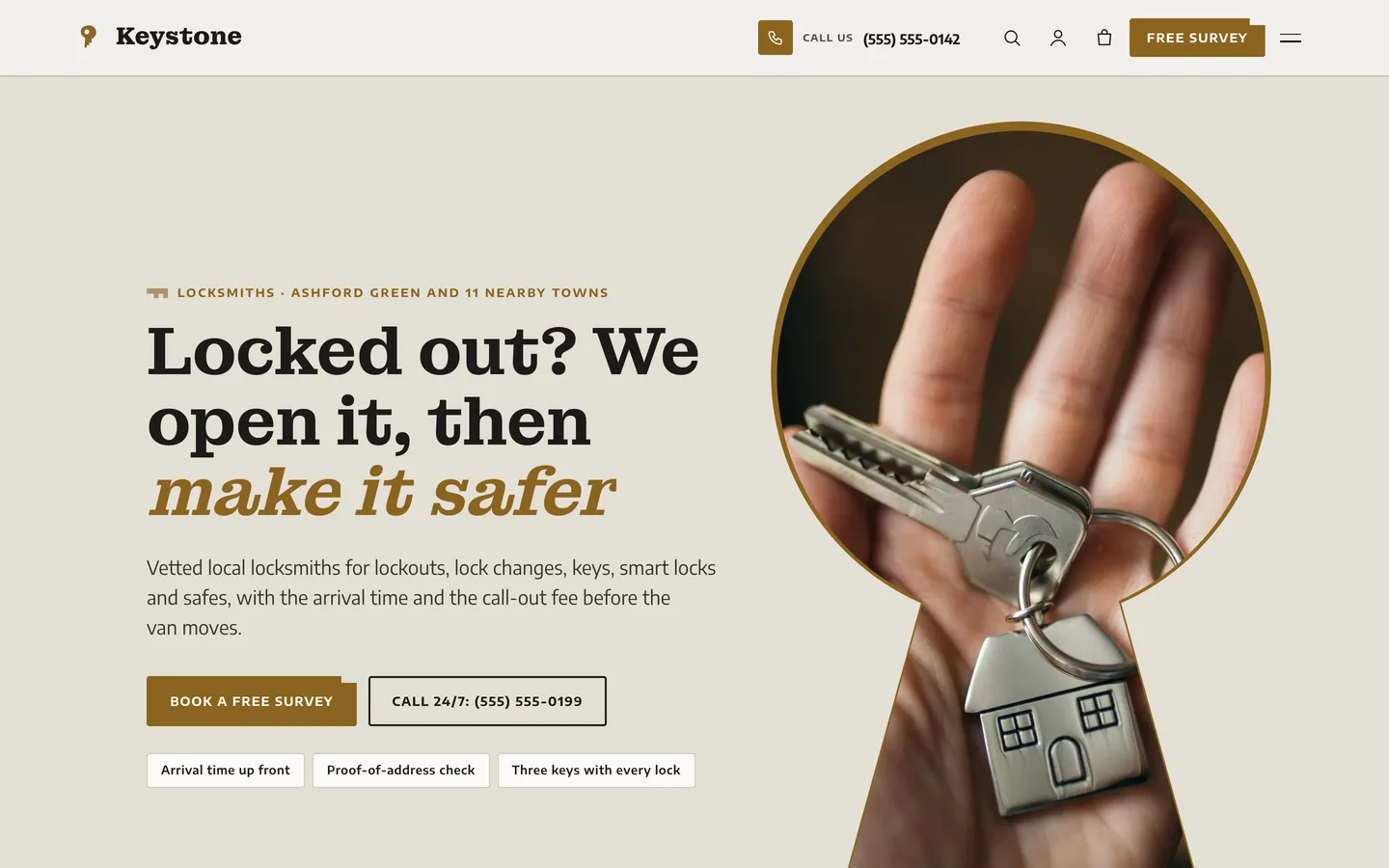
The Keystone home page: a hero photo cut into a brass-rimmed keyhole with the headline, call buttons and a lockout strip along the bottom

Video tour of the Keystone demo: the keyhole hero, services, the lockout arrival checker, the lock finder, the price list and checkout

Who Keystone is for

  • Emergency and local locksmiths with a van and a phone that never stops.
  • Key cutters and lock shops who want their price list in the open.
  • Security and safe specialists who sell surveys, safes and smart locks.

A hero that frames the work

Every page opens with the toolkit Photo Hero widget. On large screens the photo sits inside a keyhole mask with a brass rim and the copy stays on the left; on phones the photo goes full-bleed with a dark overlay. The home hero adds a lockout strip with your text and number.

A believable arrival time

Visitors enter a ZIP code and a time of day, and the checker shows a sample arrival time and call-out fee for their area, with the area highlighted in a table of every town you serve. It is a server-rendered form that works without JavaScript, and areas, minutes and fees live in one Customizer list.
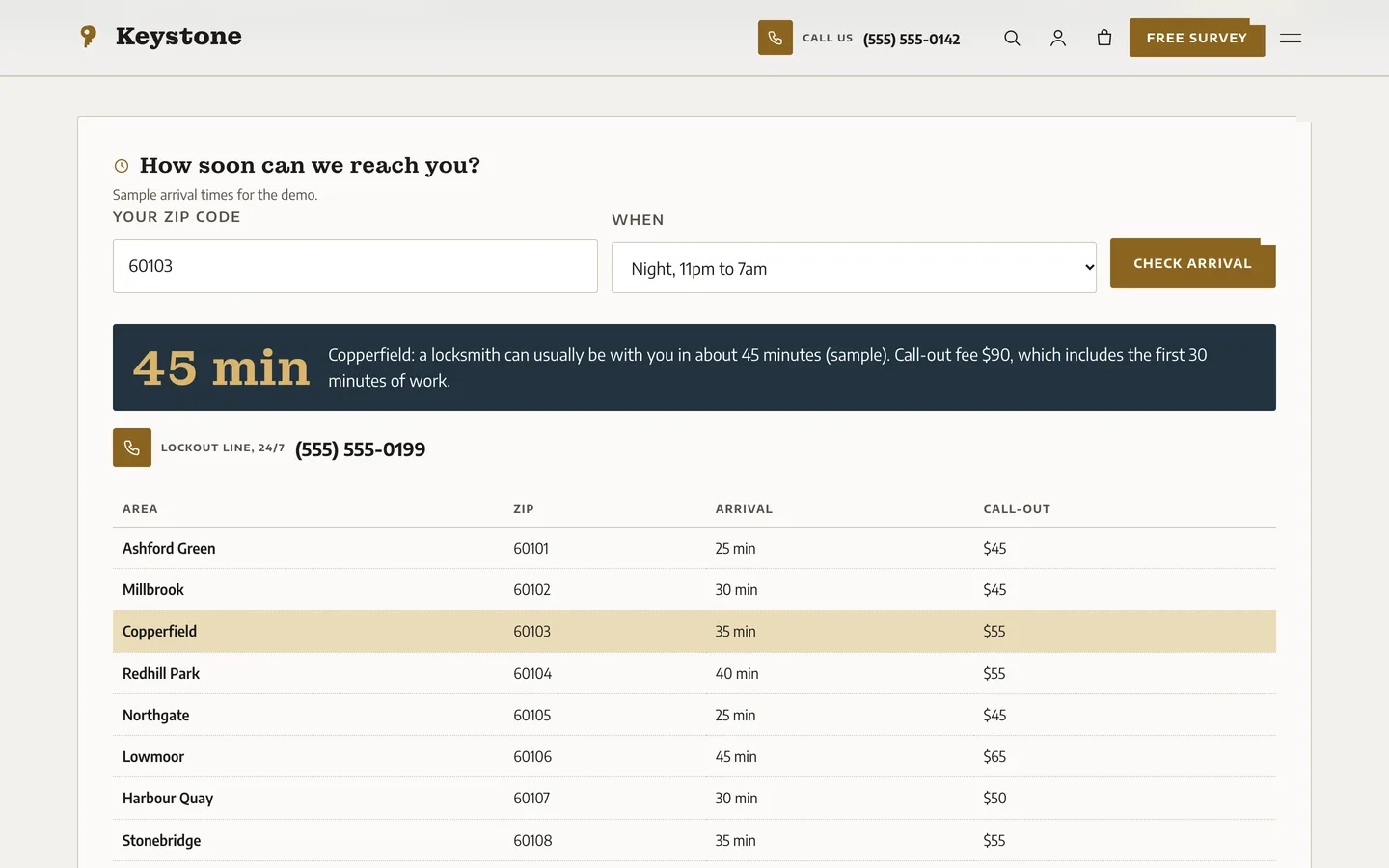
The Keystone arrival checker with a night-time result for one area, in a dark result card above a table of towns

Find the right lock

The lock-type picker asks what kind of door it is, then shows three lock options as cards with a sample fitted price. Option names are generic, never brands, and each card carries the chosen lock into the survey form.
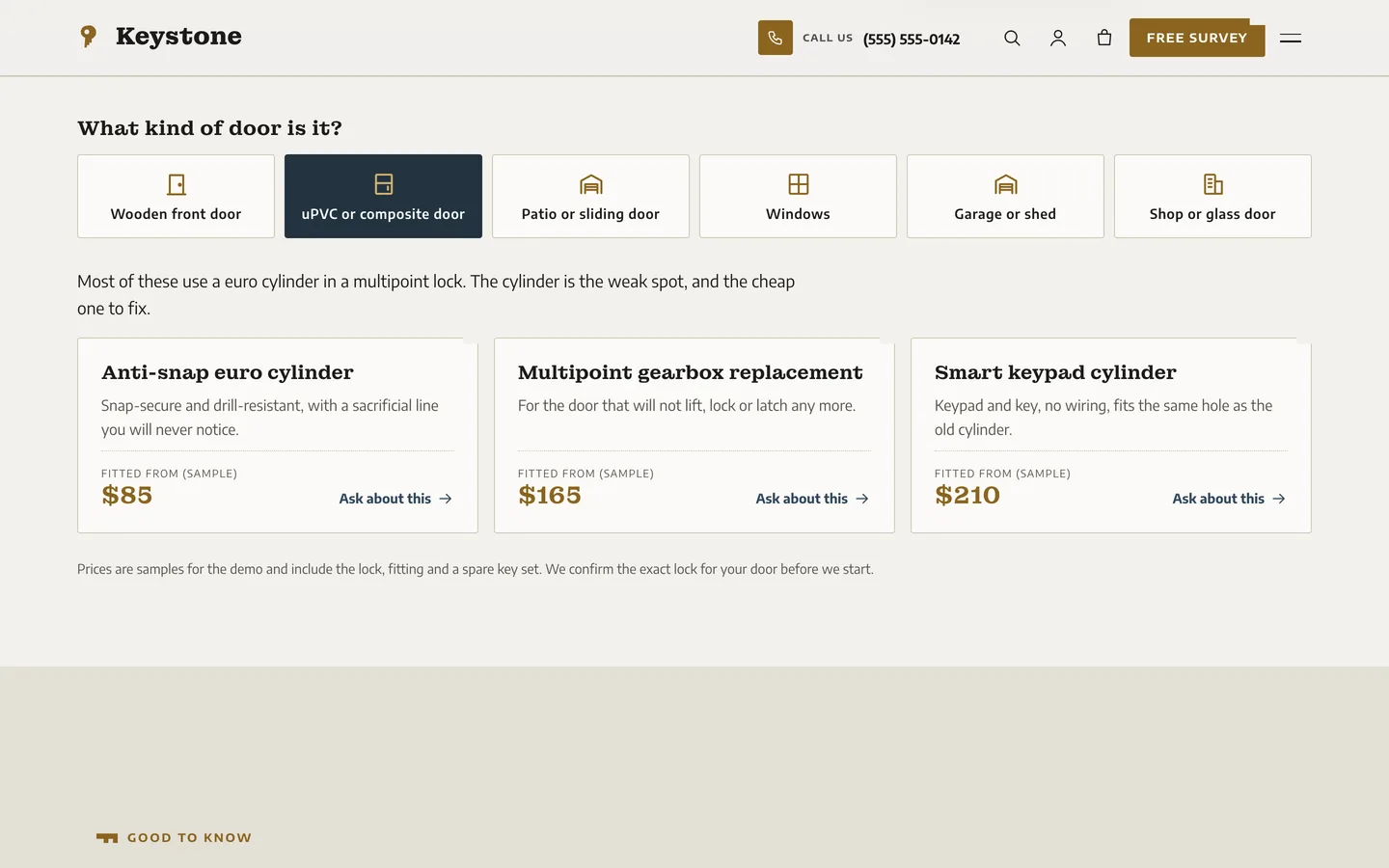
The Keystone lock finder with a uPVC door selected and three lock option cards

Prices in the open

The key-cutting price list groups every item with dotted leaders from the name to the price, tags such as Popular and Restricted, a search box and group buttons.
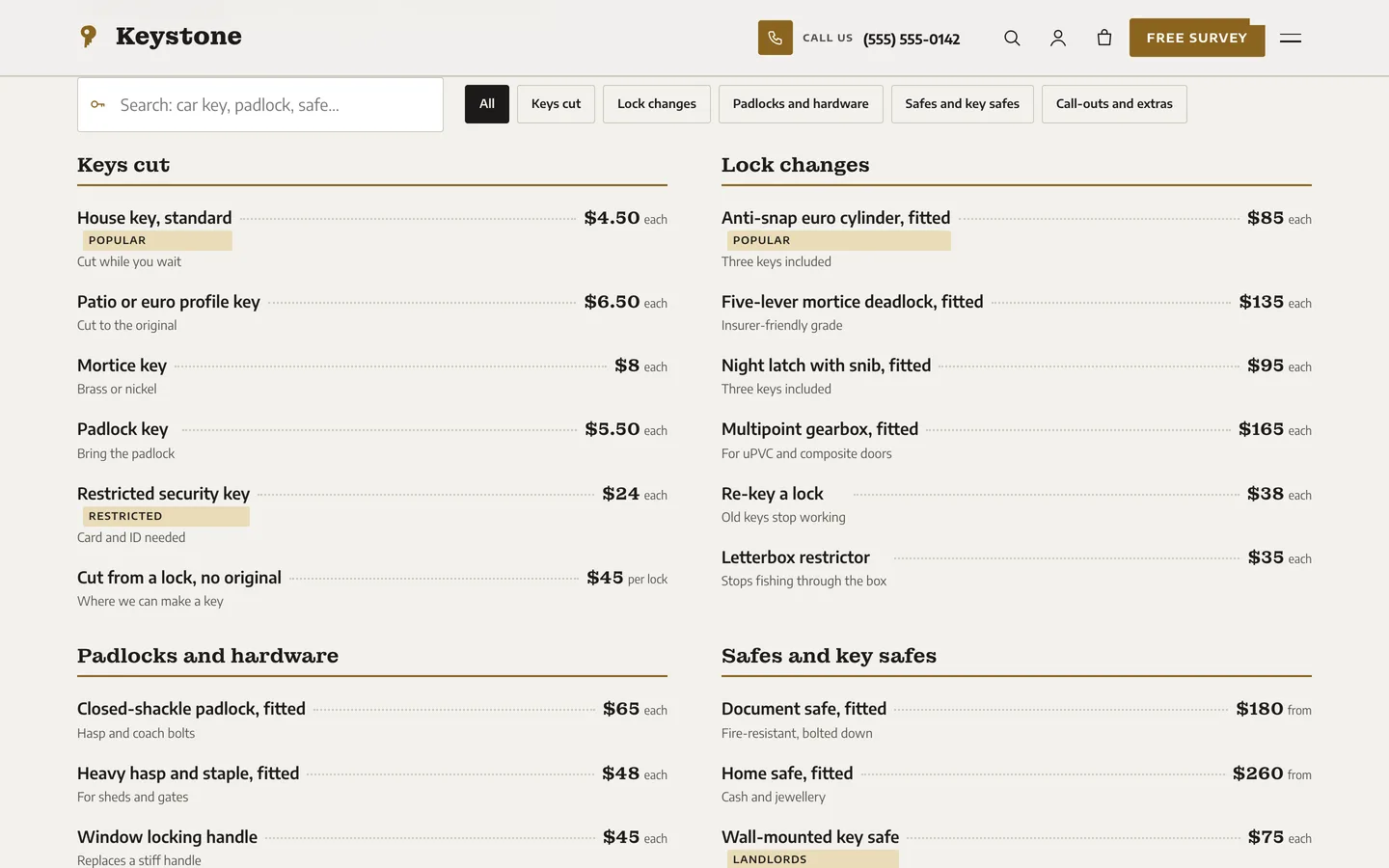
The Keystone price list in five groups with dotted leaders

A survey form that earns trust

The security survey form takes the job type, concerns, property, number of doors and address, with a live ZIP hint. A safety note sends anyone locked out right now to the lockout line, and nothing in the theme explains how to defeat a lock.

Built for editing

Every demo page is built in Elementor (the free version works) with the DEV3 Theme Toolkit widgets, and 29 block patterns cover the block editor. A small WooCommerce shop sells a key-cutting voucher, a smart lock install deposit and a door lock upgrade kit. Fonts are self-hosted, motion is light and there is no 3D or WebGL anywhere.


Frequently asked questions

The complete source code (version 1.0.0) as a download from your account, with the setup and usage guides shown on this page. You can modify the code to suit your product.

Buying guides: 3D and motion WordPress themes for Elementor and WooCommerce

Questions about this product (0)

Answers from the DEV3 team and the community.

Ask a question

No questions yet.

Wondering about setup, licensing or customisation? Ask, and the DEV3 team will help.

More from this author

View all

Related in CMS Extensions

View all