DEV3 Crayonia – Free Kindergarten & Daycare WordPress Theme for Elementor & WooCommerce

A free, sunny WordPress theme for kindergartens, daycares and nurseries: a photo hero, programmes by age with a colour system, a daily schedule, teachers, visit booking, fees, events and a safety and meals page. No 3D, light motion only.

by DEV3 TechnologiesVerified Author(0) 0 downloads 1 viewsUpdated 06 Nov 2026

DEV3 Crayonia is a free WordPress theme for kindergartens, daycare centres, nurseries, pre-schools and after-school clubs. It is bright and friendly without being childish: Baloo 2 headlines with Nunito text, warm cream paper, chunky "sticker" buttons, rounded cards, wavy edges and a five-colour system that follows the age groups through the whole site. Motion is light (split headings, reveals, counters and a slow drift on the hero photo) and it respects reduced motion. There is no 3D or WebGL in the theme at all.

Sign in to download it for free. There is no public live demo: watch the video tour at the top of this page, or step through the screenshots at desktop, tablet and phone sizes.

A photo hero that welcomes parents

  • The toolkit's Photo Hero widget: one photo, a cross-fading slideshow or a muted background video, with an overlay, optional Ken Burns drift, a split headline, two buttons and trust chips.
  • Inner pages use the same widget at medium or short height, so every page opens with a photo and a clear heading.
  • The demo uses only free-licence photos that do not show children's faces: hands, crafts, toys, playgrounds and children from behind or at a distance.

Programmes by age

  • Programmes with an age group (Seeds, Sprouts, Blossoms, Sunflowers, Sunbeams) that sets the colour on cards, chips and pages, plus ages, hours, adults-to-children ratio, group size, fee, a day in the room, what children explore and FAQs.
  • A daily schedule page with a day ribbon, a room-by-room comparison and a weekly timetable that reads the sessions of every programme.
  • A lead teacher on each programme and teacher profiles with qualifications, favourite things to teach and a motto.

Booking, fees and trust

  • Book a visit: an appointment form whose topics are your programmes; requests are stored privately and emailed to you.
  • Fees with a Monthly / Termly switch and a what's-included list, and an events list with dates, cost and what to bring.
  • A safety and meals page with six safety habits, allergy and illness answers, a menu and downloadable handbooks.

Shop

Light WooCommerce styling for enrolment deposits, learn-at-home kits and downloadable guides, with a slide-out mini cart.

Built for editing

Every demo page is built in Elementor (free) with the DEV3 Theme Toolkit widgets, and 25 block patterns cover the same sections for the block editor. Colours and fonts come from one token file and sync to the Customizer, theme.json and the Elementor kit. Fonts are self-hosted. The demo photos are free-licence (CC0) stock photos listed in PHOTO-CREDITS.md; all names, fees and reviews are fictional.

How it's built

Architecture, stack, key decisions and the quality gates DEV3 Crayonia passed before release.

Our own free WordPress theme for kindergartens and daycare centres: a photo hero, programmes by age with a colour system, a daily schedule, teachers, events, fees and visit booking, with photos that never show a child's face.

The problem it solves

Parents choosing childcare are anxious and short of time. They want to know three things fast: will my child be safe, what will a day look like and what will it cost. Most childcare themes answer with cartoon clip art and stock photos of smiling toddlers, which is neither reassuring nor appropriate for a demo. Crayonia had to feel warm and playful, make safety, schedule and fees easy to find, put a visit booking on every page, stay fully editable in Elementor, and ship with photography that respects children's privacy and a core with no 3D or WebGL code at all.

Architecture and approach

Crayonia is a classic PHP theme with theme.json, built on DEV3's shared theme core in flat mode: a "flat": true token stamps a WebGL-free boot and a build gate fails the theme if any three.js or WebGL code reaches its assets. The always-loaded JavaScript is about 11 KB gzipped.

The DEV3 Theme Toolkit provides the post types (programmes, teachers, events, parent stories) and the widgets. A programme stores its age group, ages, hours, ratio, places, fee, weekly sessions, daily rhythm, learning goals and FAQs as fields, so the single template lays every room out the same way and the weekly timetable widget draws itself from them. The age group sets one of five colours that follows the child through cards, chips and pages.

The toolkit's Photo Hero opens every page. Visit booking uses the appointment request form with the programmes as topics; submissions are stored as private requests and emailed. The demo uses free-licence CC0 photos of hands, crafts, toys, playgrounds and children from behind, with a credits file.

Quality gates and results

Crayonia ships as a free download with a one-click demo: 9 Elementor pages, 5 programmes, 8 teachers, 6 events, 6 parent stories, 6 news posts, 6 shop products and 25 block patterns.

It passes PHP lint, WordPress coding standards (0 errors, 0 warnings), Theme Check with no required issues, the WooCommerce checkout flow and an Elementor editor test, and its no-3D gate.

Tech stack

Area Technologies
Frontend DEV3 Motion, Photo Hero, Lenis, Elementor widgets, Block patterns
Platform WordPress 6.0+, PHP 7.4+, WooCommerce, Contact Form 7, DEV3 Theme Toolkit
Delivery phpcs (WPCS 3), Theme Check, No-3D build gate, One-click demo importer

Inside the build

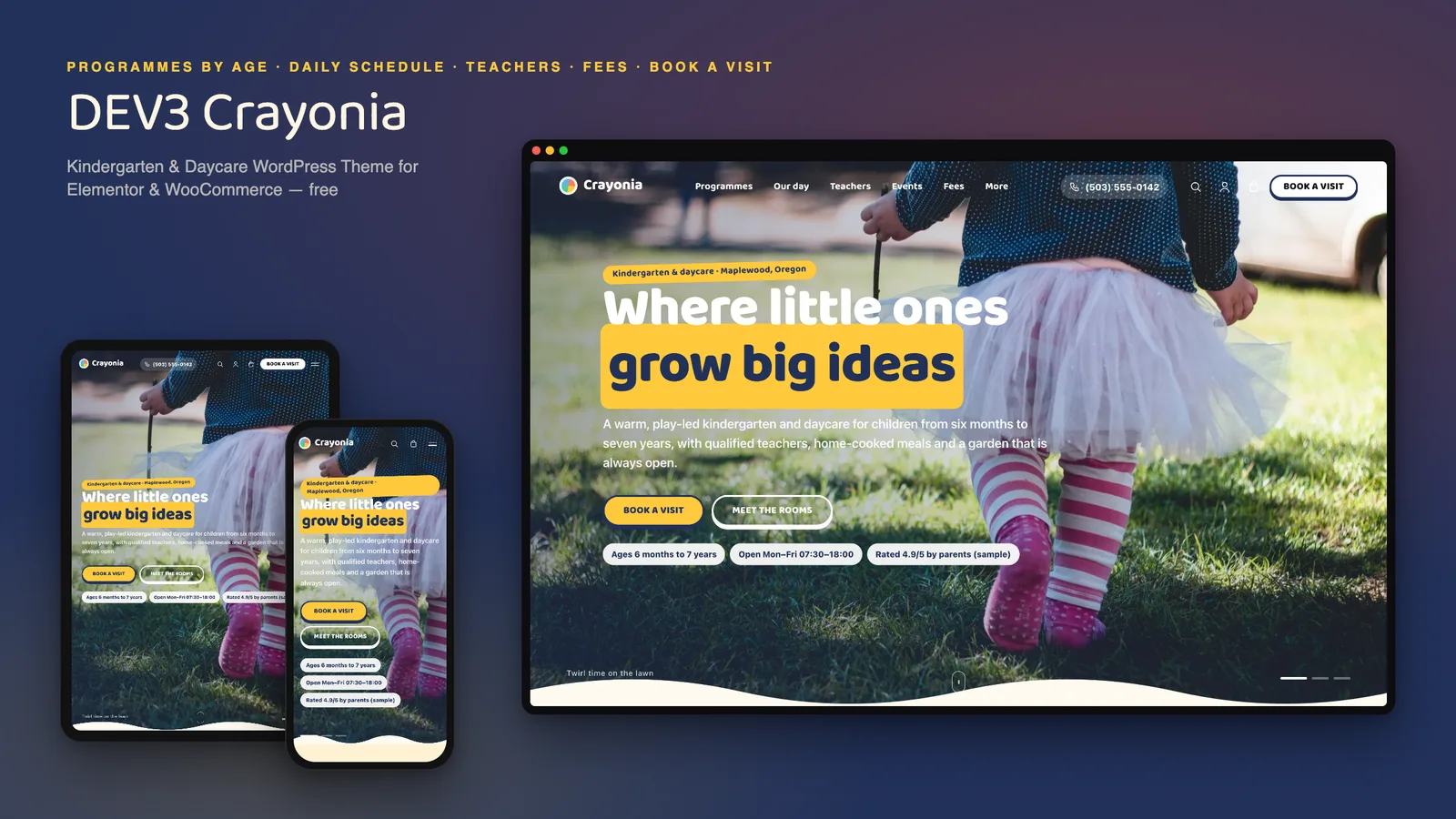
Photo hero slideshow: a full-screen cross-fading slideshow with a slow drift, a split headline, Book a visit and Meet the rooms buttons and trust chips. Photo hero slideshow — a full-screen cross-fading slideshow with a slow drift, a split headline, Book a visit and Meet the rooms buttons and trust chips.

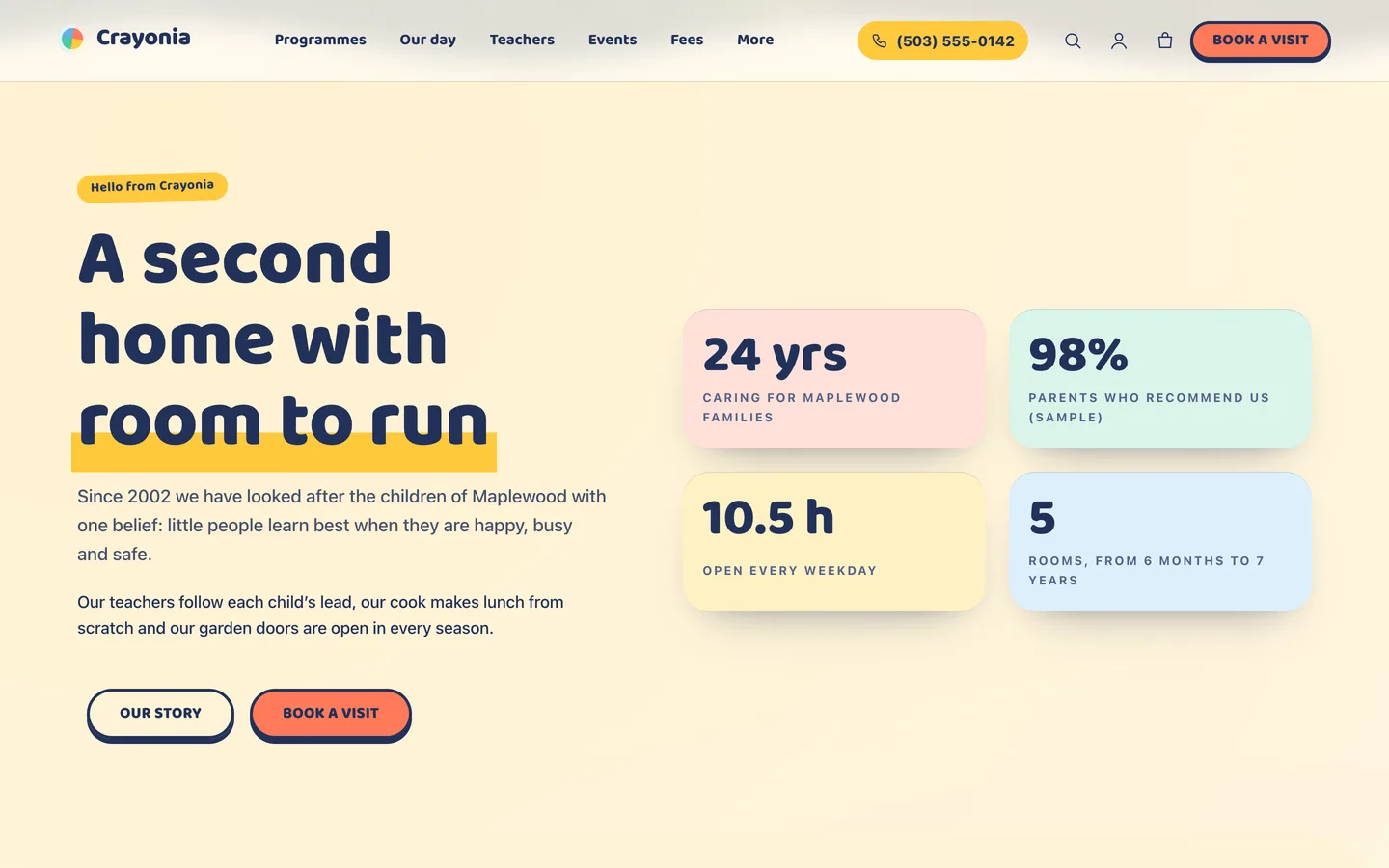
A second home: a friendly intro beside four counters that count up as they arrive (sample figures). A second home — a friendly intro beside four counters that count up as they arrive (sample figures).

Guides & articles

Practical guides and engineering write-ups for DEV3 Crayonia.

A free kindergarten and daycare WordPress theme with Crayonia

Last updated
A free kindergarten and daycare WordPress theme with Crayonia: DEV3 Crayonia

Parents choosing childcare want three answers fast: will my child be safe, what does a day look like, and what will it cost. DEV3 Crayonia is a free WordPress theme built to answer them on the first visit, with warm photography instead of clip art and every page editable in Elementor.
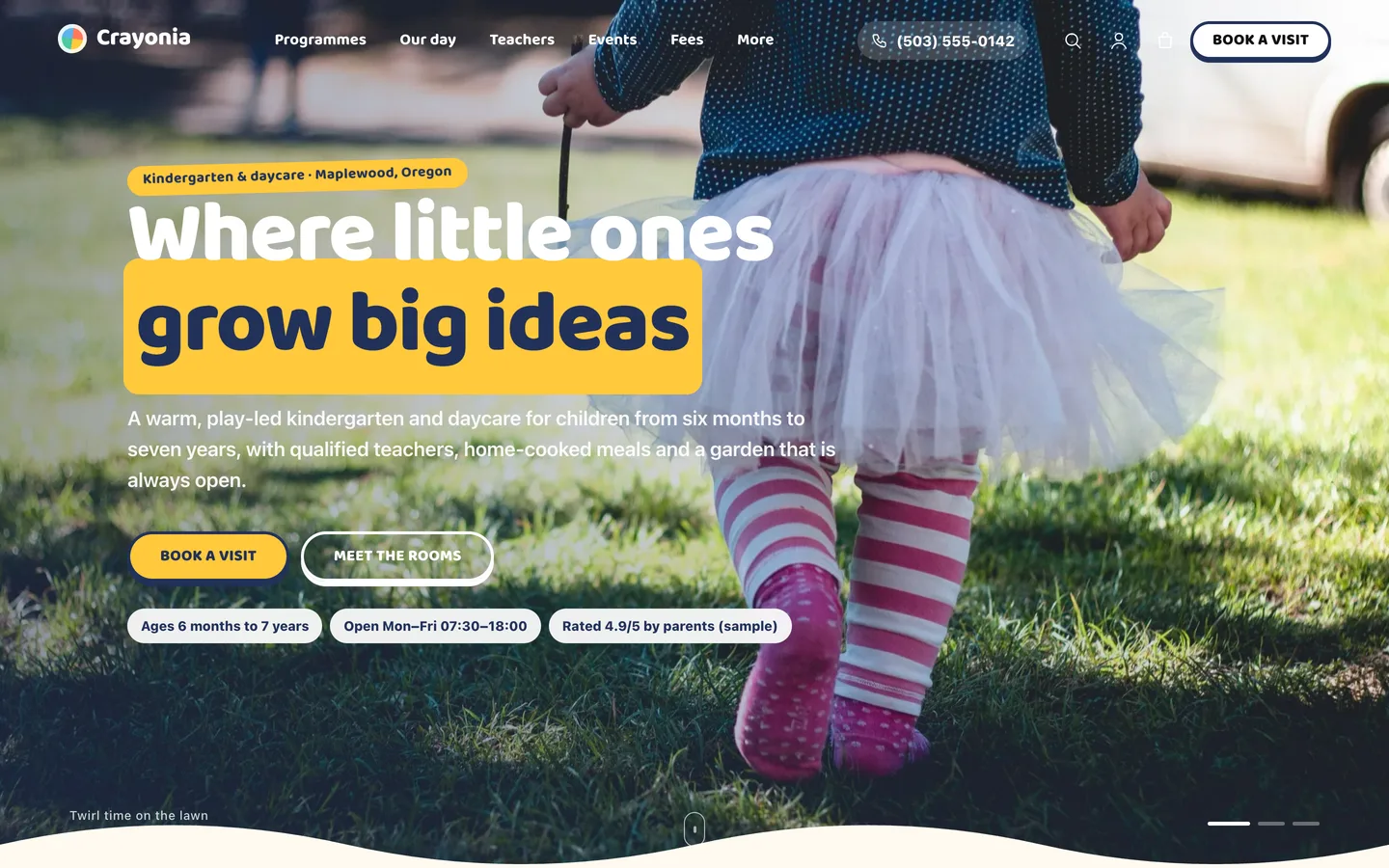
The Crayonia home page: a full-screen photo of a little girl in a tutu walking across a lawn, seen from behind, with the headline

Video tour of the Crayonia demo: the photo hero, programmes by age, the daily schedule, teachers, facilities, safety and meals, fees and visit booking

Who Crayonia is for

  • Kindergartens, nurseries and pre-schools, from a single room to a multi-room centre.
  • Daycare and after-school clubs that need hours, ratios, fees and a visit form on every page.
  • Childminders and activity centres that want a friendly, trustworthy site the team can keep up to date.

Programmes by age, in five colours

Each programme has an age group (Seeds, Sprouts, Blossoms, Sunflowers or Sunbeams) that sets one colour on its card, chip and page. The room page shows ages, hours, adults to children, group size and fee, then what children explore, a day in the room as a timed list, the weekly sessions, the lead teacher and parents' FAQs.
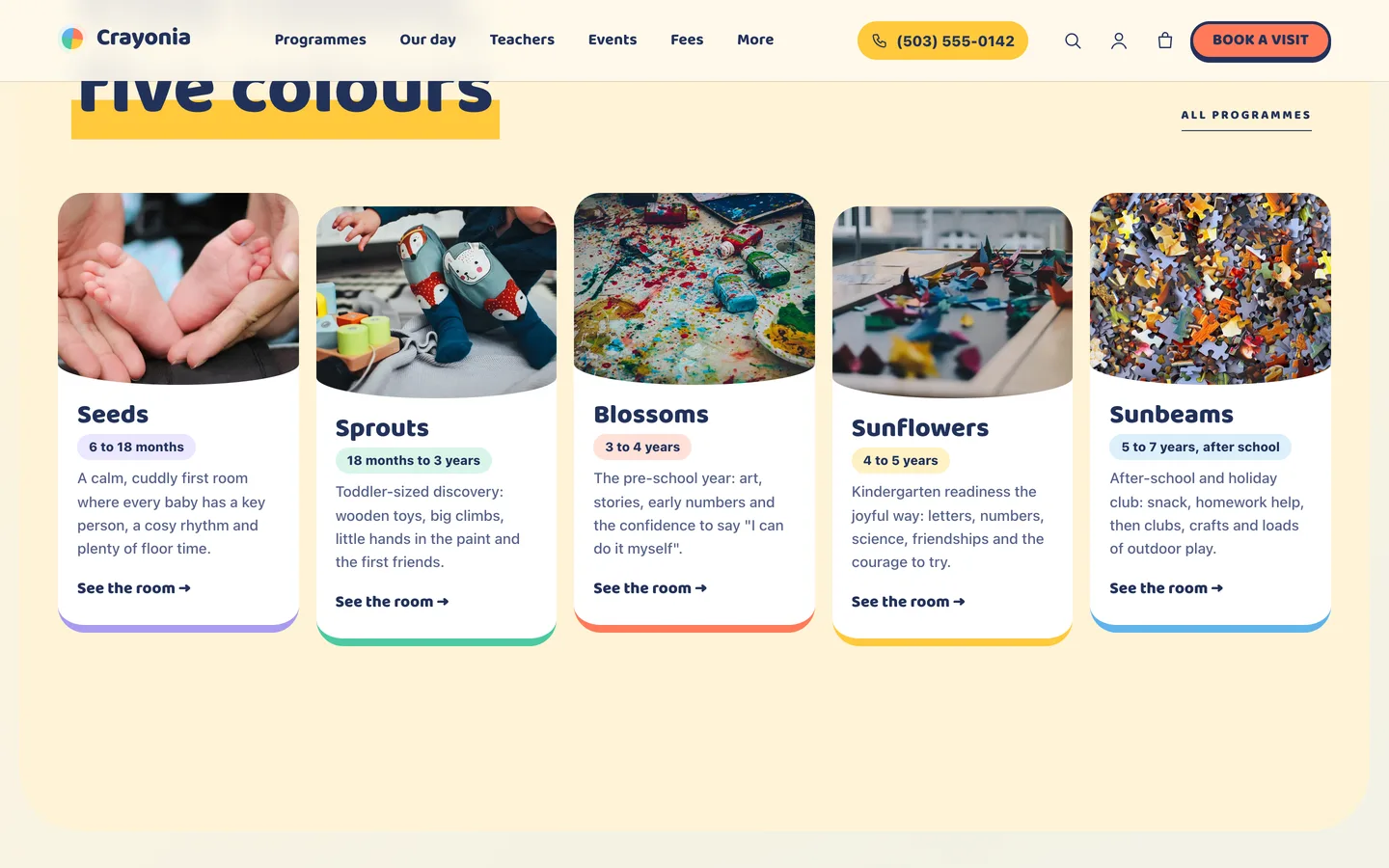
Five age-group cards in five colours, from Seeds (6 to 18 months) to Sunbeams (after school)

The day, the people and the place

A daily schedule page lays the day out as a colour ribbon, compares how each room spends it and draws a weekly timetable from the programmes themselves. Teachers have profiles with qualifications, favourite things to teach and a motto, and facilities are a photo mosaic with the access details parents ask about.
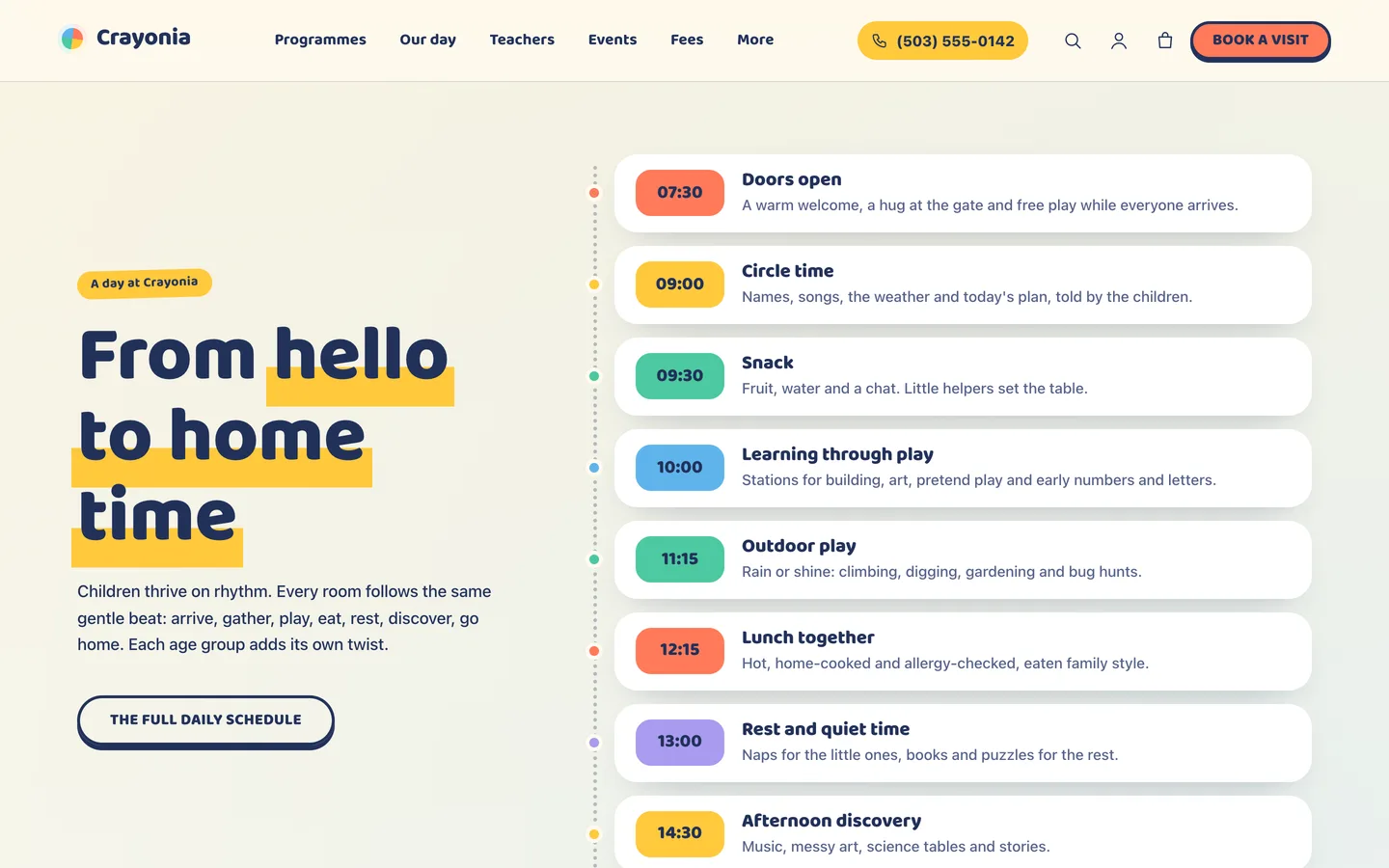
The day ribbon: nine moments from doors open to garden and home time

Trust, fees and a visit

The safety and meals page covers secure entry, first aid, ratios, the daily diary, checked staff and allergy awareness in plain words. Fees show three plans with a Monthly / Termly switch. Book a visit is an appointment form whose topics are your programmes; requests are stored privately in WordPress and emailed to you.
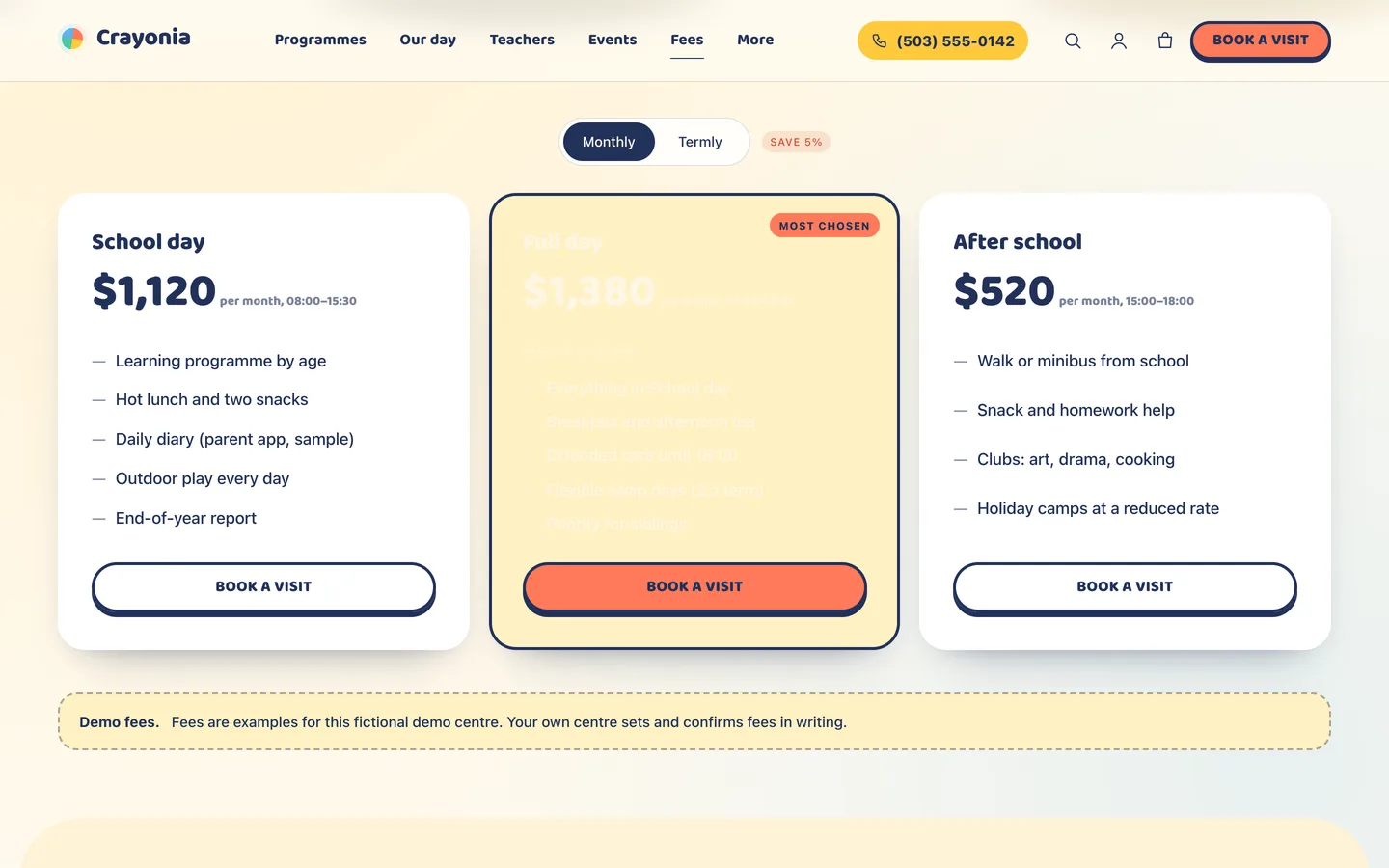
The Crayonia fees page: three plans with a Monthly and Termly switch and a Most chosen badge

Set it up in an afternoon

  1. Install the theme and the DEV3 Theme Toolkit, then import the demo from Appearance → DEV3 Demo.
  2. Replace the demo photos with your own, and edit the hero slides in the Photo Hero widget. Get written consent before publishing photos of real children.
  3. Rewrite the programmes, add your teachers and set your fees.
  4. Set your phone number and Book a visit link under Appearance → Customize → Crayonia: school details.
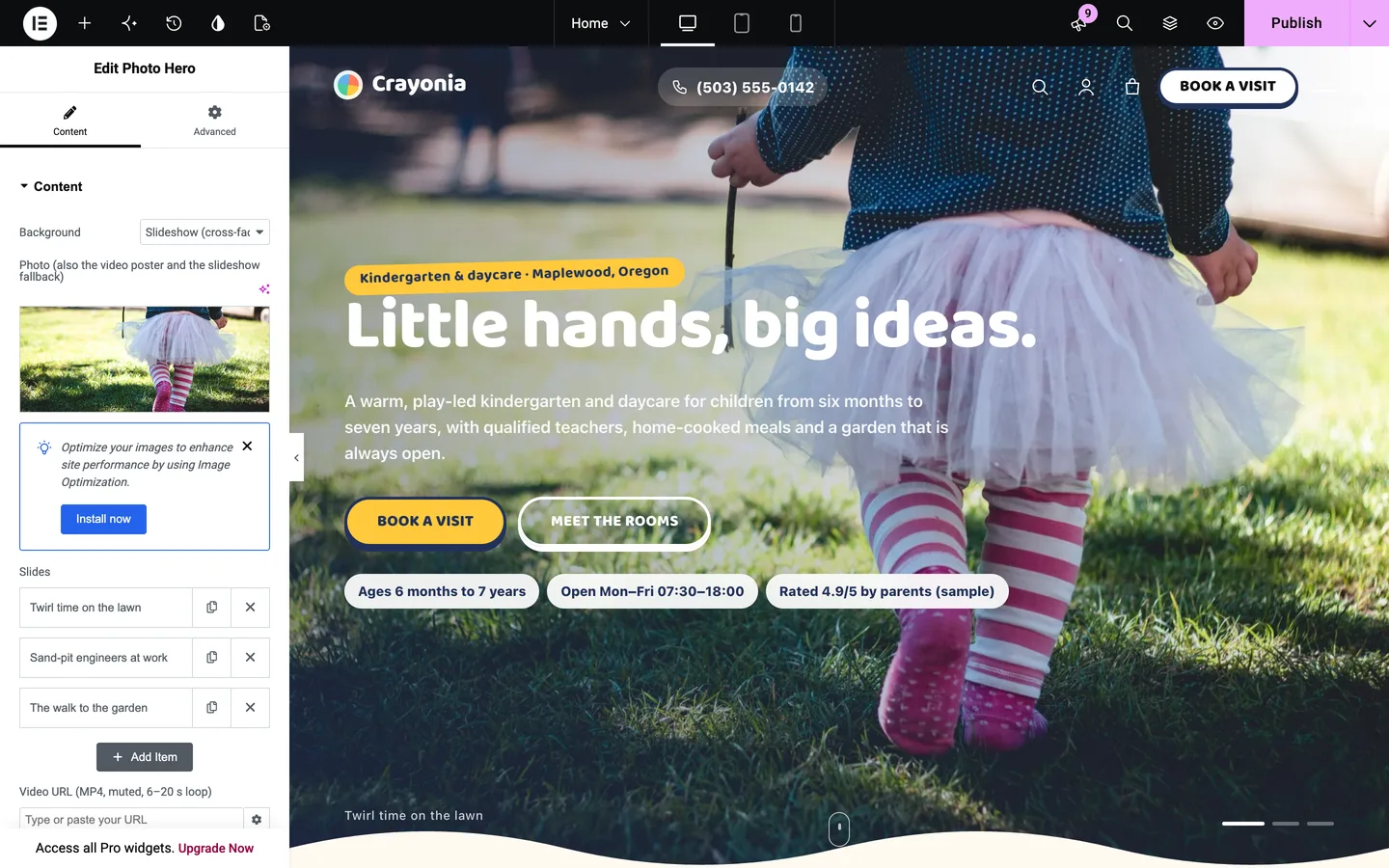
Crayonia in the Elementor editor with the Photo Hero widget selected

Crayonia is free: sign in on DEV3 to download it.

Frequently asked questions

The complete source code (version 1.0.0) as a download from your account, with the setup and usage guides shown on this page. It is free: sign in to download it.

Buying guides: 3D and motion WordPress themes for Elementor and WooCommerce

More from this author

View all

Related in CMS Extensions

View all