Most communities start in a Facebook group or a Discord server, and for good reason: they are free, members already have accounts, and you can be up and running in an afternoon. The trouble starts later. The brand behind the community wants its own name on the door, creators want to be paid, sponsors want placements, and the moderation team wants rules that fit the community rather than the host's. At that point it is worth asking whether the community should live on a platform you own.
This article compares the two options honestly, sets out what a brand actually gains by owning its platform, and lists what that platform has to provide so the move is worth it. Where we describe software, we describe SocialPro, our self-hosted social, chat and creator platform, and only the features it really has. It is written for creators, brands and community founders weighing the decision.
When a group or server is still the right call
Owning a platform is not automatically better. Stay where you are if:
- You are still finding your audience. If you have a few hundred members and no plans to charge, a free group is hard to beat.
- Nobody will run it. An owned platform needs someone to host it, update it and staff moderation. If there is no owner for that work, do not take it on.
- Your members live in the host app. If people only show up because they already have the app open, a separate destination needs a reason to visit.
If none of those apply, the case for owning the platform usually comes down to five things: members and data, brand, money, moderation and control over features.
What a brand gains by owning the platform
| Question | On a hosted group or server | On your own platform |
|---|---|---|
| Who holds the member list? | The host. You see what its tools show you. | You. Accounts, posts and messages sit in your own database. |
| Whose brand do members see? | The host's app, with your name inside it. | Your name, colour, email branding and domain. |
| Who sets the rules? | The host's policies first, yours second. | Your terms, guidelines and moderation workflow. |
| How do creators earn? | Whatever the host offers, on its terms. | Tips, paid posts, paid DMs and subscriptions, with your commission. |
| Can you sell ads? | Usually not inside the group itself. | Your own ad inventory and approval process. |
| Can you switch features off? | Only what the host lets you. | Each major feature behind a flag. |
Ownership of members and data
On your own platform, the database is yours. In SocialPro, members, posts, comments, chats, payments and the audit log are all stored in your own MongoDB database. Staff tables such as the user list and the report queue can be exported to CSV, Excel or PDF from the admin console, so a list of members is a download rather than a support request.
Ownership also means you decide what outsiders can see. SocialPro lets guests browse explore, profiles, posts and hashtags read-only, while posting, chat and wallets need an account.
Branding that goes beyond a logo
A hosted group always looks like the host. An owned platform can look like your brand:
- Name and colour. The product name, tagline and brand colour are set in one file (
lib/brand.ts), so renaming the platform is a single change rather than a search through the codebase. - Emails. In Admin → Mail, you set the logo, colour bar and footer line used by every transactional email and the daily digest, and you can send through your own SMTP server.
- Legal text. Terms, Privacy Policy and Community Guidelines live in your codebase, so they say what you want them to say.
Moderation on your terms
On a host's platform you work within its moderation tools. Running your own means you choose the workflow and who is responsible for each part. SocialPro gives you:
- A report queue. Members can report posts, comments, profiles, ads, messages, whispers and communities. Staff review them in Admin → Report queue.
- Graded user actions. Suspend, ban, verify, shadow-limit, and block IP addresses.
- Safety filters. Scam and look-alike URL checks, toxicity, harassment and spam detection, plus your own word list with a category and severity for each term.
- A held-content queue. Borderline posts wait for a human instead of going live.
- Roles that inherit. Member → Manager → Admin → Super Admin, plus custom roles built from permission nodes.
- An append-only audit log of staff actions, and an emergency global lock that makes the whole platform read-only.
Monetisation you control
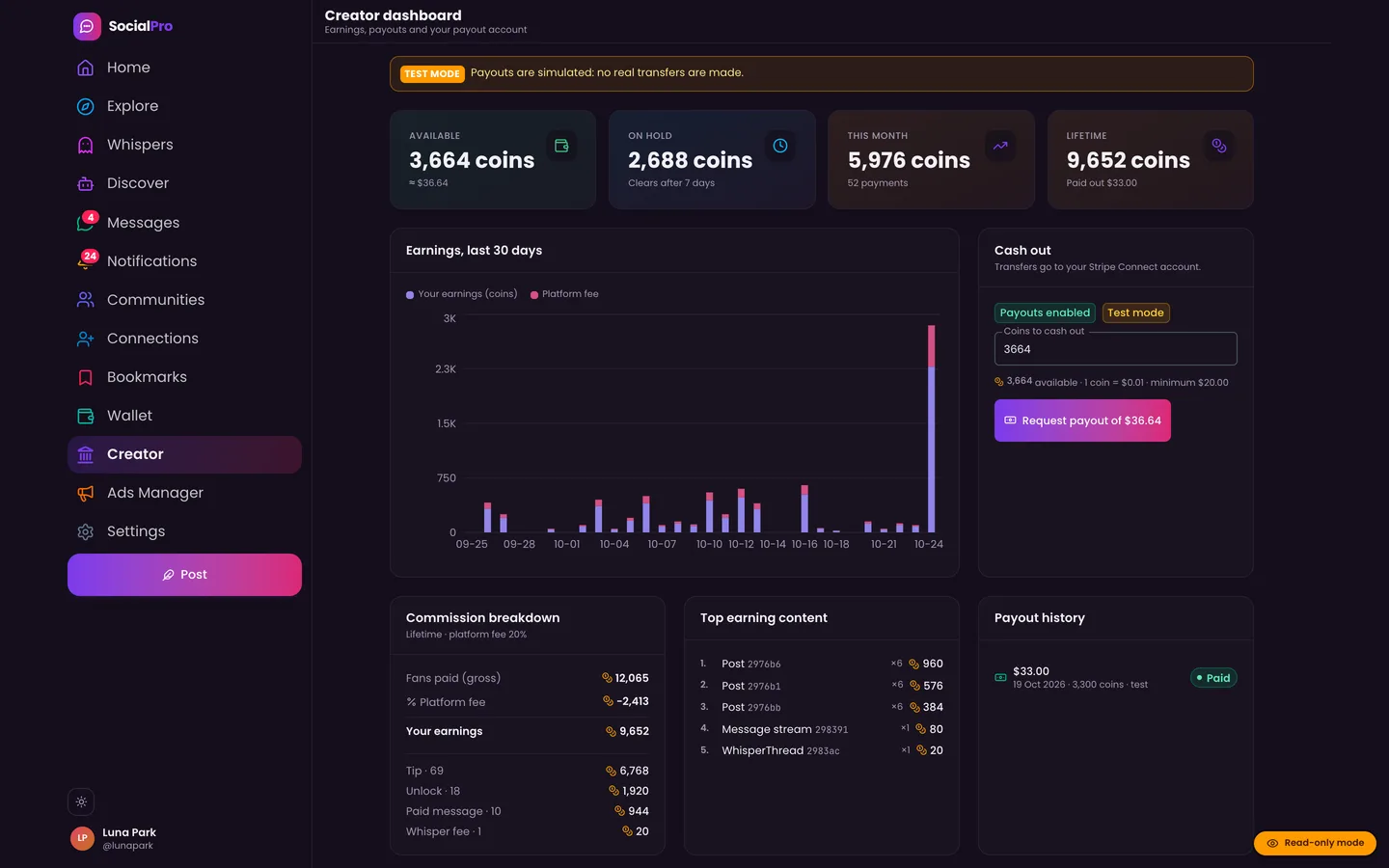
This is often the deciding factor. SocialPro includes coins, tips, pay-per-view posts, paid DMs and paid whispers, and four subscription tiers (Basic, Pro, Creator and VIP) with entitlements. Payments run through Stripe Checkout and Billing, and creators cash out through Stripe Connect Express with payout hold periods, refunds and disputes. Every movement of money posts to a double-entry ledger. You set the platform commission and payout hold in Admin → Fees & plans.
Brands that sell sponsorship also get a self-serve ads manager with five placements (in-feed, rail banner, sponsored search, promoted profiles and sponsored DMs). Every campaign passes AI and safety pre-review and then needs Manager or Admin approval before it can run.
What the platform needs to replace a group or server
Members will not move just because you own the database. A replacement has to match what they already have. Use this checklist when you assess any platform, including ours.
1. Feeds people want to scroll
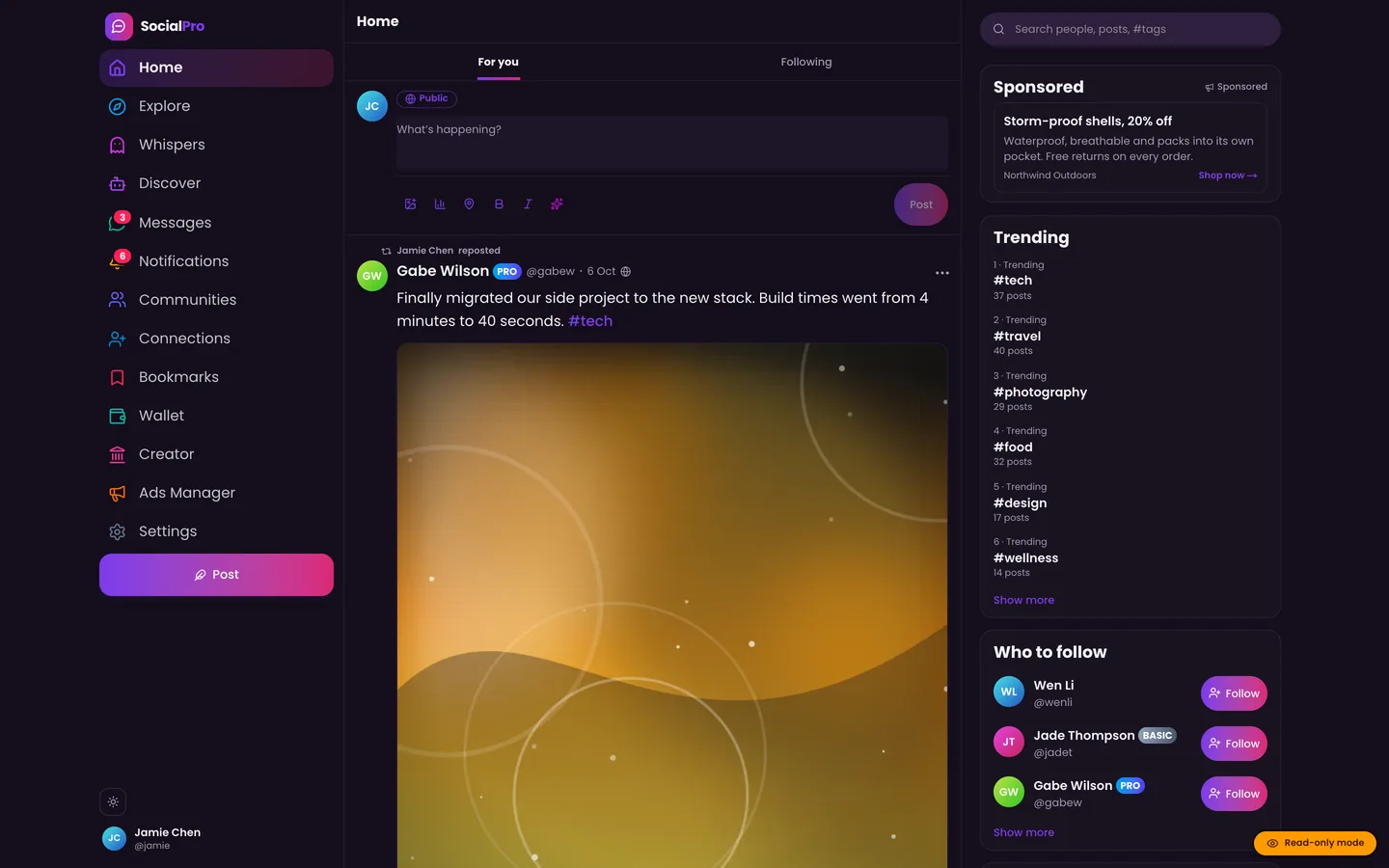
A community platform needs more than a single stream of posts. SocialPro has four feeds: For You (ranked), Following, Whispers (anonymous) and AI Discover. Ranking can be switched off with a flag if your community prefers a chronological timeline. Posts can be text, carousels, video, audio, polls or link previews, with mentions, hashtags, location and alt text, six reactions, reposts, quotes, bookmarks with collections, and threaded comments.
2. Audiences, not just "public"
Discord and Facebook both let people share with smaller circles, so your platform must too. SocialPro posts can go to the public, followers, friends, close friends, a custom list or a community. Members can follow, friend, block, mute and restrict each other, and private accounts get follow requests.
3. Spaces inside the community
Discord's channels and Facebook's sub-groups exist because one big room does not scale. In SocialPro, communities are spaces inside the platform, each with:
- Visibility: public (anyone reads), private (members read, but it is listed) or hidden (members only, unlisted).
- Join policy: open, request to join, or invite only.
- Rules: a list of titled rules shown to members.
- Community roles: Owner, Moderator and Member by default, with permissions to post, moderate content, approve and remove members, and edit settings and roles.
That split lets you hand day-to-day moderation of a topic to trusted members while staff keep control of the whole platform.
4. Real-time chat
Leaving a server means leaving its chat, so chat cannot be an afterthought. SocialPro has direct and group chats in real time, with typing indicators, presence, read receipts, reactions, replies, threads, forwarding, editing, deleting and pinning. Members can send voice notes, media and files, use disappearing messages, and start 1:1 audio and video calls. Message requests stop strangers landing straight in someone's inbox.
5. Notifications that bring people back
Members get an in-app notification bell with grouping, Web Push, transactional email and a daily digest, with per-type preferences so people can turn down the noise instead of leaving.
6. Safe sign-in
Members expect modern sign-in. SocialPro supports password, magic-link and Google sign-in with email verification, and two-factor sign-in by authenticator app, email code or SMS code, with recovery codes. Sessions are tracked per device, with risk scoring and new-device alerts.
Plan the move in five steps
- Pick the features for launch. In Admin → Feature flags, decide on sign-up, whispers, calls, AI automation, ad delivery, payments and feed ranking. Flags can also be rolled out to a percentage of users or limited to certain roles, which is useful for testing a feature with staff first.
- Brand it. Set the name and colour, the email branding and your legal text before anyone is invited.
- Recreate the structure. Turn your old channels or sub-groups into communities, and give your existing volunteer moderators community roles.
- Set up the money. Decide the commission and payout hold, connect Stripe and onboard your first creators. Without Stripe keys, checkout and payouts run in a simulated mode, so you can rehearse the flow first.
- Announce a date and run both for a while. Keep the old group as a signpost to the new home rather than closing it on day one.
Trade-offs to be honest about
- You become the host. SocialPro runs as a web app, a realtime sidecar and a background worker, and it needs a MongoDB replica set because the ledger uses multi-document transactions. Someone has to deploy and update it.
- You own the moderation duty too. The tools are there, but a person still has to work the report queue.
- AI needs a light touch. SocialPro's AI personas can post, comment and reply to DMs on a schedule, but they always carry an AI badge and a disclosure. Use them to seed a quiet space, not to fake activity, and switch them off with the AI automation flag if they do not fit.
- Discovery is on you. A hosted group can be found inside the host's app. Your platform needs its own marketing, which is where guest-readable profiles and posts help.
Closing
A Facebook group or Discord server is a good place to start a community, but it is rented space. When you need your own members list, branding, rules and revenue, a platform you own is the better long-term home, provided it matches the feeds, spaces, chat and safety tools members already expect. SocialPro is sold as source code on the DEV3 marketplace, and our team can also install and customise it for you. See SocialPro for the demo and source, or read the case study for how the realtime chat, ledger and ad system are built.