Most HTML5 games are built on a laptop with a keyboard and only tried on a phone at the end. Then the problems show up together: the joystick drifts, taps go missing, the page zooms when you press a button twice, the controls cover the action in landscape and the frame rate drops on an older handset. None of these is hard to fix on its own. The trick is to plan for all of them from the start.
This post goes through the mobile decisions in Bomber Blast, our free grid-action bomb arena built with Phaser 3 and TypeScript, as a practical reference. Everything below is taken from the game's source, so you can see exactly how each piece is done, and use the checklist at the end on your own game.
What "feels good on a phone" means
Before any code, agree on what you are aiming for. For an action game in a mobile browser, that usually means:
- Every tap counts. Pressing a button acts at once, and a quick tap is never lost between frames.
- Movement forgives a thumb. A thumb on glass is less precise than a key, so the game should meet the player halfway.
- The browser stays out of the way. No double-tap zoom, no long-press menu, no page bounce, no text selection.
- The layout fits both orientations. Controls never cover the play area in portrait, and they get out of the way in landscape.
- Graphics stay sharp and smooth. Crisp on high-DPI screens, steady on mid-range phones.
- Sound works. Mobile browsers block audio until the player interacts, so the game has to unlock it properly.
Touch controls
A joystick tuned for a grid game
Bomber Blast is played on a grid, so its virtual joystick (apps/client/src/input/TouchPad.ts) outputs one of four directions rather than an analogue vector:
- The direction is the dominant axis of the thumb's offset from the centre of the stick, so a slightly diagonal push still reads as a clean up, down, left or right.
- A 14 px dead zone stops a resting thumb from drifting the character.
- The knob follows the thumb but is clamped to 35% of the stick's width, so it always looks attached to its base.
- The stick uses pointer capture, so it keeps tracking the thumb even if it slides off the control.
Four-way input on its own can feel stiff in narrow corridors. Movement helps here: the shared rules engine (packages/shared/src/movement.ts) uses corner sliding. When a player is between two lanes and presses a direction, the engine first slides them onto the nearer lane whose next tile is open. Turning into a corridor doesn't need pixel-perfect timing.
Buttons that act on press, not on release
The A (bomb) and B (remote detonate) buttons respond to pointerdown, not click, so there is no wait for the finger to lift. Each press:
- adds a pressed style (the button visibly sinks),
- calls the input manager, and
- triggers a 12 ms vibration where the browser supports
navigator.vibrate.
The input manager stores the press as an edge flag that stays set until the next simulation tick reads it. A tap that starts and ends between two ticks still drops a bomb.
Keep the browser out of the way
A handful of small settings prevent most "the page did something odd" reports:
| Setting | Where | What it prevents |
|---|---|---|
user-scalable=no, maximum-scale=1 |
viewport meta tag | Pinch and double-tap zoom mid-game |
touch-action: manipulation on the page, none on the pad |
CSS | Tap delays and scrolling from the controls |
overscroll-behavior: none |
CSS | Pull-to-refresh and rubber-band bounce |
user-select: none on the pad |
CSS | Text selection when a thumb rests on a button |
-webkit-tap-highlight-color: transparent |
CSS | The grey flash on every tap |
contextmenu event cancelled on the pad |
TouchPad.ts |
Long-press menus |
Let any device take over
Players switch between touch, a keyboard and a gamepad without visiting a settings screen. The input manager follows whichever device was used last. The touch pad appears on the first touch (or straight away on a coarse-pointer device) and hides again when a keyboard or gamepad takes over. A tablet with a Bluetooth controller just works.
Layout in portrait and landscape
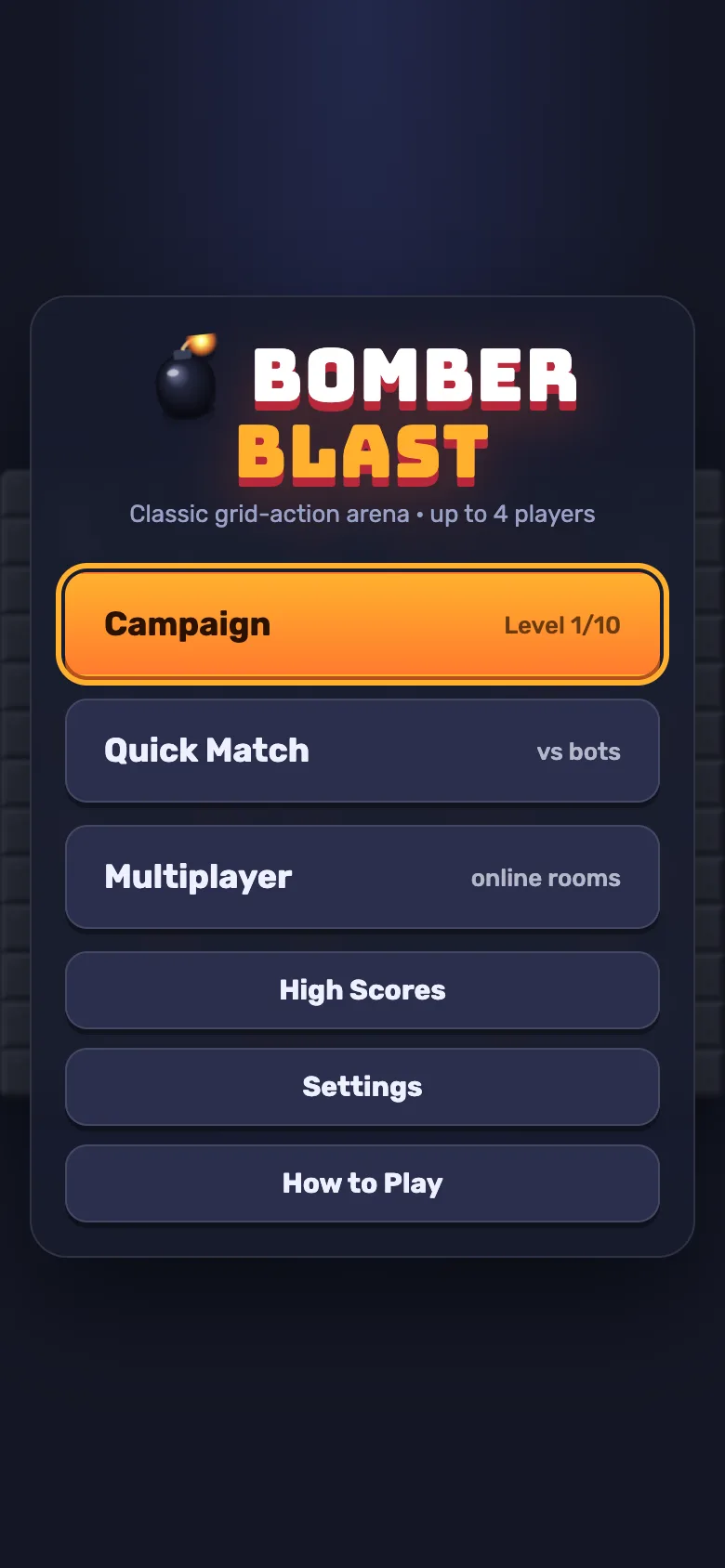
The cover image of this post shows the portrait layout. The player cards and timer sit at the top, the arena is scaled to fit in the middle, and the joystick and buttons have their own strip at the bottom, 190 px tall by default. In portrait the thumbs never cover the arena.
Landscape on a phone is different, because there is little height to spare. A media query for landscape screens up to 600 px tall:
- turns the touch pad into an overlay on either side of the arena, at 85% opacity, with a slightly smaller stick,
- reduces the header to 52 px, and
- hides the per-player stats so the cards stay compact.
Narrow screens (up to 720 px wide) hide the stats too. The page uses viewport-fit=cover with env(safe-area-inset-*) padding, so nothing sits under a notch or the home indicator. In touch mode a pause button sits in the corner of the stage, because there is no Esc key to press.
Sizing the arena to the screen
Phaser scales the canvas with Scale.FIT, but scaling alone would blur the art on a high-DPI phone. Instead, GameScene.pickTileSize() chooses a tile size from the stage's size and the device pixel ratio (capped at 3), so each tile maps roughly one to one to real screen pixels. The size is an even number between 24 and 128 px.
When the window is resized or the phone is rotated, the game waits 150 ms for things to settle and then lays out again. If the tile size has changed, the arena graphics are rebuilt at the new size.
Performance choices
One atlas, drawn in code
There are no sprite files. render/atlas.ts paints every sprite with Canvas 2D at the current tile resolution and packs them into a single atlas texture with named frames. That gives you:
- nothing to download for art,
- sprites that are always pixel-crisp at the chosen tile size, and
- a single texture for the renderer to bind.
The README puts the whole client at about 400 KB gzipped, and the CI workflow fails a build that goes over a 10 MB bundle budget.
Reuse display objects
The game scene doesn't create and destroy sprites as the game changes. It diffs the game state into pooled display objects each frame: a block that is destroyed is hidden, not removed. That avoids garbage-collection pauses during busy moments like chain reactions.
A fixed-step simulation
The rules engine runs at a fixed 60 Hz. The local driver adds each frame's elapsed time to an accumulator and runs as many ticks as fit, with a cap per frame. If the cap is hit (say, after the tab was in the background), the backlog is dropped rather than replayed in a burst. Game speed is the same on 60 Hz and 120 Hz screens.
Other small wins
- Phaser's audio and keyboard input are switched off. The game has its own input manager and a Web Audio sound system (with an HTML5 Audio fallback) for synthesised music and effects.
- Audio unlocks on the first interaction. The audio manager listens for the first
pointerdown,touchstartorkeydownand resumes the audio context then, which mobile browsers require. - Auto-pause. When the page is hidden during a single-player match (a call comes in, or the player switches apps), the game pauses itself.
- WebGL with a fallback. Phaser picks WebGL and falls back to Canvas automatically.
- An FPS overlay. Settings has a Show FPS / ping option for testing on real devices.
- Reduced motion. With
prefers-reduced-motion, CSS animations and transitions are switched off. The in-game screen shake is not affected by this setting, so add that if your audience needs it.
For online play on mobile networks, the same engine runs on the server, with compact binary snapshots, client-side prediction and interpolation. We covered that in One deterministic engine for bots, players and the server.
Testing on phones
The Playwright configuration has a mobile-portrait project that emulates a Pixel 7. Its test starts a quick match, checks that the touch pad is visible, checks that the canvas is no wider than the viewport, taps the A button and confirms a bomb appears in the game state.
Emulation catches layout and wiring mistakes. It doesn't tell you how a joystick feels under a real thumb or how a budget phone copes in a chain reaction, so test on real hardware too, with the FPS overlay on.
What isn't built in
The angle of this post assumes some things the game doesn't do yet. Each would be a reasonable customisation:
- No custom control layout. Players can't move or resize the joystick and buttons. Sizes are set in CSS.
- No orientation lock or rotate prompt. Both orientations are supported, so the game never asks the player to turn the phone.
- No offline install. There is no web app manifest or service worker, so the game needs a connection to load.
- No screen-shake toggle. See the reduced-motion note above.
- Haptics depend on the browser. Where
navigator.vibrateisn't supported, the buttons simply don't vibrate.
A checklist for your own game
- Inputs act on
pointerdown, and presses are latched until the simulation reads them. - The joystick has a dead zone and pointer capture, and movement forgives near-misses.
- Zoom, long-press, overscroll, selection and tap highlight are all disabled where they get in the way.
- The touch pad appears for touch and hides for keyboards and gamepads.
- Portrait gives the controls their own space; short landscape screens overlay them.
- Safe-area insets are respected.
- Art is rendered for the device's pixel density, and is rebuilt when the size changes.
- Sprites come from one atlas, and display objects are pooled.
- The simulation runs at a fixed step that is independent of the refresh rate.
- Audio unlocks on the first gesture, and the game pauses when hidden.
- A phone-sized browser test runs in CI, and someone plays it on a real mid-range phone.
Try it
The full source of Bomber Blast is a free download from the DEV3 marketplace for anyone who signs in, so you can read every file mentioned here and reuse the patterns in your own game. The case study covers the rest of the build, including the campaign, the bots and online rooms, and our team can adapt it for your brand or audience.