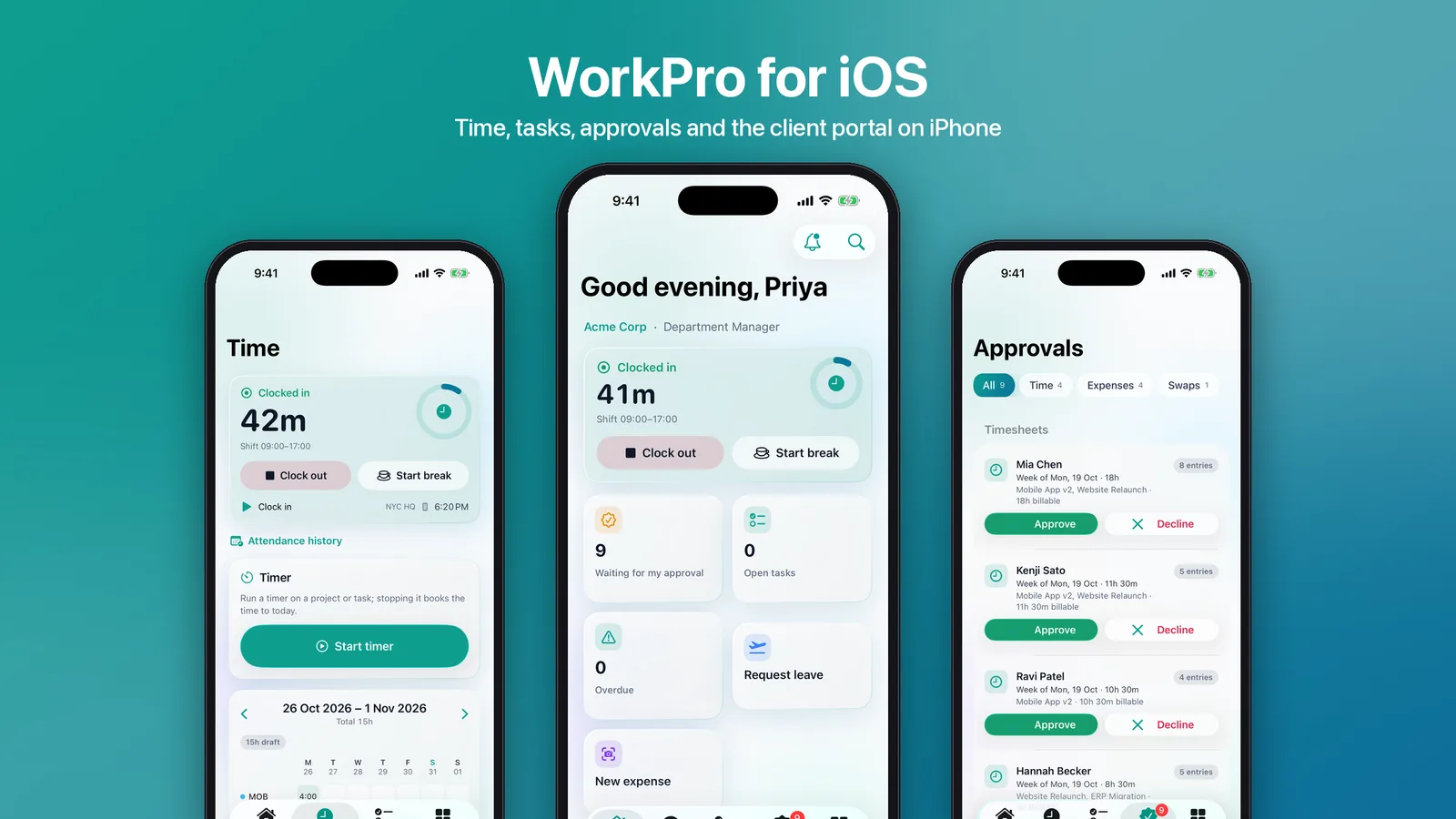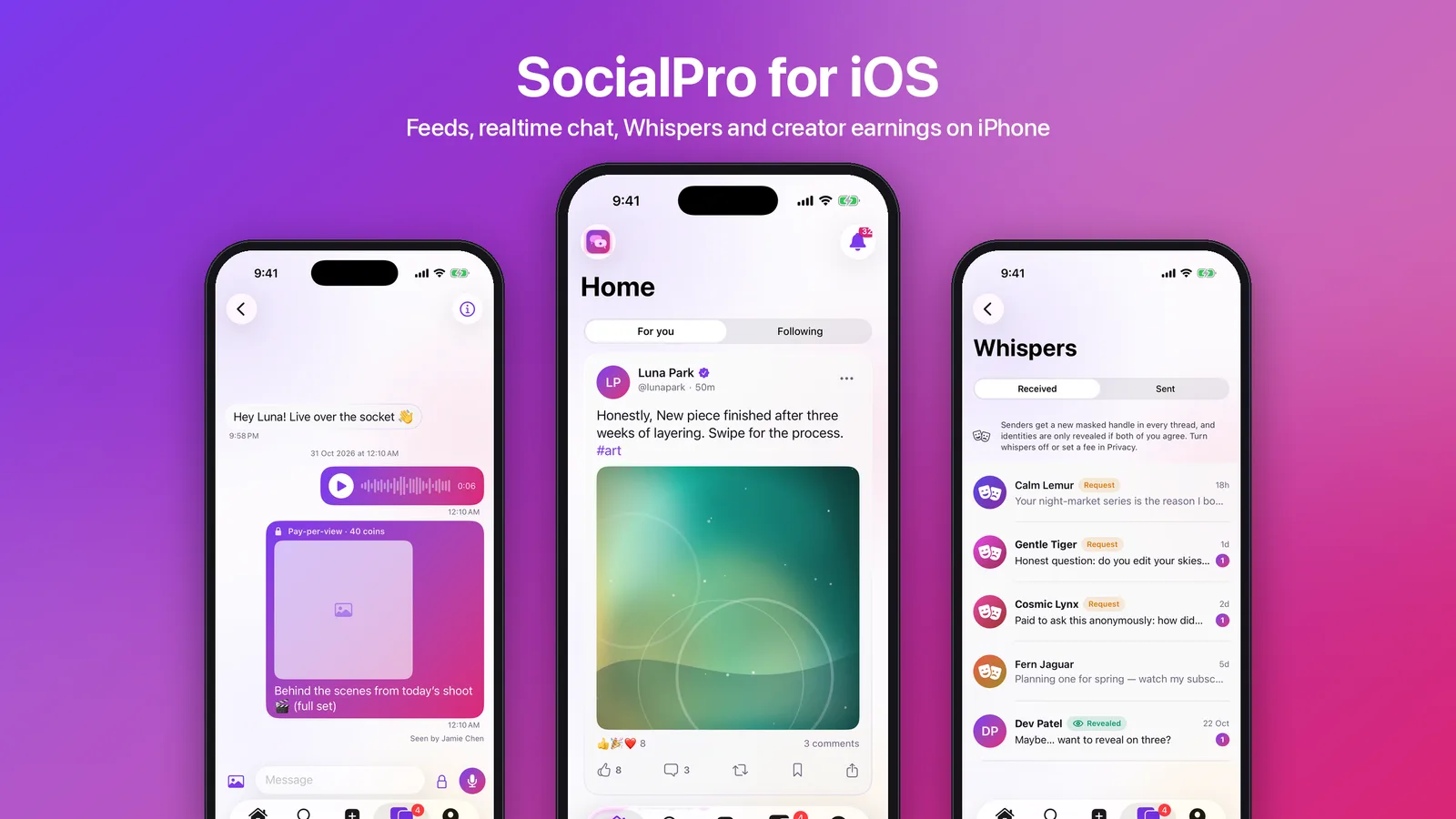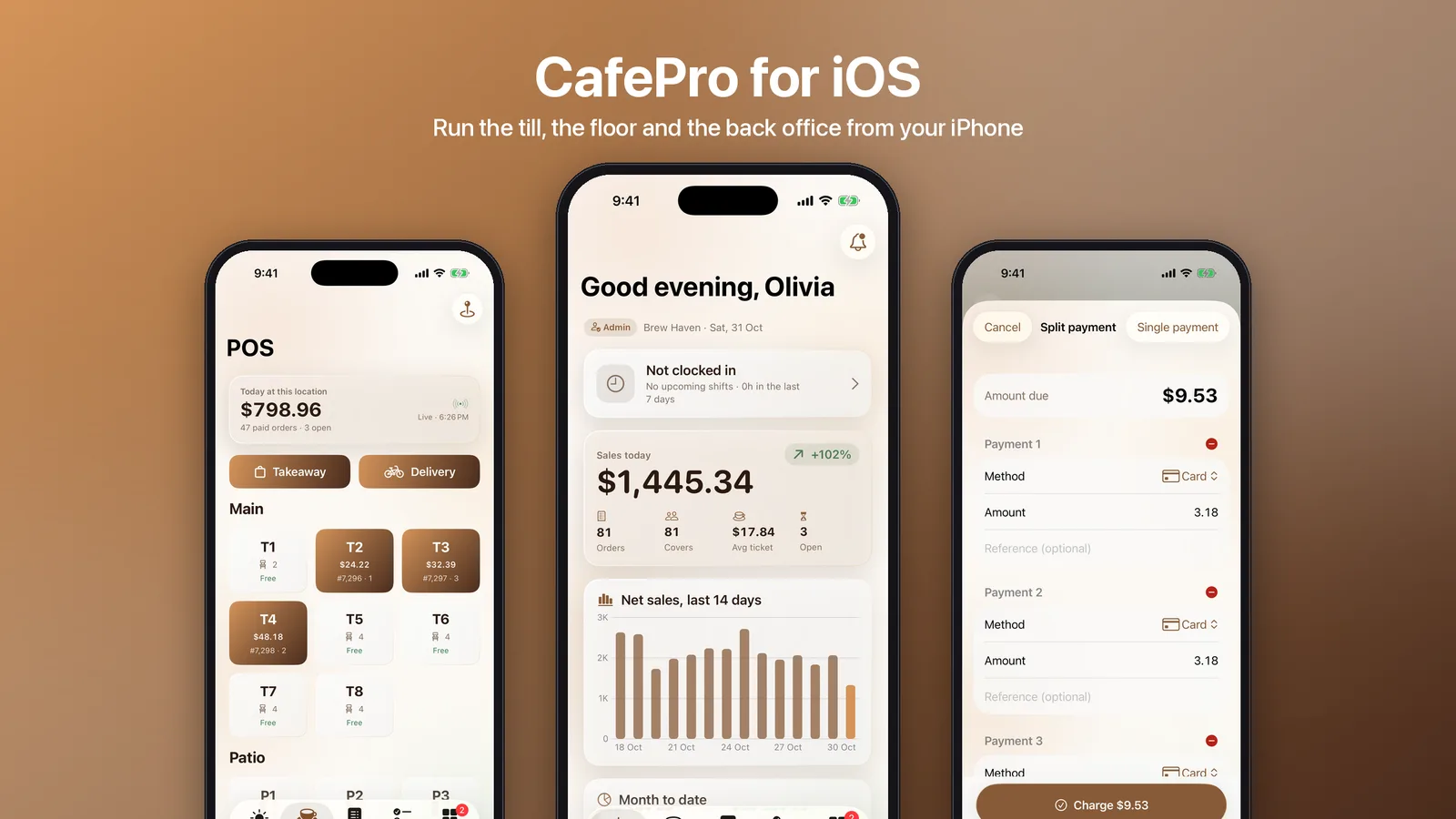
Clinic software usually ends up as three apps: a booking app for patients, a staff app for the people at the desk and in the consulting room, and a website for everyone else. Each one gets its own login, its own idea of who may see what, and its own lag behind the web product. ClinicPro iOS is one SwiftUI app that does all three jobs. It now ships in the iOS-App/ folder of the ClinicPro download. This post looks at how the source decides what each person sees, and why every decision stays on the server.
What is in the source
The app targets iOS 26 with Swift 6, for iPhone and iPad, and is generated with XcodeGen from project.yml. The code splits into two local Swift packages and the app:
- ClinicProKit holds the API client, the Keychain token store, a response cache and Codable models for every response. Its tests decode JSON captured from a seeded server, so a renamed field fails a test instead of crashing a screen.
- ClinicProUI holds the white-glass theme, controls, skeleton loaders, the ambient background, Metal effects and the launch animation.
- The app has feature folders for Public, Auth, Patient, Staff, Console and Me, plus a Home Screen widget extension. Nuke loads images.
The strings live in a String Catalog with English, Arabic, Hebrew and Spanish. Arabic and Hebrew switch the layout to right to left.
One app, four shells
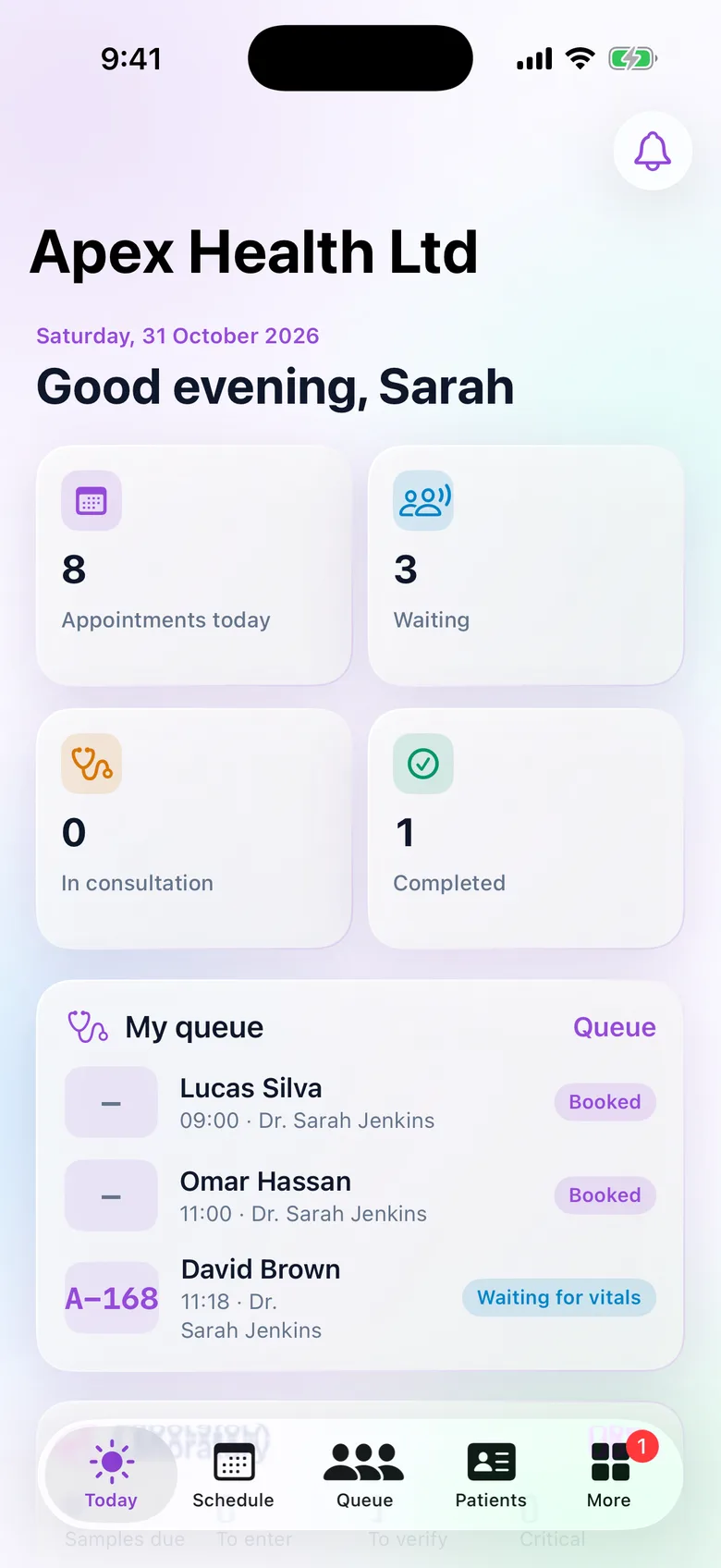
What a person sees depends on who they are. The tab bar is computed from the signed-in viewer, and this function is the whole decision (from MainTabs.swift):
nonisolated static func tabs(for v: Viewer?) -> [AppTab] {
    guard let v else { return [.site, .clinics, .pricing, .signIn] }
    if v.isPatient { return [.home, .appointments, .records, .billing, .me] }
    var t: [AppTab] = [.today]
    if v.has("appointments"), v.canAny(["manage_appointments", "view_patient_emr"], "read") { t.append(.schedule) }
    if v.has("queue"), v.canAny(["manage_queue", "view_patient_emr", "manage_billing"], "read") { t.append(.queue) }
    if v.has("patients"), v.can("view_patients", "read") { t.append(.patients) }
    t.append(.more)
    return t
}
Two checks gate each staff tab. has asks whether the clinic's plan includes the module. can asks whether the user's role holds the permission at the required scope. Both come from the server in the viewer payload, using the same permission names and module keys as the web app. A clinic on a plan without the lab module never sees Lab, whatever the role says.
The app only hides screens, though. Every request still goes through the server's own checks, so a hand-crafted request gets the same refusal as on the website.
- Visitors (signed out) get the public website, a clinic directory, pricing and sign-in.
- Patients get Home, Appointments, Records, Billing and Me.
- Staff (doctor, nurse, reception, accountant, pharmacist, lab and clinic admin) get Today, Schedule, Queue and Patients, filtered as above, plus More.
- Super Admins without a clinic get a clinic picker and the platform console.
How the app talks to the web backend
The ClinicPro web app in the same package includes an /api/mobile layer. Sign-in goes to /api/mobile/auth/login with an email and password. The server mints a cpm_ bearer token and stores only its SHA-256 hash on a session row. The token is accepted wherever the website's session is accepted, because the web app's session lookup falls back to the bearer token when there is no cookie. Existing routes and server actions work for the app with no other changes.
Every request carries the following headers:
Authorization: Bearer cpm_…when signed in.X-Localewith the app language (en,ar,heores), so CMS content, the directory and messages come back already translated.X-Clinicfor a Super Admin working inside a chosen clinic. Everyone else is tied to their own clinic by the server, and the header is ignored for them.
Sessions slide 90 days forward on use. A deactivated account, or a session-version bump after a password change or admin reset, ends the session, the same way the web's JWT re-check ends a browser session.
Tenant isolation is the core promise of ClinicPro. The case study explains how it is enforced in the data layer, and the iOS app inherits it because it calls that same layer.
The clinical workflow on a phone
The staff screens are hand-built for the daily flow:
- Schedule: a week strip and day agenda with an "only my patients" switch, with booking, check-in, no-show, cancel and reschedule.
- Queue: the live stages from vitals to doctor, room and billing, with vitals entry and walk-ins.
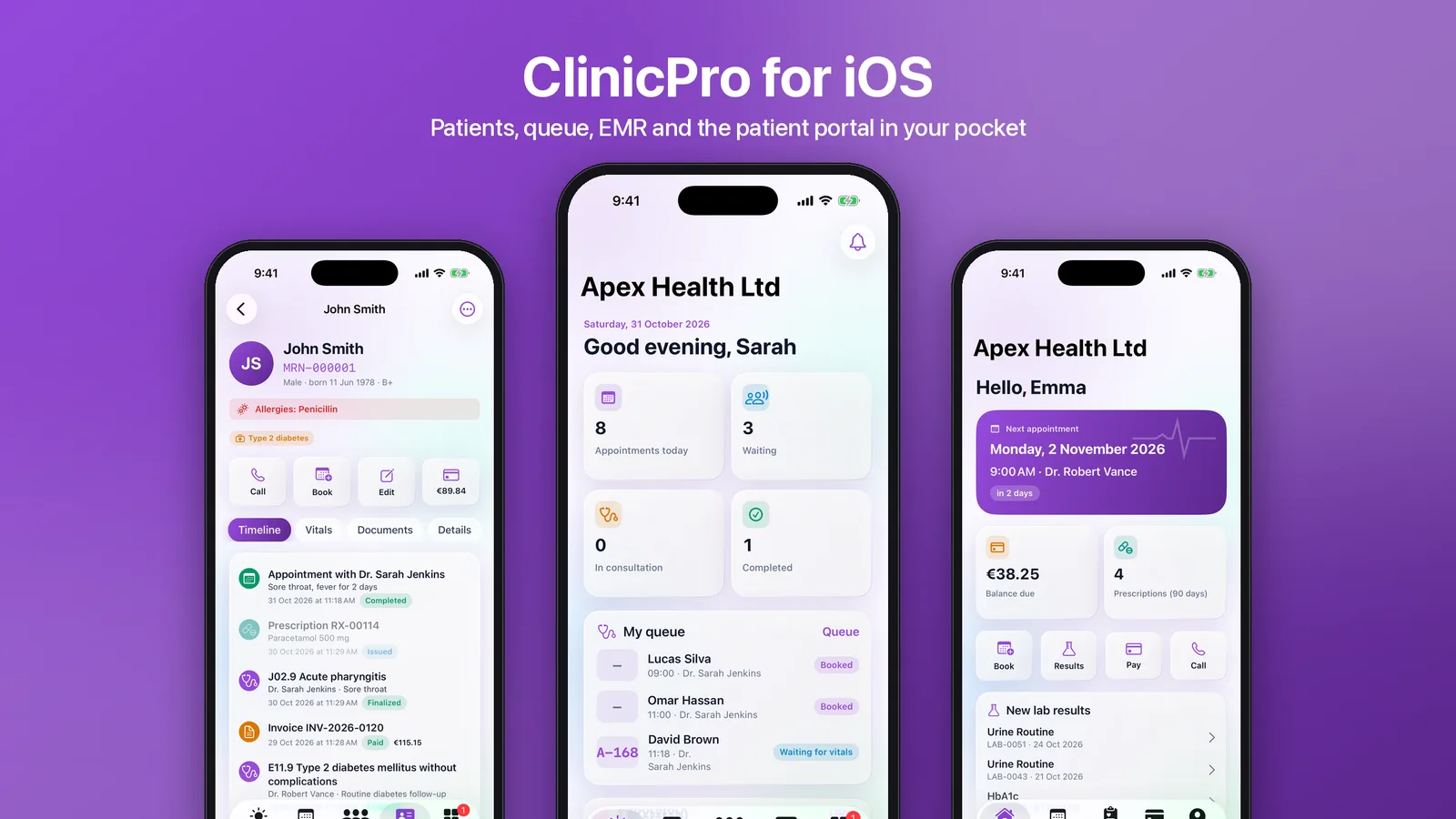
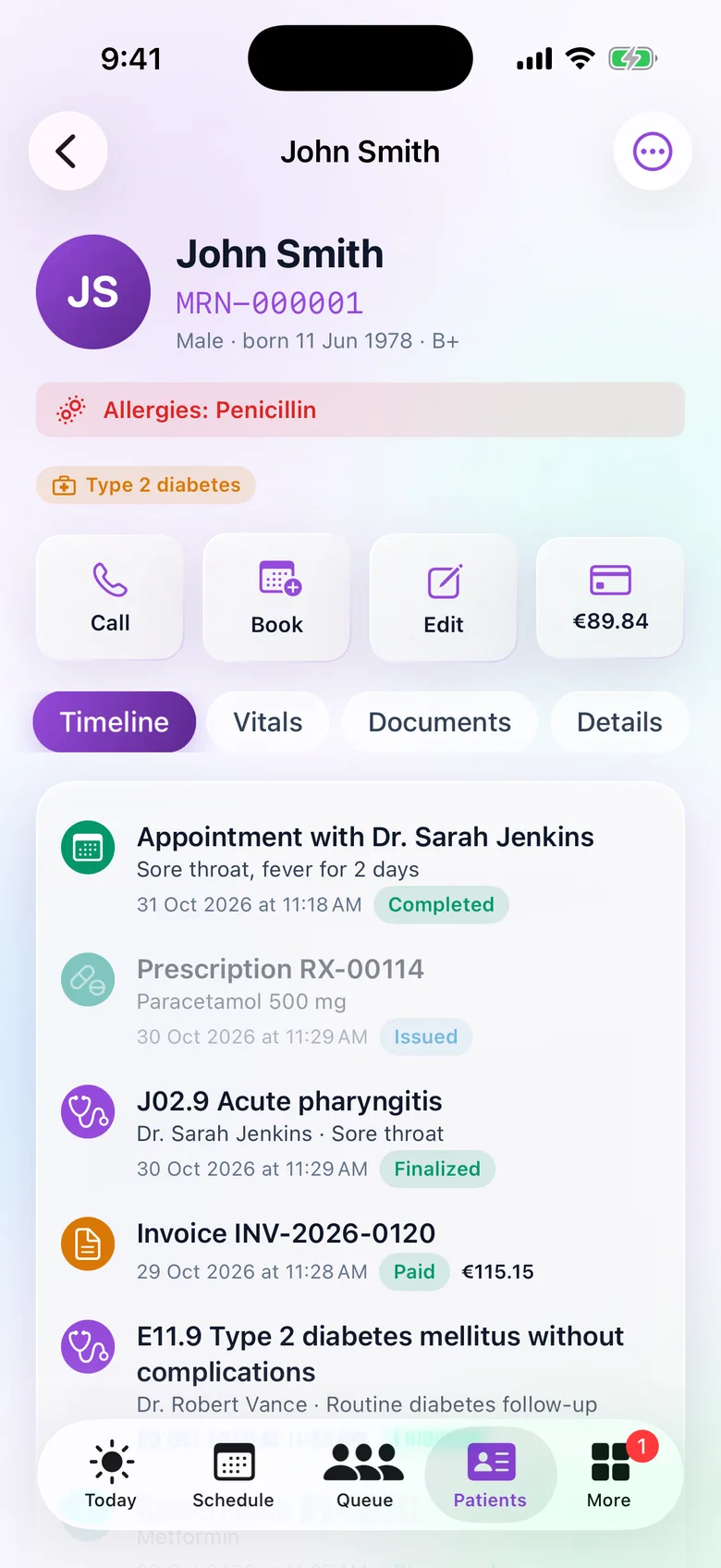
- Patient file: allergies and conditions at the top, quick call, book, edit and balance actions, and a timeline of visits, prescriptions, diagnoses and invoices. It also has vitals charts and camera document scanning.
- Consultation (EMR): chief complaints, examination, clinical notes and advice, then tabs for ICD diagnoses, prescriptions and lab orders. Finalising locks the note, and later changes are added as addenda.
- Lab, pharmacy and billing: lab result entry and verification, pharmacy dispensing and counter sales, and billing with new invoices and payments.
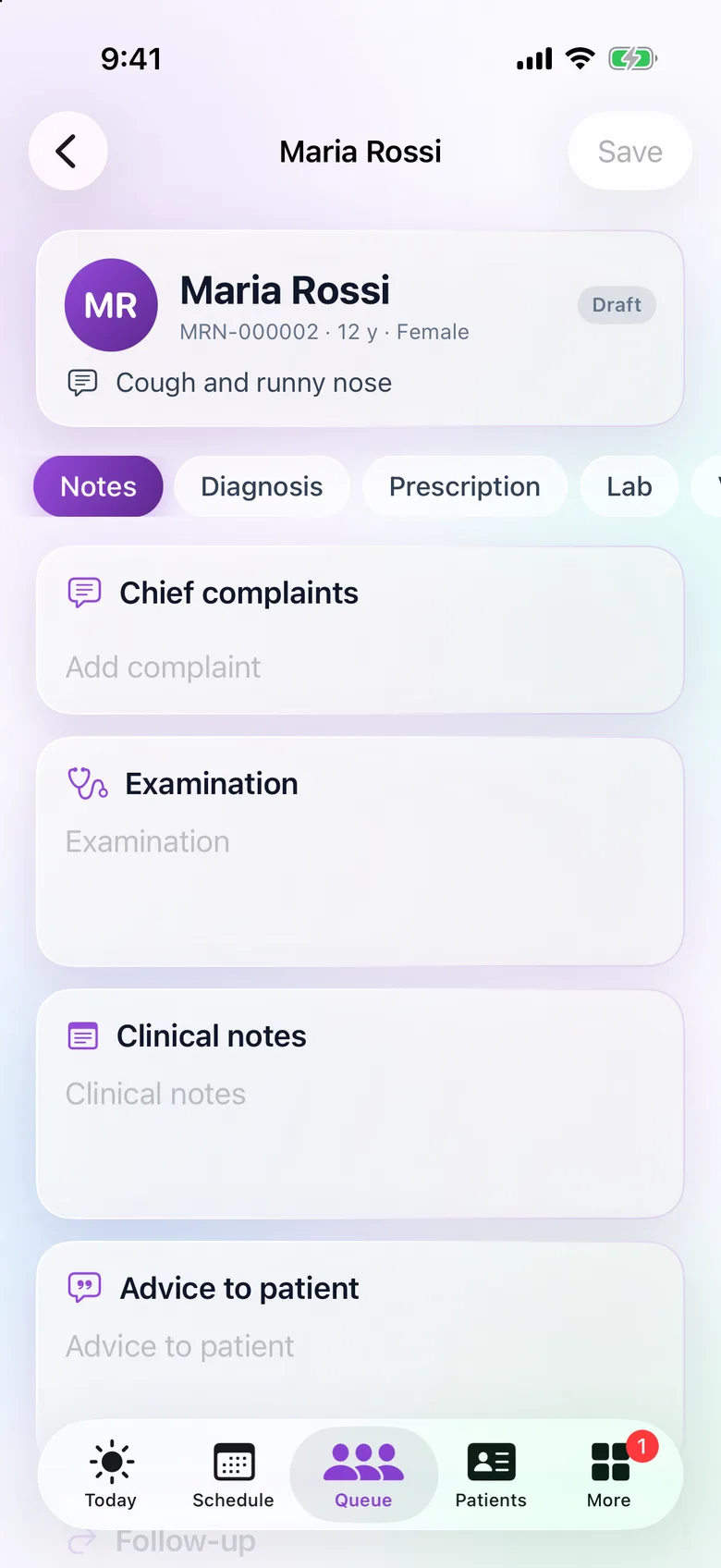
The AI assist in the consultation appears only when the server has the AI features configured. Without them, the screen works exactly the same, minus the button.
Patients get their own app, in the same binary
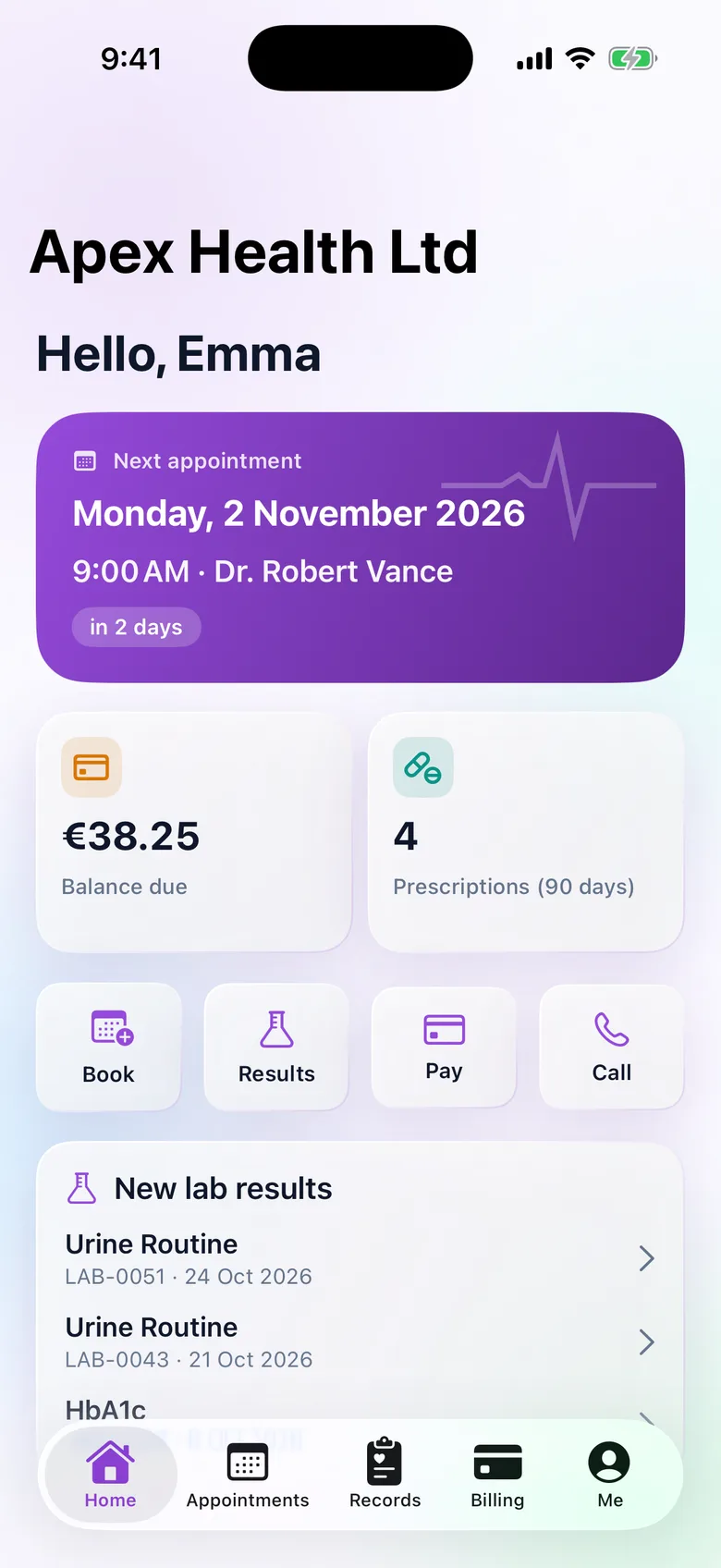
A patient who signs in sees their next appointment, balance due, recent prescriptions and new lab results, with quick actions to book, view results, pay or call. Flagged lab results are highlighted, and results, prescriptions and visit notes download as PDFs.
Invoices are paid with Stripe Checkout. It opens in a web authentication session and returns to the app through /api/mobile/pay/return. The Stripe webhook on the server stays the source of truth.
Visitors and the clinic directory
Signed out, the Home tab is the platform website, rendered natively from the CMS with every block type and the animated hero. The Clinics tab is a public directory that searches by name, code, city or country. Each clinic profile shows its bookable doctors and their days, its services with prices in the clinic's currency, and its opening hours. "Book a visit" leads to patient sign-in or registration for that clinic.
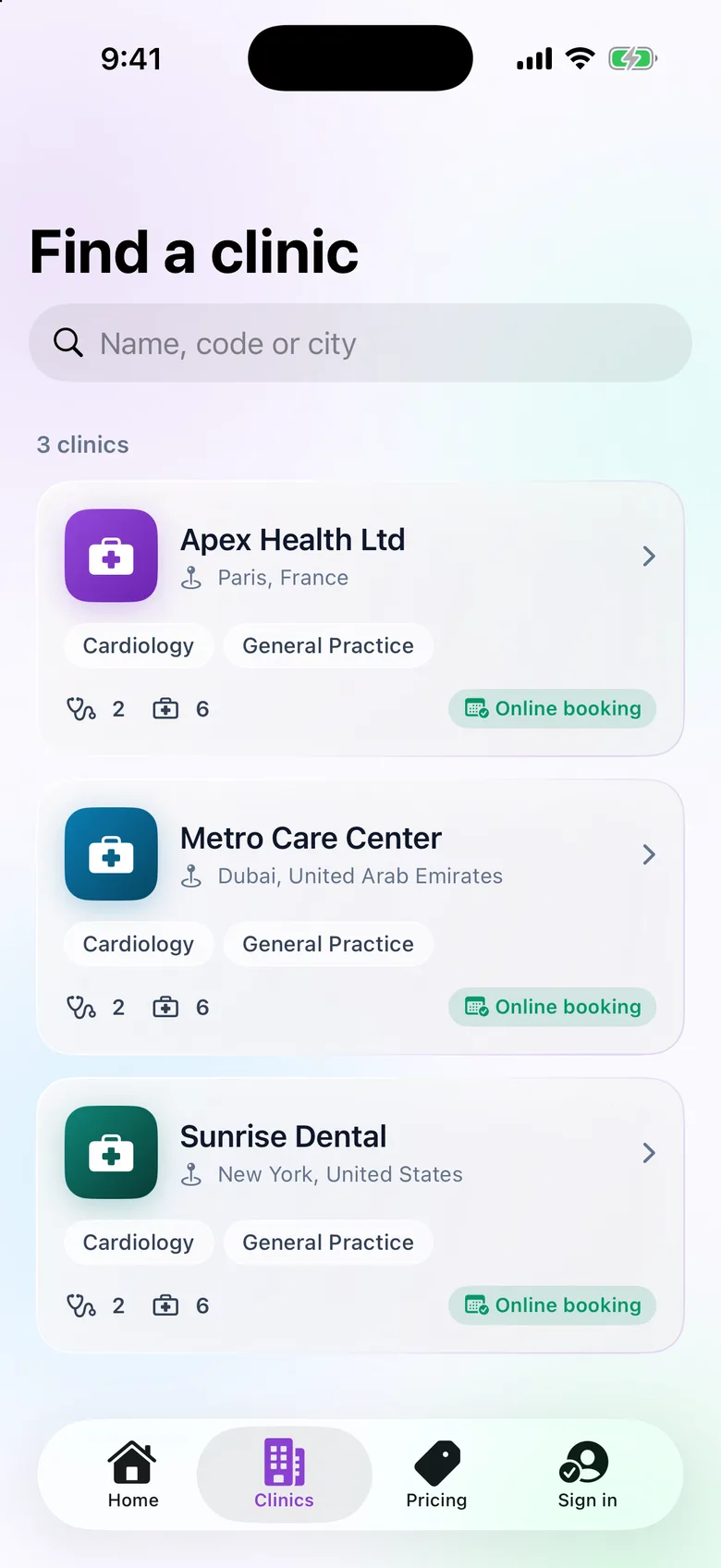
The public queries are tested to never return staff emails or phone numbers, the CMS notification address, licence keys, subscription state, payment or kiosk settings, inactive clinics or services, or doctors without a schedule. Locking a clinic hides it from the directory.
The admin long tail, server-driven
Hand-building a native form for every settings page would double the work and drift from the web. Stock, expenses, payroll, staff and schedules, services, clinic settings, the invoice template, the lab catalogue and the audit log are described by the server instead, at /api/mobile/admin/screens. Each description names the query that loads it, its columns and formats, its filters and its actions. Every action points at one of the website's own server actions, with a form built from the website's own zod validator as JSON Schema. Super Admins get the platform side the same way: clinics, plans, subscriptions, currencies, logs, CMS pages and translations.
iOS integration
- Push notifications (APNs) tell patients about bookings and published lab results, and doctors about portal bookings.
- A Home Screen widget shows the patient's next visit, or today's queue for staff.
- Spotlight, Siri, Shortcuts and Handoff: appointments are indexed in Spotlight, and App Intents power Siri and Shortcuts.
- Universal Links cover the website, the directory, the patient portal and the staff pages. The web app serves the apple-app-site-association file once its Apple team id is set.
- Face ID lock, appearance and updates: an optional Face ID lock, light and dark mode, and a forced-update screen driven by a minimum version on the server.
See it in motion
Rebrand and set up
- Deploy the backend. Deploy the included ClinicPro web app with its
/api/mobilelayer. The app cannot run without it, and nothing needs switching on. For push, set the APNs key, key id, team id and bundle id on the server. For online payments, set the Stripe keys. - Rebrand. Edit
Config.xcconfig: the app name, bundle id, Apple Team ID, the two brand colours, the URL scheme, your link domain and a server URL for debug and release builds. - Icon. Run
scripts/make-icons.shto regenerate the icon and accent colour from the brand colours. - Build. Run
xcodegen generate, open the project and build. Long-press the logo on the welcome screen to try another server without rebuilding.
Signing the app, installing it on devices and sending push notifications need your own Apple Developer account. The app is not on the App Store and there is no hosted iOS demo. You build it and publish it under your own name.
Tests. The Swift package has 10 decoding tests against captured server responses. On the server, 20 integration tests cover the mobile API, the public queries (including the no-leak checks) and the admin console.
Get it
ClinicPro iOS is included in the ClinicPro download, next to the web app it depends on.