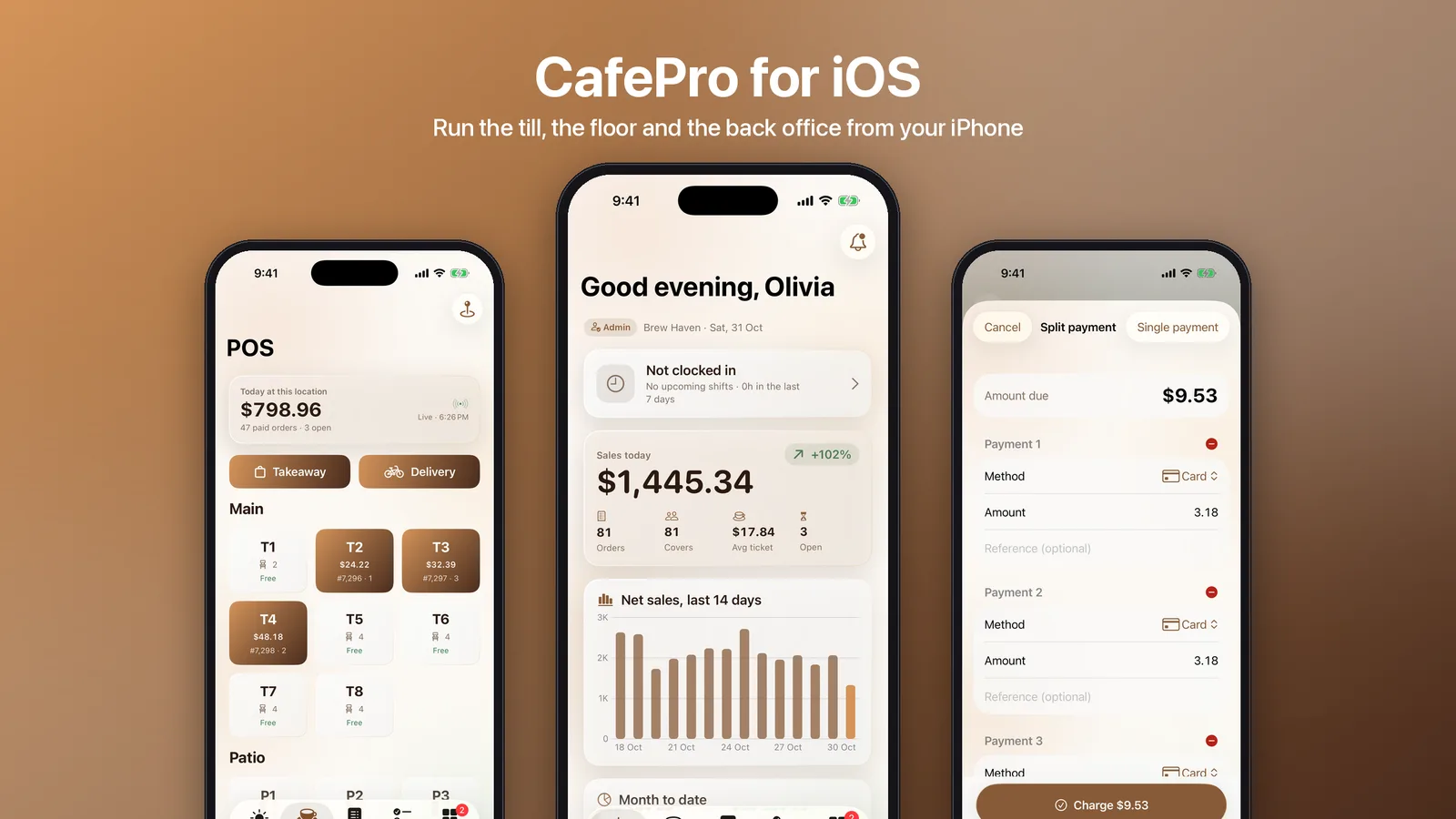
A restaurant POS on a phone is easy to demo and hard to trust. The owner needs the phone to apply the same discount limits, payment rules and refund permissions as the till on the counter. CafePro now ships with a native iPhone and iPad app in the iOS-App/ folder of the download. This post covers how its SwiftUI source is built so that a phone never becomes a second, looser set of rules.
What is in the download
The app is written in SwiftUI for iOS 26 and Swift 6, for iPhone and iPad. It is an XcodeGen project (project.yml) with three parts:
- CafeProKit, a local Swift package. It holds the API client, the Keychain token store, a response cache, Codable models for every screen and
PosMath, the server's totals maths written in Swift. - CafeProUI, the espresso and caramel design system on Liquid Glass, with controls, skeleton loaders and Metal shader effects.
- The app target and a widget extension. They share data through an App Group. Nuke, the only third-party dependency, loads images.
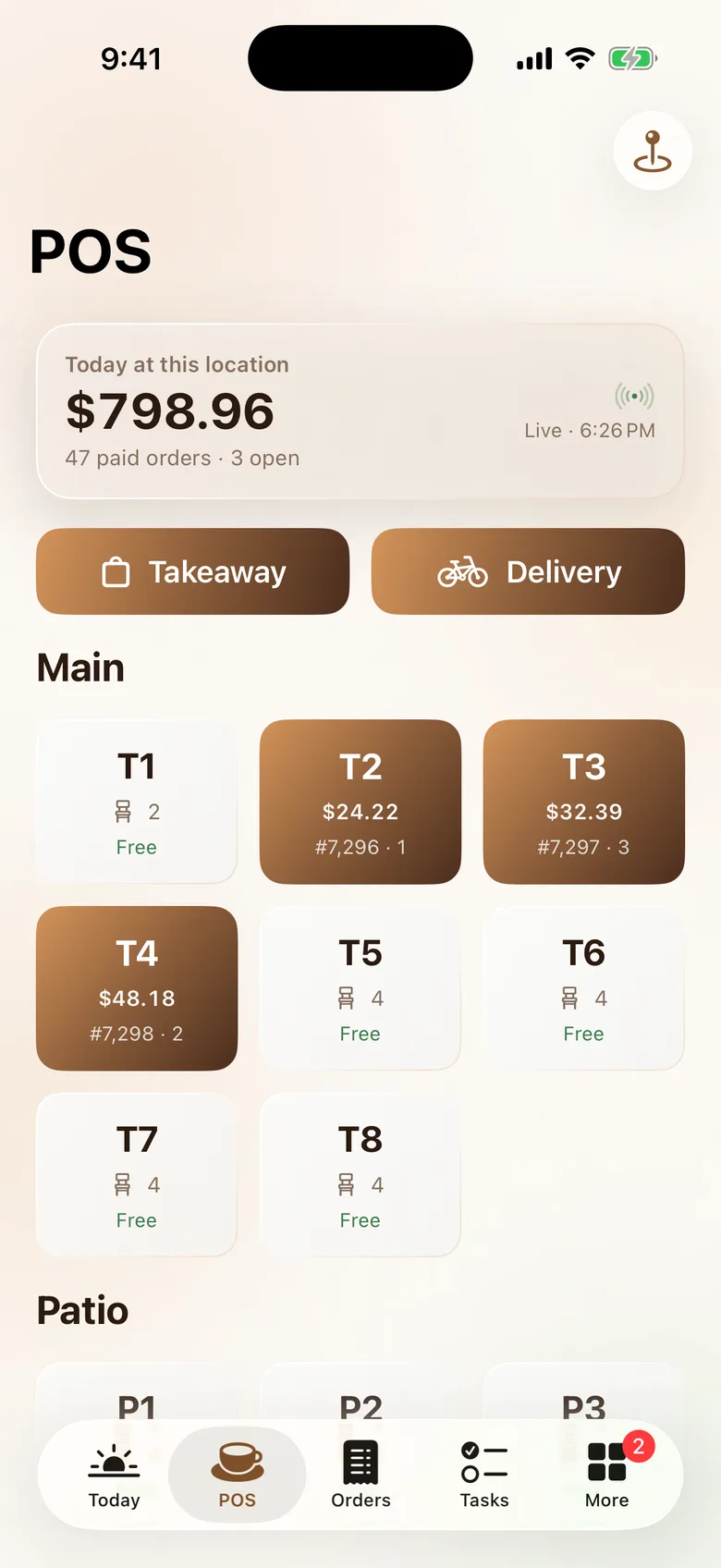
Signed in, the tabs are Today, POS, Orders, Tasks and More. Each tab appears only when the user's role has the matching permission, which is how the website builds its navigation too. POS needs pos.create, Orders needs pos.read and refunds need pos.approve.
The backend is the web app you already have
There is no separate mobile backend. The CafePro web app in the same package includes an /api/mobile layer, used alongside the existing /api/v1 routes. It has three main entry points:
/api/mobile/auth/<op>handles sign-in, the two-factor step, sign-out, "forgot password" and the current user./api/mobile/q/<name>serves read queries such as the Today dashboard, the live floor, boards, the time clock and the public CMS pages. Each one sits behind the same gates as the matching website page./api/mobile/rpc/<module>/<action>handles mutations. Instead of re-implementing them, it calls the website's own server actions.
The RPC bridge is the design decision that matters most. Here is the registry from the web app (condensed):
/**
 * Mutations for the CafePro iOS app: `POST /api/mobile/rpc/<module>/<action>` calls the website's own server action
 * with the JSON body as its input. Each action keeps its session → tenant → permission → zod → audit → revalidate
 * pipeline, and the session resolves from the app's bearer token, so the app gets exactly the web's rules.
 */
export const RPC_MODULES: Record<string, () => Promise<ActionModule>> = {
  pos: () => import('@/app/(app)/pos/actions'),
  tasks: () => import('@/app/(app)/tasks/actions'),
  hr: () => import('@/app/(app)/hr/actions'),
  finance: () => import('@/app/(app)/finance/actions'),
  // … invoices, crm, menu, inquiries, reports, settings, reviews, profile
};
When a server on the floor charges a ticket from the phone, the same chargeOrder code runs as on the website, with the same permission check, zod validation and audit entry. Only the listed modules can be called; cookie-based actions are left out, and a Super Admin's business travels as an X-Tenant header instead.
Sessions you can revoke
Sign-in runs the website's own password check, then asks for an authenticator or recovery code when the account has two-factor sign-in. The server mints a cpm_ bearer token and stores only its SHA-256 hash, on the same AuthSession rows the website uses, marked as an iOS client. That gives the phone the web's revocation paths for free:
- Ways a session ends: signing out, "sign out other devices", an admin revoke, deactivation or a password change (which bumps the session version the token pinned).
- Lifetime: the session slides 90 days forward on each use, at most once a minute.
- On the device: the token lives in the Keychain. A 401 on a signed-in request returns the app to the sign-in screen.
POS maths the phone and server agree on
A POS that shows one total and charges another loses trust fast. CafePro keeps money in integer minor units, and the server rounds the way JavaScript's Math.round does. The Swift package mirrors that exactly (condensed from PosMath):
public static func totals(lines: [(price: Int, qty: Int)], discountPct: Double,
                          taxRatePercent: Double, taxInclusive: Bool) -> Totals {
    let subtotal = lines.reduce(0) { $0 + $1.price * $1.qty }
    let discount = discountPct <= 0 ? 0 : min(subtotal, jsRound(Double(subtotal) * min(100, discountPct) / 100))
    let net = subtotal - discount
    let r = max(0, taxRatePercent) / 100
    let tax = taxInclusive ? net - jsRound(Double(net) / (1 + r)) : jsRound(Double(net) * r)
    return Totals(subtotal: subtotal, discount: discount, tax: tax, total: taxInclusive ? net : net + tax)
}

/// JavaScript's Math.round (halves round up), so the app shows exactly the server's totals.
static func jsRound(_ v: Double) -> Int { Int((v + 0.5).rounded(.down)) }
The cart's discount field is capped at the role's limit before anything is sent, and the server checks the limit again. The phone is a convenience. The server stays the authority.
Split payments without surprises
A bill can be split across up to five payments, either by mixing cash, card, points and other, or by splitting it evenly. An even split works in cents, and the first parts take the leftover cents so the parts always add up. A $9.53 bill split three ways becomes 3.18, 3.18 and 3.17.
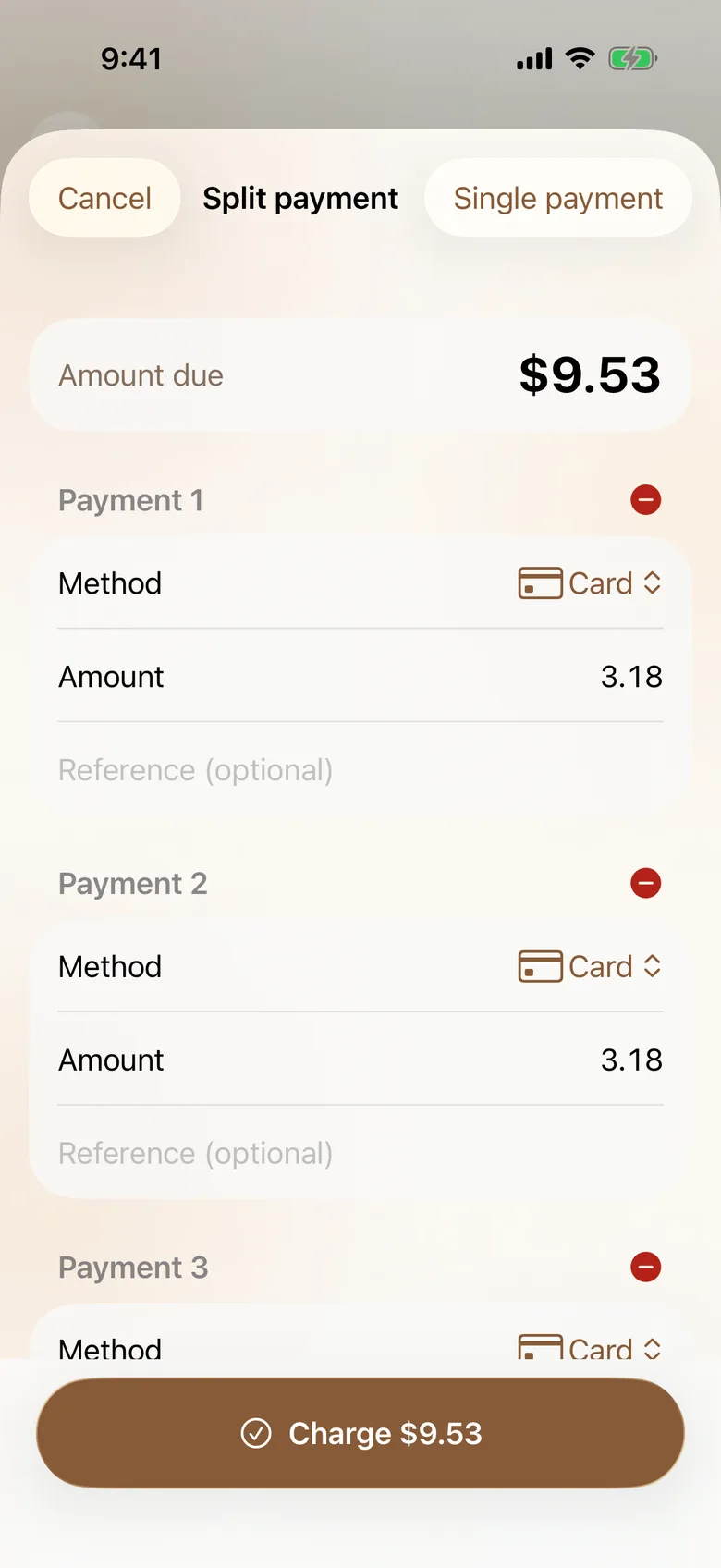
Before the charge is sent, the app runs the same checks as the server's chargeOrder, so staff see a plain message instead of a rejected request:
public static func paymentProblem(total: Int, payments: [OrderInput.Payment], hasCustomer: Bool) -> String? {
    if payments.count > maxPayments { return "Up to \(maxPayments) payments per order." }
    let paid = payments.reduce(0) { $0 + $1.amount }
    if paid < total { return "Payments do not cover the bill yet." }
    if paid > total { return "Payments add up to more than the bill." }
    if !hasCustomer, payments.contains(where: { $0.method == "POINTS" }) { return "Attach the customer to pay with loyalty points." }
    return nil
}
The POS tab also has a location picker and a live floor of tables and open tickets, refreshed every 15 seconds like the web POS. Staff can start takeaway and delivery tickets, look up a customer, hold a ticket, take cash with change, void open tickets and share a receipt. Orders filters by date and status, and staff with pos.approve can refund.
The rest of the back office
The More tab holds what managers do between rushes:
- People: a time clock with a CoreLocation geofence and breaks, shift swaps, leave requests and approvals, and attendance and timesheet approval.
- Money: expenses with receipt photos, approved within the role's limit, and invoices with PDF and record payment.
- Customers: the CRM with loyalty customers and a leads pipeline, guest-review moderation and inquiries.
- Reports and menu: P&L and sales charts, and menu availability for marking items as 86'd.
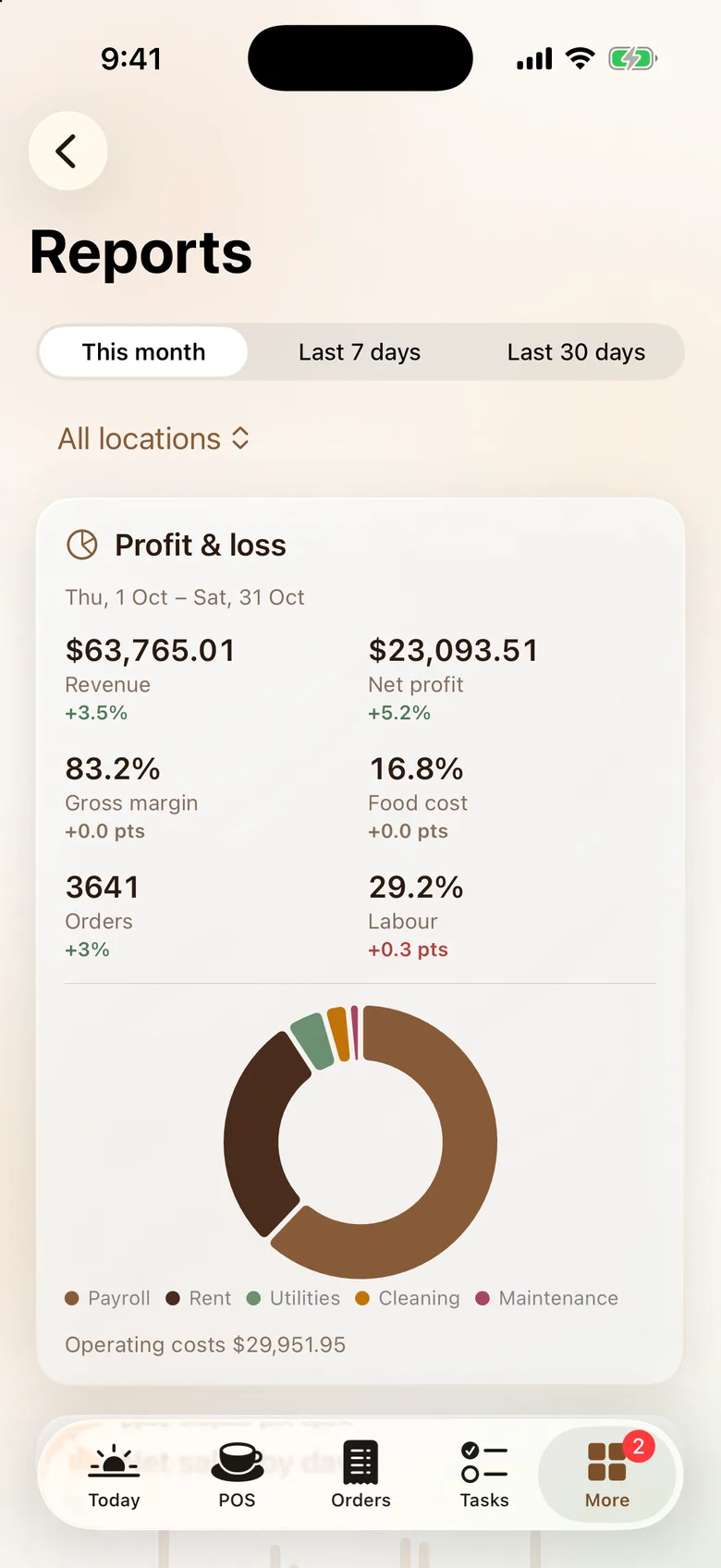
The long tail of settings (locations, tables, users, roles, leave policies, vendors, menu categories and the audit log) is server-driven. /api/mobile/console/screens describes each screen's query, rows and actions, and forms are built from the website's own zod validators as JSON Schema. A new settings screen needs no app release.
Signed out, it is your website
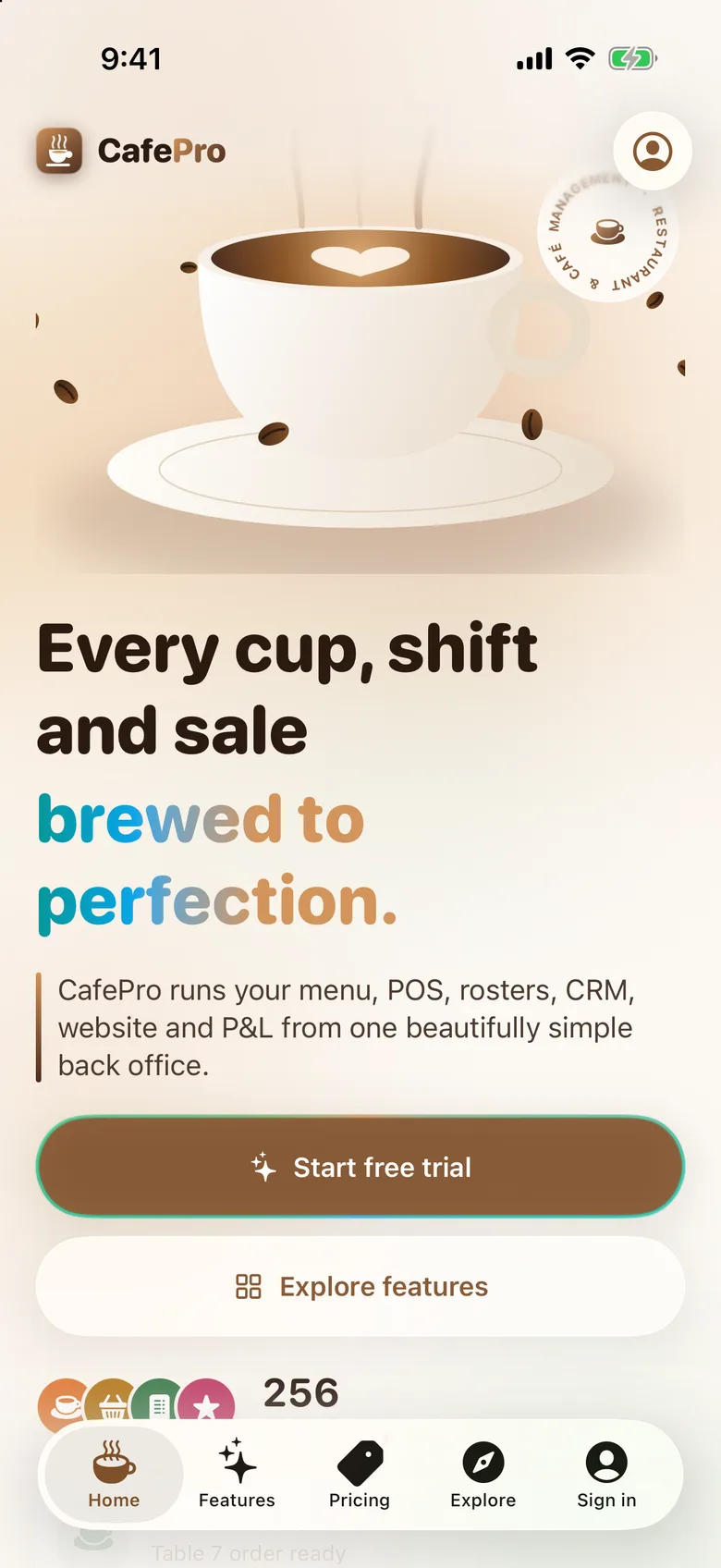
Before sign-in the app shows the platform's public website, rendered natively from the published CMS pages: the animated coffee hero, module showcase, pricing, FAQ, testimonials and legal pages. The contact page has a native form that posts to the same inquiries inbox as the web form. Editing the site in the CMS changes the app without an update.
Tests check that the inbox address, drafts and business websites are never sent.
iOS integration
- Push notifications (APNs) for mentions, approvals, rosters and leads, off until the server has APNs keys.
- A Home Screen widget with today's sales, orders and covers, or the next shift for roles without sales access.
- Deep links, Universal Links, Spotlight, quick actions and Siri Shortcuts to clock in or open the POS.
- An optional Face ID lock, and light, dark and system appearance.
See it in motion
White-labelling and setup
The app is built to ship under your brand. Everything a buyer changes lives in Config.xcconfig:
- Brand settings. Set the app name, bundle id, App Group, Apple Team ID, the two brand gradient colours (the whole theme derives from them), the URL scheme, the Universal Links domain and a server URL for debug and release builds.
- Icon. Run
scripts/make-icons.shto redraw the cup icon and accent colour from your brand colours. It needs librsvg. - Project. Run
xcodegen generate, open the project, and enable the App Group and Push Notifications capabilities on your App IDs.
Requirements. The app needs the included CafePro web app deployed with its /api/mobile layer. It ships in the same package and needs nothing switched on. Signing the app and sending push notifications need your own Apple Developer account. On the server, set the APNs key, key id, team id and bundle id for push, and optionally a minimum app version to force an update. Universal Links also need an apple-app-site-association file on your domain. There is no hosted iOS demo and the app is not on the App Store. You build and publish it under your own account.
Tests. The package has 19 tests: models decoded against JSON captured from a seeded server, request encoding and the POS maths, including the split helpers. The app target tests routes, tab gating and money, plus a UI smoke test. On the server, 16 tests cover the mobile API: sign-in with two-factor, session revocation, a POS charge through the RPC bridge, query gating, the public site queries and the contact form.
Get it
The iOS app is part of the CafePro download. The case study covers the platform behind it, from recipe costing to the P&L.