"Should we be using AI in the store?" is the wrong question. The useful one is narrower: which job in this store is slow, repetitive or leaking money, and where would AI help without creating new risks? For most stores the answer lands on one of four jobs: writing product copy, suggesting add-ons in the cart, answering "where is my order?", and keeping supplier stock and prices up to date.
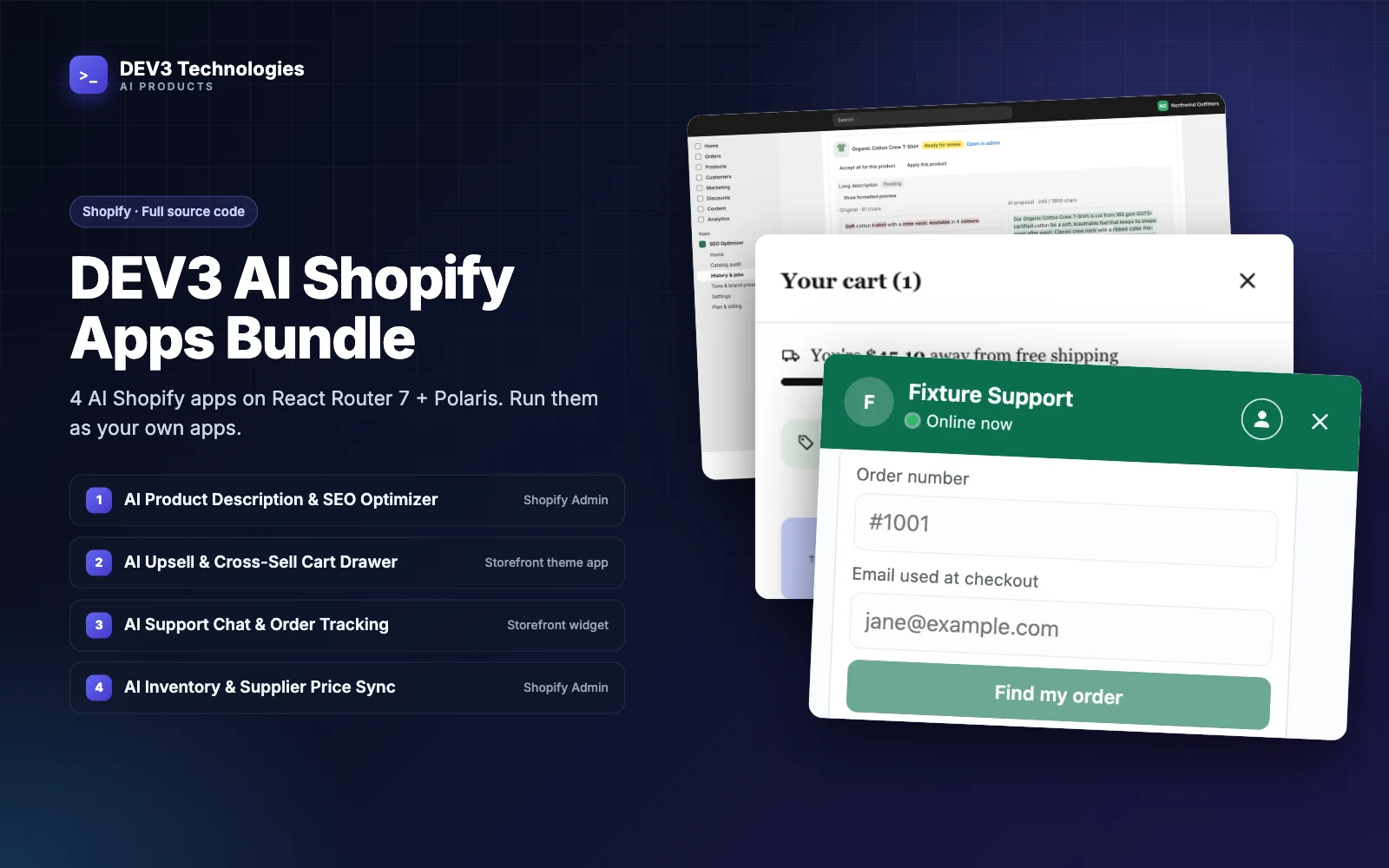
This guide is for store owners and the agencies that run stores for them. It takes each of those four jobs in turn, shows when it pays off, which guardrails matter, and in what order to set things up. The examples come from the DEV3 AI Shopify Apps Bundle, four Shopify apps sold as full source code, and we describe only what the apps actually do.
Which problem does your store have?
Start with the symptom, not the tool.
| Symptom | The job | The app |
|---|---|---|
| Hundreds of products with thin or missing descriptions, no meta tags, images without alt text | Product copy and on-page SEO | AI Product Description & SEO Optimizer |
| Shoppers buy one item and leave; the free-shipping threshold is rarely reached | Cart upsells and bundles | AI Upsell & Cross-Sell Cart Drawer |
| The inbox is full of "where is my order?" and the same returns questions | Support chat and order tracking | AI Support Chat & Order Tracking Assistant |
| Stock and prices from suppliers are updated by hand, late, or from messy files | Supplier sync and pricing | AI Inventory & Supplier Price Sync |
1. Product copy: pays off on large or neglected catalogs
When it is worth it
Copy is the clearest win when the catalog is large, has been imported from a supplier, or was written in a hurry.
What the app does
The SEO Optimizer scans the whole catalog through a Shopify bulk operation and gives every product a score from 0 to 100, with a list of gaps such as a missing description, a missing meta title or description, a title that is too long, or images without alt text. You filter by gap, select products and generate any of six fields: title, short bullet summary, long description, meta title, meta description and image alt text. Alt text is written by an AI model that looks at each image.
Guardrails that matter
- Review before publish. Every job is a dry run first. Each product shows a side-by-side diff per field, and you accept, reject or edit each one before anything is written to Shopify.
- No invented facts. The AI is instructed to use only facts in your product data and never to invent specifications, materials, sizes, certifications or claims.
- Brand presets and flags. Presets hold your guidelines, keywords and banned words. A proposal that uses a banned word or leaves out a required keyword is flagged.
- Rollback. The app saves each product's original values before applying. You can roll back a whole job or a single product for 30 days, and it blocks an out-of-order rollback that would discard newer changes.
- Auto-optimise with care. New products can be optimised automatically, but the recommended mode queues them for review instead of applying them.
2. Cart upsells: pays off when baskets are small
When it is worth it
An upsell drawer helps most when the average order has one item, when you have obvious complements (care products, accessories, refills), or when a free-shipping threshold sits just above a typical basket.
What the app does
The Cart Drawer is a slide-out cart that opens when a shopper adds a product. It shows two or three suggested add-ons with a one-tap Add button, a free-shipping progress bar, bundle messages such as "Add 1 more to unlock 15% off", and an optional countdown. With AI ranking on, the AI reads the cart and up to 30 matching products and picks the best complements, each with a short reason. With it off, a rule-based ranking prefers products that share collections and tags with the cart.
Bundles are built from groups of products or whole collections with a minimum quantity, and they publish to one automatic Shopify discount applied at checkout.
Guardrails that matter
- Only sellable suggestions. A product is suggested only when it is active, published to the Online Store, in stock and not already in the cart. Prices and stock are always re-checked, even when a ranking is cached.
- Price ceiling. A maximum price ratio stops the drawer suggesting add-ons far pricier than the most expensive item in the cart.
- Exclusions. You can block products by tag, for example gift cards or samples.
- Discount protection. When bundles overlap, the higher-priority one wins, and an item is never discounted twice. The bundle discount combines with order and shipping discounts, not with other product discounts.
- Fallback. If AI is off, busy or over its monthly limit, the drawer keeps working with rule-based picks.
The analytics page shows impressions, click-through, add-to-cart rate and attributed orders, so you judge the result on your own store.
3. Support chat: pays off when the same questions repeat
When it is worth it
Support chat earns its place when order-status and policy questions make up a large share of the inbox, and when the store's shipping, returns and FAQ pages are already well written. The assistant is only as good as that content.
What the app does
The Support Chat app imports your store policies and every published page into a knowledge base and re-syncs them daily. You can add extra pages, but only https pages on your store's own domains. The assistant answers from that content, links the sources it used, and says it does not know when the content does not cover a question. For orders, it shows a card with status, items, carrier, tracking number and link, estimated delivery and shipment history.
Guardrails that matter
- No order leaks. Signed-in customers see their own recent orders. A guest must enter the order number and the email used at checkout, and both must match. The email is compared in constant time, and an unknown order and a wrong email get the same "not found" reply, so the chat cannot be used to check whether an order exists.
- No invented policies. Answers come only from synced content.
- Human hand-off. Refunds, damaged or missing items and disputes, a "talk to a human" request, strongly negative sentiment, or repeated unanswered questions are handed to your team by email, Zendesk or Gorgias, with the full transcript.
- Test before launch. Knowledge base → Test a question shows the answer a customer would get, with the retrieved passages and their relevance scores.
4. Supplier sync: pays off when stock and prices change often
When it is worth it
Supplier sync matters most for dropshippers, resellers and stores with several suppliers whose stock and costs move every week.
What the app does
The Inventory Sync app pulls feeds over HTTP/HTTPS, FTP/FTPS, SFTP or a REST API, in CSV/TSV, XML, JSON or JSON Lines, with gzip and ZIP detected automatically. A five-step wizard covers source, format, a visual column mapping, price rules and the schedule. Price rules use a safe formula such as (cost * 1.4) + 2 and can be scoped by supplier, collection, tag, vendor or product type, with rounding to .99, .95, the nearest 0.05 or a whole number.
Guardrails that matter
- Margin protection. Each rule can set a minimum margin percentage, a fixed price floor, and a floor at the supplier's minimum advertised price (MAP). Global settings add "never below cost", a global minimum price and a maximum price decrease per run, so prices fall gradually instead of crashing.
- Stock buffers. "Hold stock at 0 below N" stops you overselling a supplier's last units, and a maximum stock value caps implausible quantities.
- Bad-feed guards. Before anything is applied, deterministic checks look for large price or cost drops, large price rises, many in-stock items set to zero, a big change in row count, unknown or missing SKUs, invalid rows, cost above retail and negative values. Every threshold can be adjusted.
- AI review. An AI reviewer then checks the change set using aggregated statistics and the 15 largest changes, never the full feed, and returns a verdict, a risk score and an explanation.
- Held runs. If a guard trips or the AI risk score is at or above your threshold, the run is held. You get an email and a banner, scheduled runs for that supplier pause, and you either approve exactly the planned changes or discard them.
- Dry runs and history. Any supplier, or all of them, can run in dry-run mode, and every run records each before-and-after change, exportable as CSV.
Setup order that works for most stores
- Product copy first. It changes nothing until you approve it, so it is the lowest-risk place to learn how the AI behaves with your brand. Scan, build one preset, then optimise a small batch and review the diff.
- Support chat second. Fix gaps in your shipping and returns pages, sync the knowledge base, test a few questions and send a test hand-off before switching the widget on.
- Supplier sync third, if you have suppliers. Set the location and alert email, add one supplier and use Save & dry run now. Run in dry-run mode until the reports look right, then let it apply.
- Cart upsells last. Upsells rely on accurate stock, sensible prices and decent product titles, which the earlier steps give you. Sync the catalog, enable the app embed, then add one bundle.
A short checklist before you go live
- A person is named as the reviewer for copy jobs and held sync runs.
- Policies and FAQ pages are accurate, and Test a question gives good answers.
- Hand-off destination tested with Save and send a test hand-off.
- Price rules have a minimum margin and a MAP floor where suppliers require one.
- Free-shipping threshold in the drawer matches your real shipping rule.
- Each app's background worker is running, since scans, jobs, syncs and hand-off retries run there.
Closing
AI pays off in a Shopify store when it is pointed at one clear job and wrapped in guardrails: reviewed copy with rollback, upsells that respect stock and price limits, support that verifies before it shows an order, and supplier syncs that hold a bad feed instead of publishing it. The bundle is sold as source code on the DEV3 marketplace, not as a listing on the Shopify App Store, and our team can install and customise it for you. The other three apps each have a write-up too: the cart drawer, support chat and supplier sync. Start with the case study on the SEO Optimizer's review and rollback flow, or get the source on the DEV3 AI Shopify Apps Bundle page.