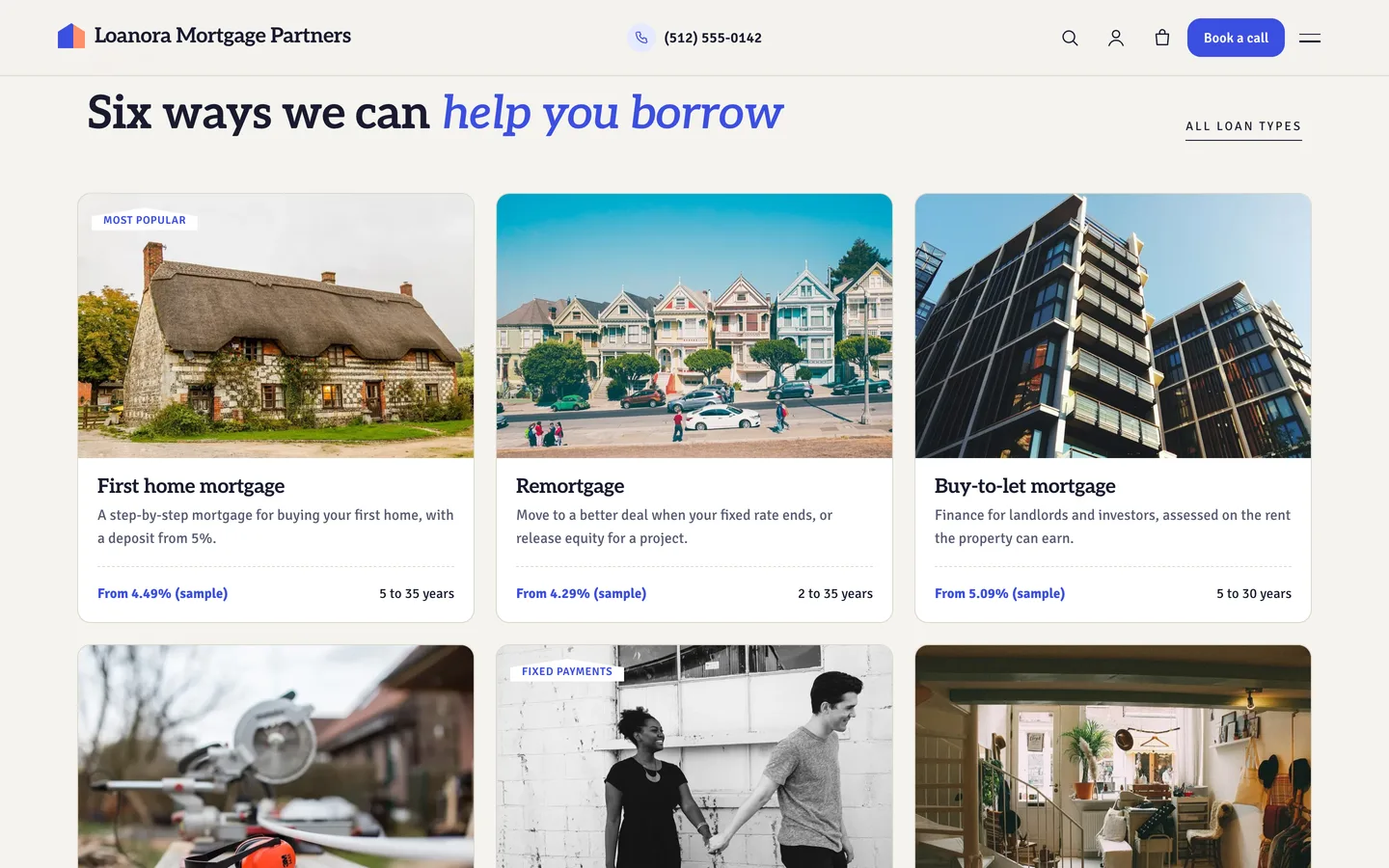
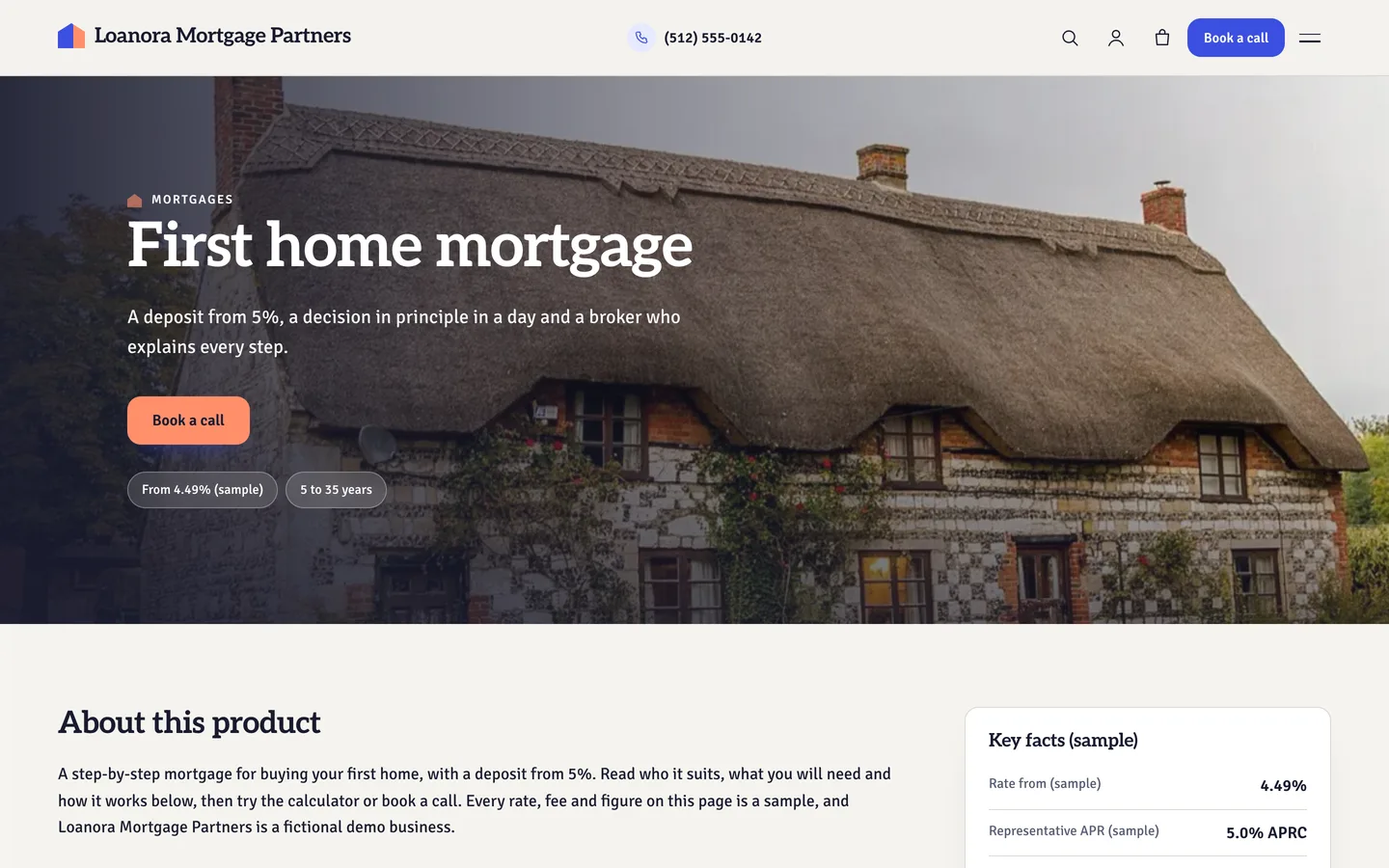
 Loan types — six cards with a photo, a sample rate from and the term, grouped as mortgages and loans.
A mortgage broker WordPress theme: calculators and rates with Loanora
Last updated
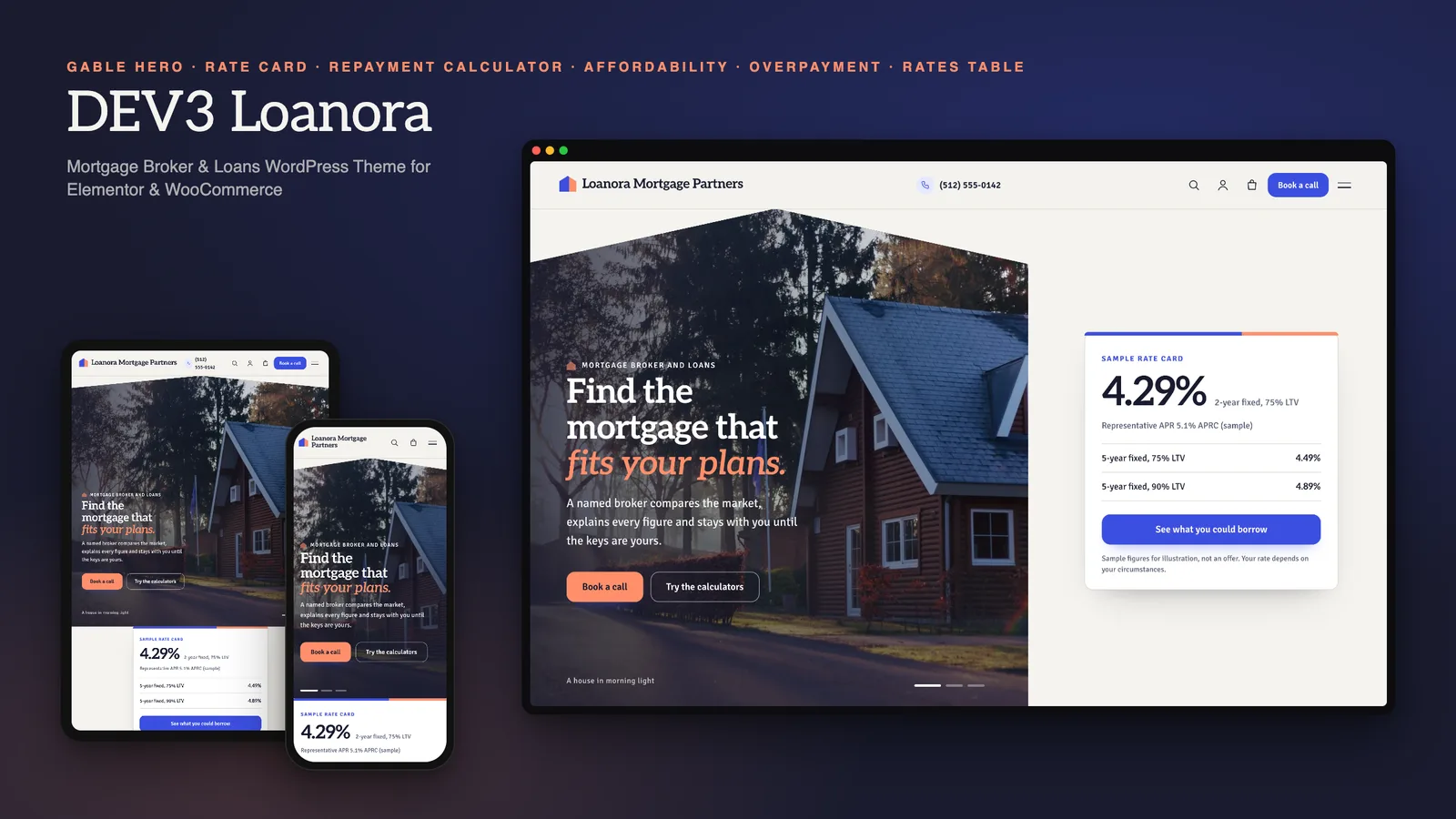
A mortgage broker website has to earn trust fast and stay honest about money. Visitors want a clear rate, a calculator they can try without handing over their details, and a named person to talk to. DEV3 Loanora is a WordPress theme built for that: a rate card hero, calculators that work without JavaScript, a rates table and regulatory disclosures built into the Customizer, all editable in Elementor.
Who Loanora is for
- Mortgage brokers and advisers who compare a panel of lenders for clients.
- Loan intermediaries for personal and small-business lending.
- Estate and relocation firms that offer a mortgage service next to their listings.
A hero that puts the rate next to the headline
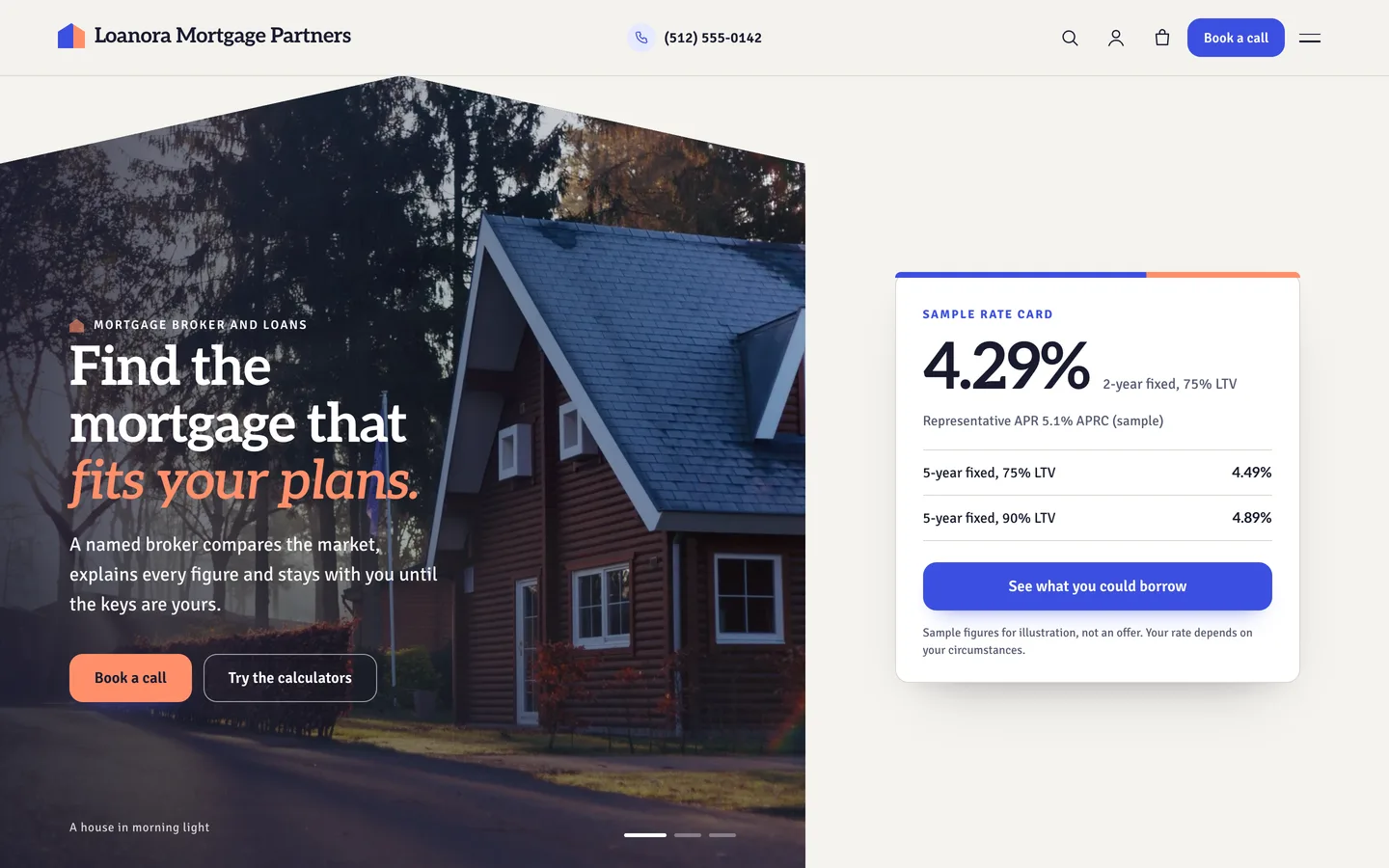
The home hero is a house-gable photo on the left and a sample rate card on the right: a headline rate, the representative APR and a button into the affordability calculator. The photo is the toolkit Photo Hero widget, so it is edited in Elementor, and on phones the gable flattens and the card sits below.
Calculators that show their working
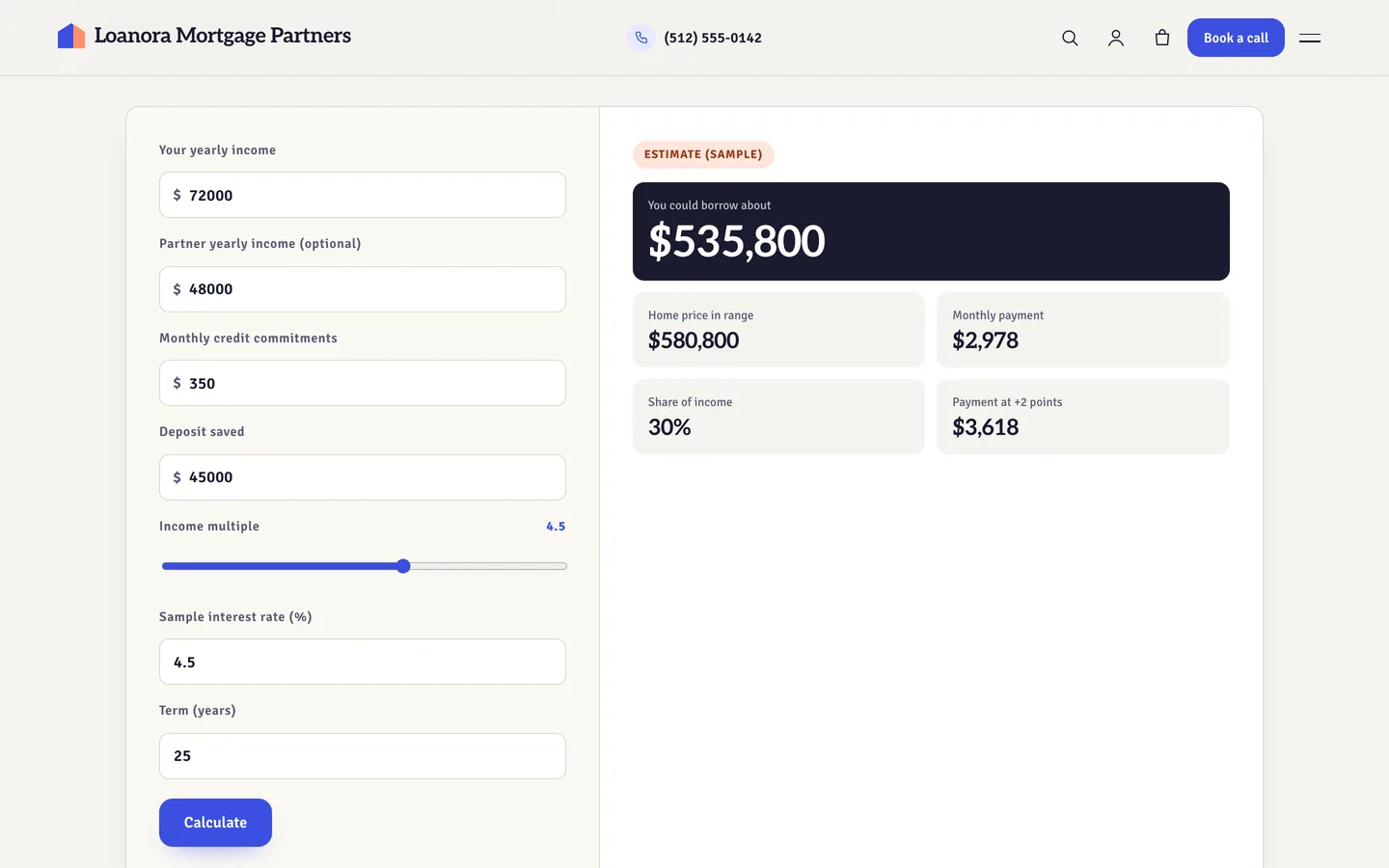
The repayment calculator takes price, deposit, rate and term, and an overpayment slider shows the interest saved and the time taken off the term. A year-by-year table shows interest and principal for every year, with a bar for each row.
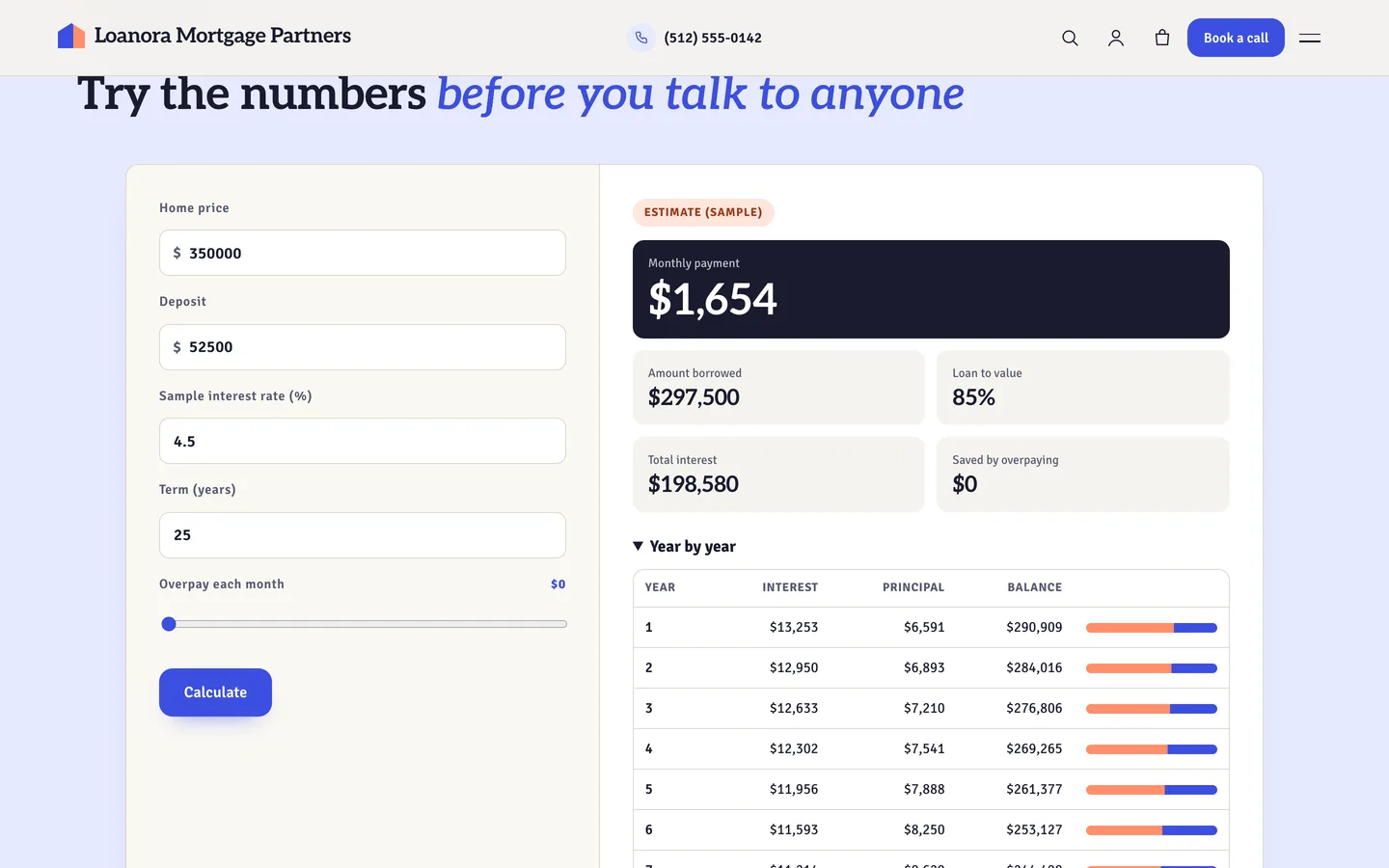
Every calculator works without JavaScript. The Calculate button posts the numbers back to the same page and the server computes the result; with scripts on, it recalculates as you type using the same maths. Nothing a visitor types is stored.
Rates that cannot be mistaken for offers
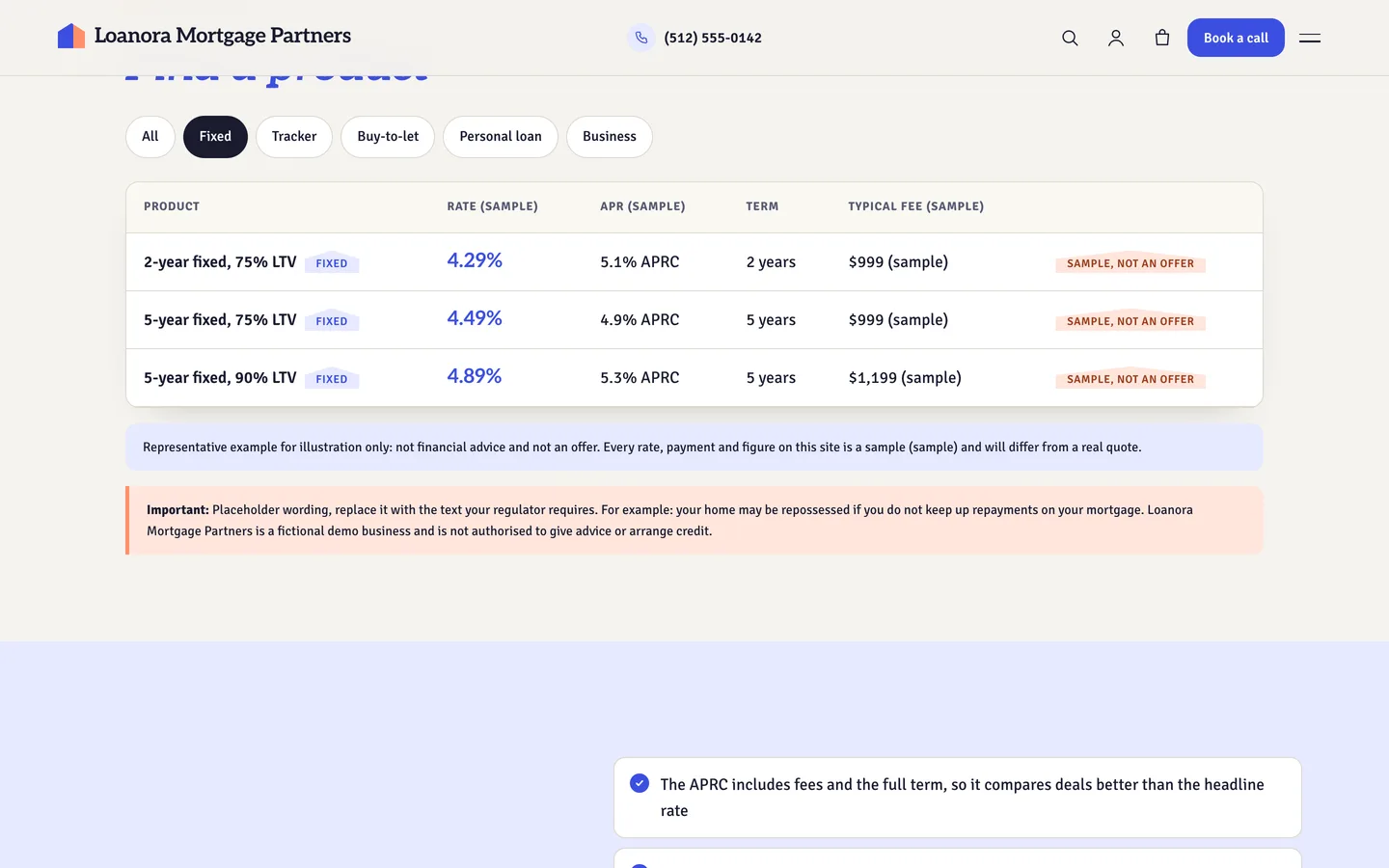
The rates table is built from one Customizer list. Type chips filter it as plain links, and every row carries a "Sample, not an offer" badge. The demo figures are samples: replace them with rates you are authorised to promote.
Disclosures built in
The Customizer has a regulatory disclosure field that prints in the footer of every page and under every calculator and table, and a not-financial-advice note for the representative example. The demo wording is placeholder text: regulators require specific wording, and you must replace it with yours.
Set it up in an afternoon
- Install the theme and the DEV3 Theme Toolkit, then import the demo from Appearance → DEV3 Demo.
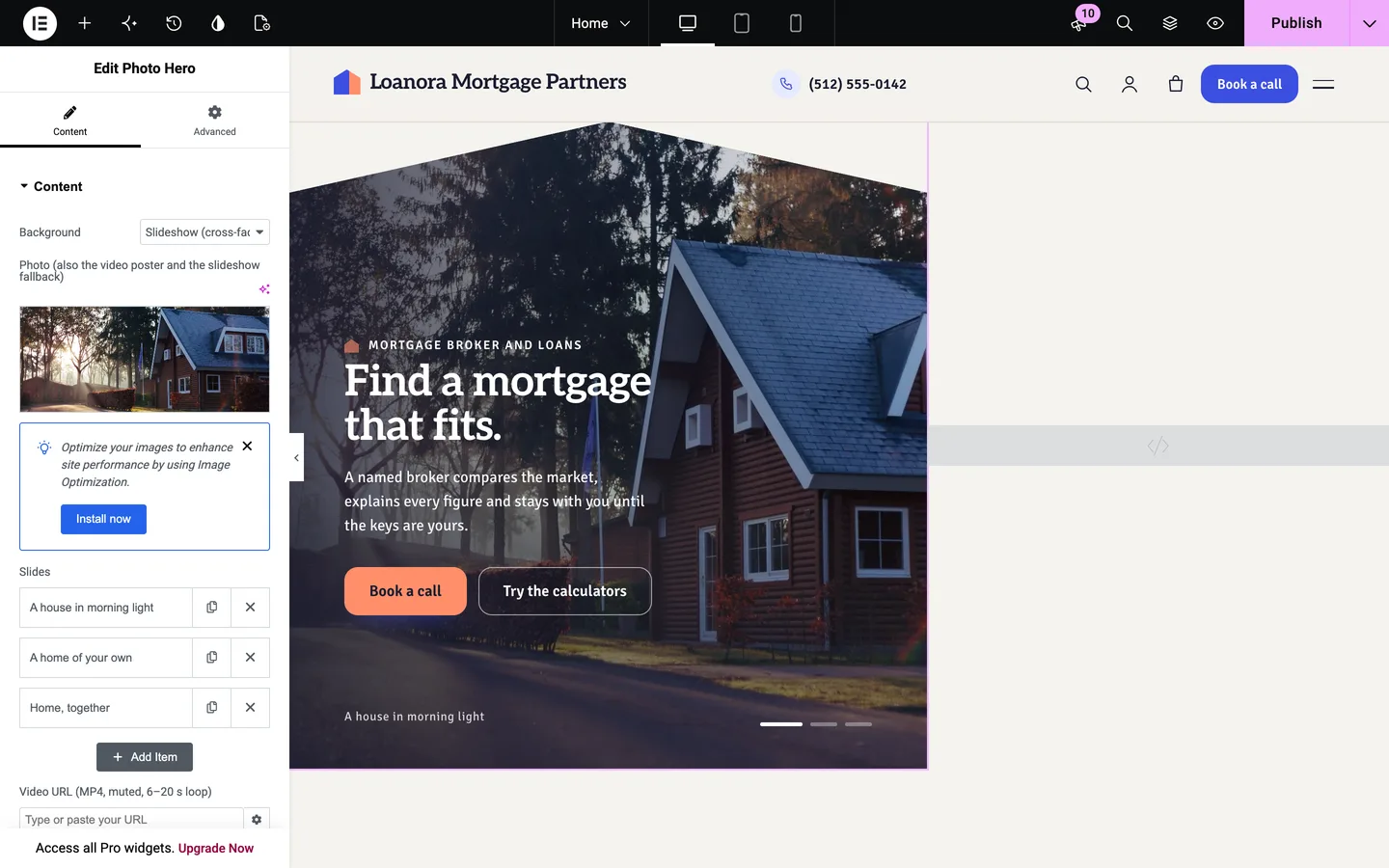
- Replace the demo photos and edit the hero in the Photo Hero widget.
- Under Appearance → Customize → Loanora: rates and disclosures, enter your rates, your lender panel and your regulatory wording.
- Add your loan types, brokers and guides, with sample labels removed only for figures you have verified.
Get Loanora on the DEV3 Marketplace with a regular or extended licence.