DEV3 Technologies home

DEV3 Axleward – Fleet Management & GPS Tracking Laravel Script with Live Map, Geofences & Driver App

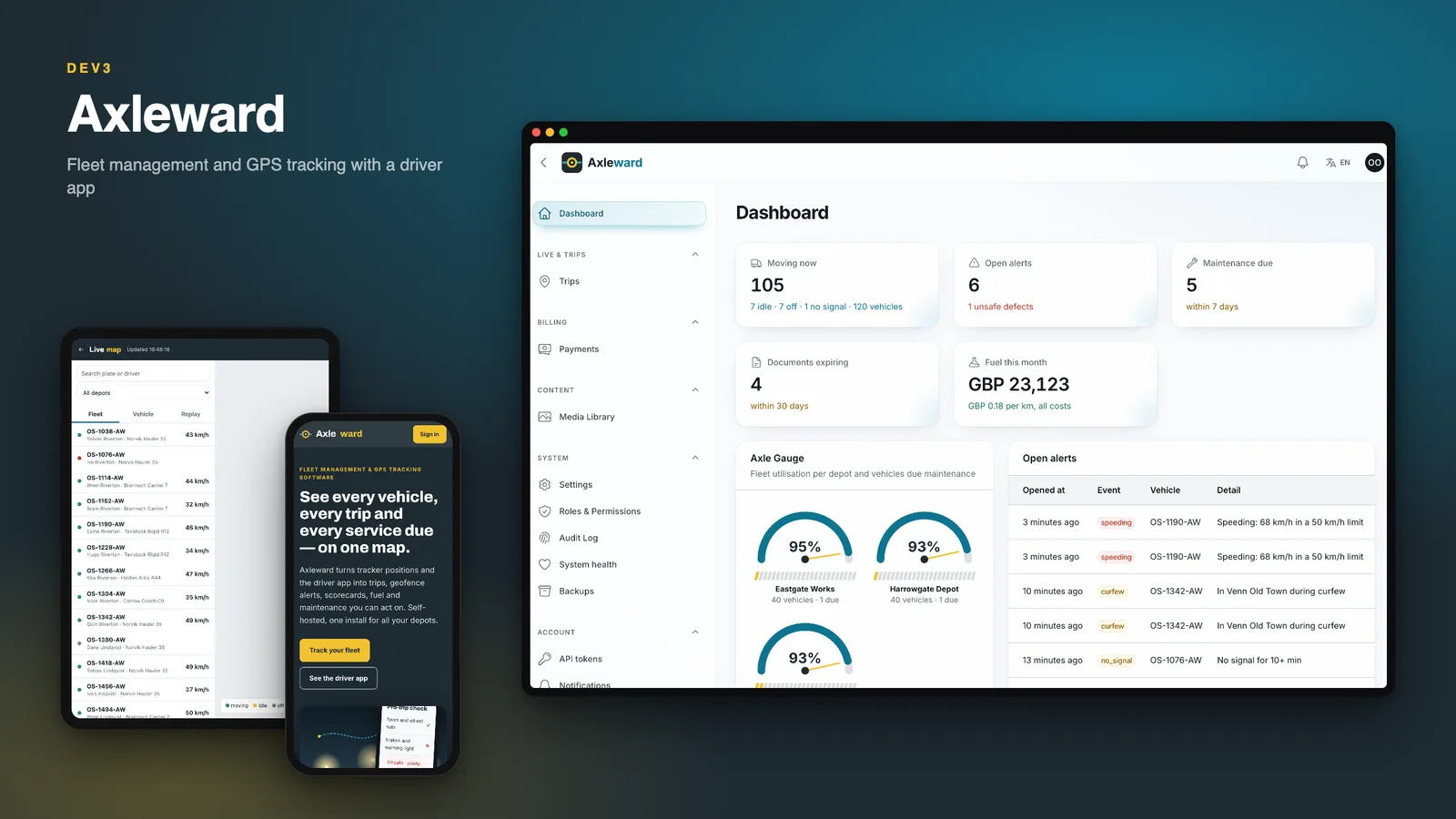
A self-hosted fleet management and GPS tracking system on Laravel 12 and Filament 4: live map and replay, trips, geofence alerts, driver scorecards, fuel anomalies, maintenance by km, hours or date, inspections and documents. Web installer and demo data included. Flutter app source included.
by DEV3 TechnologiesVerified Author(0) 0 sales 5 viewsUpdated 13 Nov 2026

Video tour. Pick a section below to browse 52 screenshots in 5 sections.

App & phone tours

Tap play to watch each app. Nothing downloads until you do.

  • Mobile web0:22
  • Driver app1:22

Axleward is a fleet management and GPS tracking system you host yourself, built by DEV3 Technologies on Laravel 12 and Filament 4, with a Flutter driver app. One fleet operator runs it across one or more depots. The demo business is a fictional distributor, Harrowgate Distribution, with three depots and 120 vehicles.

No live demo: 36 grouped web screenshots, 16 driver-app screenshots and three video tours show the marketing site, the live map, the admin panel and the driver app. Install it with the bundled demo data to try every role on your own server.

What the fleet office gets

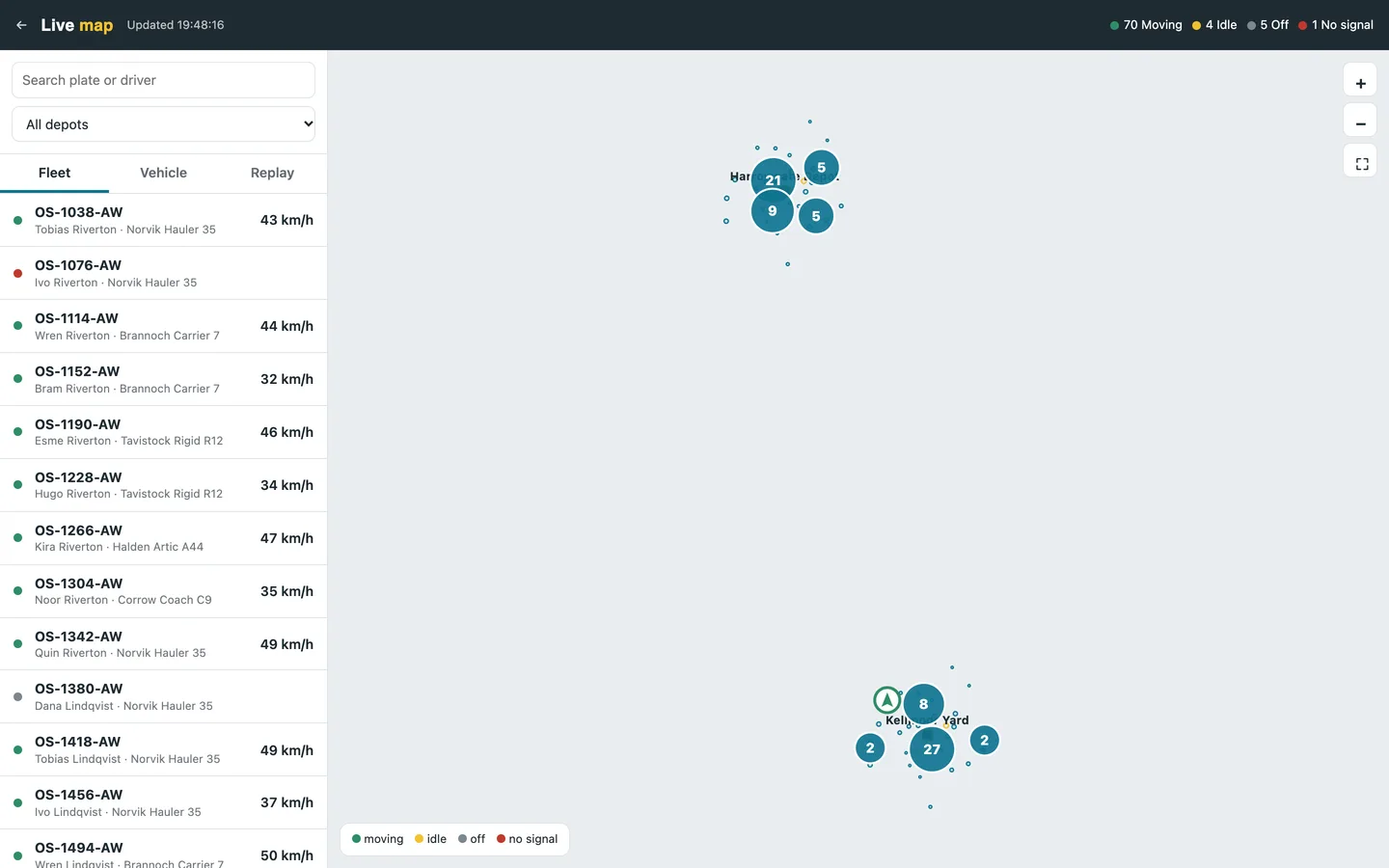
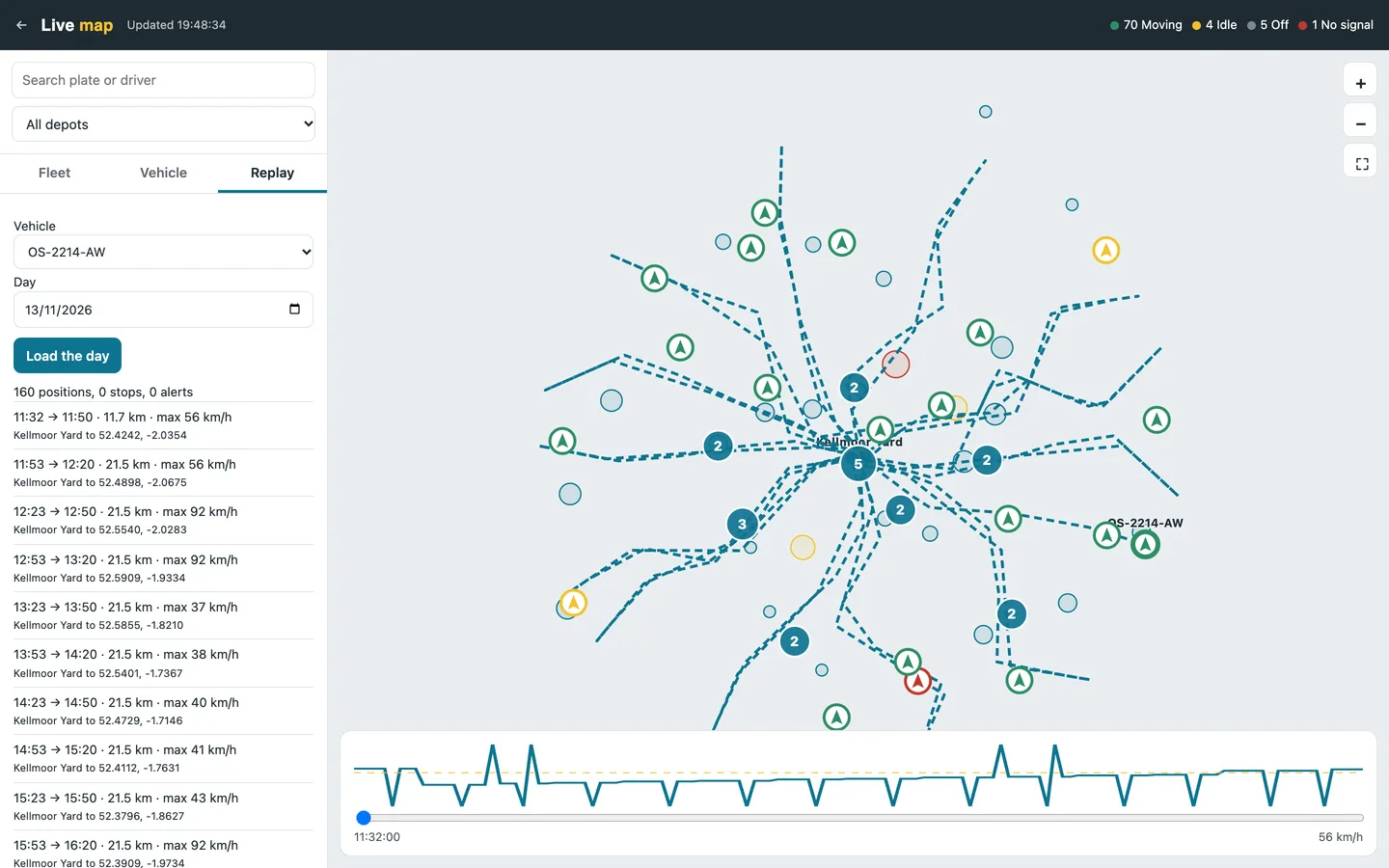
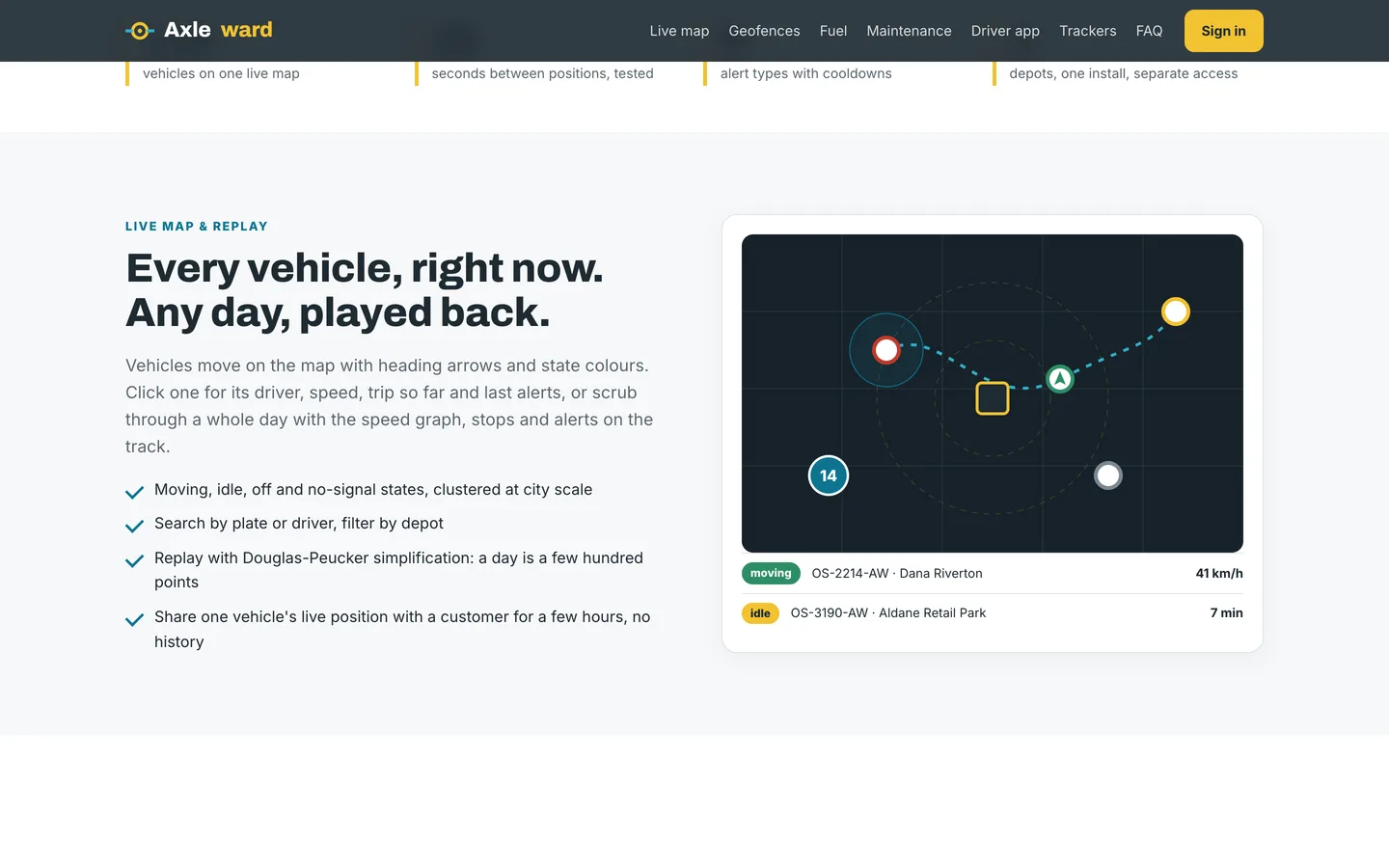
  • A live map at /live: vehicles with heading and state (moving, idle, off, no signal), search by plate or driver, a vehicle panel with its last alerts, and replay of any day with a speed graph and the trips and stops of that day.
  • Trips that build themselves from the position stream: start and end places, distance (from the odometer when it is trustworthy, otherwise from the filtered track), duration, idle time and top speed. Late and out-of-order points are replayed into the right trip.
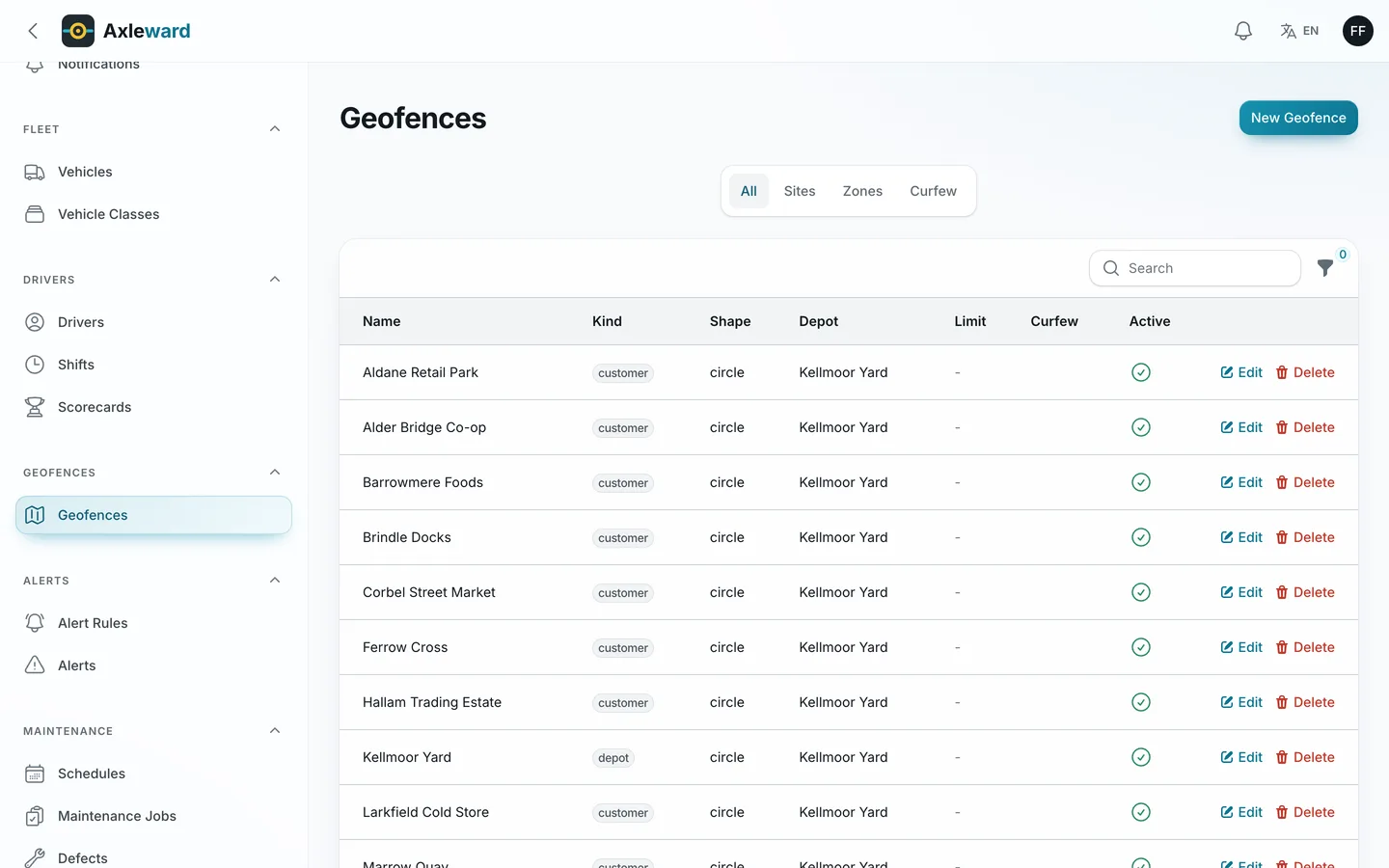
  • Geofences as circles or polygons: depots, customers, speed zones and curfew zones. Enter and exit use hysteresis so GPS noise at the edge does not flap, dwell time is kept, and editing a fence recomputes its state quietly.
  • Alerts for speeding, harsh events, idling, curfew, dwell, no signal and SOS, with cooldowns so one episode is one alert, recipients notified once, and acknowledge and close from the inbox.
  • Driver scorecards with the formula shown: points per event per 100 km, so a score can be explained to the driver.
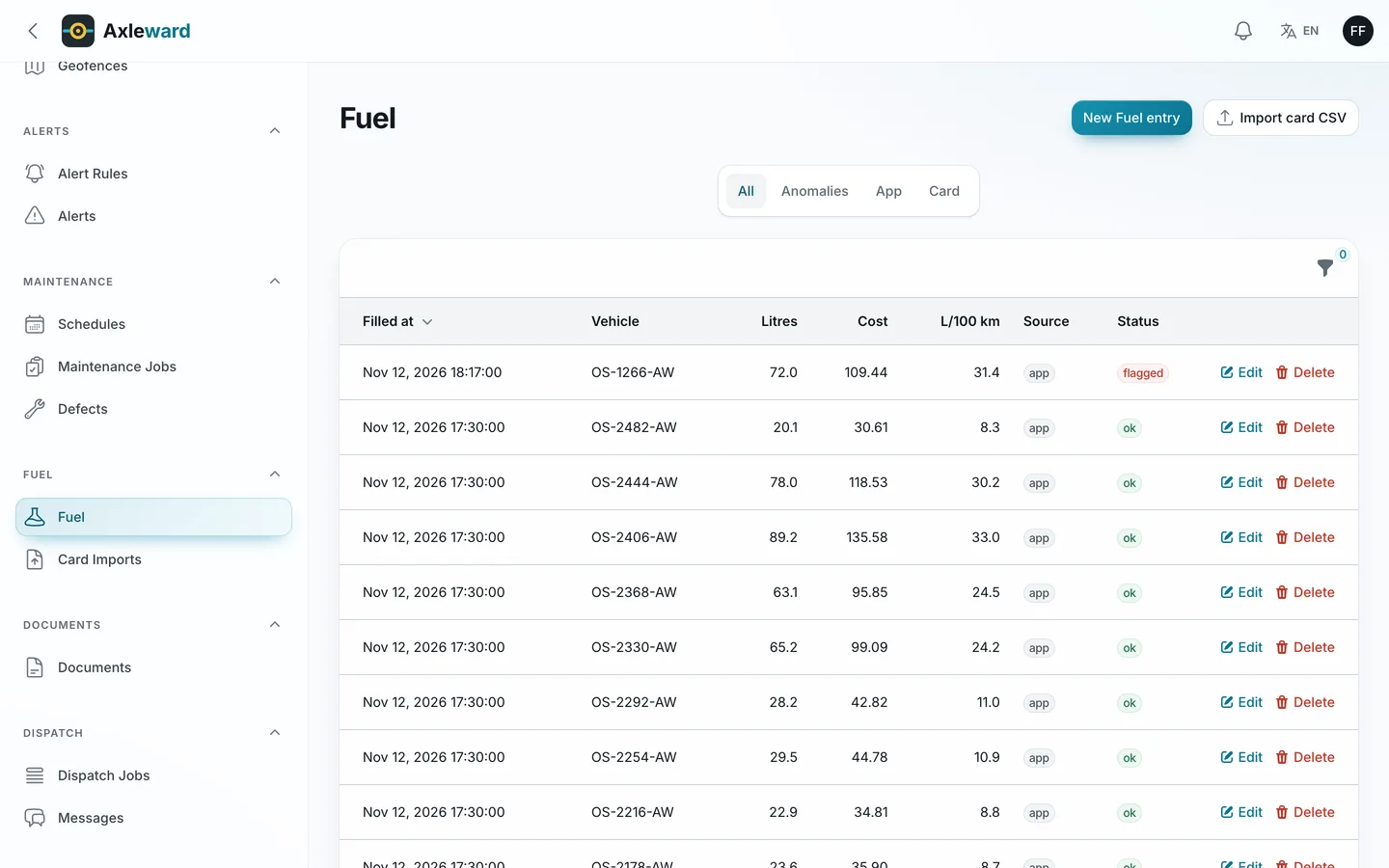
  • Fuel: litres and cost from the app or a fuel-card CSV import (matched to app entries by time and litres), L/100 km between full tanks, cost per km, and flags for consumption well above the vehicle class and for more litres than the tank holds.
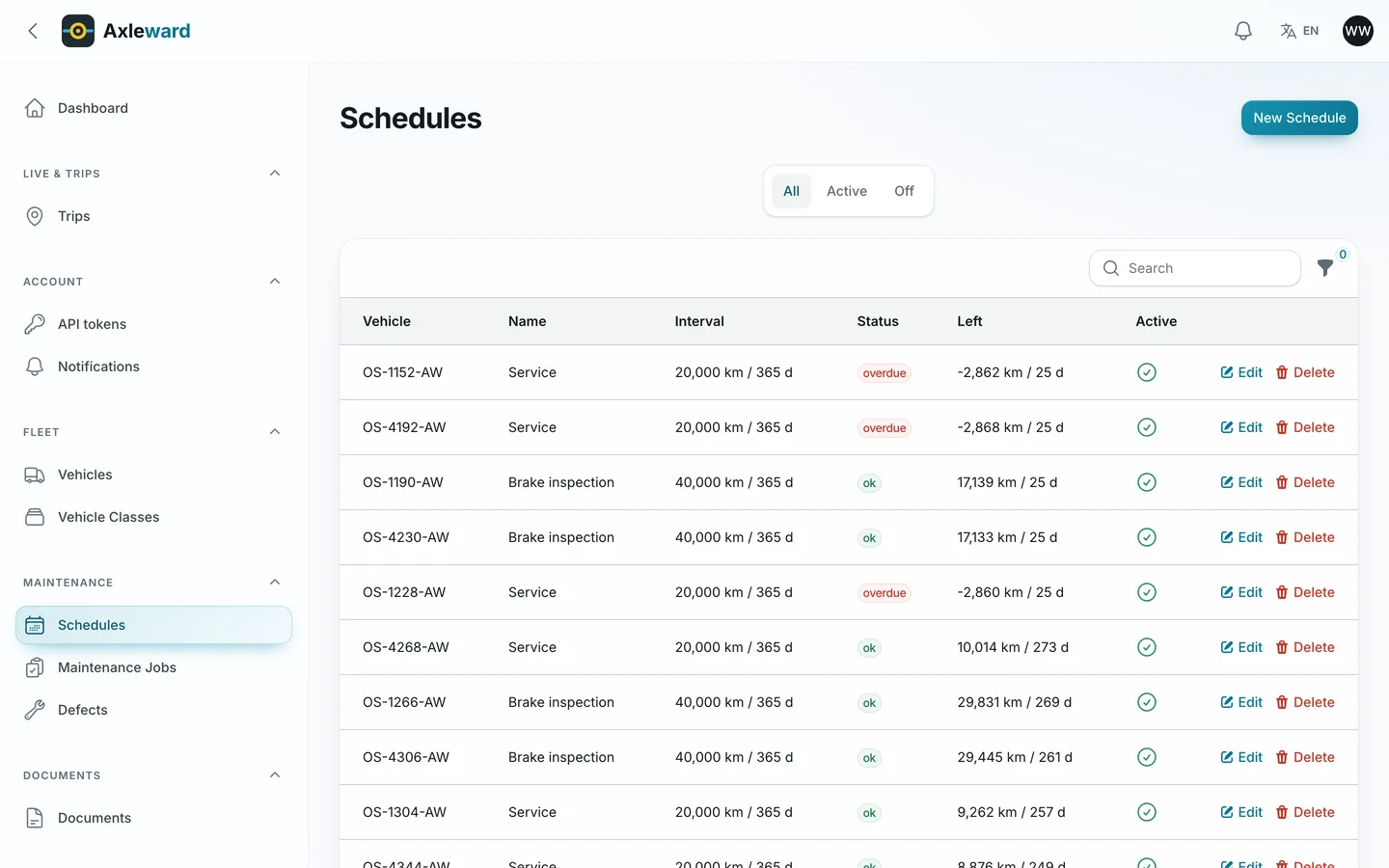
  • Maintenance by odometer, engine hours or date, whichever comes first, with due jobs created automatically. Inspections (DVIR) from the app: a failed major item opens a job, an unsafe one takes the vehicle off the road until the workshop or the owner verifies the repair.
  • Documents for vehicles and drivers (insurance, registration, licences) with an expiry reminder ladder and an optional block on starting a shift with an expired document.
  • Dispatch: jobs with stops that arrive and depart by themselves from the geofence, with a manual fallback in the app; messages to a driver.
  • Share links: a signed, expiring page that shows one vehicle's latest position to a customer and nothing else.
  • Tracker ingest: any platform that can POST signed JSON (HMAC, replay protection, de-duplication, GPS-jump and odometer filters) to /ingest/{device}; a scoped REST API with keys bound to depots; webhooks for alerts, trips, geofence events, defects, maintenance and documents.
  • Depot isolation: staff see only the depots they are granted. Roles: owner, fleet manager, dispatcher, workshop and driver. Settings for every threshold, an audit log, backups and a generated OpenAPI document.

The driver app (Flutter source included)

Sign in, start a shift by choosing a vehicle at your depot, enter the odometer (checked against the last reading) and complete a twelve-line pre-trip check with severity, a note and a photo on a fail. During the shift the driver sees stops, arrives and departs, logs fuel with a receipt photo, sees documents with expiry chips, messages the office, reads the week's trips and the scorecard, and ends the shift with a post-trip check. Changes queue offline and send in order; a change the server refused waits on a Needs attention screen with Retry and Discard. The app runs in demo mode out of the box and points at your site when you set its URL. The fuel preview and the score use the same maths as the server, checked against 74 shared test vectors.

Position sharing: the app shares a position only while a shift is open and only in the foreground. There is no background location in this version. Demo positions are simulated; real device GPS is an opt-in setting that is off by default.

Built for correctness

Pest tests (325 passing, 1,776 assertions) cover ingest, trip segmentation, geofence hysteresis, episodes and cooldowns, fuel maths, maintenance due dates, shifts and defects, share links, depot isolation on every route and the driver app API. A MySQL race suite (10 groups, 22 checks) runs real parallel requests. The driver app has 84 tests. A built-in axleward:check command reconciles trips, odometers, geofence states, alerts, maintenance and fuel totals on the demo data.

The demo data

120 vehicles in 3 depots, 140 drivers, 160 devices (120 simulated trackers and 40 for the app), 85 geofences, 25 alert rules, 40 maintenance schedules, six inspection templates, about 69,000 trips, 32,000 daily vehicle statistics, 29,000 inspections, 12,900 alerts, 10,900 fuel entries and 380 documents across twelve months, plus raw positions for the most recent days. The demo history is a summary of a year for 120 vehicles, loaded in about 35 seconds, not a full-volume data set.

Good to know

  • For one fleet operator with one or more depots. It is not a multi-company SaaS.
  • Vehicle positions come from the driver app (foreground, during a shift) or from any tracker or telematics platform that can POST JSON to the signed endpoint. No device protocols are built in (Teltonika, Queclink and similar are not included). Demo positions are simulated.
  • Speed limits are the limits you configure per vehicle class and speed zone; there is no road-speed database. Estimated arrival uses straight-line distance times a road factor; there is no routing API. Maps use OSM tiles when you configure a tile URL; otherwise the live map draws a plain background.
  • Fuel cards are supported through CSV import. Mail, push and maps are simulated until you connect real ones.
  • You must tell drivers they are tracked and follow local employee-monitoring law.
  • The app was verified in simulator builds, tests and against the live API, not on a real device; push is a buyer add-on. Publishing to the app stores is your step (guide included).

Requires PHP 8.2+, MySQL 8 for a live site (the position table is partitioned by month on MySQL; SQLite is for evaluation) and a cron entry. Flutter 3 is needed only to build the app.
How it's built

Architecture, stack, key decisions and the quality gates DEV3 Axleward passed before release.

The engineering behind Axleward: signed, de-duplicated tracker ingest, one lock per vehicle, a pure trip segmenter that replays late points, hysteresis geofences, episode-based alerts and integer fuel maths shared with the driver app.

The problem it solves

Fleet software looks like dots on a map until the data arrives. Trackers resend the same points, send them out of order, jump across a city for one bad fix, and report an odometer that goes backwards. A van parked at the edge of a depot fence flips in and out for an hour. One speeding stretch must be one alert, not forty. A fuel entry that is typed twice on a phone with no signal must be booked once, and the app's preview of litres per 100 km must match what the office sees.

Architecture and approach

Axleward is a Laravel 12 application with a Filament 4 admin at /admin, a hand-built live map and replay, a signed ingest endpoint, a REST API under /api/v1 and a Flutter driver app that talks to /api/v1/app. It builds on the shared DEV3 Laravel core for settings, roles, audit and mobile tokens.

Ingest

Each device has a public id and a secret. A batch is signed with HMAC-SHA256 over the timestamp and the raw body, checked inside a five-minute window, de-duplicated by time and filtered for GPS jumps, future and very old points and impossible odometer readings. One lock per vehicle serialises the pipeline, and a tracker beats the app when both report the same minute.

Trips and geofences

The trip segmenter is a pure function of the ordered points, so a late point replays the window from the start of the trip it belongs to and ids stay stable. Geofence state is a two-point hysteresis machine with dwell and curfew rules, and editing a fence recomputes state without announcing anything.

Alerts

Speeding, idling, harsh events and SOS are detected as episodes with a unique episode key, so replays and retries never raise the same alert twice; a cooldown counts suppressed repeats on the first alert.

Money and fuel

Litres are stored in centilitres and costs in minor units, parsed from decimal strings and rounded half up. The Dart port in the app passes the same 74 vectors as the PHP version, and the offline queue uses client keys so a resent entry returns the first answer.

Isolation

Depot scope is a global scope applied by middleware; a generated test walks every route that takes an id with another depot's ids and expects a 404.

Quality gates and results

Axleward 1.0.0 passed the seven release gates on the final code: Larastan level 6 with 0 errors, 325 Pest tests with 1,776 assertions, a headless smoke test of 65 pages and a MySQL race suite of 10 groups and 22 checks. The driver app has 84 tests and builds for Android and the iOS simulator. A reconciliation command passes on the demo data, a fictional distributor with 120 vehicles in three depots and a year of summary history. Positions come from simulated trackers, mail and push are simulated until connected, and there is no built-in device protocol.

Tech stack

Area Technologies
Application Laravel 12, Filament 4, Blade, REST API, Webhooks
Data MySQL 8, Monthly partitions, Row locks, Idempotency keys
Mobile Flutter 3, Offline queue, Riverpod
Quality Pest, Larastan level 6, MySQL race suite

Inside the build

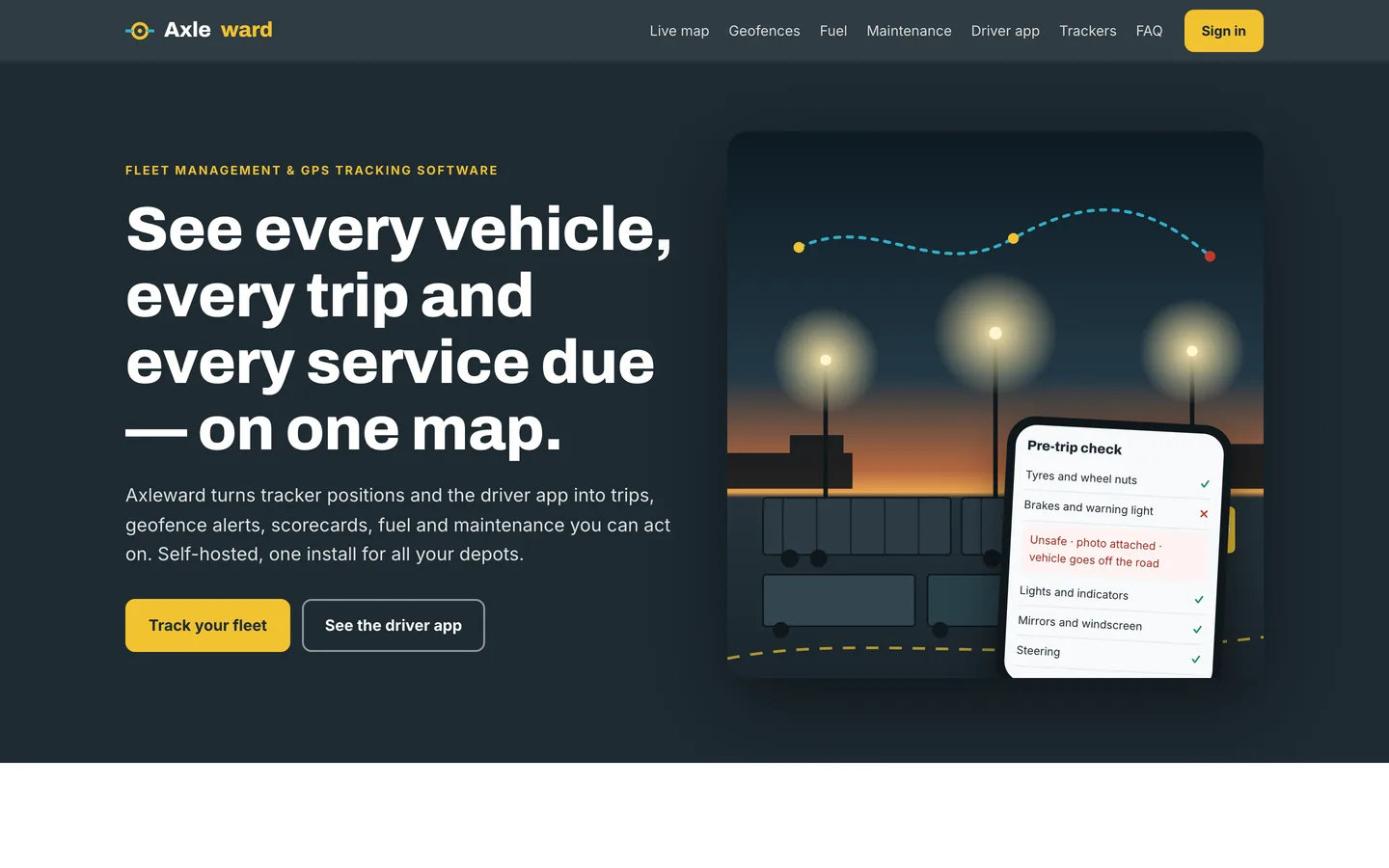
Fleet management on one map: the hero with the yard at dusk and the driver app inspection over it. Fleet management on one map — the hero with the yard at dusk and the driver app inspection over it.

Live map and replay: vehicle states, heading arrows and a day played back. Live map and replay — vehicle states, heading arrows and a day played back.
Guides & articles

Practical guides and engineering write-ups for DEV3 Axleward.

Fleet management software: 6 things to check before you pick one

Last updated
Fleet management software: 6 things to check before you pick one: DEV3 Axleward

A fleet loses money in small gaps: the van that idles for two hours, the fuel card used on the wrong vehicle, the service that comes due on a Friday, the driver who never gets told how they score. Here are six things to check before you pick fleet management software, with DEV3 Axleward as the worked example.

Axleward home page: a truck yard at dusk beside the headline and call to action

1. What does it do with bad GPS data?

Trackers resend points, send them out of order and sometimes jump across a city for one bad fix. Ask whether duplicates are dropped, whether a late point rebuilds the right trip and whether an odometer that goes backwards is ignored. Axleward signs every batch, de-duplicates by time and filters jumps and impossible readings before a trip is built.

The live map with vehicles by state and a search by plate or driver

2. Can you replay a day?

A map of where vehicles are now is easy. The question that matters is where one vehicle was at 14:00 on Tuesday.

A vehicle replayed over a day with its speed graph and list of trips

3. Do geofence alerts flap?

A van parked at the edge of a depot fence should not raise forty enter-and-exit alerts. Look for hysteresis and for one alert per episode, with a cooldown.

Geofences: depots, customers, speed zones and curfew zones

4. Does fuel reconcile?

Consumption between full tanks, cost per km, a flag for a vehicle that uses far more than its class and a fuel-card import that matches the app's entries are the useful features.

Fuel entries with litres per 100 km and flagged anomalies

5. Is maintenance whichever comes first?

Services are due by distance, engine hours or date, and the earliest wins. A failed inspection item should open a job, and an unsafe one should take the vehicle off the road until the repair is verified.

Maintenance schedules showing what is due by distance and date

6. Are the limits honest?

Axleward is an install you run for one operator with one or more depots. Positions come from the driver app (foreground, during a shift) or from any tracker platform that can POST signed JSON; no device protocols are built in. Speed limits are the ones you configure per zone and vehicle class, there is no road-speed database or routing API, and demo positions are simulated. You must tell drivers they are tracked and follow local employee-monitoring law. The Flutter app was verified in simulator builds, tests and against the live API, not on a real device, and publishing it to the stores is your step. Say that plainly to your drivers and customers.

Video: The Axleward tour

Frequently asked questions

The complete source code (version 1.0.0) as a download from your account, with the setup and usage guides shown on this page. You can modify the code to suit your product.

Buying guides: Laravel scripts with Filament panels and a web installer · Next.js or Laravel for a SaaS script?

Questions about this product (0)

Answers from the DEV3 team and the community.

Ask a question

No questions yet.

Wondering about setup, licensing or customisation? Ask, and the DEV3 team will help.

More from this author

View all

Related in Web Scripts & Software

View all