"What size am I?" sounds like a question for AI. A shopper types a few numbers, a model reads the chart, and out comes "M". When we built DEV3 AI Size Guide & Fit Advisor for WooCommerce, we decided early that the size itself would not come from a language model. A size recommendation has to give the same answer for the same input, explain itself in terms the shopper can check against the chart, and change in a predictable way when returns show that a style runs small. This post explains the scoring that does that in one PHP class, and where AI still helps.
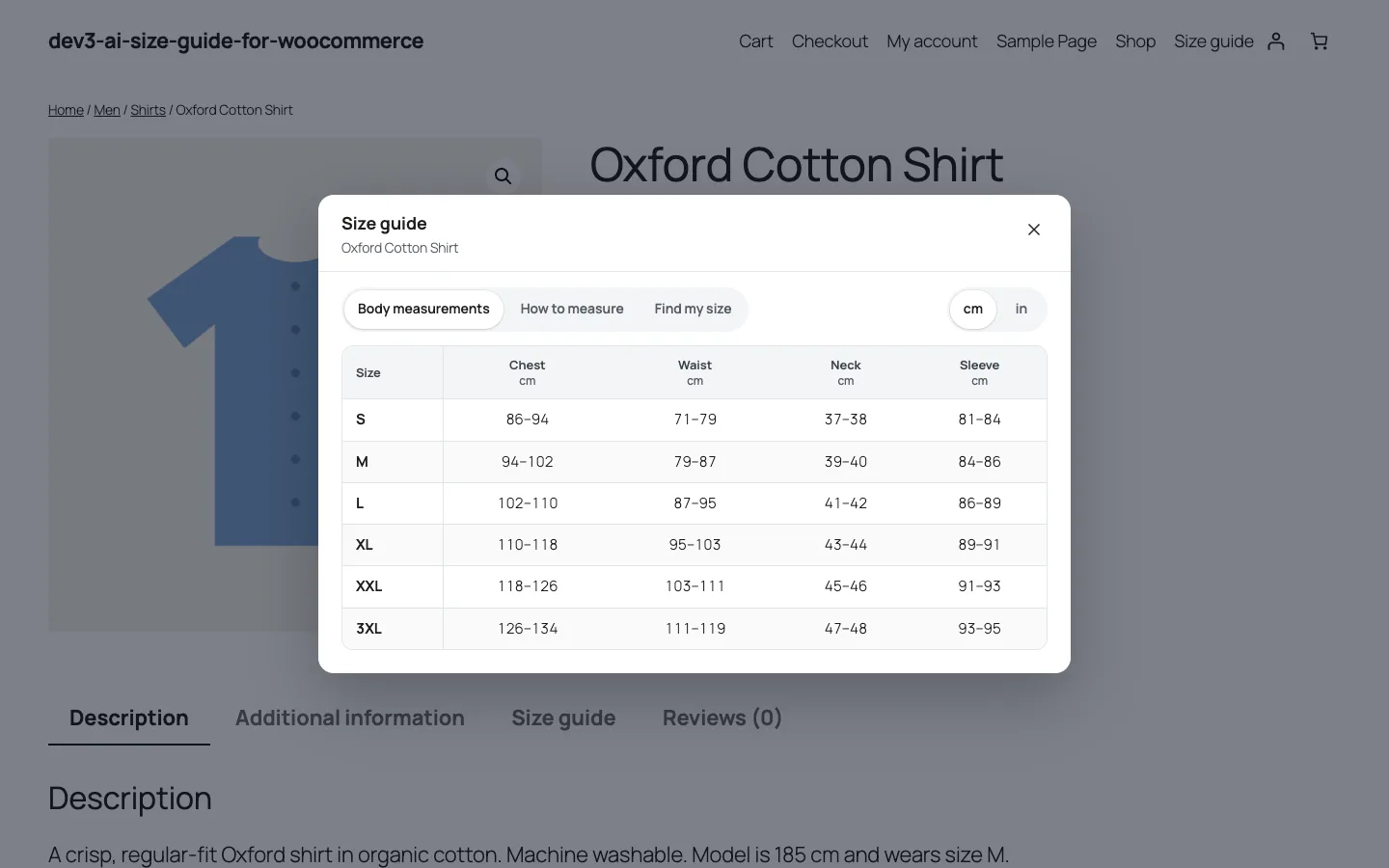
The size guide on a block theme. The same chart data drives the table and the quiz.
What it does and who it's for
The plugin adds size charts, a fit quiz and returns learning to WooCommerce. It suits:
- Fashion stores selling tops, dresses, jeans and outerwear across several fits, where "Should I size up?" is the most common pre-sale question.
- Footwear and accessory shops that size by foot length, head circumference or finger circumference, with US, UK and EU size systems side by side.
- Stores selling to both metric and imperial countries, where a chart in centimetres alone loses US shoppers and inches alone loses everyone else.
- Merchants buying from several suppliers, whose charts arrive as PDFs, spreadsheets or photos and never in the same format twice.
- Shops with high fit-related returns, who want to know which styles run small or large and have the advice correct itself.
- Mobile-heavy stores, where a desktop popup squeezed onto a phone makes a six-column table unreadable.
Everything except the AI drafting works without an API key, including the quiz and the returns learning.
How to set it up
- Install the plugin zip from the bundle download and activate it with WooCommerce active. The DEV3 AI Size Guide menu appears.
- In Templates, click Use template on the closest match. Twelve are included, from women's tops to rings and hats.
- Adjust the rows to your brand, add a how-to-measure guide, assign the chart to categories, tags or products, turn on Live on the store and click Save chart.
- In Settings, choose popup button, product tab or both, the button position and the default unit.
- Optional: add a Google Gemini API key under API Config for chart drafting, return-note classification and friendlier quiz explanations.
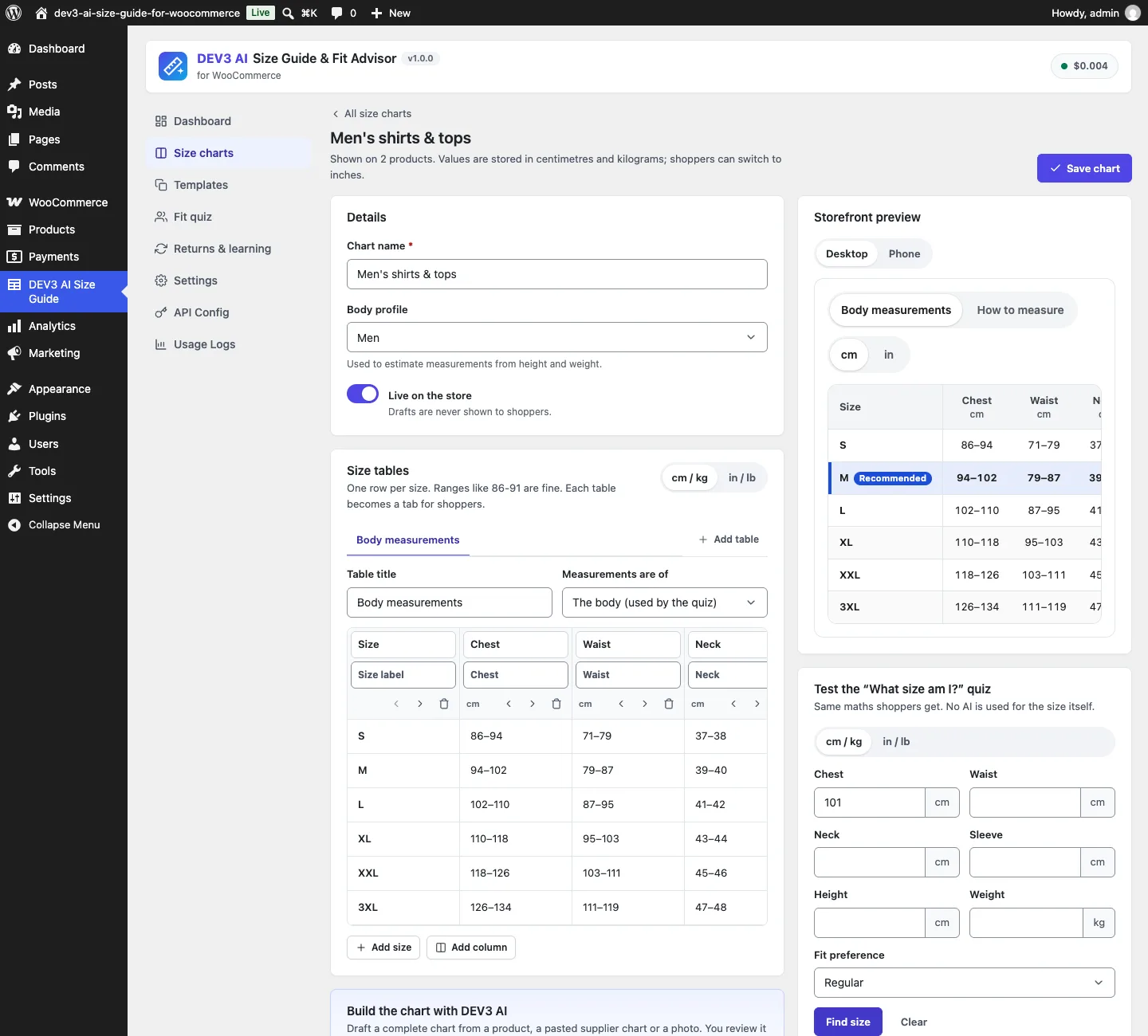
The chart editor. The quiz tester on the right uses the same endpoint as the storefront.
How to use it
Build or import a chart. Start from a template, or paste a supplier's table into Paste a chart and click Read table (no AI). Inches are detected and converted, because every value is stored in cm and kg. For messy tables, a product description or a photo of a printed chart, Generate with DEV3 AI returns a draft you accept with Use these tables or discard.
Let shoppers find their size. On the product page, "What size am I?" opens the quiz tab. Shoppers enter the measurements the chart actually has, optionally height and weight, a fit preference and the size they usually wear. They get a recommended size, an alternative when they sit between two, a verdict per measure and a Select size button that picks the variation.
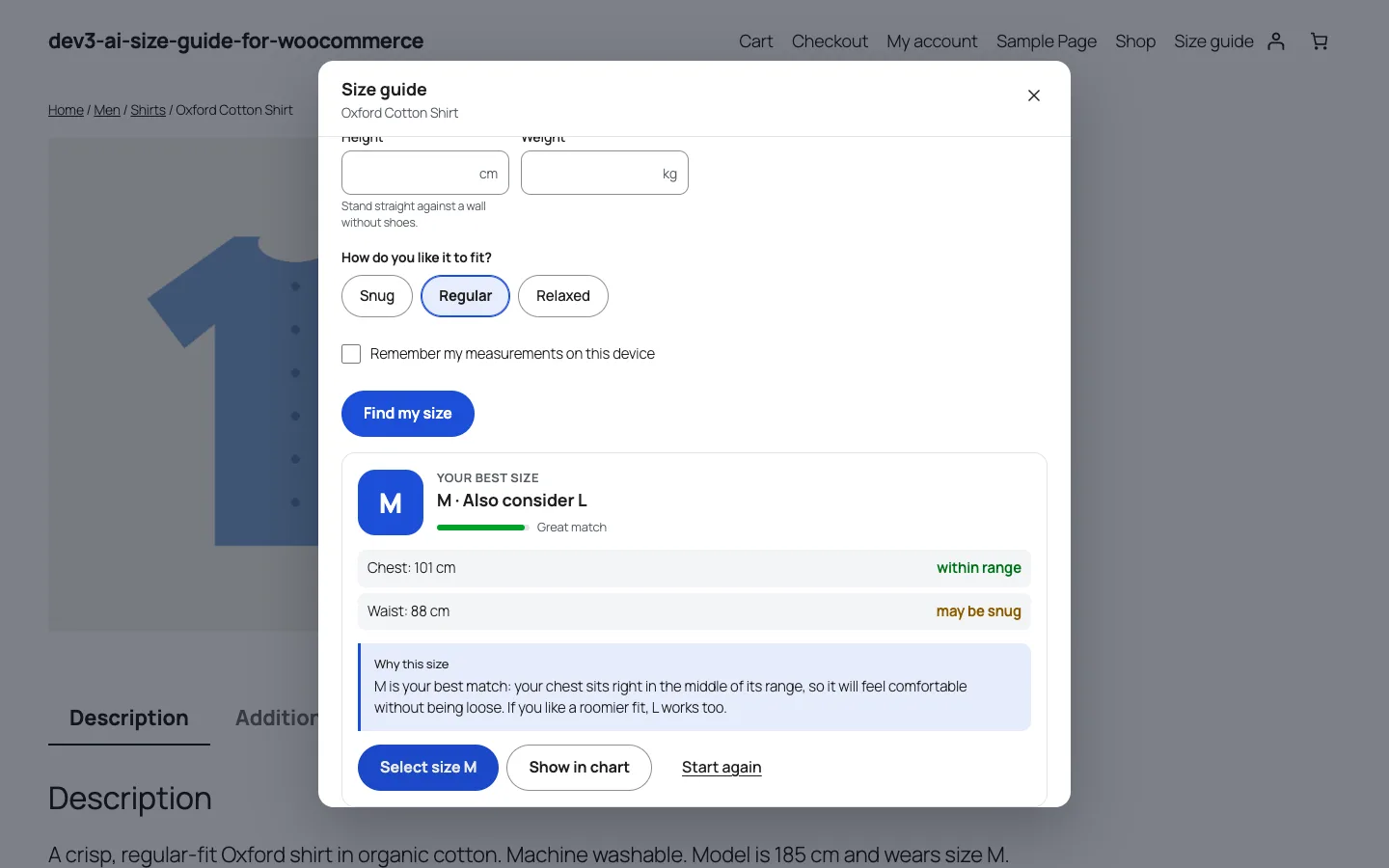
Chest 101 cm and waist 88 cm on the men's tops chart: M, with L as the alternative.
Act on returns. Refund reasons and the Fit feedback box on orders feed Returns & learning. When enough fit returns point one way, a card offers Suggest one size up. Accepting it shifts the quiz for that chart straight away.
Now to the engineering problem: turning a chart of ranges and a handful of measurements into a size you can defend.
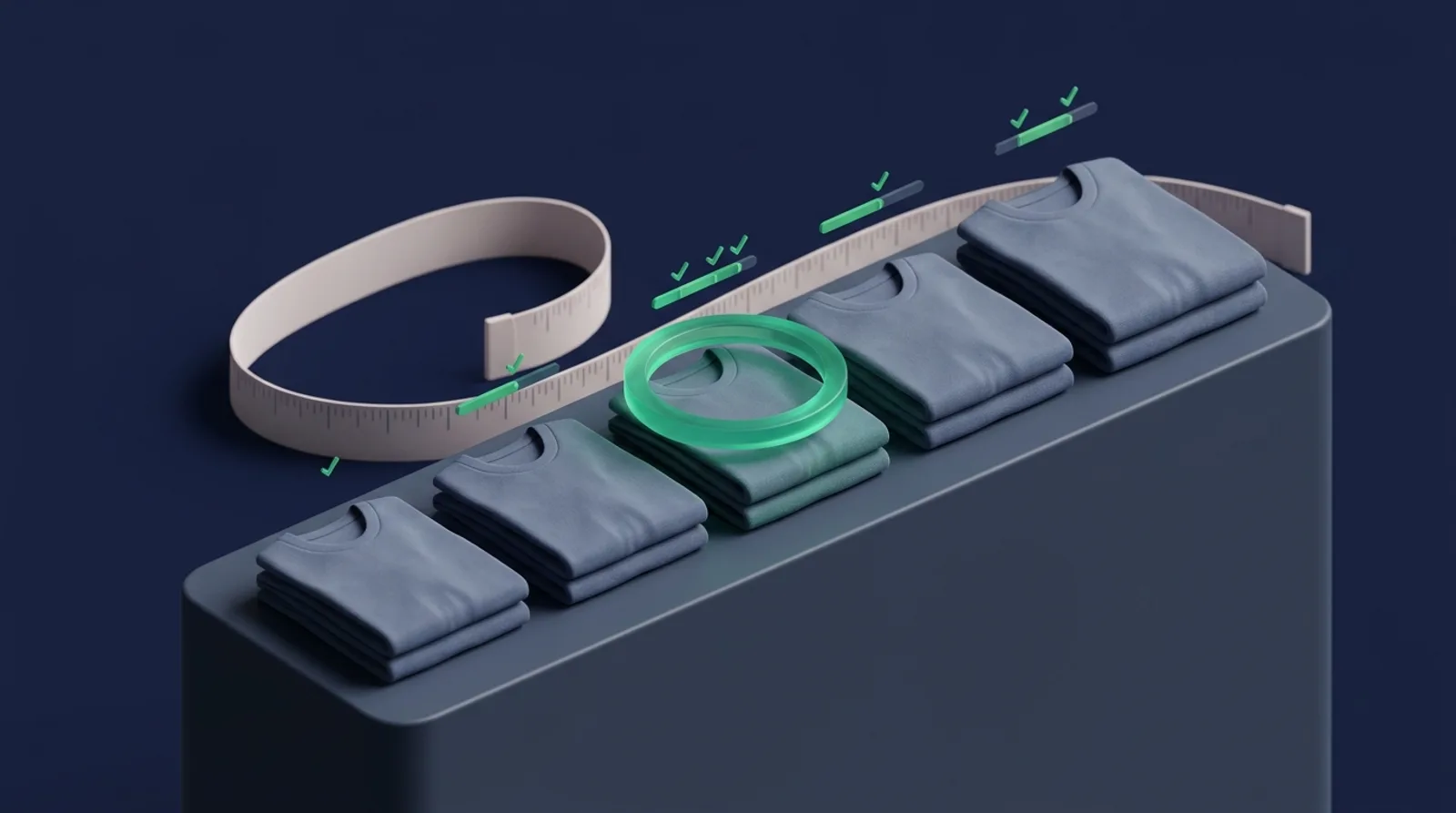
Illustration: measurements matched against a range of sizes.
Why not just look the number up?
The naive version is a lookup: find the row whose chest range contains the shopper's chest. It breaks almost immediately:
- Two measurements disagree. Chest says M, waist says L. Which wins?
- The value falls in a gap or on a boundary. The men's tops template has chest 94–102 for M and 102–110 for L. Is 102 an M or an L?
- Columns use different scales. One centimetre matters a lot on a ring (sizes about 0.3 cm apart) and very little on hips (sizes 5–8 cm apart).
- Some columns don't vary. A chart might list the same sleeve length for three sizes, which tells you nothing.
- The shopper is outside the chart, or only knows their height and weight.
Fit\Engine::recommend() deals with all of these through one idea: measure every miss in steps between sizes for that column, not in centimetres.
Measuring distance in steps
For each scorable column, the engine works out the typical step between neighbouring sizes as the median difference between row midpoints:
private static function step( array $ranges ) {
	$mids = array();
	foreach ( $ranges as $r ) {
		if ( $r ) {
			$mids[] = ( $r[0] + $r[1] ) / 2;
		}
	}
	// … differences between neighbouring midpoints …
	sort( $diffs );
	return max( 0.1, $diffs[ (int) floor( count( $diffs ) / 2 ) ] );
}
(condensed from Engine::step)
The median ignores one odd jump, such as a 3XL that grows faster than the rest. On the men's tops chart the chest step is 8 cm; on the ring chart it is a fraction of a centimetre. Distance to a row is then zero inside the range, and otherwise the gap to the nearest edge divided by that step:
private static function distance( $v, array $range, $step ) {
	list( $lo, $hi ) = self::effective( $range, $step );
	if ( $v < $lo ) {
		return ( $lo - $v ) / $step;
	}
	if ( $v > $hi ) {
		return ( $v - $hi ) / $step;
	}
	return 0.0;
}
(from Engine::distance)
effective() handles charts that list a single number instead of a range (ring and shoe charts often do): a point value widens to plus or minus half a step. That is why a finger circumference of 5.45 cm lands on ring size 7 in the test suite, even though no cell contains 5.45.
A column only takes part if its values differ between sizes (discriminates()), so a sleeve length repeated across rows can't drag the score around.
Weighting the measures
Each measure in the dictionary has a weight: chest and bust 1.5, waist and hips 1.2, neck and inseam 1.0, sleeve and shoulder 0.6, and 2.0 for foot length, head, hand and finger, where one measure decides the size. A row's score is the weighted average of its column distances:
foreach ( $cols as $col ) {
	$range = $col['ranges'][ $r ];
	if ( ! $range || ! $col['distinct'] ) {
		continue;
	}
	$sum  += $col['weight'] * self::distance( $col['value'], $range, $col['step'] );
	$wsum += $col['weight'];
}
$score = $wsum > 0 ? $sum / $wsum : 0.0;
(from Engine::recommend)
Here is the case from the screenshot above, chest 101 cm and waist 88 cm on the men's tops chart, worked by hand:
- M: chest is inside 94–102 (distance 0). Waist is 1 cm above 79–87, which is 1/8 = 0.125 steps, times 1.2. Score: 0.15 / 2.7 ≈ 0.056.
- L: chest is 1 cm below 102–110, 0.125 steps times 1.5. Waist is inside 87–95. Score: 0.1875 / 2.7 ≈ 0.069.
M wins narrowly, and because the waist verdict for M is "above", the next size up becomes the alternative if its score is within 0.6. The shopper sees "M · Also consider L" and "Waist: may be snug", which is exactly what the arithmetic says. Neck and sleeve weren't entered, so they don't count against any row.
Fit preference as ease, and the boundary rule
Fit preference doesn't change the scoring. It changes the input. Girth measures (chest, bust, waist, hips, neck, thigh) get an ease before scoring:
const EASE = array(
	'snug'    => -1.5,
	'regular' => 0.0,
	'relaxed' => 2.5,
);
// …
$value = (float) $given[ $col['measure'] ];
if ( $def['girth'] ) {
	$value += self::EASE[ $fit ];
}
(condensed from Engine)
Lengths such as inseam and foot length are left alone, because "relaxed" doesn't make your feet longer. In the tests, chest 101 cm gives M for a snug fit (99.5 cm, inside M) and L for a relaxed one (103.5 cm, inside L).
Shared boundaries are settled by the same preference. When two rows score within 0.001 of each other, the sort prefers the smaller row for a snug fit and the larger row otherwise, so a chest of exactly 102 cm on a regular fit gets L. Most shoppers would rather have a little room than a seam under strain.
Estimates, usual sizes and the shopper outside the chart
Estimates. Shoppers without a tape measure can give height and weight. Engine::estimate() uses linear formulas per body profile (women, men, unisex, kids) to fill in chest or bust, waist and hips. For a man of 178 cm and 78 kg the chest estimate is 30 + 0.65 × 78 + 0.11 × 178 ≈ 100.3 cm. Estimated columns are scored at 0.6 of their normal weight, the result is flagged as estimated, and confidence can't reach "high". The explanation says so in plain words and suggests measuring for a precise result. The formulas sit behind the dev3sg_estimates filter for stores with better data.
Usual size. If the chart has text columns such as UK or EU, the quiz can ask "the size I usually wear". usual_row() matches the answer across every table in the chart, understands ranges such as "12-14" and decimal commas, and maps it to a row by size label. With measurements present, the matching row gets a 0.5 bonus. Without measurements, the usual size decides on its own and the other rows are scored by how far they are from it. In the tests, UK 12 on the women's tops chart gives M.
Out of range. If a measurement is more than one step beyond the largest or smallest range, the result is flagged above or below, confidence drops to low, and the explanation says the item may not fit well. A chest of 150 cm on a chart that ends at 134 still returns 3XL, but it no longer pretends to be a good match.
Confidence you can explain
Confidence is a rule, not a probability from a model:
if ( $best_score <= 0.25 && ( $real >= min( 2, max( 1, $scorable ) ) || ( null !== $usual_row && $best === $usual_row && $real >= 1 ) ) ) {
	$confidence = 'high';
} elseif ( $best_score <= 0.8 && ( $real >= 1 || null !== $usual_row ) ) {
	$confidence = 'medium';
} else {
	$confidence = 'low';
}
(from Engine::recommend)
High confidence needs a close match and at least two real, measured columns (or one, if the chart has only one that varies, or one plus a matching usual size). The match bar on the storefront ("Great match") is exp(-score) scaled down for estimates and low confidence. It is a display aid; the confidence level is what the explanation uses.
Returns as a one-size bias
The last input is what the store has learned. Each chart has a bias of −1, 0 or +1. After scoring, a non-zero bias moves the chosen row one position along the chart, clamped to the ends:
$bias   = (int) ( $chart['bias'] ?? 0 );
$chosen = $best;
if ( 0 !== $bias ) {
	$new_pos = max( 0, min( count( $rows ) - 1, $pos + $bias ) );
	$chosen  = $rows[ $new_pos ];
	if ( $chosen !== $best ) {
		$alt      = $best;
		$verdicts = self::verdicts( $cols, $chosen );
	}
}
(from Engine::recommend)
The maths result becomes the alternative, so the shopper still sees "M fits your measurements" next to "this style runs small, we suggest L". At the top of the chart the bias does nothing, and the result says so (bias_applied is false). A test checks both: chest 98 cm with bias +1 gives L with M as the alternative, and chest 130 cm stays at 3XL.
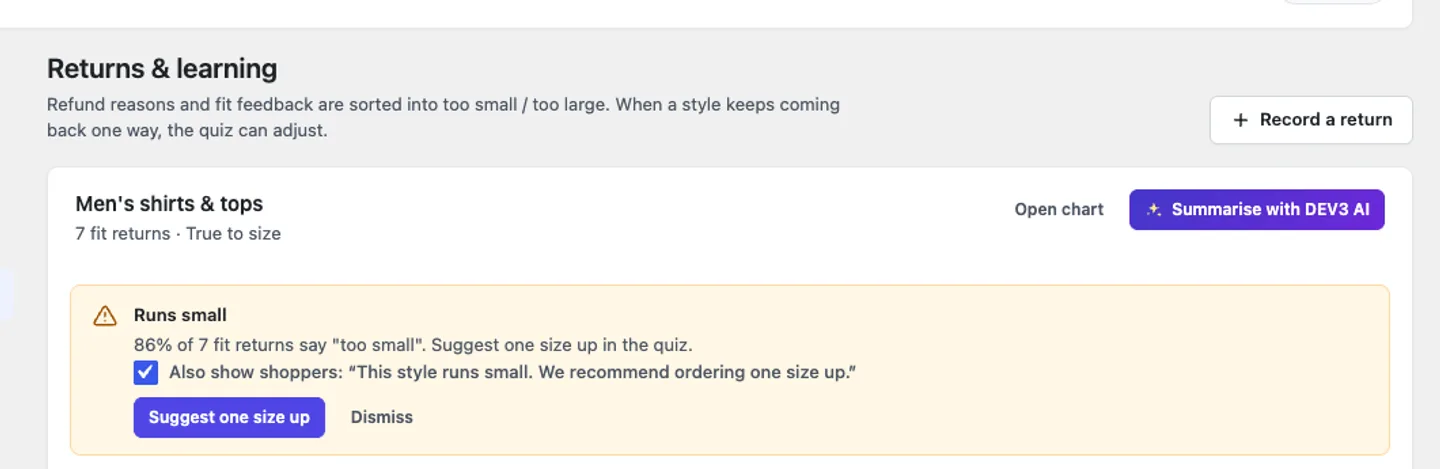
A "runs small" suggestion on the demo store. Nothing changes until the merchant clicks it.
The bias is set by a person. Learning\Insights counts fit returns per chart and per size over a look-back window (default 180 days), and only suggests a change once a chart has at least the minimum number of fit returns (default 5) and one direction makes up at least the threshold share (default 60%). Per size, the minimum is half the chart's. The reasons come from a keyword classifier with explicit phrases ("too small", "size up", "zu klein", "trop grand") checked before single words, in English, German, French, Spanish and Dutch. If a note matches both directions, it is marked unknown rather than guessed. With AI connected, unclear notes can be classified by the model, and each suggestion still waits for acceptance.
Where AI does help
AI sits around the engine, never inside it:
- Chart drafting from product data, a pasted table or a photo of a supplier chart, returned as structured JSON and converted to cm before the merchant sees it.
- The explanation.
Explainer::explain()sends only the computed facts (recommended size, alternative, per-measure status, fit preference, the store's fit note) and asks for two or three friendly sentences. A test asserts there is no@anywhere in the request body. Identical results come from the cache. If the explanation setting or storefront AI is switched off, the storefront cap is reached or the API fails, the template explanation built byExplainer::template()is shown instead. The tests cover the switches and the API failure. - Return notes, summaries and assignment suggestions, all as drafts.
These paths were tested with mocked Google Gemini responses, including failures and malformed output. A run with a live key is still to come, so we make no claims here about the quality of the AI wording.
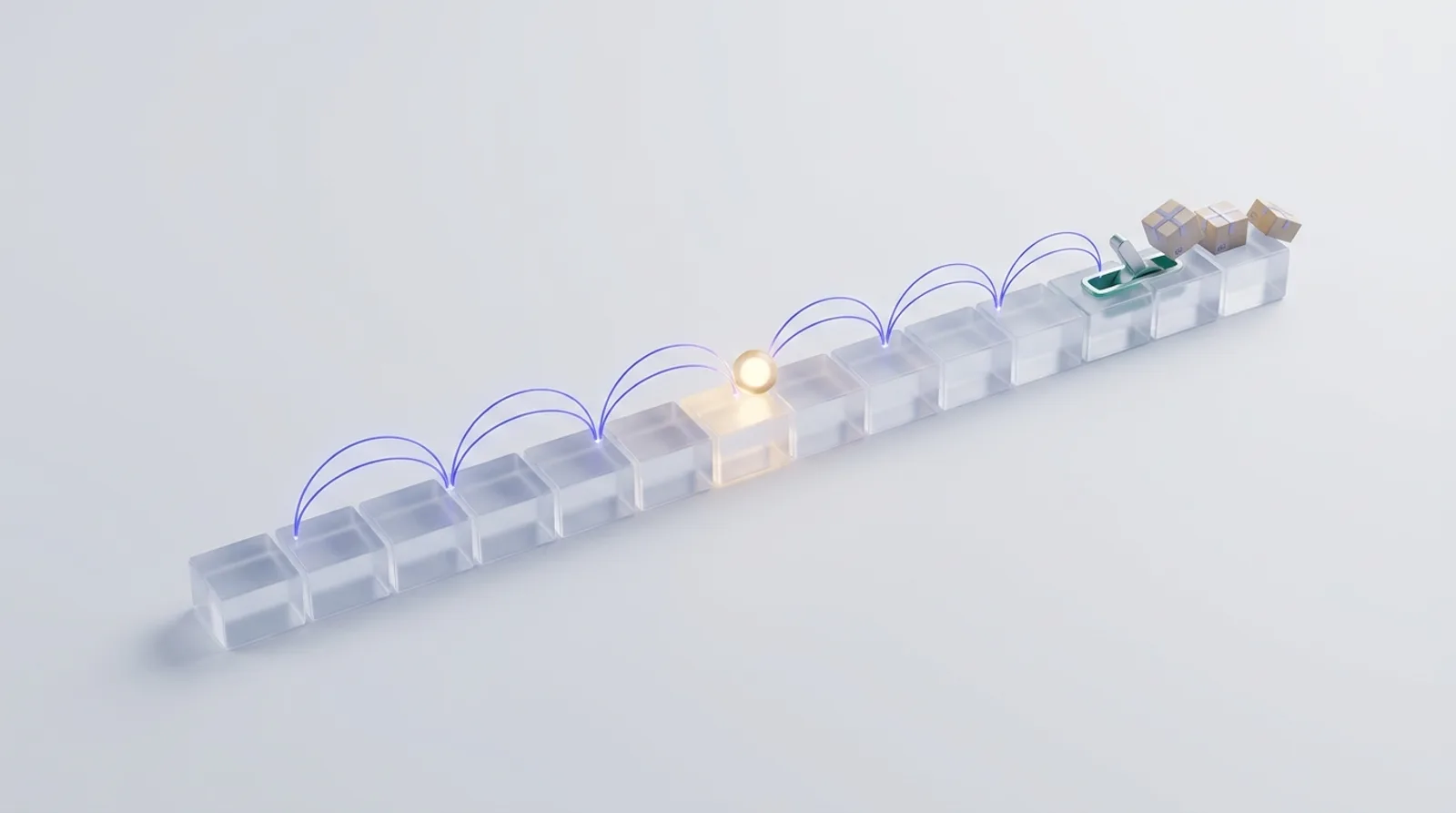
Illustration: distance to each size measured in steps, with returns nudging the result.
Verifying it
The PHPUnit suite has 58 tests, 38 of them for this plugin and 20 for the shared core. FitEngineTest covers in-range, between-size, fit-preference, imperial, estimated, bias, usual-size, shoe, ring and out-of-range cases, plus the explainer's fallbacks. The Jest suite has 40 tests: 20 cover the storefront sheet and quiz, the unit helpers and the admin, and 20 cover the shared UI kit. We also checked the storefront on Twenty Twenty-Five and Twenty Twenty-One at 375 px and 1440 px.
Trade-offs
- The chart is the ceiling. The engine is only as good as the merchant's ranges. A chart with gaps or overlapping rows gets honest but less useful answers.
- Estimates are rough. Linear formulas from height and weight can't know body shape, which is why they're down-weighted and labelled.
- The bias is one size, per chart. It can't express "runs small in the chest but long in the sleeve". The per-size table in Returns & learning shows that detail; the quiz uses the chart-level signal.
- Keyword classification misreads some notes. "Fit after sizing up" contains "sizing up" and is counted as too small. Thresholds and human acceptance limit the damage, and AI classification can catch it when connected.
Conclusion
The pattern is worth reusing wherever a recommendation has to be trusted: compute it with transparent rules, measure error in units that mean something for each input, let real outcomes adjust it through a step a person approves, and use AI for the wording and the data entry around it. DEV3 AI Size Guide & Fit Advisor ships in the DEV3 AI WooCommerce Plugins Bundle alongside 20 other WooCommerce plugins, and is being prepared for CodeCanyon. The case study covers the rest of the plugin.