A ticket is a promise that has to survive a lot of hostile environments: a cheap phone screen at 20% brightness, a crumpled printout, a shared host with no image libraries, a Safari version without a native barcode API, and two volunteers at two doors scanning the same screenshot within a second of each other. When we built DEV3 AI Events & Tickets, our all-in-one WordPress events plugin, we decided to own the whole chain from code to admission: a QR encoder written in plain PHP, a tiny PDF writer for the tickets, a browser scanner, and a check-in rule that can admit a ticket only once. This post walks through each link and the trade-offs behind it.
 Illustration: seats, tickets and a QR code generated on the server.
What it does and who it's for
DEV3 AI Events & Tickets publishes events, sells tickets and runs the door from one WordPress plugin, with no paid add-ons:
- Theatres, comedy clubs and small venues that sell reserved seats from a seat map with price categories.
- Clubs, bars and music nights selling general admission with early-bird and standard tickets.
- Meetups, workshops and community groups that only need free RSVP tickets and a door list.
- Recurring classes and tours, such as weekly yoga or monthly walks, where each date has its own capacity.
- Shops already on WooCommerce that want paid tickets to use the checkout and gateways they already have.
How to set it up
- Install the plugin zip from the bundle and activate it. An Events page and a My tickets page are created for you.
- In Settings, pick the currency, the checkout mode (free tickets as RSVP, paid tickets through WooCommerce) and the hold time.
- Add Venues and Organisers, then create an event with its dates, time zone and capacity.
- Add ticket types with prices, capacity per date and a sales window, and optionally switch Seating to a seat map.
- Give door staff the Event check-in staff role. Optionally paste a Google Gemini API key in API Config for the AI drafts.
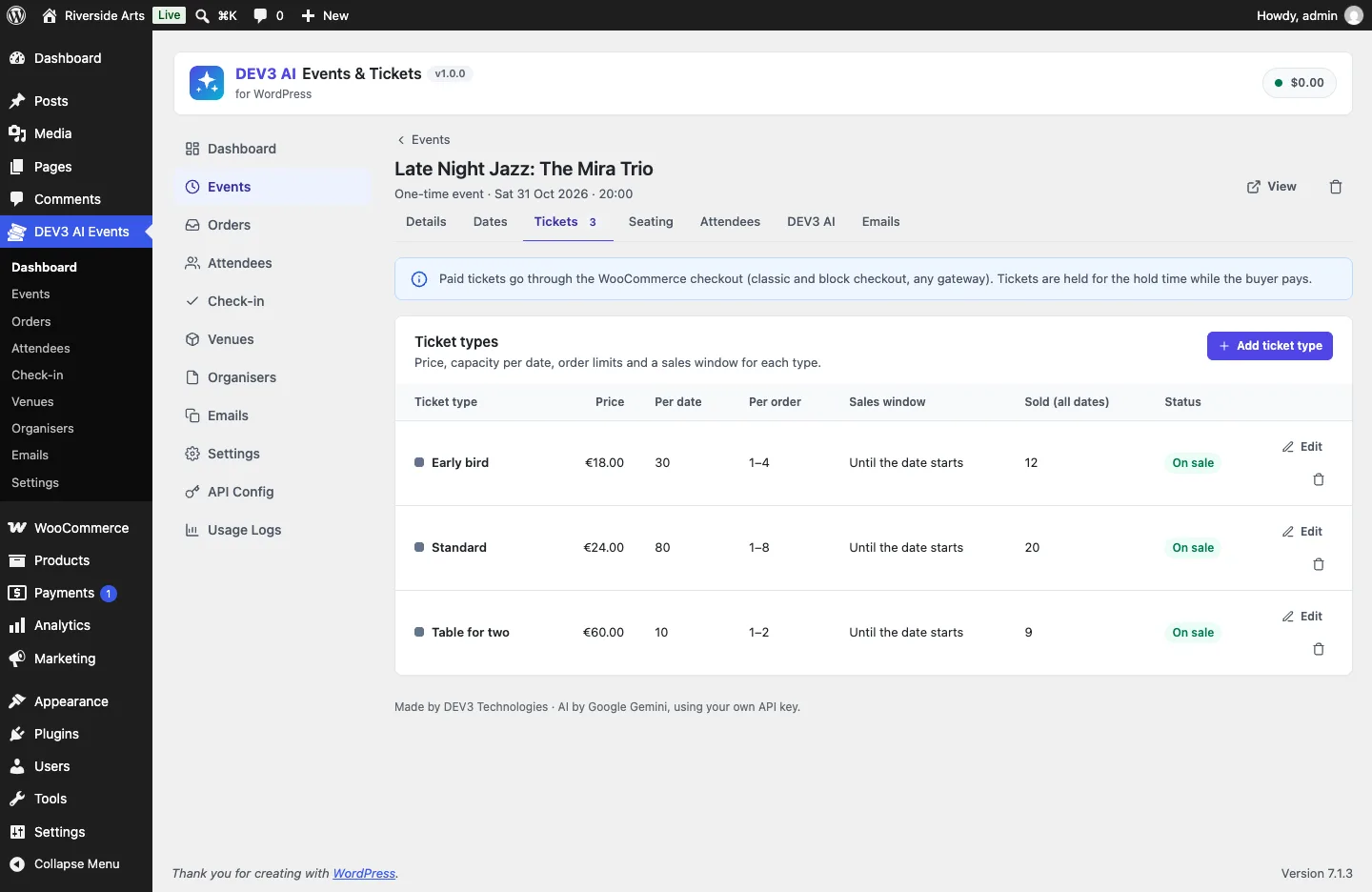 Each ticket type has its own price, capacity per date, order limits and sales window.
How to use it
Sell reserved seats. In the event's Seating tab, set rows and seats per row, paint seats with a ticket type, block or mark aisles, and save. Buyers choose seats on the event page and pay through WooCommerce, or confirm instantly when the tickets are free.
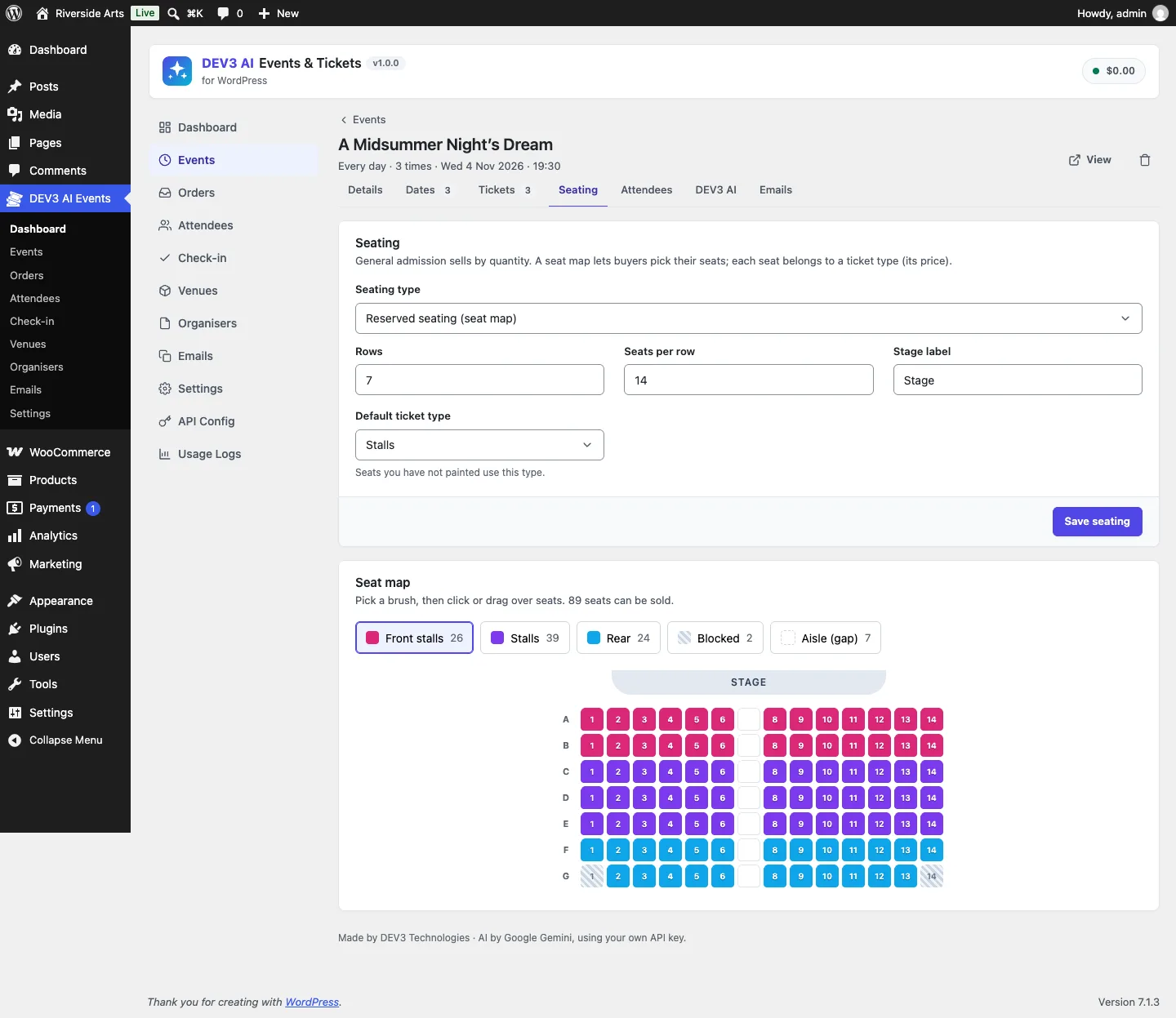 The seat map editor: paint rows with a ticket type, block seats or leave an aisle.
Let AI write the words. The DEV3 AI tab drafts the event page, an FAQ, social posts and a recap email from the event's real details. Each draft is reviewed and only saved when you accept it.
Run the door from a phone. Staff open the check-in screen, pick the date and scan. Undo, a typed-code fallback and a live counter are on the same screen.
The rest of this post follows a ticket from the server that encodes it to the door that admits it.
Why build a QR encoder at all
The usual PHP options for QR codes either depend on GD or Imagick being installed, pull in a Composer tree that has to be prefixed to avoid clashing with other plugins, or call a remote image API, which leaks ticket codes to a third party. WordPress plugins run on whatever host the buyer has. We wanted tickets that render the same way on every site, as crisp vector graphics in both the browser and the PDF, with no network calls.
The payload is small and predictable, which keeps the scope small too. Every attendee gets a 12-character code from a 32-symbol alphabet with no look-alike characters (no I, O, 0 or 1), drawn with random_int, which gives 2^60 possible codes. The QR payload adds a short prefix:
public static function payload( $code ) {
	return 'DEV3EV:' . preg_replace( '/[^A-Z0-9]/', '', strtoupper( (string) $code ) );
}
(from Pdf_Tickets::payload)
That is 19 bytes, which fits a version 2 symbol: 25 × 25 modules, large enough to scan from across a counter.
The encoder in 500 lines
Tickets\Qr implements ISO/IEC 18004 in byte mode at error correction level M, for versions 1 to 10 (up to 213 bytes). Level M can recover about 15% of damaged codewords, a reasonable balance between density and tolerance for a creased printout. The algorithm follows Project Nayuki's MIT-licensed reference implementation. The steps are the standard ones, and each is short in PHP.
Choose the version and build the bit stream
The encoder picks the smallest version whose data capacity fits a 4-bit mode indicator, the length field (8 bits below version 10, 16 bits from version 10) and the payload. It then appends a terminator, pads to a byte boundary and fills the remaining capacity with the alternating pad bytes 0xEC and 0x11:
$pad = 0xEC;
$n   = count( $bits );
while ( $n < $cap ) {
	self::push( $bits, $pad, 8 );
	$pad ^= 0xEC ^ 0x11;
	$n   += 8;
}
(from Qr::encode)
Reed–Solomon error correction
Error correction works over GF(256) with the polynomial 0x11D. Multiplication is done bit by bit, so no log tables are needed:
private static function mul( $x, $y ) {
	$z = 0;
	for ( $i = 7; $i >= 0; $i-- ) {
		$z  = ( ( $z << 1 ) ^ ( ( $z >> 7 ) * 0x11D ) ) & 0xFF;
		$z ^= ( ( $y >> $i ) & 1 ) * $x;
	}
	return $z;
}
(from Qr::mul)
From version 4 at level M, the data is split into several blocks (two to five here), each with its own error correction codewords. Blocks can differ in length by one codeword. The encoder pads the short blocks with a dummy byte so every block has the same length, then skips that dummy position while interleaving. Getting this wrong is the classic QR bug: codes that work up to version 3 and fail to decode from version 4.
Function patterns, placement and masks
The matrix gets the three finder patterns, timing lines, alignment patterns (from version 2), the dark module, and from version 7 the 18-bit version information with its BCH check. Data bits are placed in the standard zig-zag of two-column strips, skipping the vertical timing column. Then the encoder tries all eight masks, scores each one with the four penalty rules (long runs, 2 × 2 blocks, finder-like patterns, dark/light balance), and keeps the lowest. Masks are XOR operations, so applying the same mask twice undoes it and the loop needs no copy of the matrix.
Rendering
On screen, the matrix becomes a single SVG path with one h1v1h-1z square per dark module, shape-rendering="crispEdges", a four-module quiet zone and an aria-label. In the PDF, the same matrix becomes filled rectangles drawn in one operation, slightly overlapped by 0.02 pt so viewers don't render hairline gaps between neighbouring modules.
How we know it decodes
The PHPUnit suite checks structure: the 19-byte ticket payload produces version 2 at 25 × 25, the finder corners have their dark border, light ring and dark core, the dark module is at row 17, column 8, the timing pattern alternates, 200 bytes give version 10, and 300 bytes throw. Structure is necessary but not enough, so while writing this post we also ran the encoder against an independent decoder: we generated payloads of every length from 1 to 213 bytes, rasterised each matrix and decoded it with jsQR. All 213 decoded to the original text, covering every version from 1 to 10.
A PDF writer for one job
The confirmation email carries a PDF with one ticket per page. Tickets\Pdf is a minimal PDF 1.4 writer: the core Helvetica fonts, with their WinAnsi character widths kept in PHP arrays so text can be measured and wrapped without font files, lines, filled and outlined rectangles, and the vector QR. Each ticket page has a coloured header in the site's accent colour, the event, the date in the event's own timezone, the venue, ticket type, seat, attendee name, the code in groups of four and the QR code. The test asserts that a two-ticket order produces a file starting with %PDF-1.4, containing /Count 2 and ending with %%EOF.
The trade-off is typography. The core fonts only cover WinAnsi, so names in scripts outside Western European languages can't be shown in the PDF. The on-screen ticket page uses the browser's fonts and has no such limit, and the code and QR are always ASCII.
The scanner: native first, fallback on demand
Door staff open a standalone, phone-first page at /dev3ev-checkin/. Opening the camera requires HTTPS, so the screen checks isSecureContext first and explains the problem instead of failing silently. Where the browser has BarcodeDetector with qr_code support, the scanner uses it. Otherwise it loads jsQR through a dynamic import:
ready
	.then( () => ( st.detector ? null : import( /* webpackChunkName: "jsqr" */ 'jsqr' ).then( ( m ) => ( st.jsqr = m.default || m ) ) ) )
	.then( () => window.navigator.mediaDevices.getUserMedia( { video: { facingMode: { ideal: 'environment' }, width: { ideal: 1280 } }, audio: false } ) )
(condensed from src/checkin/app.js)
The check-in bundle is 4.5 KB gzipped; the jsQR chunk is 46 KB gzipped and is only downloaded by browsers that need it. Frames are downscaled to at most 640 pixels wide before decoding, the loop runs every 250 ms, and the same code is ignored for 4 seconds after a scan so a ticket held in front of the camera isn't submitted repeatedly.
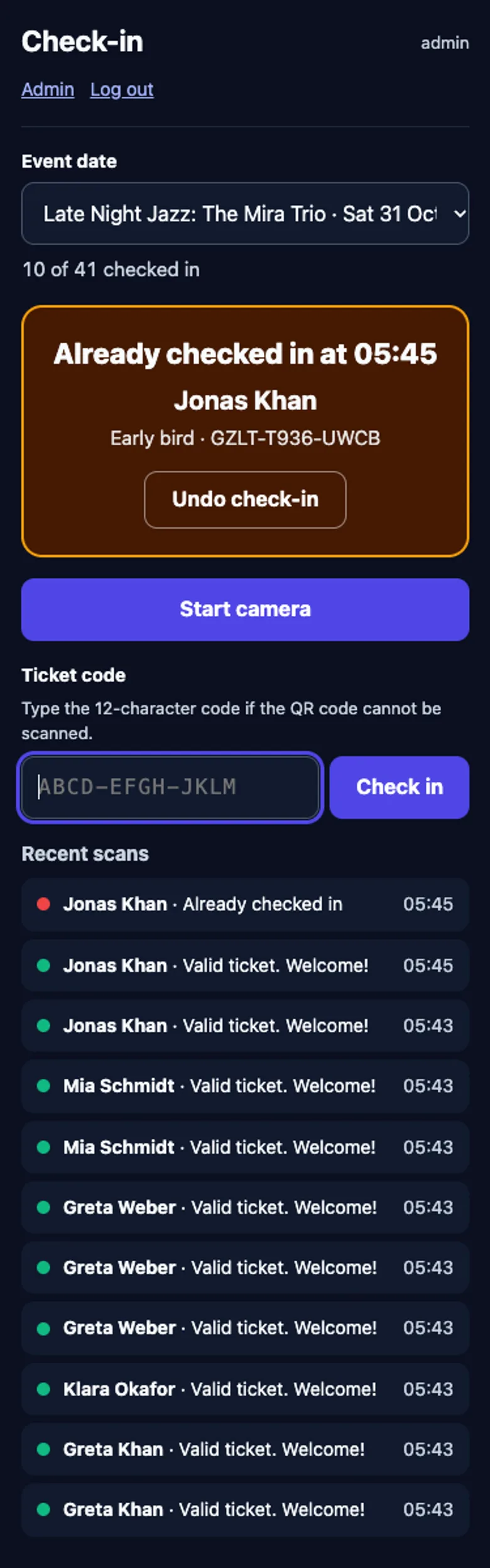 A second scan of the same ticket shows when it was first admitted, with undo one tap away.
Admitting a ticket exactly once
The server is the only judge. Checkin\Service::scan() first normalises whatever arrived: a camera payload with the DEV3EV: prefix, or a typed code in lowercase with dashes or spaces. It then works through the refusals in order: unknown code, a ticket for another date or another event (reported separately, because door staff deal with each differently), cancelled, reserved but not paid, and already checked in. A dev3ev_checkin_allowed filter lets a site add its own rules, such as ID checks for age-restricted events.
Two phones at two doors can both read the row and see "not checked in yet". The write is what decides:
$n = $wpdb->query( $wpdb->prepare(
	'UPDATE ' . Attendees::table() . " SET checked_in_at = %s, checked_in_by = %d WHERE id = %d AND checked_in_at IS NULL AND status = 'valid'",
	Clock::now_sql(), (int) $user_id, (int) $a['id']
) );
if ( 1 !== (int) $n ) {
	$res = 'already';
}
(condensed from Service::scan)
The condition lives in the UPDATE itself, so the database applies it atomically. Exactly one request changes the row and gets 1 back; any other gets 0 and reports "already checked in". No lock or transaction is needed for this step. Every attempt, admitted or refused, goes into a check-in log with the user and the result, and undo clears the timestamp and logs an undo row. The CheckinTest suite covers valid-then-already-then-undo, wrong date, wrong event, cancelled, unknown, a filter that refuses entry, and REST permissions (a subscriber is refused; the check-in staff role is allowed).
The same idea protects seats at the point of sale. Reserving tickets takes a MySQL named lock per date and re-checks capacity inside it, and the attendees table has a unique index on date and seat. A test inserts a duplicate seat directly, bypassing the lock, and the insert fails.
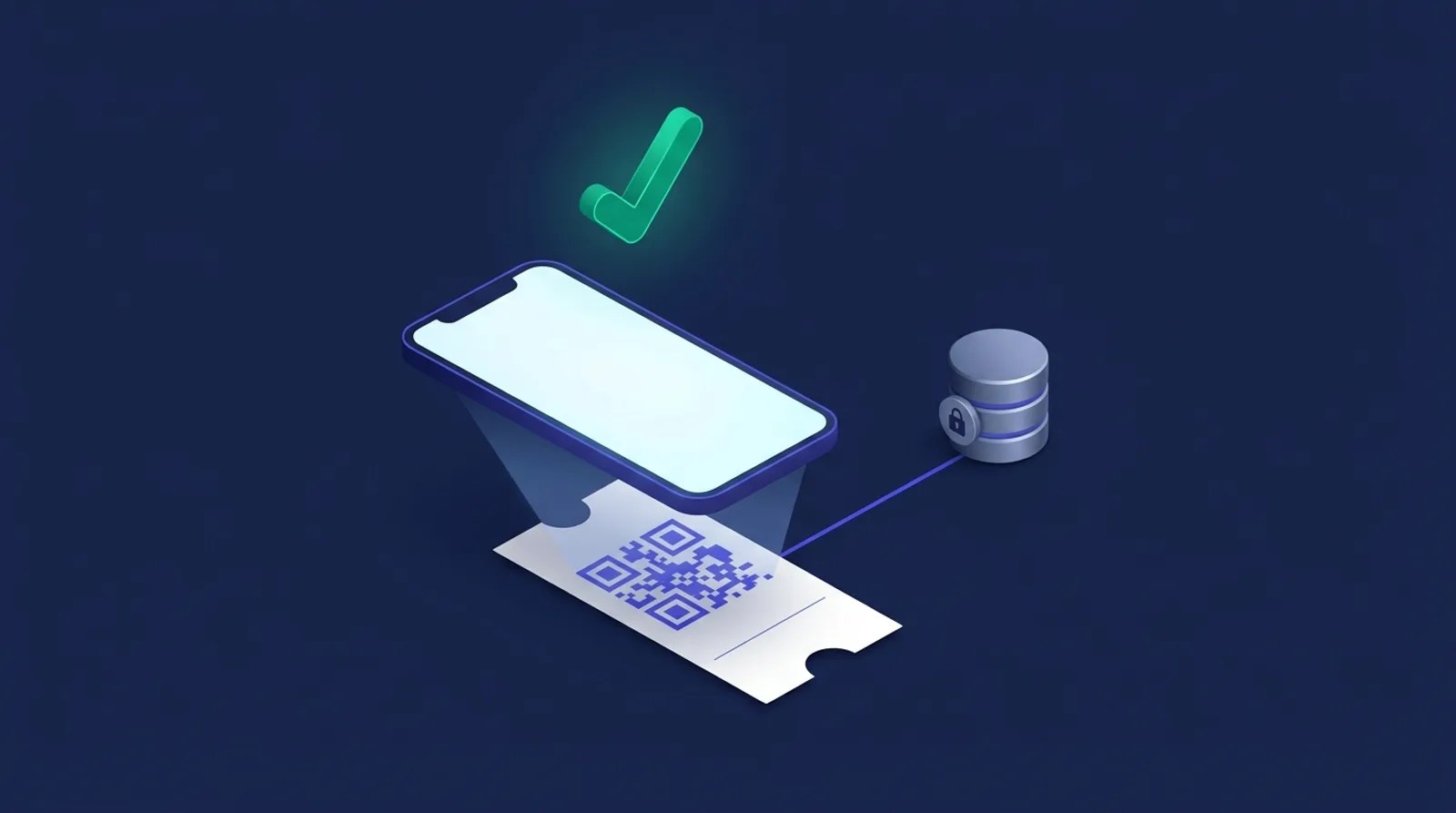 Illustration: a scan admits a ticket exactly once, however many phones are at the door.
Where AI fits
AI never touches this chain. The event page writer, FAQ, social posts and recap email are drafts built from the event's real details and saved only when an admin accepts them. The recap prompt receives attendance counts, never names. AI doesn't run on the storefront, send email or change tickets. These paths were tested with mocked API responses; a run with a live key is still to come.
Trade-offs
- Level M, not H. Higher error correction would survive more damage but makes denser codes. With 19-byte payloads, level M keeps the code at version 2.
- Camera scanning is not yet tested on a real phone. The scan logic, manual entry and permissions are tested on the server; the camera path is next on the list.
- Online only. The scanner needs a connection for each scan. An offline queue is planned for v1.1, and it will need a conflict rule for tickets scanned at two doors while offline.
- Core PDF fonts. Small files and no font embedding, at the cost of non-Latin names in the PDF.
Conclusion
Owning the ticket chain turned out to be less code than integrating three libraries: about 520 lines for the QR encoder, under 370 for the PDF writer and one conditional UPDATE for admission. The plugin has 69 PHPUnit tests and 40 Jest tests in total, and the case study covers recurring dates, WooCommerce checkout and the AI drafts. DEV3 AI Events & Tickets ships in the DEV3 AI Directory, Booking & Events Plugins Bundle on the DEV3 marketplace and is being prepared for CodeCanyon.