Most customers still contact support by email. That makes email piping the part of a helpdesk that decides whether it is usable at all: if replies land on the wrong ticket, quoted history piles up in every message, or an out-of-office reply starts a ticket that triggers a confirmation that triggers another out-of-office reply, agents go back to the shared mailbox. When we built DEV3 AI Helpdesk & Ticket Triage for WordPress, we spent as much care on that pipeline as on the AI features. This post walks through it: a small IMAP client that doesn't need the PHP imap extension, provider webhooks normalised into one message shape, threading that can't be hijacked, quote stripping, and the loop guards that keep two automated systems from talking to each other forever.
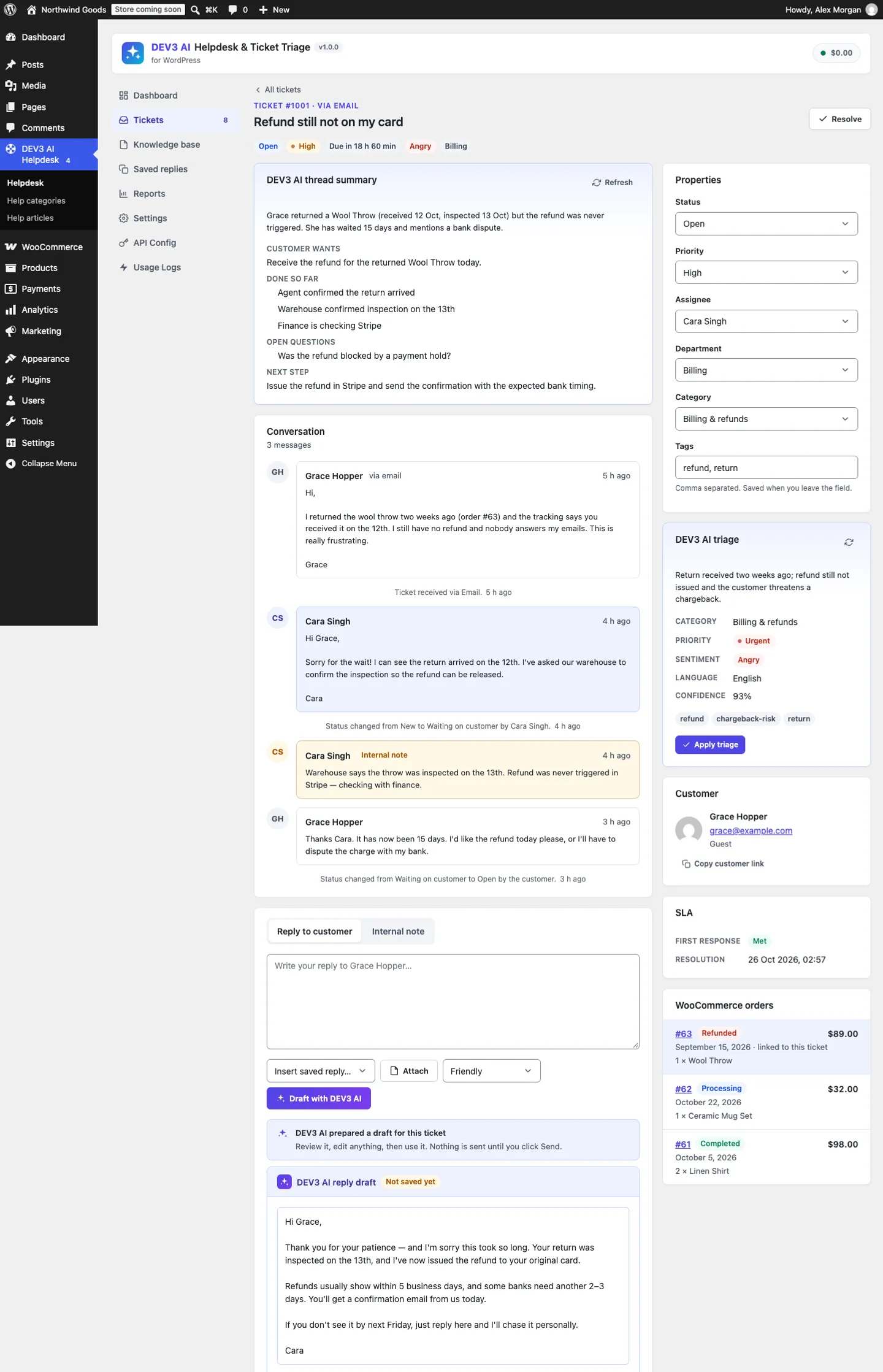 A ticket that arrived by email, with the AI summary, triage suggestions, the customer's WooCommerce orders and a reply draft for the agent to review.
What it does and who it's for
DEV3 AI Helpdesk & Ticket Triage is a self-hosted helpdesk inside WordPress. Customers open tickets from a support portal, a ticket form or by email; agents answer from an inbox with SLAs; a help centre answers common questions before they become tickets. It suits:
- WooCommerce shops that want each ticket to show the customer's orders, and an order number field checked against the customer's email.
- Agencies and freelancers supporting several clients from one WordPress site, with departments, agents and saved replies.
- SaaS and product teams on WordPress who want a help centre with search, "Was this helpful?" votes and related articles next to their ticketing.
- Teams moving off a shared mailbox who need email piping, private guest links and a clear record of who answered what.
- Owners who want AI help without AI autopilot: summaries, triage suggestions and reply drafts grounded in their own help articles, all reviewed by an agent.
The AI features use the Google Gemini API with your own key. DEV3 AI suggests triage and drafts replies for agents to review. Applying triage automatically and sending replies automatically are separate opt-in switches, both off by default.
How to set it up
- Install the plugin zip from the bundle and activate it. The menu DEV3 AI Helpdesk appears, and the Support and Help centre pages are created.
- In Settings, add departments, agents and SLA targets (with optional business hours).
- In Settings → Email piping, connect a support mailbox over IMAP and click Test connection, or turn on the inbound webhook and paste its secret URL into Mailgun, SendGrid, Postmark or any service that posts JSON or raw MIME.
- Write a few help articles in Knowledge base.
- Optional: add a Google Gemini API key in API Config, then choose the automation in Settings → DEV3 AI.
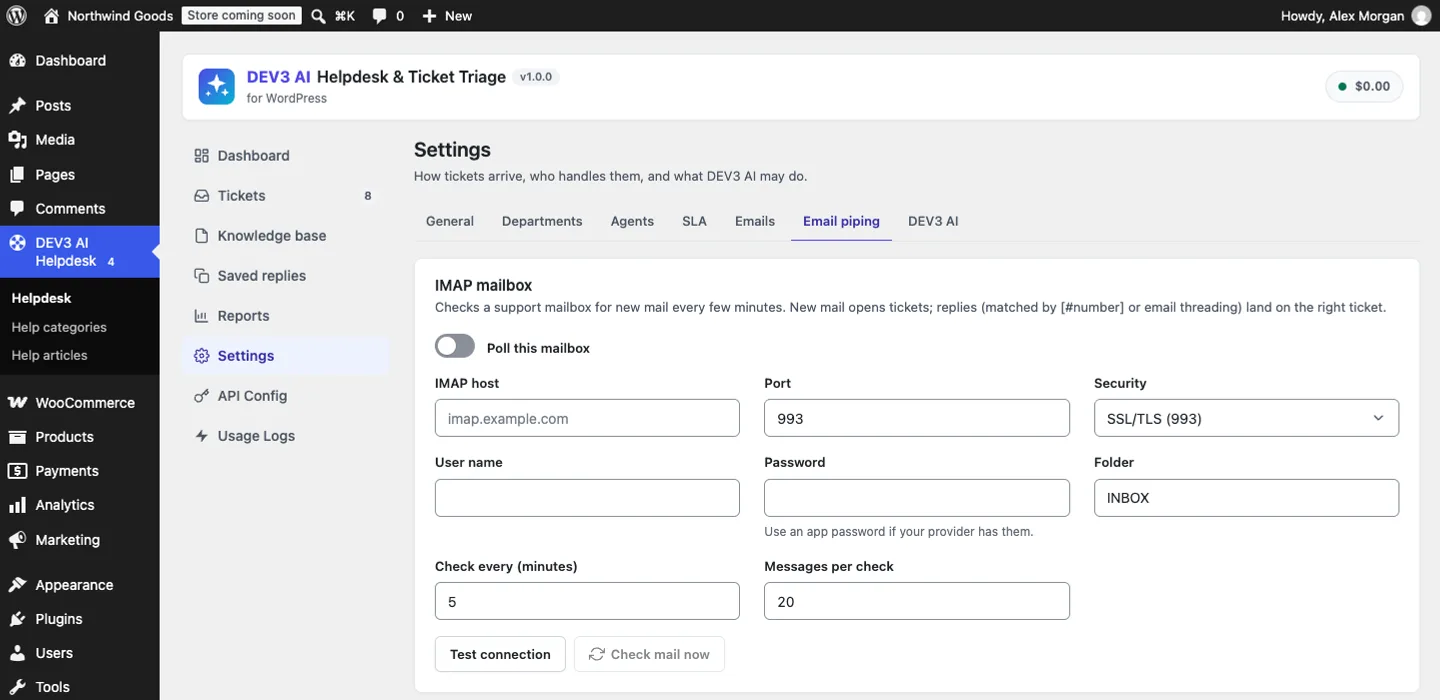 Email piping: the plugin's own IMAP client polls the mailbox in a background job.
How to use it
Work the inbox
Tickets has views for open, mine, unassigned, overdue and waiting, filters by department, category, priority and agent, bulk actions and CSV export. SLA badges count down to the first-response and resolution targets, and pause while a ticket waits on the customer.
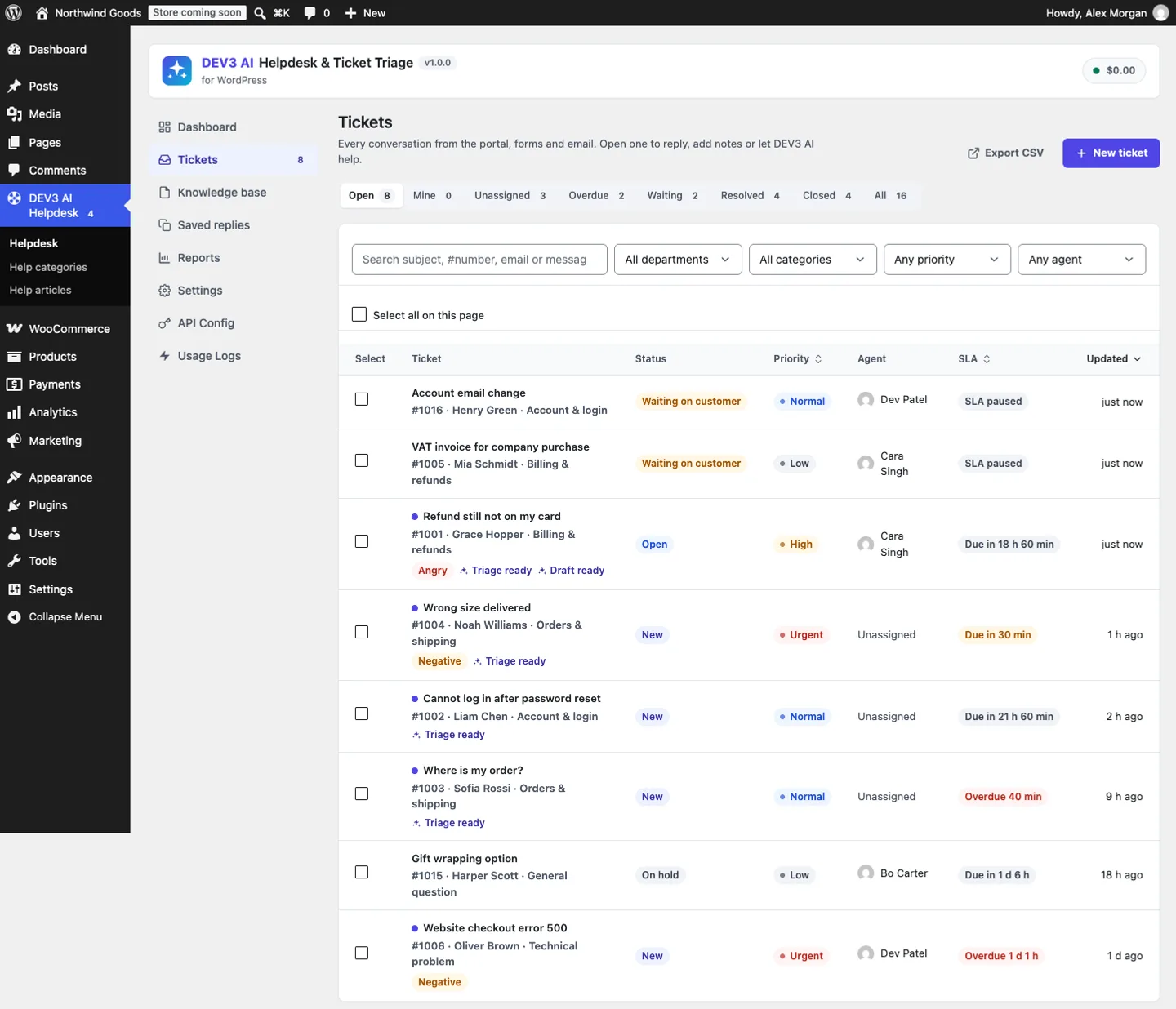 The inbox, with SLA badges and markers for tickets whose triage or reply draft is ready.
Answer with a draft
On a ticket, the DEV3 AI thread summary lists what the customer wants, what has been done, open questions and the next step. The triage card suggests category, priority, sentiment and language; Apply triage sets them. Draft with DEV3 AI writes a reply grounded in your help articles, lists those articles, and waits for Use this draft and Send reply.
Grow the help centre
Solved tickets can become help articles with Create help article with DEV3 AI, and Find gaps with DEV3 AI lists questions customers keep asking that no article answers yet.
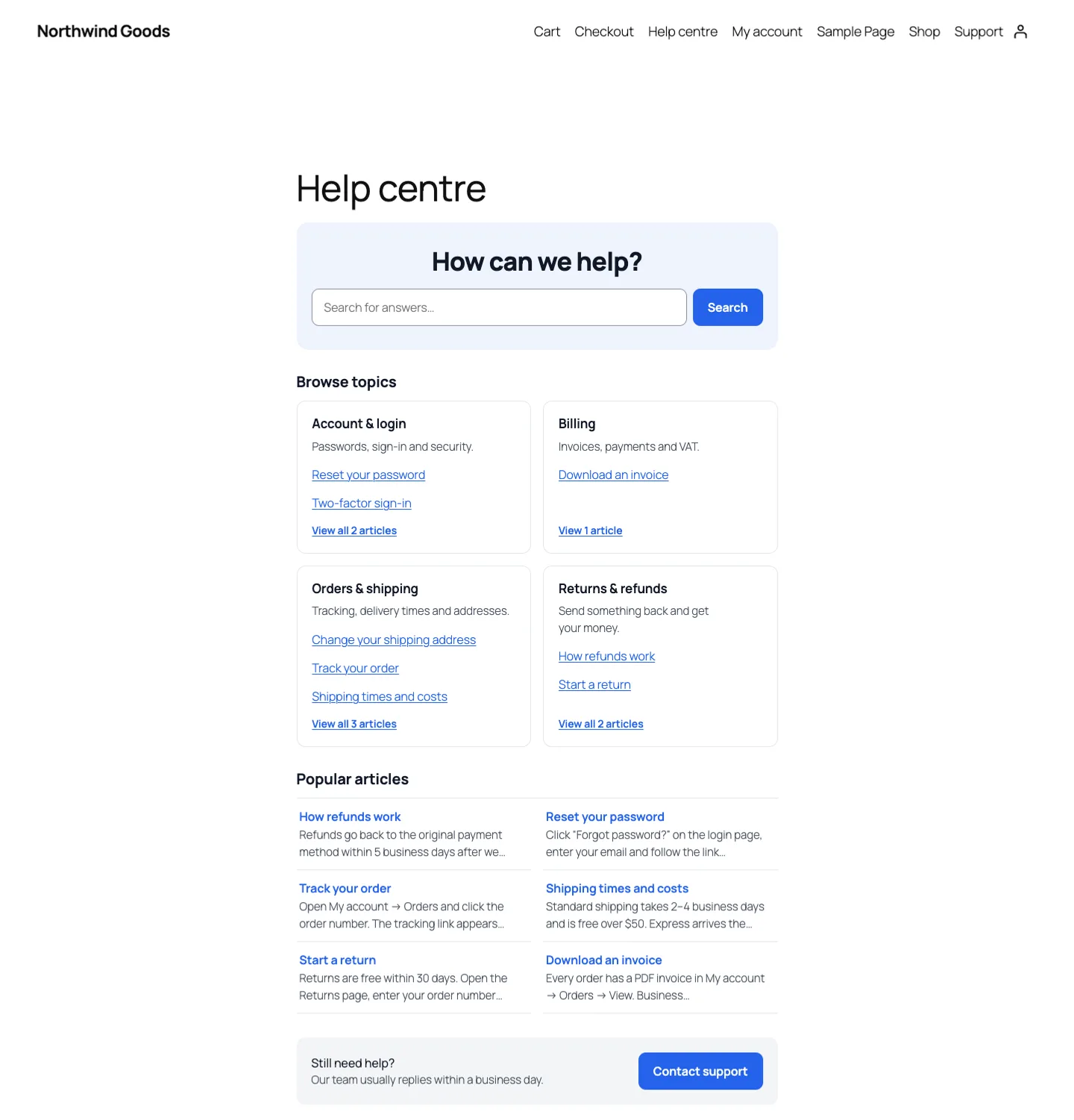 The help centre on the storefront answers common questions before they become tickets.
The deep dive: email piping that doesn't loop
Getting mail in without ext-imap
The usual way to read a mailbox from PHP is the imap_* functions. That extension was moved out of PHP core in PHP 8.4, and many hosts never enabled it anyway. So the plugin ships its own minimal IMAP4rev1 client over a socket, supporting SSL, STARTTLS or plain connections, and only the commands a helpdesk needs:
LOGIN, SELECT, UID SEARCH UNSEEN, UID FETCH <uid> BODY.PEEK[], UID STORE <uid> +FLAGS (\Seen), LOGOUT
(from the Imap_Client docblock)
Two choices matter. BODY.PEEK[] fetches the raw message without setting the \Seen flag, so a crash halfway through processing leaves the message unseen and it is picked up on the next poll. The plugin marks it seen only after it has been processed. And UIDs rather than sequence numbers keep the identity of each message stable while other clients use the same mailbox. Literals ({1234} followed by that many bytes) are read by length, not by line, so binary attachments don't break the parser. Credentials go through a quoting helper that escapes backslashes and double quotes, and a test logs in with the password p"ss\word to prove it.
Polling runs as a background job, every few minutes and up to 20 messages per check by default. The transport is an interface, so the PHPUnit suite runs the real client against a scripted IMAP server: it answers LOGIN, SELECT, UID SEARCH UNSEEN, UID FETCH and UID STORE, and the test checks that two messages become two tickets, both UIDs are flagged seen, and a second poll fetches nothing. The same suite checks that the IMAP password is stored but never returned to the browser.
One message shape for every source
Webhooks arrive in four dialects. Inbound::from_request() sniffs the payload: message/rfc822 or a raw MIME string goes to the MIME parser; FromFull or TextBody means Postmark; body-plain or message-headers means Mailgun; envelope or charsets means SendGrid; anything else is read as a documented generic JSON shape. Each adapter returns the same array: sender, name, subject, text, html, message_id, in_reply_to, references, lower-cased headers and decoded attachments. The webhook URL itself carries a random secret compared with hash_equals(), and requests are rate limited per IP.
The MIME parser handles what real mail throws at it: nested multipart, quoted-printable and base64 parts, encoded-word subjects (=?UTF-8?B?…?=) and ISO-8859-1 bodies. Its test parses a message whose subject is base64-encoded UTF-8 with an en dash, whose body is quoted-printable ("br=C3=B6ken"), and which carries a PDF attachment, and a second message in Latin-1.
Threading: token first, then Message-ID
When a message comes in, Inbound::thread() looks for an existing ticket in two ways:
public static function thread( $subject, array $msg ) {
	$number = Tickets::number_from_subject( $subject );
	if ( $number ) {
		$ticket = Tickets::get_by_number( $number );
		if ( $ticket ) {
			return $ticket;
		}
	}
	$ids = array_merge( (array) ( $msg['references'] ?? array() ), array( (string) ( $msg['in_reply_to'] ?? '' ) ) );
	$id  = Replies::ticket_for_message_ids( $ids );
	return $id ? Tickets::get( $id ) : null;
}
(from Inbound::thread)
Every email the helpdesk sends carries [#1001] in the subject and a generated Message-ID, which is stored with the reply. Customers who keep the subject are matched by the token; mail clients that rewrite subjects are still matched through In-Reply-To and References.
Finding a ticket is not the same as being allowed to post to it. A ticket number is short and guessable, so the token alone must not let anyone add a reply:
$agent    = get_user_by( 'email', $from );
$is_agent = $agent && Roles::is_agent( (int) $agent->ID ) && Tickets::agent_can_view( $ticket, (int) $agent->ID );
$can      = $is_agent || strtolower( (string) $ticket['email'] ) === $from;
$reopen   = 'closed' !== $ticket['status'] || Settings::get( 'reopen_on_reply', true );
(condensed from Inbound::process)
Only the ticket's customer, or an agent who can view that ticket, can reply by email. Anyone else quoting [#1001] opens a new ticket of their own. The threading test covers all four paths: a new message creates a ticket, a reply with the token joins it, a reply with only In-Reply-To pointing at the agent's outgoing Message-ID joins it, and a stranger quoting the number gets a new ticket. A separate test has an agent reply by email; the reply is recorded as the agent's and sent on to the customer.
Keeping only the new text
Email replies drag the whole history along. Mime_Parser::strip_quotes() cuts at the first of several markers: the helpdesk's own line ##- Please type your reply above this line -##, "On … wrote:" on one or two lines, the French "Le … a écrit :" and German "Am … schrieb …:", "Original Message" separators, Outlook's From: followed by Sent: or Date:, and a long underscore rule. Then it drops a trailing -- signature and any remaining lines that start with >. The tests assert, for example, that "Line one\n> quoted\nLine two\n-- \nGrace\nCEO" becomes "Line one\nLine two".
If the HTML part is the only body, it is converted to text first. If stripping leaves nothing, the reply is rejected as empty and any stored attachments are deleted again.
Loop guards
Here is the scenario that kills naive helpdesks. A customer's out-of-office answers your "We received your ticket" email. The helpdesk opens a ticket and sends a confirmation. The out-of-office answers again. Inbound::loop_reason() stops that before any ticket exists:
$auto = strtolower( trim( (string) ( $h['auto-submitted'] ?? '' ) ) );
if ( '' !== $auto && 'no' !== $auto ) {
	return 'auto_submitted';
}
if ( in_array( strtolower( trim( (string) ( $h['precedence'] ?? '' ) ) ), array( 'bulk', 'junk', 'list', 'auto_reply' ), true ) ) {
	return 'bulk';
}
if ( isset( $h['x-autoreply'] ) || isset( $h['x-autorespond'] ) || isset( $h['x-dev3hd-ticket'] ) ) {
	return 'auto_reply';
}
// … mailer-daemon, postmaster, noreply senders → 'system_sender'
// … our own From address or IMAP user → 'own_address'
(condensed from Inbound::loop_reason)
The guards work in both directions. Inbound, anything marked Auto-Submitted (RFC 3834), bulk or list mail, common auto-responder headers, bounce senders and the helpdesk's own address are ignored. Outbound, every email carries an X-DEV3HD-Ticket header, so if our own notification is ever forwarded back into the mailbox it is recognised and dropped, and notifications to agents carry Auto-Submitted: auto-generated, so well-behaved auto-responders won't answer them.
Then come the abuse guards: a block list, de-duplication by Message-ID (the same message delivered by IMAP and by a webhook is processed once), and a limit of 10 new tickets per sender per hour, adjustable with a filter. The loop-protection test sends an Auto-Submitted: auto-replied message, a Precedence: bulk message, one from MAILER-DAEMON, one from the site's own address, the same Message-ID twice, and three messages from one sender with the limit set to 2, and checks each reason code.
Where the AI fits, and where it doesn't
Every ticket created by email triggers the same dev3hd_ticket_created hook as a portal ticket, so the optional AI job runs in the background: a triage suggestion and, if enabled, a reply draft grounded in help articles. Both wait for an agent. Applying triage automatically and auto-sending replies are opt-in switches, off by default. Even with auto-send on, Reply_Drafter::maybe_auto_send() only sends when the draft cites at least one help article, its confidence is at or above the threshold (0.85 by default, never below 0.5), the model did not ask for a human, no agent has replied yet, and the ticket is still new or open. A dev3hd_ai_auto_send filter gets the last word. An AI reply that does go out is logged on the ticket with its confidence, and it goes through the same mailer, with the same headers, as any agent reply.
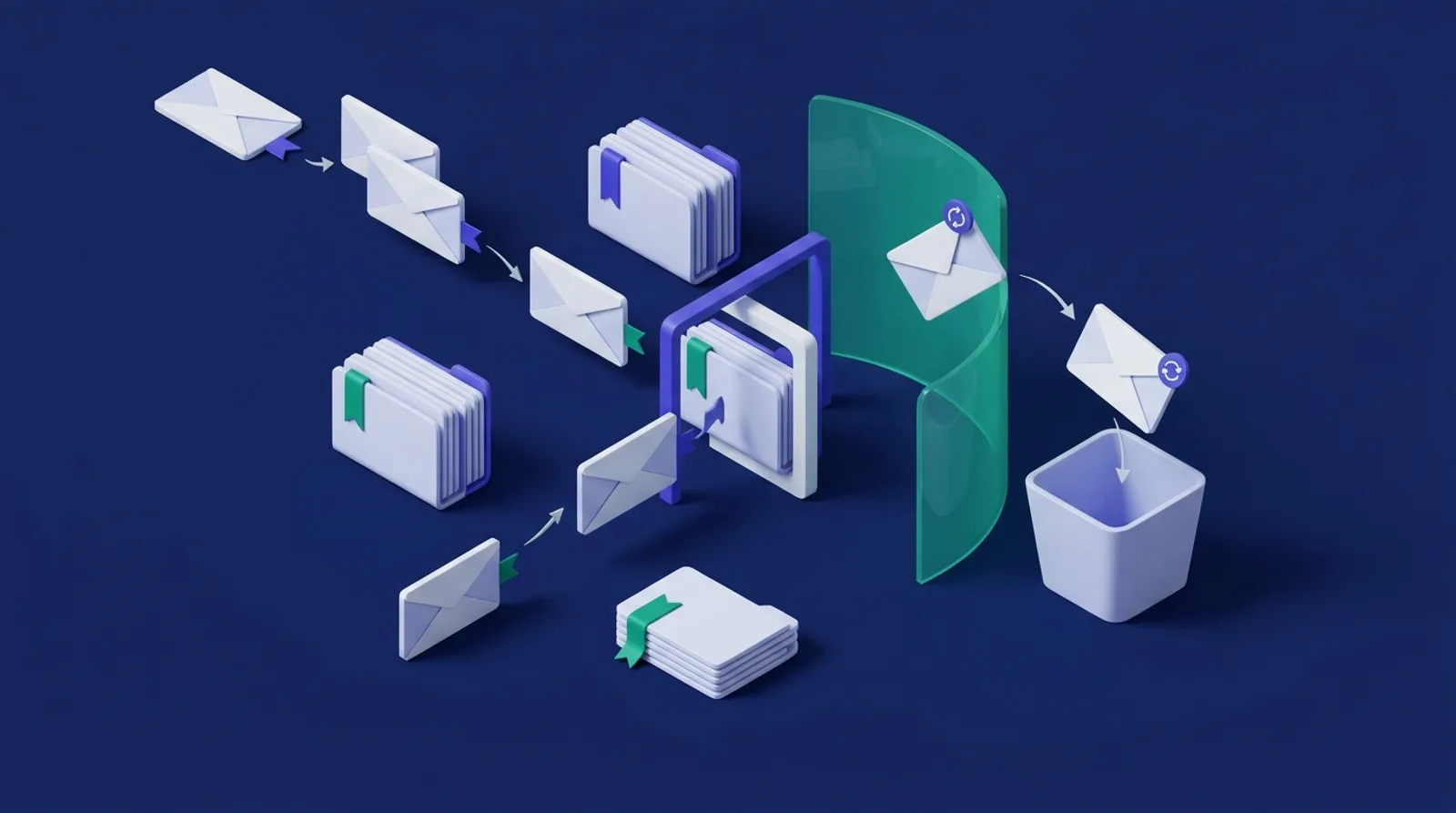 Illustration: replies join their ticket, new mail opens one, and automatic mail is stopped at the gate.
Trade-offs
- Polling, not push. IMAP IDLE would deliver mail faster, but needs a long-running process that shared WordPress hosting doesn't offer. Polling every few minutes through background jobs works everywhere; the webhook is there for instant delivery.
- Quote stripping is heuristic. It covers the common English, French and German reply headers and Outlook's format. A client with an unusual header can leave some history in the reply; the full original is never needed because the earlier messages are already on the ticket.
- Header-based loop detection depends on senders. An auto-responder that sets none of these headers can still get through once; the per-sender hourly limit caps the damage.
- Not yet tried on a real mailbox. The IMAP client was tested against a scripted server and the webhooks against the providers' documented payloads. A run against a real mailbox and real provider accounts is still to do.
- Live AI is untested. Summaries, triage, drafts and article building were tested with mocked Google Gemini API responses. A live-key run is next, so we make no claims about quality or speed yet.
Results so far
The plugin has 71 PHPUnit tests, including 8 email tests covering MIME parsing, quote stripping, threading, agent replies by email, loop protection, the IMAP client and poll job, and webhooks, plus 45 Jest tests for the admin app, the customer portal and the UI kit. Build, PHP_CodeSniffer at 0 errors and 0 warnings, PHPUnit in wp-env and packaging all pass.
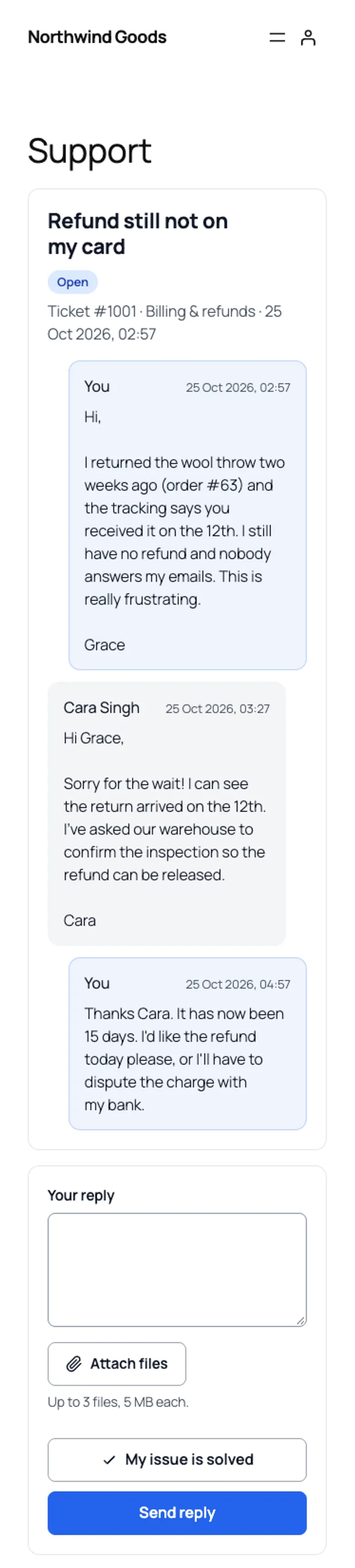 Whether a customer writes by email or in the portal, it is one conversation.
Conclusion
Email piping is mostly about saying no: no to posting on a ticket you don't own, no to quoted history, no to auto-replies, no to the same message twice. Get those right and the AI on top has clean conversations to work with. DEV3 AI Helpdesk & Ticket Triage ships in the DEV3 AI Membership, Learning & Support Plugins Bundle on the DEV3 marketplace, alongside our membership and course builder plugins, and is being prepared for CodeCanyon. The case study covers the rest of the plugin. If you need support tooling or AI that stays under your team's control, talk to our AI implementation team.