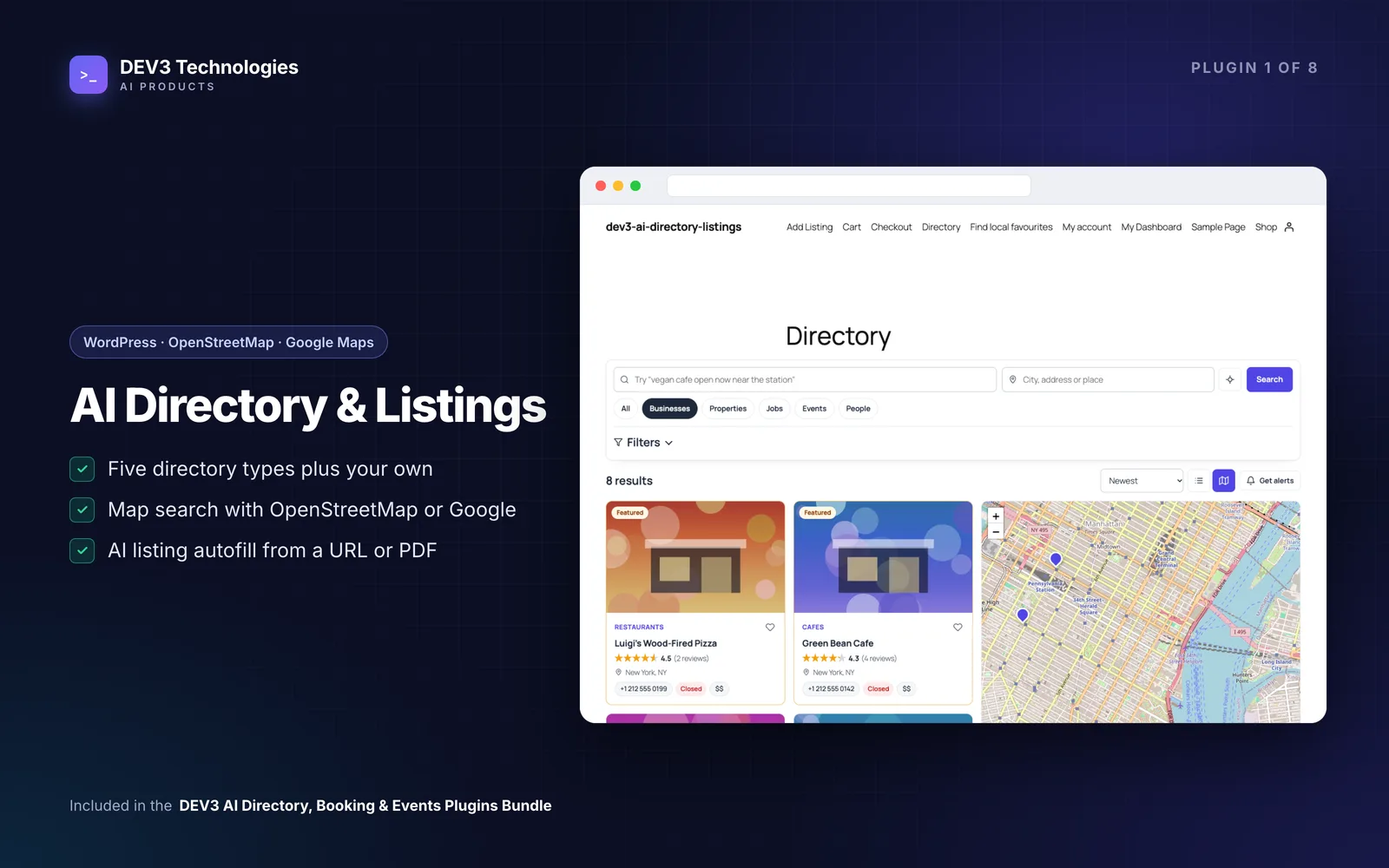
A local directory sounds like an easy side business: list the cafés, plumbers or clinics in your town, sell featured spots, done. In practice the hard part is the listings themselves. Owners submit half-empty forms, opening hours arrive in five formats, the same bakery gets added three times under slightly different names, and the review section fills up with spam. Most directory owners end up retyping submissions by hand.
This guide shows how to launch a paid directory on WordPress with DEV3 AI Directory & Listings, with a focus on keeping listings complete and clean without doing all the data entry yourself.
What a healthy directory needs
- Structured listings, so visitors can filter by area, "open now", rating or price instead of scrolling.
- A clear way to pay for a listing or a featured spot, and listings that expire when the plan does.
- Low-effort submissions for owners, so they actually finish the form.
- Trustworthy reviews, with spam and fake reviews kept off the page.
- No duplicates, and a way for real owners to claim their listing.
- Search engines that understand the pages, through proper structured data.
Step by step: launching the directory
1. Install and find the pages
Upload the zip under Plugins → Add New → Upload Plugin and activate. Activation creates the Directory, Add Listing and My Dashboard pages plus a daily cron for expiry, alerts and cleanup. Open DEV3 AI Directory in the admin menu and choose the three main pages and your map provider in Settings → General & maps. Leaflet with OpenStreetMap is the default; Google Maps works with a browser key.
2. Shape your directory type
Go to Types & fields. You start with Businesses, Properties, Jobs, Events and People. For a local business directory, edit Businesses and decide whether it has reviews, claims, a map and messages. Then build the fields: opening hours, address with a map pin, image gallery, price, phone, social profiles, dropdowns and so on.
For every field you can tick:
- Search filter, so it appears in the filter panel.
- Show on cards, so it shows in the results grid.
- Private, for data only the admin and owner should see.
- DEV3 AI may fill, so autofill is allowed to propose a value.
3. Add categories and locations
Create Categories (they can be limited to one type) and hierarchical Locations such as city › neighbourhood. These power the filters, the archive pages and the default local SEO keyword, which is "category in city".
4. Create plans and connect payments
In Plans & payments, define each plan: price, duration (when it expires), featured placement, photo limit, approval mode and feature bullets. Featured listings always sort first in results. Then pick how owners pay:
- Manual/offline: owners see your instructions and you click Mark paid.
- Stripe Checkout: add your secret key and webhook signing secret; the webhook listens for
checkout.session.completed. - WooCommerce: each plan becomes a hidden virtual product, and a processing or completed order activates the plan.
5. Place the directory on your site
Use the blocks in the Widgets category (Directory search & results, Listings grid, Directory map, Add listing form and others) or shortcodes such as [dev3dl_directory], [dev3dl_search], [dev3dl_map] and [dev3dl_submit].
Let owners fill listings from their own website
This is where most directories lose people. On the Add Listing form, and in the admin editor, there is Autofill with DEV3 AI. An owner pastes their website, or uploads a PDF, menu photo or flyer. Structured data the page already publishes, such as JSON-LD, meta tags, phone and email links and social links, is read first without AI. DEV3 AI then fills the remaining fields from the page text using your type's own field list.
The owner sees every proposed field with a checkbox and applies only what they want, and the draft reports how many fields it found ("X of Y fields found"). Website photos can be imported into the media library.
Once the facts are in, Write with DEV3 AI drafts the description, short summary, SEO title and meta description, with a chosen tone, length and target keywords. Review the changes and click Use in the form.
Keep reviews and listings clean
Reviews
Every review passes rule checks for links, spam words, abuse, ALL CAPS, copied text, owner self-reviews and bursts from one device. Choose hold every review or publish unless flagged. With a key, DEV3 AI also gives each new review a verdict (genuine, spam, abuse, likely fake) with a confidence and a reason. For listings with three or more reviews, it can draft a "What customers say" summary with pros and cons, which appears only after you publish it.
Duplicates and claims
Duplicates → Scan all listings compares phone, website, email, map location and names. Each pair can get a DEV3 AI opinion, and Merge keeps one listing, fills its empty fields, moves reviews and messages across and trashes the other. New submissions are checked automatically, and the Add Listing form shows a "this may already be listed" hint that points to the existing entry and the claim box. Approving a claim hands over ownership and adds a "Verified owner" badge.
Search that understands visitors
Visitors can type queries like "vegan cafe open now near the station". DEV3 AI maps the query to your types, categories, locations and fields, and shows removable chips of what it understood. If AI is off or over budget, a built-in parser still handles open now, near…, price bounds, ratings and category names. Test queries in Smart search before launch.
Tips and pitfalls
- Validate your schema. Listing pages print JSON-LD, for example LocalBusiness with address, geo, opening hours and rating. Check a few pages in Google's Rich Results Test.
- Decide on approval early. New listings wait for approval unless you change it globally or per plan.
- Use saved-search alerts. "Get alerts" emails visitors a daily digest of new matches, which brings them back.
- Set an AI budget. In API Config, set a monthly cap. At the cap, AI pauses and visitor features fall back to non-AI behaviour. Without a key, every directory feature still works.
- Page caching is fine. Public search and forms don't rely on nonces.
Who this is for
Local guides and city portals, niche directories (vets, wedding suppliers, coworking spaces), associations listing their members and agencies building directories for clients. The plugin is tuned for up to about 20,000 listings. For how the autofill pipeline was designed, see the case study.
Get started
DEV3 AI Directory & Listings is part of the DEV3 AI Directory, Booking & Events bundle. If you need a directory with custom fields, imports or integrations built for you, our web development team can help.