An element pack for WordPress page builders sounds like a catalogue problem: build a pricing table, a carousel, an FAQ, and repeat 40 times. The harder problem comes after the catalogue. Elementor, WPBakery and the block editor each save settings in a different shape, and each expects widgets written against its own API. Most add-on packs deal with that by writing each widget once per builder, and over time the copies drift apart: a fix lands in the Elementor version, an ARIA attribute is missing in the WPBakery one, a link opens in a new tab in one builder and not the other. When we built DEV3 AI Element Pack for WPBakery & Elementor, we made one rule: every element is described once, as data, and its controls, saved values, rendering and AI schema are all derived from that description. This post covers how that works and how we test that the three builders print the same HTML.
 Illustration: one element definition, rendered the same way in three page builders.
What it does and who it's for
DEV3 AI Element Pack adds 44 accessible, responsive elements to Elementor, WPBakery Page Builder and the block editor, in four groups: Content, Interactive, Media and Marketing. It also adds row extras (parallax, video backgrounds, gradients, shape dividers, sticky rows), an icon manager, a template library, a brand kit with style presets, and DEV3 AI on every element. It is built for:
- Agencies with mixed builder estates. The same pricing table, FAQ or timeline looks and behaves the same on Elementor, WPBakery and block sites.
- Freelancers who want one toolkit. The same fields, presets and AI buttons appear in every builder.
- Site owners who write their own copy. Fill this element drafts a set of pricing plans, FAQs or features from one sentence, for review before anything changes.
- Teams that care about page weight. One stylesheet and one deferred script, only on pages that use an element, with no jQuery and no icon font.
- Brand-consistent sites. One brand kit of design tokens styles every element, with WCAG AA contrast warnings.
How to set it up
- Unzip the bundle and upload
dev3-ai-element-pack.zipunder Plugins → Add New → Upload Plugin, then activate it. A DEV3 AI Elements menu appears. - Optional: create a key in Google AI Studio, then paste it in DEV3 AI Elements → API Config and click Validate & save. You can also define
DEV3EP_GEMINI_API_KEYinwp-config.php. Without a key every element still works. - Open Brand kit & presets, click Detect from my theme and save.
- In Elements, switch off anything you will never use. It disappears from all three builders.
- Find the elements under DEV3 AI Elements in Elementor's widget panel or WPBakery's Add Element dialog, or add the DEV3 Element block.
How to use it
Start from a template. In Templates, pick a section such as SaaS hero, click Create page, choose Elementor, WPBakery or the block editor and click Create draft. The same template exports to all three, which only works because of the canonical format described below.
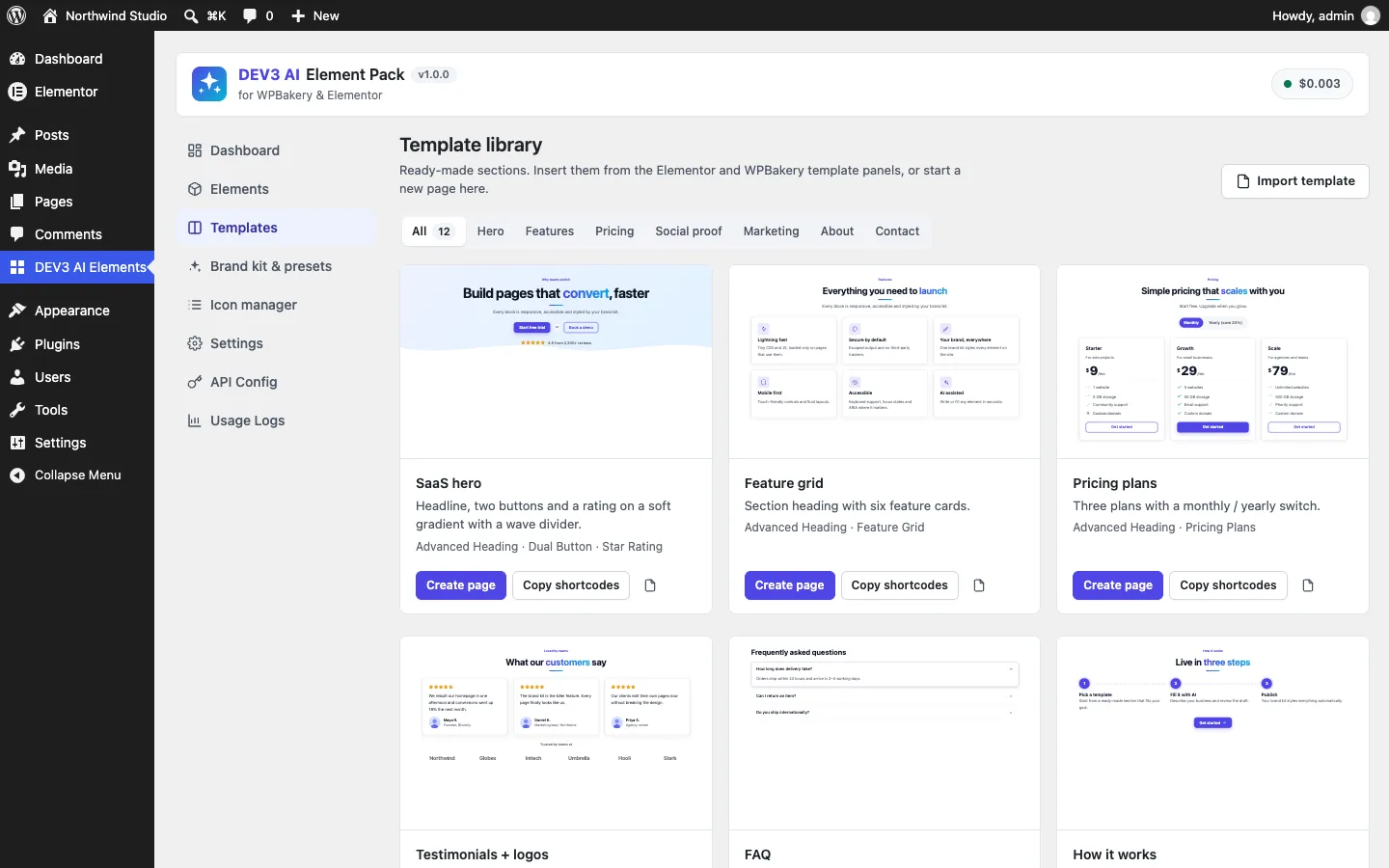 The template library creates a draft for any of the three builders from one stored template.
Fill an element. Add Pricing Plans, click Fill this element, describe the business ("a yoga studio with drop-in classes"), choose three items and a tone, and review the draft as a diff. Apply to element writes it into the builder: through Elementor's command system, so it goes into the undo history, or into WPBakery's edit form, where you click Save changes as usual.
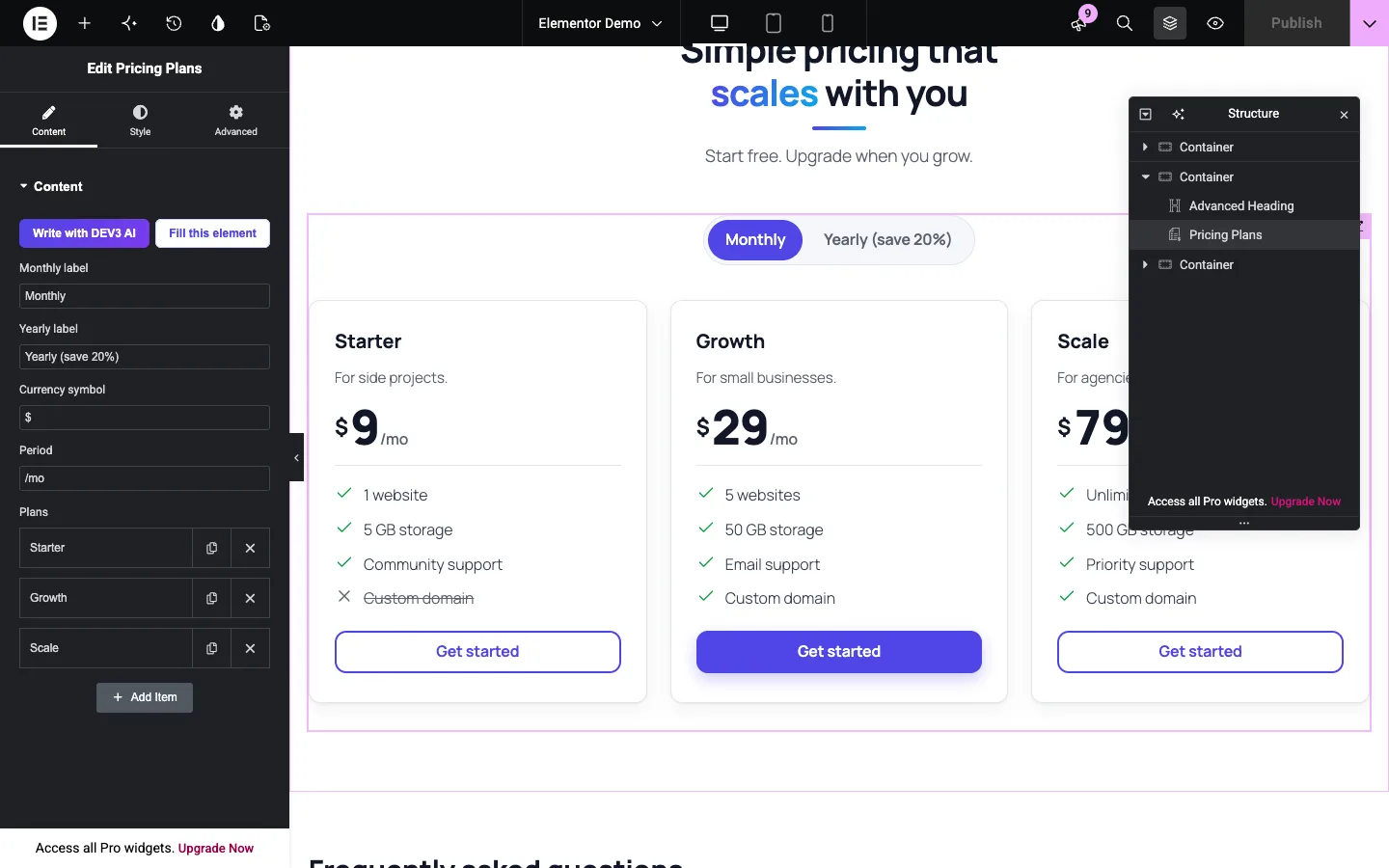 A native Elementor widget generated from the shared field schema, with the DEV3 AI buttons at the top.
Restyle everything at once. Change the accent or corner radius in the brand kit and every element follows; pick a preset such as Dark to restyle just one.
The problem: three builders, three storage formats
Take a simple field: a button link with "open in new tab" and "nofollow". Each builder stores it differently.
- Elementor saves an array:
{ "url": "https://…", "is_external": "on", "nofollow": "on" }. - WPBakery saves a
vc_linkstring inside a shortcode attribute:url:https%3A%2F%2F…|target:%20_blank|rel:nofollow. - The block editor saves whatever JSON shape the block defines.
Switches, images and repeaters differ too: "yes" versus true, an attachment id versus {id, url}, an Elementor array with a random _id per row versus URL-encoded JSON inside one WPBakery attribute. If every render function handled all of this, 44 elements would mean 44 copies of the same parsing bugs. So we split the work into four layers.
Layer 1: a field schema that knows nothing about builders
Every element is a definition with an id, a title, a category, a render callback and a list of fields. A field has one of 12 types (text, textarea, wysiwyg, number, select, toggle, color, image, icon, url, date, repeater) plus limits, a content/style group and an AI hint. The Info Box, for example, is an icon, a title capped at 80 characters, text capped at 400, link text, a link, and two style fields (layout and card background).
The schema carries a few constraints that come from the builders, not from the elements. Each element may have at most one rich-text field, because in WPBakery that field becomes the shortcode's enclosed content. No other field may be called content. Repeater sub-fields can't be repeaters or rich text, because WPBakery's param_group can't hold them. A PHPUnit test walks the whole registry and enforces all of these rules, plus unique field names, valid default icons and a preset field on every element. So a new element that would break in one builder fails the tests before anyone opens an editor.
Layer 2: adapters that translate fields into controls
The Elementor adapter turns each field into an Elementor control. The WPBakery adapter turns each field into a vc_map() param. Both are a single switch over the 12 types. A toggle becomes a switcher with return_value => 'yes' in Elementor and a checkbox with value yes in WPBakery. A repeater becomes an \Elementor\Repeater in Elementor and a param_group in WPBakery, built by calling the same function recursively on the sub-fields. A rich-text field in WPBakery is renamed to content and typed textarea_html. Field conditions turn into Elementor condition arrays and WPBakery dependency arrays.
Style fields land in Elementor's Style tab and in a Style group in WPBakery, so the panels match. Our text controls also set 'ai' => array( 'active' => false ), which turns off Elementor's own AI button on those controls, so each field shows one AI entry point instead of two competing ones.
The block editor needs no server adapter: the DEV3 Element block stores element and canonical settings attributes and passes them straight to the shared renderer.
Layer 3: the normaliser, where every shape becomes one
Normalizer::value() is the core of the plugin. It takes a field and a raw value in any builder's shape and returns one canonical value, which is also sanitised. This is the link case:
public static function url( $value ) {
	$out = array( 'url' => '', 'external' => false, 'nofollow' => false );
	if ( is_array( $value ) ) { // Elementor, REST
		$out['url']      = isset( $value['url'] ) ? (string) $value['url'] : '';
		$out['external'] = ! empty( $value['external'] ) || ! empty( $value['is_external'] );
		$out['nofollow'] = ! empty( $value['nofollow'] ) && 'off' !== $value['nofollow'];
	} elseif ( is_string( $value ) && 0 === strpos( $value, 'url:' ) ) { // WPBakery vc_link
		foreach ( explode( '|', $value ) as $part ) {
			$pair = explode( ':', $part, 2 );
			$val  = rawurldecode( $pair[1] );
			if ( 'url' === $pair[0] ) {
				$out['url'] = $val;
			} elseif ( 'target' === $pair[0] ) {
				$out['external'] = '_blank' === trim( $val );
			} elseif ( 'rel' === $pair[0] ) {
				$out['nofollow'] = false !== strpos( $val, 'nofollow' );
			}
		}
	} elseif ( is_string( $value ) ) {
		$out['url'] = $value;
	}
	$out['url'] = '#' === $out['url'] || '' === $out['url'] ? $out['url'] : esc_url_raw( $out['url'] );
	return $out;
}
(condensed from Elements/Normalizer.php)
The trim() on the target is there because a stray space before _blank should not silently drop the new-tab setting, and the test suite feeds the parser exactly that string. esc_url_raw() at the end means javascript:alert(1) becomes an empty URL whichever builder it came from.
The other types work the same way:
- Toggles accept
true,1,'1','yes','true'and'on'as on. Everything else is off, includingnulland an empty array. - Repeaters accept a PHP array, a JSON string or WPBakery's URL-encoded
param_groupJSON. They are cut to the field'smax_items, and each item goes throughnormalize()again, so a missing sub-field gets its default. - Images accept an attachment id,
{id, url}or{id, url, alt}. A real attachment gets its URL and media-library alt text; an unknown id is dropped. - Icons accept a WPBakery class string, Elementor's
{value, library}or a bare name. Icons from other Elementor libraries are pre-rendered and passed throughwp_kseswith an SVG allow-list. - Numbers, selects, colours and dates are clamped, checked against their options or a strict pattern (so
red;background:url(evil)becomes empty), and fall back to the default.
The scalar path also undoes WPBakery's shortcode escaping. Inside a shortcode attribute, WPBakery stores a double quote as two backticks and square brackets as backtick-wrapped curly braces, so a title like The "best" [plan] survives the shortcode parser. scalar() maps those sequences back before sanitising, and a Jest test checks the browser-side converter writes them the same way.
 Illustration: each builder's saved values are normalised into one canonical shape before rendering.
Layer 4: one renderer, and converters for the way back
Once the values are canonical, rendering is the same everywhere. Renderer::render() normalises the raw settings, calls the element's render callback and wraps the result in the same container classes plus an inline --dev3ep-accent custom property with a computed contrast colour. The Elementor widget's render() is one line that passes its settings to that function; the shortcode and block callbacks do the same.
The reverse direction matters too: templates, "Create page" and AI write-back start from canonical settings. Converter::to_elementor() and Converter::to_wpbakery() mirror the adapters. Toggles become 'yes' or '', links become {url, is_external, nofollow} or a vc_link string, repeaters get fresh 7-character Elementor _ids or become URL-encoded JSON, and the rich-text field becomes the shortcode's enclosed content. The editor scripts use a JavaScript port of the same converters (src/shared/convert.js), covered by its own Jest tests, so a draft accepted in the browser is written in the format the builder expects.
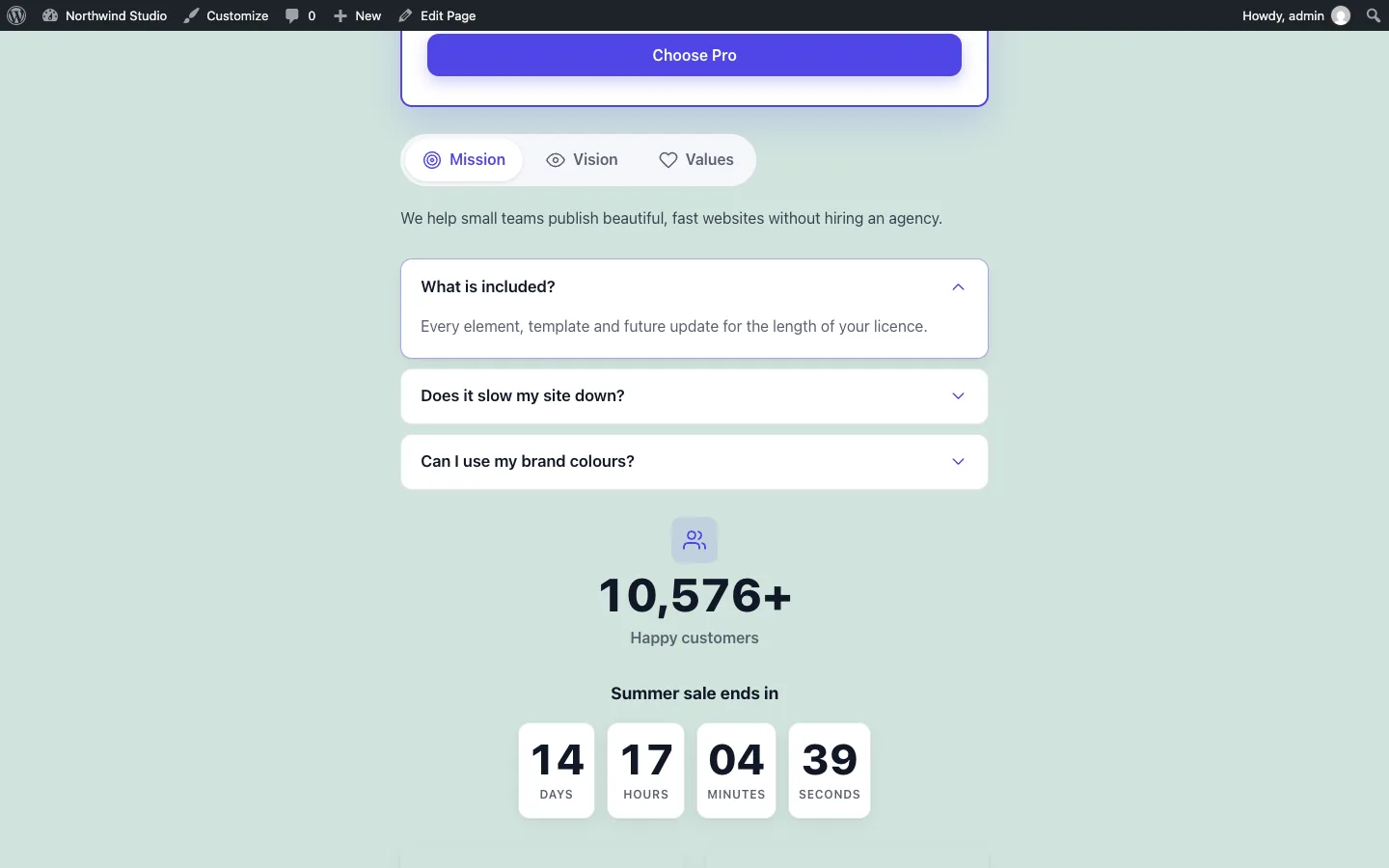 The same renderer behind plain shortcodes on a classic theme.
Proving parity: render every element twice and compare
The design only pays off if parity holds for all 44 elements and every field type. So the most important test in the suite builds the same canonical settings, converts them to both builders' formats, renders through both paths and asserts the output is identical:
public function test_every_element_renders_the_same_in_both_builders() {
	$this->assertTrue( did_action( 'elementor/loaded' ) > 0, 'Elementor is installed in wp-env, so the real widget class is used' );
	foreach ( Registry::all() as $id => $def ) {
		$defaults = Normalizer::normalize( $def['fields'], array() );
		$this->assertSame( $this->via_wpbakery( $def, $defaults ), $this->via_elementor( $def, $defaults ), $id . ' (defaults)' );
		$varied = array();
		foreach ( $def['fields'] as $field ) {
			$varied[ $field['name'] ] = $this->varied( $field );
		}
		$varied['preset'] = 'dark';
		$varied           = Normalizer::normalize( $def['fields'], $varied );
		$a                = $this->via_wpbakery( $def, $varied );
		$this->assertSame( $a, $this->via_elementor( $def, $varied ), $id . ' (varied)' );
	}
}
(from tests/php/ElementsTest.php)
via_elementor() creates a real Elementor Widget instance from the converted settings, because Elementor is installed in the test environment. via_wpbakery() builds the shortcode string exactly as WPBakery would save it and runs do_shortcode(). The varied() helper picks a non-default value for every field type, chosen to break naive conversions:
- text with quotes, square brackets and an ampersand (
Changed title "quoted" [x] & more) - a textarea with inline
<strong>and a newline - rich text with a list
- a real uploaded image attachment
- a social icon class
- a link with a query string, new tab and nofollow
- the last option of every select, the inverse of every toggle, and a date
- in repeaters, a first item made of varied values and a second item left at its defaults
The test uses assertSame() on the full HTML string, so a single attribute in a different order fails it. The Html::uid() counter that generates ids such as dev3ep-tabs-3 for ARIA wiring is reset before each render, so tab and accordion ids line up between the two runs. A preset is set on every element, and the test also checks that the dev3ep-preset-dark class reached the output.
Because the comparison is on canonical input, a mismatch can only come from an adapter, a converter or the normaliser. Those are the three places to fix it, and a fix there applies to all 44 elements at once.
Around it, other tests render every element with defaults and check the markup parses with no inline scripts other than JSON-LD, and feed hostile values (a <script> title, an onerror attribute, a CSS injection in the accent colour, a javascript: link) to check each is neutralised. The WPBakery side runs against stubs of WPBakery's documented functions; a run on a licensed WPBakery install is the next step before launch.
The AI schema comes from the same fields
Fill this element asks the Google Gemini API for structured JSON, and the response schema is generated from the element's fields. Text fields become STRING with the field's maxLength, numbers become NUMBER, toggles BOOLEAN, and icons a STRING restricted to an enum of the built-in icon names. A repeater becomes an ARRAY whose minItems and maxItems equal the number of items the user asked for. Images, links, colours, dates, selects and every style field are left out, so the model can't invent a URL or change a layout.
The answer goes back through Normalizer::value(), the same path as a value typed into a builder, so length limits and HTML rules apply to AI output too. An icon name that isn't in the set is replaced with a keyword match against the item's text. A test sends a draft with not-an-icon next to the title "Bank-grade security" and gets the shield icon back. The browser writes the draft into the builder only on Apply to element. These AI paths were tested with mocked API responses; a run with a live key is still to come, so we make no claims about the quality or speed of real generations.
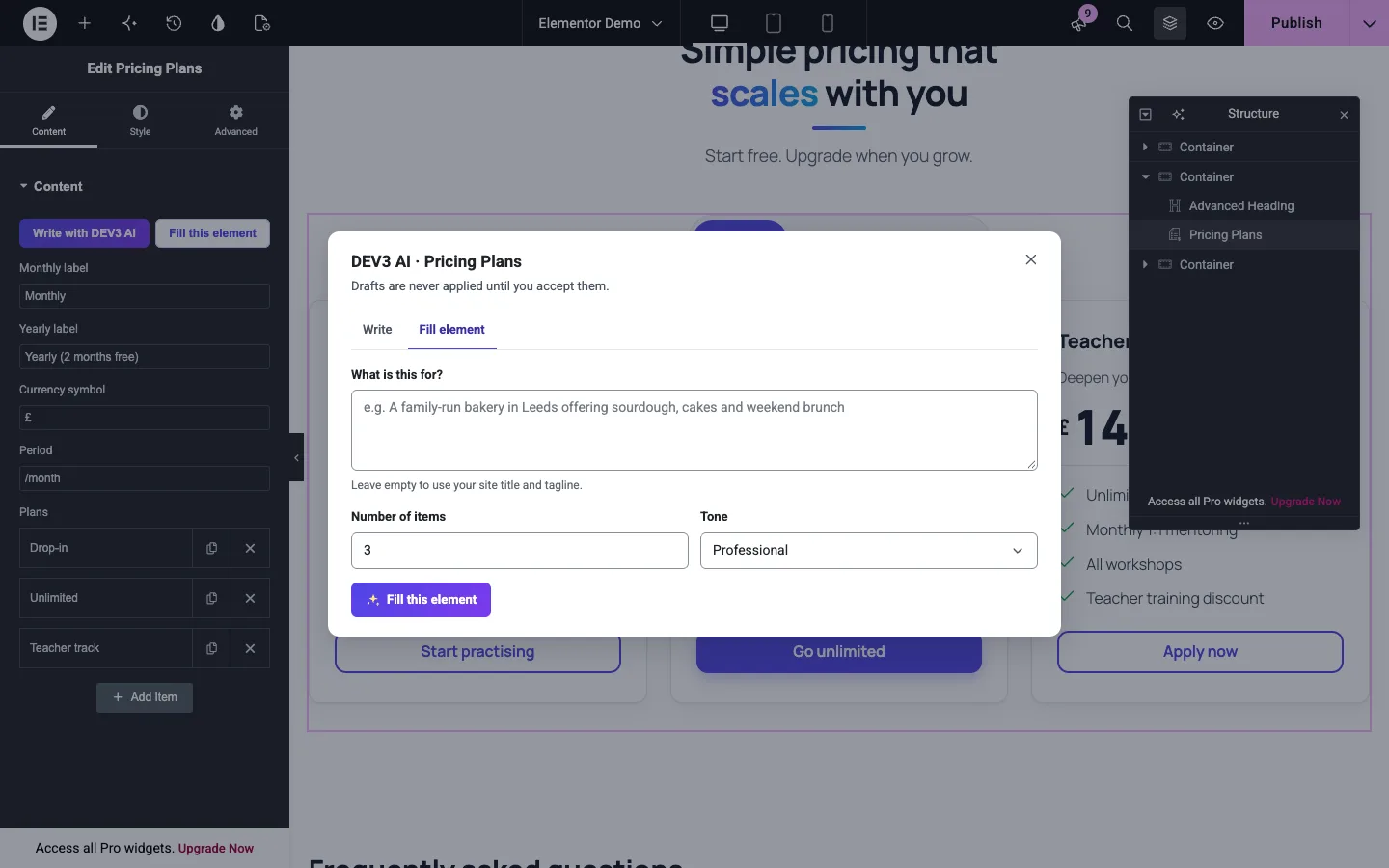 Fill this element drafts content that fits the element's schema, for review before it is applied.
Small output as a side effect
One renderer also means one stylesheet and one script. The build produces 10,981 bytes of CSS and 5,082 bytes of JavaScript gzipped, measured from the release build. Front_Assets::content_uses_elements() checks the queried post for a DEV3 shortcode, block or Elementor widget, so the styles go in the head only where needed; elements rendered later, in a widget for example, fall back to a footer enqueue. In Lighthouse mobile runs on our demo pages, the block-theme page scored 99 for performance, 100 for accessibility and 0 for layout shift, and the Elementor page scored 91 for performance and 100 for accessibility.
Takeaways
Pick a canonical format first and write adapters second, so every builder quirk lives in one function instead of 44 render callbacks. Normalise on the way in, convert on the way out, and test parity by rendering twice and comparing strings, with values chosen to break escaping.
The plugin has 66 PHPUnit tests and 45 Jest tests. One known gap remains: row effects such as parallax and dividers show in Elementor's Preview and on the front end, but not yet on the editing canvas. DEV3 AI Element Pack ships in the DEV3 AI Page Builder & Design Plugins Bundle on the DEV3 marketplace, alongside three other page-builder and design plugins, and it is being prepared for CodeCanyon. For the full build, see the case study.