Most café loyalty schemes start with a paper stamp card and end with a drawer full of them. Nobody knows how many free coffees are outstanding, the regulars who stopped coming are invisible, and the catering enquiry from last month's best customer is sitting in someone's inbox. A loyalty programme only "runs itself" when points are earned and spent at the till without extra steps, every guest has one profile, and the numbers are there when you want to act on them.
This guide shows how to run loyalty in CafePro, our self-hosted restaurant and café management platform. It covers the earning setting, attaching guests at the till, paying with points, refunds, the points ledger, merged customer profiles and the lead pipeline for catering and events. It also lists what the loyalty module does not do yet, so you can decide what to add.
How the pieces fit
| Piece | What it does |
|---|---|
| Earning setting | One business-wide figure: points per unit of your currency |
| Customer at the till | Search or quick-add a guest on the ticket; points are earned when it is paid |
| Points as payment | A "Loyalty points" payment method that can be split with card or cash |
| Points ledger | Every earn, redemption and adjustment, with a reason and who made it |
| Customer profile | One record per guest across the till, website enquiries, events and imports |
| Leads pipeline | Catering, event and reservation requests routed to an owner with a follow-up date |
Step 1: Decide how generous to be
In Settings → Business settings, set loyalty points per unit of currency. The default is 1. Each point is worth one minor unit of your currency when redeemed: one cent, one penny and so on. At the default setting a guest therefore gets back roughly 1 % of what they spend. Set it to 2 for about 2 %, or 0.5 for about 0.5 %. Decimals are allowed.
Points are always whole numbers and are rounded down. The source's unit tests check the arithmetic: a bill of 12.98 earns 12 points at 1 point per unit and 32 points at 2.5.
Before you choose, think about the liability. Every outstanding point is money you have promised. The Customers page shows Points outstanding across all guests, so you can see that figure at any time.
Step 2: Attach the guest at the till
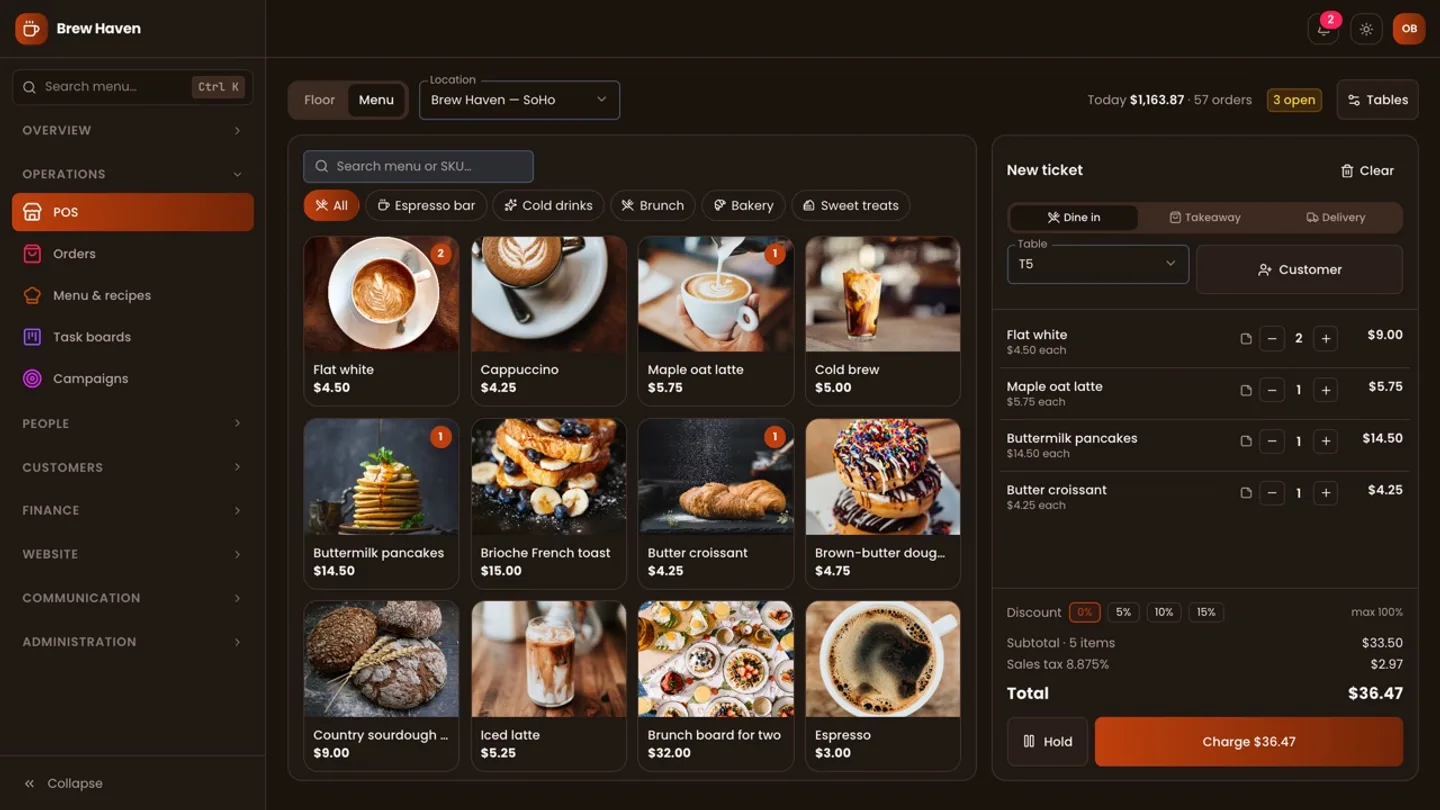
On the POS ticket, open the customer picker and type at least two characters. CafePro searches name, email, phone, company and tags. If the guest is new, staff with permission to create customers can quick-add them with a name and an optional phone number and email.
Quick-add never creates a duplicate if it can avoid one:
- it first looks for the same email
- then the same phone number, but only when that cannot contradict an email (shared office lines are common)
- if it finds a match, it fills in any missing details and adds "In-store" to the guest's sources
Once a guest is on the ticket, the till shows their points balance.
Step 3: Earn points automatically
When the ticket is paid, CafePro calculates points on the amount paid by means other than points, including tax. Nobody needs to press anything. In the same database transaction it:
- records an earn entry in the ledger, referencing the order number
- adds the bill to the guest's lifetime spend, increases the order count and updates the last order date
The confirmation screen shows "+N loyalty points", and the printed receipt says "You earned N loyalty points".
Step 4: Let guests pay with points
Loyalty points is one of the till's payment methods, alongside cash, card and other. It is only available when a guest is attached and has points, and it can cover up to the guest's balance or the remaining bill, whichever is smaller. The rest can go on card or cash.
The source's integration test walks through it:
- A guest buys ten lattes for 49.50 by card and earns 49 points.
- On the next visit the bill is 4.95. They pay 0.49 with their 49 points and 4.46 by card.
- They earn 4 points, on the card part only.
Redemptions are written to the ledger as their own entries, referencing the order.
Step 5: Refunds put things back
Refunding a paid order needs a manager, and point-of-sale staff cannot do it themselves. A refund:
- returns any points the guest spent on that order
- removes the points they earned on it, but never takes the balance below zero (if they have already spent them, the rest is not clawed back)
- takes the order off their lifetime spend and order count
Open tickets can simply be voided, with a reason, and do not affect points at all.
Step 6: Adjust by hand, with a reason
From a guest's profile, staff with permission can adjust points up or down: a birthday treat, goodwill after a complaint, a correction. Every adjustment:
- needs a reason
- is recorded in the ledger with the staff member's name
- appears in the business's audit trail
The balance can never go negative. Trying to remove more points than a guest has is refused with "Not enough loyalty points". The source has a test for that rule too.
Step 7: One profile per guest
Customer profiles live under Customers. A guest's profile brings together:
- name, email, phone, company and birthday
- tags (regular, oat milk, office account) and a home outlet
- whether they have agreed to marketing (marketing opt-in)
- sources: in-store, website enquiry, event, import or added by staff
- lifetime spend, orders and last order date
- staff notes
- tabs for their loyalty history, leads, enquiries and emails sent to them
The customers page shows the number of customers, new customers in the last 30 days, total lifetime spend and points outstanding.
Bring the stamp cards with you
If you already have a loyalty list, a guest book or a booking-system export, import it as Customers & loyalty. Existing guests are merged by email, never duplicated. Each guest's opening points are added to the ledger as an import entry, so the history starts with a clear opening balance. A batch can be rolled back.
Step 8: Catering and events become leads
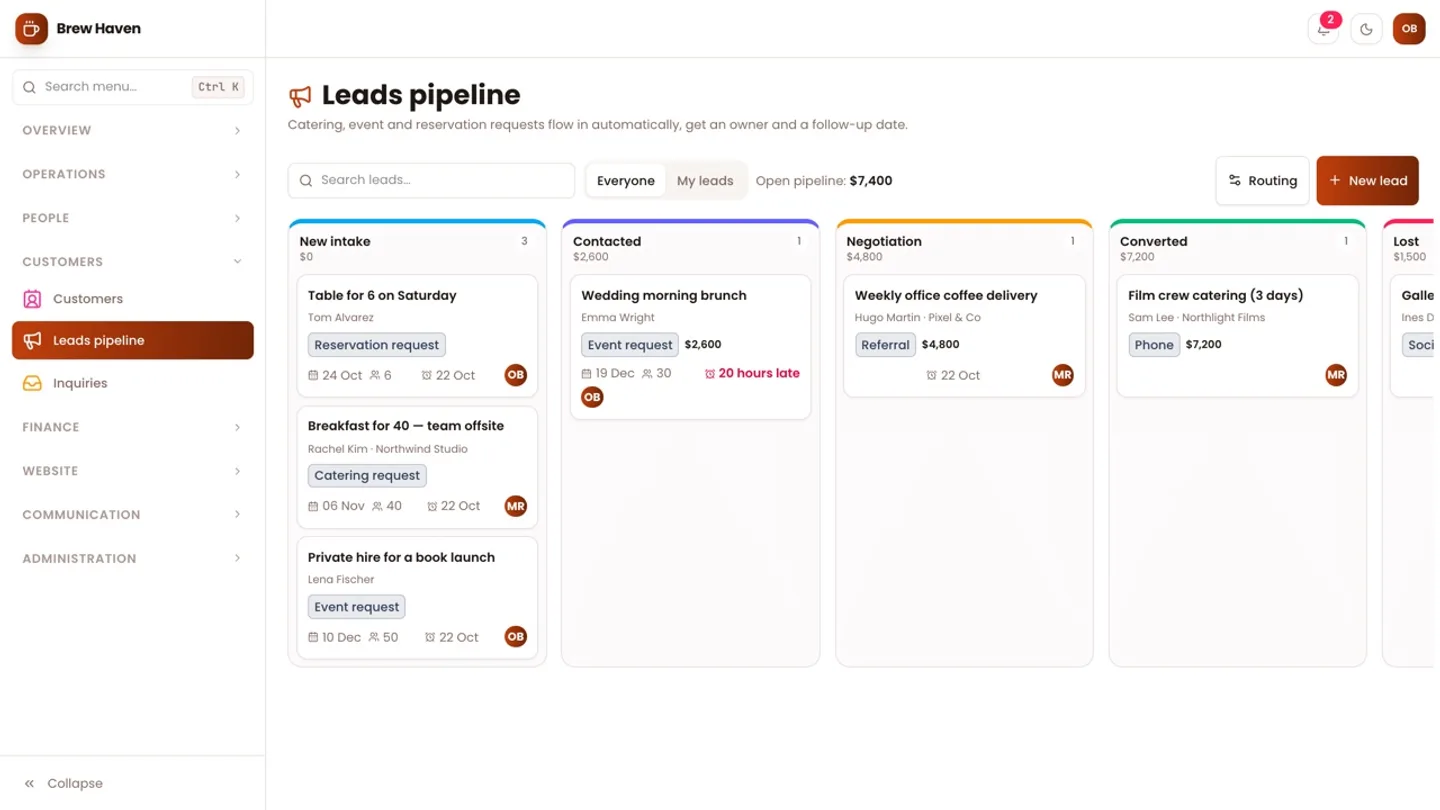
The best repeat customers often turn into catering and event bookings. When someone submits a catering, event or reservation request on your CafePro website, CafePro:
- creates or merges their customer profile
- creates a lead with the event date, number of guests and outlet
- assigns an owner by round robin, by source or leaves it unassigned, according to your routing settings
- sets a follow-up date, 24 hours ahead by default
- notifies the owner in the app and by email
A daily job reminds owners about leads that are due. Leads move from New intake to Contacted, Negotiation, Converted or Lost. A lost lead needs a reason, and a converted one is linked to the customer. AI can draft a follow-up email from the lead and its activity, for staff to review before sending.
Step 9: Bring regulars back
The tools for spotting who to bring back are in the customer list:
- sort by last order date to find regulars who have stopped coming
- sort by lifetime spend or points to find your best guests
- filter by tags, source or marketing opt-in
- export the list to CSV for your email or SMS tool, using only guests who have opted in
A monthly loyalty routine
- Check points outstanding against last month
- Export opted-in guests who have not ordered in six weeks
- Review manual adjustments in the audit trail
- Look at converted and lost leads, and the reasons
What it does not do yet
So you can plan around it:
- No tiers or reward catalogue. Points are a cash-equivalent balance; there are no silver and gold levels, and no "free tenth coffee" rewards.
- No expiry. The ledger has an expiry entry type reserved, but nothing creates expiry entries yet, so points do not expire.
- No guest-facing balance. Guests cannot check their points on the website or in an app; staff see them at the till and in the profile.
- No automated campaigns. Birthdays and opt-in are stored, but CafePro does not send birthday or win-back emails itself.
- Invoices do not earn. Catering and event invoices are linked to the customer, but only paid till orders count towards lifetime spend and points.
Each of these is a reasonable customisation on top of the existing ledger.
Next step
The loyalty and profile behaviour described here is covered by tests in the source: "earns and redeems loyalty, and a refund reverses it" (POS), "keeps a loyalty ledger and refuses to go negative" and "dedupes customers on email, then phone, and merges sources" (CRM), and the opening-points import test. For the till itself, see our front-of-house guide. You can get the source from the CafePro marketplace page, and DEV3 can install it or add tiers, expiry or campaigns for you. For the wider build, read the case study.