No licence key or activation is needed: install the zip and every feature works.
Requirements
- WordPress 6.0 or newer and PHP 7.4 or newer
- Recommended: Yoast SEO or Rank Math (free or premium). SEOPress and All in One SEO are also supported; with no SEO plugin, DEV3 prints the title, meta description and Open Graph tags itself
- The block editor for the DEV3 AI SEO sidebar. Classic-editor sites use the post screen inside the plugin's admin
- Optional: a Google Gemini API key. Without one, checks, scores, reports and rules-based suggestions still work
1. Install the plugin
- Unzip the bundle download and find
dev3-ai-content-seo-site-tools-plugins-bundle/dev3-ai-seo-assistant/dev3-ai-seo-assistant.zip.
- In WordPress, go to Plugins → Add New → Upload Plugin, choose the zip and click Install Now.
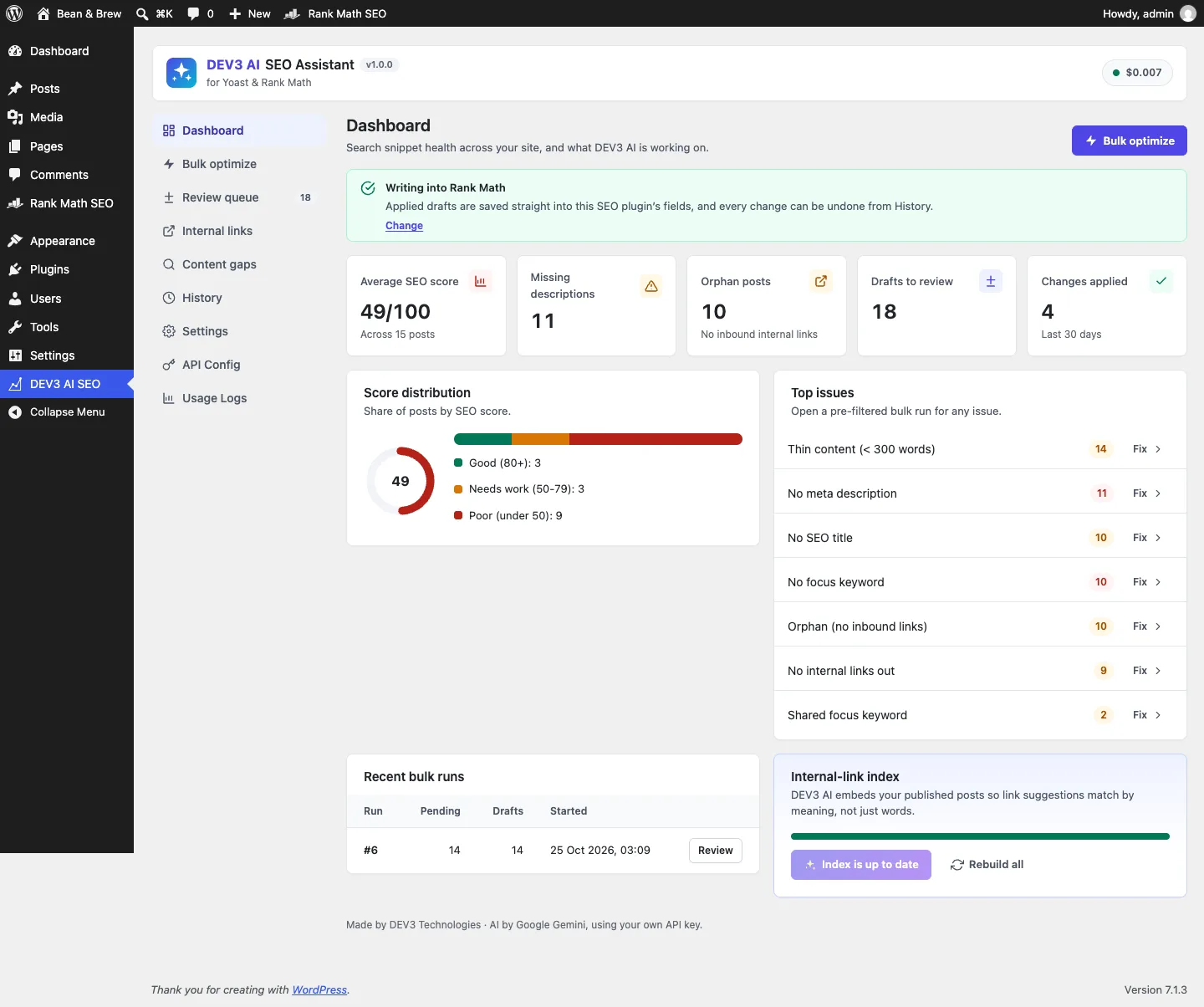
- Click Activate. DEV3 AI SEO Assistant for Yoast & Rank Math appears in the plugin list and its menu, DEV3 AI SEO, appears in the admin sidebar.
2. Connect Google Gemini (optional)
- Create a free API key in Google AI Studio (sign in with a Google account, then Create API key).
- Go to DEV3 AI SEO → API Config, paste the key and click Validate & save. The key is stored encrypted and never sent to the browser. You can also set a monthly budget here.
- Optional: pick the model (gemini-2.5-flash is the fast default; gemini-2.5-pro for the highest quality). Internal-link suggestions use gemini-embedding-001.
Prefer config files? Add define( 'DEV3SE_GEMINI_API_KEY', 'your-key' ); to wp-config.php instead.
3. Set it up
- If you use Rank Math, finish or skip its setup wizard first so it prints its head tags.
- Open DEV3 AI SEO → Dashboard. The banner shows which SEO plugin DEV3 is writing into; change it in Settings if you run more than one.
- In Settings, set the title and description limits, title separator and brand suffix, language, tone, post types and the number of link suggestions per post.
- Go to Internal links and click Update index with DEV3 AI to embed your published posts. New posts are indexed on publish.
- Open any post in the block editor and click the DEV3 AI SEO icon in the top bar. Generate a field, compare the draft, then Apply, Edit or Reject it.
- For many posts at once, use Bulk optimize (filter by issue, such as "No meta description"), then review the drafts in Review queue. Every applied change is listed in History with Undo.
Updating
Download the new bundle version, then upload the plugin zip in Plugins → Add New → Upload Plugin and choose Replace current with uploaded. Settings, drafts and history are kept.
Uninstalling
Deactivate and delete the plugin from Plugins. Drafts, history and settings are kept unless you turn on the delete-on-uninstall option in Settings first. Values already applied always stay in your SEO plugin's fields, because they belong to Yoast SEO, Rank Math or the SEO plugin you use.