Enterprise SaaS Starters
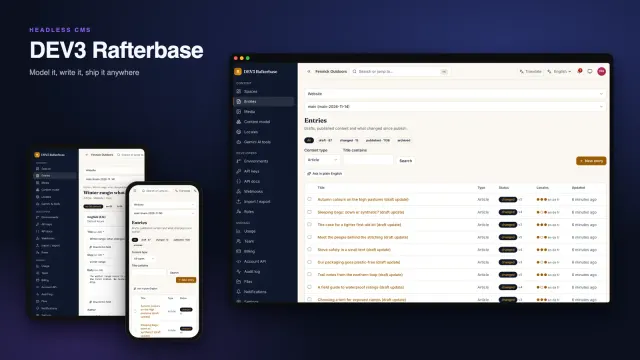
DEV3 Rafterbase – Headless CMS with Content Modelling, Locales, REST APIs & TS SDK (Next.js) with Gemini AI Admin Tools
from $69$99
Loading…
Design tool
Free, no sign-up. Runs in your browser; nothing is uploaded. Buy the source code: $29 Regular / $69 Extended
Add one song to edit its title, artist, album, year, genre, lyrics and cover art, or add a whole album to edit it in a spreadsheet grid, rename files from tags, number tracks and download everything as a ZIP.
Need MP3 Tag Editor (ID3, Album Art) Online as a complete website or app for your brand? We design and build it end to end. Built in about a week, from $99. Send your requirements or SOW; you get a fixed quote and a delivery date.
The mp3 tag editor (id3, album art) online stays free to use online. If you want the code to run, edit and ship in your own project, get the full source from the DEV3 Marketplace. Instant download, 6 months of support.
Launch the full site, not just the asset. Buy once, own the source, and try each one live first.
Enterprise SaaS Starters
from $69$99
Web Scripts & Software Mobile app
from $69$99
Web Scripts & Software Mobile app
from $69$99
Web Scripts & Software Mobile app
from $69$99
Web Scripts & Software Mobile app
from $69$99
Web Scripts & Software
from $69$99
Web Scripts & Software
from $69$99
Web Scripts & Software
from $69$99
Wrong titles, missing artists and blank covers make a music library hard to use. This editor reads the tags of your files, lets you change them one by one or all at once, and saves the MP3 without touching the audio.
Click a file and use the panel on the right: title, artist, album, album artist, year, genre (with suggestions), track and disc numbers, composer, BPM, label, copyright, comment and lyrics. Edited cells are marked in orange. Mistakes such as a four-digit year typed wrongly or a track number higher than the total are flagged.
The grid shows track, title, artist, album, year and genre for every file. Press Enter to move down a column. Then use the tools below it, which apply to ticked files or to all files if none are ticked:
Choose a pattern like %track% - %artist% - %title%. The tokens are artist, title, album, albumartist, year, genre, track, disc, composer, n and filename. Empty values are skipped without leaving stray dashes.
Add, replace, remove or save the cover, and apply one cover to a whole album. Cover images can be shrunk to 300 to 1400 pixels while saving.
Download a single file or a ZIP. Tags are written as ID3v2.3 for the best compatibility. Existing ID3v2 tags are replaced, so unusual frames that this tool does not show are dropped.
Drop the file in the box, click it in the list and change the title, artist, album, year, genre, track number, lyrics or cover art. Press the download button on the row (or Save files for a batch) to get the MP3 with the new tags. The audio is not re-encoded, so quality does not change.
Select the song, press Add under Album art and choose a JPEG, PNG or WebP image. Use "Use this cover for all files" to put the same cover on a whole album. You can shrink the image when saving so the file stays small.
Yes. Add the whole album and edit the grid like a spreadsheet. Tick files to apply bulk actions: set the album for all, number tracks, fix capitalisation, find and replace, read tags from file names, or export and import a CSV.
Write a pattern such as %track% - %artist% - %title% under Rename files from tags. The new names are shown in the grid and used when you download. Characters that are not allowed in file names are replaced, and duplicates get a number.
Tags are read from MP3, M4A, FLAC, OGG, Opus and WAV files. Writing is supported for MP3 (ID3v2.3), the format used by almost all players. For other formats, convert to MP3 first.
No. Tags are read and written in your browser, so your music never leaves your device.