Web Scripts & Software Mobile app
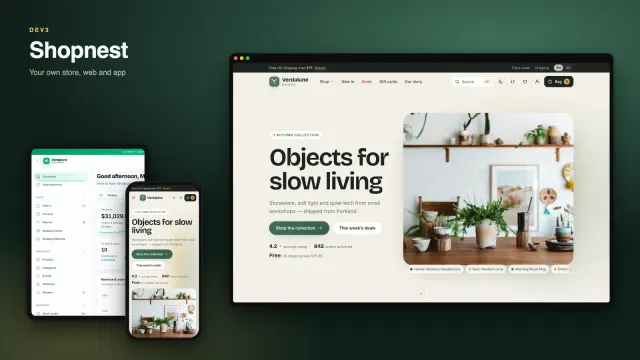
DEV3 Shopnest – Single-Vendor Store Laravel Script with Flutter Customer & Owner Apps
from $69$99
Loading…
Business tool
Free, no sign-up. Runs in your browser; nothing is uploaded. Buy the source code: $29 Regular / $69 Extended
Printed as a Code 128 barcode
0 for prepaid
Loading your saved draft...
0 to 3. Reuse a partly used sheet.
Print the PDF at 100% (Actual size), not Fit to page, so the labels line up with your sheet or thermal roll.
Need Shipping Label & Address Label Generator as a full app for your business? Your own branding, your own data, your own users. Built in about a week, from $99. Send your requirements or SOW; you get a fixed quote and a delivery date.
The shipping label & address label generator stays free to use online. If you want the code to run, edit and ship in your own project, get the full source from the DEV3 Marketplace. Instant download, 6 months of support.
Run the whole business in one ready-made app. Buy once, own the source, and try each one live first.
Web Scripts & Software Mobile app
from $69$99
Web Scripts & Software
from $69$99
Web Scripts & Software Mobile app
from $69$99
Web Scripts & Software Mobile app
from $69$99
Web Scripts & Software
from $20$29
Web Scripts & Software
from $20$29
Web Scripts & Software Mobile app
from $69$99
Web Scripts & Software Mobile app
from $69$99
Whether you ship ten parcels a week or a thousand, clear labels save returns. This tool lays out a proper shipping label with the carrier, order number, return address, a large ship-to block, a cash on delivery banner, handling note and a scannable tracking barcode. For envelope mailings it also prints compact address labels on standard A4 sticker sheets. Everything runs on your device.
Choose Many labels, upload a CSV exported from your shop or spreadsheet, or paste it. The first row must be headers. Common names such as name, address, pincode, zip, awb, phone and cod are recognised automatically. Rows without a name or address are skipped, and problems are listed for you to fix.
Labels use the standard fonts inside the PDF, so write addresses in Latin letters.
Thermal 4 x 6 inch, A6, four or two labels on an A4 sheet, and two common A4 address label grids with 14 or 21 labels. Thermal and A6 give one label per page, so they suit label printers and courier slips.
The tracking number is printed as a Code 128 barcode, which every courier scanner reads. It is drawn as vector bars in the PDF, so it stays sharp. Use only plain letters, digits and common symbols in the tracking number.
Choose Many labels, upload a CSV or paste rows with a header such as name, address, city, state, pincode, phone, order, tracking, weight, contents, cod and copies. Each row becomes a label, and the copies column repeats it.
Yes. For sheet sizes with several labels, enter how many slots are already used and the first label starts after them, so you do not waste the remaining stickers.
PDF files made in the browser use built-in fonts that cover Latin letters. Scripts such as Devanagari or Arabic are not included, so write those addresses in Latin letters. Nothing is sent to a server either way.