"Can we put a little arcade game on the site, with a high-score table, so people come back?" It is a common request for 404 pages, event microsites, gaming communities, school projects and brand campaigns. The hard part is not drawing a maze. It is making the controls feel right on a phone, keeping the download small and running a leaderboard that does not fall over or fill up with nonsense.
This guide walks through adding a retro maze-chase game with local and online high scores to a website, and designing your own mazes for it, using MacMan, our free HTML5 arcade game built with Phaser 3 and TypeScript. It is written for web developers, agencies, small studios and teachers who want a finished, readable game to adapt.
What good looks like
An arcade game on a website works when:
- It feels fair on every device. Keyboard, gamepad and touch, with turns that do not require pixel-perfect timing.
- It loads before people lose interest. A small client with no large asset downloads.
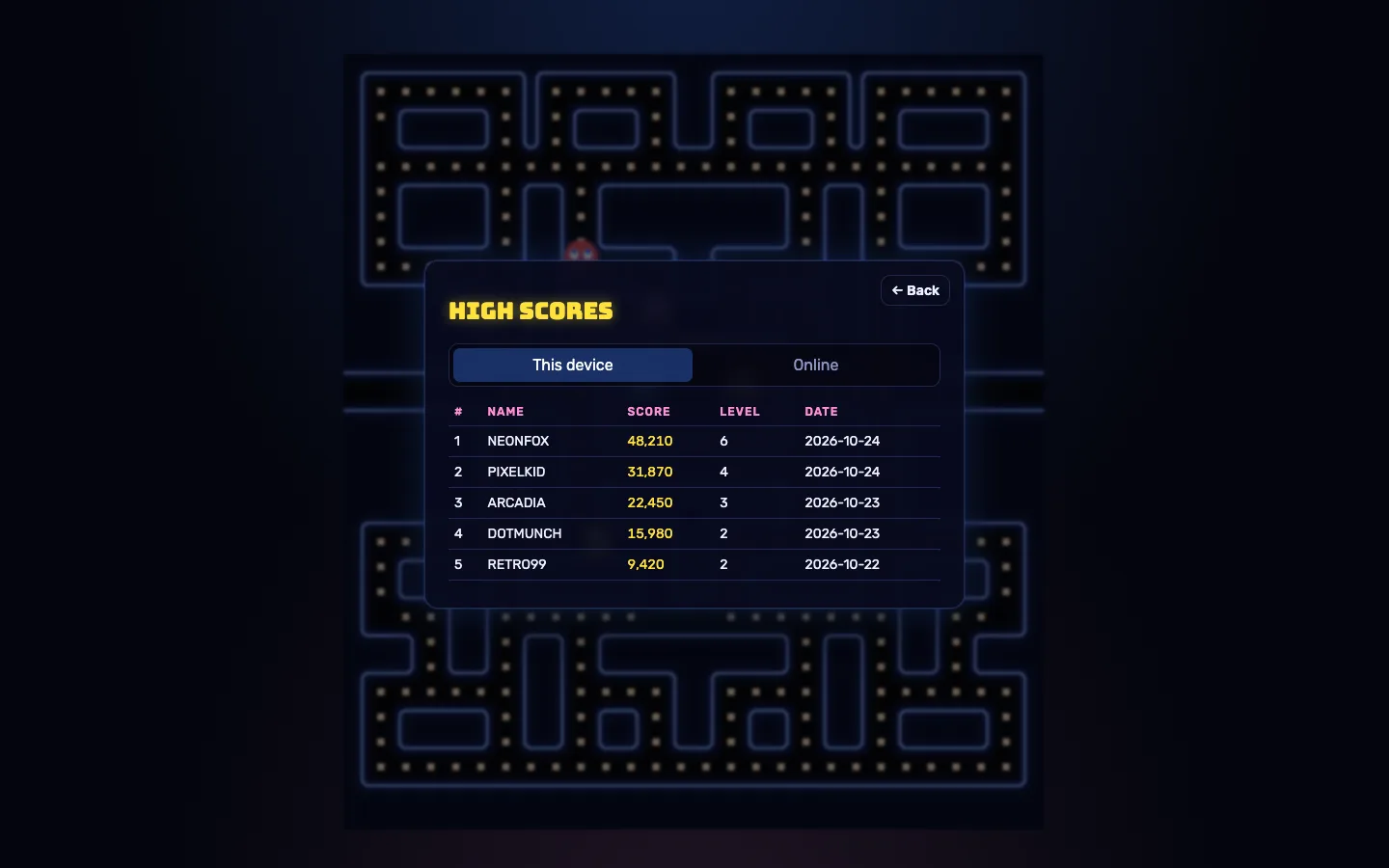
- Scores keep people coming back. At least a local high-score table, and an online one when you want competition.
- It can carry your brand. A title, colours and ideally your own levels.
- You can host it anywhere. Ideally static hosting, with a server only if you want the online board.
MacMan is built to that list. It supports the keyboard, the Gamepad API and three touch styles (swipe, joystick or d-pad). It buffers a pressed direction for 0.6 seconds and accepts turns close to a junction, so cornering feels smooth. The whole client is about 365 KB gzipped, because the neon maze, sprites, effects and music are all generated in code. And it has a local top 10 that always works, plus an optional online board.
Step 1: Run it and play it
With Node.js 18 or newer (20 LTS recommended):
- Run
npm install, thennpm run dev. - Open http://localhost:3100. The leaderboard API runs on port 3101, and the dev server proxies
/apito it, so the online board works from the same URL. - Open Settings, enter a Player name, choose a Touch controls style and press Save.
Play a few levels before changing anything. You will see the four ghosts behave differently: Blaze heads straight for you, Pixie aims four tiles ahead, Frost closes in from the side and Ember backs off to its corner when it gets close. The maze changes every three levels: Neon, then Circuit, then Fortress.
Step 2: Pick a hosting option
Static hosting only
If you only want the local high scores, the game needs nothing but static hosting. Build with VITE_LEADERBOARD_URL=off, or run npm run build:demo, and upload the result to any static host. Vercel and Netlify configs are included. The game always keeps a local top 10 in the browser.
Game and online leaderboard together
The included Dockerfile builds one image that serves both the game and the leaderboard from one origin, and keeps scores in a /data volume. You can set PORT, DATA_FILE and CLIENT_ORIGIN, and GET /health returns { ok: true } for your host's health check.
Static game, separate score server
To keep the game on a static host but still have an online board, set VITE_LEADERBOARD_URL at build time to wherever the score server runs, and set CLIENT_ORIGIN on the server to your site's address. VITE_* values are baked in at build time, so rebuild the client after changing one.
Step 3: Connect your own leaderboard (optional)
The bundled Express server validates submissions with zod, rate-limits each IP, rejects implausible scores and stores the top 100 in a JSON file. If you already have a backend, for example a community site with accounts, you can replace it. The online board works with any API that implements two endpoints:
GET  /api/scores?limit=10            → [{ name, score, level, date }]  (highest first)
POST /api/scores { name, score, level } → 201 { rank } | 400 | 422 | 429
Be honest with your audience about what the board is. Scores still come from the player's browser, so treat the online board as a casual one rather than a prize competition.
Step 4: Brand it
| To change | Edit |
|---|---|
| Game title | GAME_TITLE in apps/client/src/ui/App.ts and the <title> in apps/client/index.html |
| Colours and ghost names | apps/client/src/palette.ts |
| Difficulty and scoring | packages/shared/src/config.ts (levelSpec, modeSchedule, FRUIT_POINTS, EXTRA_LIFE_AT, START_LIVES and more) |
| Sounds | synthSfx() and synthLoop() in AudioManager.ts |
The maze layouts, ghost names, art and music are all original, but pick your own title for a commercial release.
Step 5: Design your own mazes
This is the part teachers and level designers tend to enjoy most. A maze is ASCII art added to MAZE_SOURCES in packages/shared/src/maze/mazes.ts. You can write only the left half and pass it through mirrorRows() to get a symmetrical maze.
#  wall          .  dot            o  energizer     (space) empty corridor
t  tunnel        -  house door     H  house inside  1 2 3  house slots
P  player spawn  B  house exit     F  fruit spot    (P, B, F take 2 cells)
You do not have to guess whether a layout works. parseMaze() rejects a broken maze and explains why: ragged rows, missing markers, tunnels that open on one side only, or corridors you cannot reach. Set each maze's wall colours in palette.ts.
A classroom idea
Ask students to design a maze in a text editor, run the game, and read the error when it fails validation. It is a gentle introduction to grids, connectivity and data-driven design, and the deterministic engine means the same seed and inputs always replay the same game.
Tips and pitfalls
- Use the debug cheats for testing. With
?debugin the URL,window.__macman.cheatsoffersalmostClear(),lives(n),catchMe()andscore(n), which make it quick to test level clears and the game-over screen. - Run the tests after rule changes.
npm testcovers maze validation, movement, every ghost targeting profile, scoring, progression and the leaderboard API. - Check CORS first. If the game shows "Online board unavailable", check that the server is reachable at
VITE_LEADERBOARD_URLand thatCLIENT_ORIGINallows your site. - Test on high-refresh screens. The fixed 60 Hz simulation keeps the speed the same on 60, 120 and 144 Hz displays, which is worth confirming on your audience's devices.
Who it's for
MacMan suits developers and agencies adding a playful extra to a website or campaign, communities that want a casual high-score table, and educators teaching game logic with a real, tested codebase. The MacMan case study goes into the ghost AI and the engine. For a custom game or a deeper reskin, our web development team can help.
Next step
MacMan gives you a complete maze arcade game with forgiving controls, an optional online leaderboard and mazes you can write as plain text. Sign in to any DEV3 account to get the full source free from the MacMan marketplace page.