"Every client store pays for the same four apps, we cannot change how any of them work, and when one breaks we wait in a support queue like everyone else." Shopify agencies say this a lot. SEO copy, cart upsells, support chat and supplier syncs are the jobs nearly every store needs, and renting them app by app means no control over the code, the data or the roadmap.
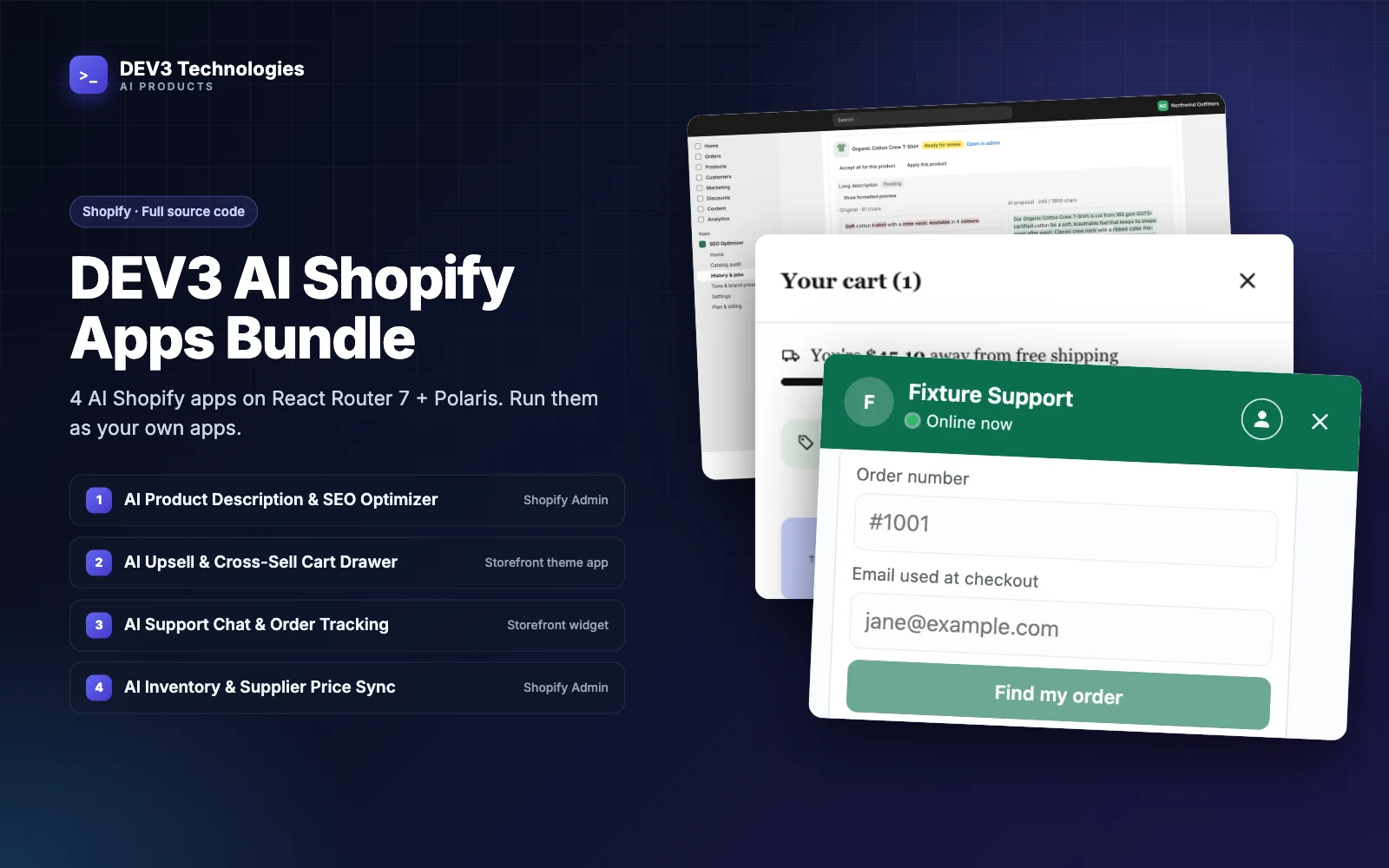
This guide is for Shopify agencies and developers who want to run their own AI apps instead: under their own Partner account, on their own hosting, with their own pricing. It uses the DEV3 AI Shopify Apps Bundle, the full TypeScript source of four Shopify apps in one monorepo.
What "running your own apps" involves
Owning the source is only the start. To run apps for clients you need:
- Your own app records. Each app linked to your Shopify Partner Dashboard, not someone else's.
- Hosting for two processes per app. The web app Shopify loads in the admin, and a background worker for long jobs.
- A database and a queue. Somewhere to store each shop's settings and history, and to run scans and syncs in the background.
- Plans and billing. Your own prices, charged through Shopify.
- Clean uninstalls. Customer and shop data removed when Shopify asks.
The bundle is built around exactly this: each app sits on the Shopify React Router 7 app template with Polaris web components, has its own Prisma schema on PostgreSQL, a BullMQ worker on Redis, Vitest tests and a Dockerfile, and they share packages for Shopify helpers, queues, billing and the AI client.
The four apps you get
- DEV3 AI Product Description & SEO Optimizer audits the catalog, then writes titles, descriptions, meta tags and alt text in bulk. Nothing changes until someone approves the dry-run diff, and changes can be rolled back for up to 30 days.
- DEV3 AI Upsell & Cross-Sell Cart Drawer is a slide-out cart with 2–3 AI-picked add-ons, a free-shipping bar, bundle offers and an optional countdown.
- DEV3 AI Support Chat & Order Tracking Assistant tracks orders for verified customers, answers questions from the store's own policies and pages, and hands hard cases to email, Zendesk or Gorgias.
- DEV3 AI Inventory & Supplier Price Sync pulls stock and prices from supplier feeds over URL, FTP/FTPS, SFTP or a REST API, applies price rules and holds suspicious runs for review.
The AI features use Google Gemini, with a GEMINI_API_KEY from Google AI Studio in each app's .env.
Step 1: Set up the monorepo once
You need Node.js 22.12 or newer, PostgreSQL 15+ (with pgvector for the Support Chat app), Redis 7+, a Shopify Partner account, a development store and the Shopify CLI.
cd dev3-ai-shopify-apps-bundle
npm install          # installs every app and package
npm run infra:up     # local Postgres (5433), Redis (6380), Mailpit and SFTP/FTP test feeds
The local setup creates one database per app and enables vector for Support Chat. Note the non-default ports when you write your connection strings.
Step 2: Link each app to your Partner Dashboard
shopify.app.toml ships with an empty client_id, so every buyer links the apps to their own Partner apps. For each app you want to run:
cd apps/<app>
cp .env.example .env     # DATABASE_URL, REDIS_URL, GEMINI_API_KEY, APP_ENCRYPTION_KEY
npm run config:link      # links shopify.app.toml to YOUR app
npm run setup            # prisma generate + migrate deploy
npm run dev              # installs the app on your development store
Start the worker in a second terminal with npm run worker. Run scripts/shopify-env.sh <app-folder> once from the root after linking, so the worker has the app's API credentials.
The Shopify CLI needs app names under 30 characters, so the toml files use short names such as "DEV3 AI Product SEO Optimizer". If you rebrand the apps under your agency's name, keep within that limit.
Step 3: Set your plans
Each app has a Plan & billing page that reads the plans in app/lib/plans.ts, through the shared billing package. Set your own plans and prices there before you publish. This is where an agency decides its model: a flat retainer add-on, tiered plans by usage, or a free plan for clients already on a maintenance contract.
Step 4: Deploy to production
- Host each app's web process and its worker on any Node host, or build the included
Dockerfile. The container runs the migrations, then serves the app on port 3000. - Use managed Postgres and Redis, and set the same
.envvalues on your host. - Point the app URL in
shopify.app.tomland the Partner Dashboard at your host. - Run
npm run deployto push the app configuration and extensions: the cart drawer embed, the bundle discount Function, the analytics pixel and the chat widget embed.
Step 5: Onboard a client store
Once the app is installed on a client's store:
- SEO Optimizer: run Catalog audit → Scan catalog, set up a Tone & brand preset with the client's guidelines, banned words and keywords, then optimise a small batch and review the diff together.
- Cart Drawer: sync the catalog, then switch on DEV3 AI Cart Drawer under Online Store → Themes → Customize → App embeds. If the theme's cart icon does not open the drawer, add its CSS selector in the embed settings.
- Support Chat: run Knowledge base → Sync now, style the widget, enable it in App embeds and click Save and send a test hand-off.
- Inventory Sync: choose the location and alert email, then add the supplier with the five-step wizard and start with Save & dry run now.
Tips and pitfalls
- Keep the worker running. Scans, optimisation jobs, syncs and hand-off retries all run in the background. A web process without a worker looks fine until the first job never finishes.
- Never change
APP_ENCRYPTION_KEY. It encrypts stored credentials such as helpdesk tokens and supplier passwords. Changing it later makes them unreadable. - Test with the sample data. Use the product CSV in
test-data/and the SFTP/FTP feeds served bynpm run infra:upbefore touching a client store. - Keep your link when updating. When you merge a new version, keep your
.envfiles and your linkedclient_id, then runnpm install,npm run setupin each app andnpm run deploy. - Privacy is handled per shop. Each app stores data per shop and deletes it when Shopify sends the
shop/redactrequest after uninstall.
Who it's for
The bundle suits Shopify agencies that want their own app line-up for client stores, developers building an app business on proven foundations, and in-house teams at multi-store merchants. Start with the app your clients ask for most. For many agencies that is catalog copy, and the AI Product Description & SEO Optimizer case study shows how its review and rollback flow works. If you want help deploying or extending the apps, see our AI implementation service.
Next step
The DEV3 AI Shopify Apps Bundle gives your agency four AI apps you link to your own Partner account, price yourself and host where you like. Get the full source on the DEV3 AI Shopify Apps Bundle page.